



I remember the exact moment I hit my breaking point. It was 5:01 PM on a Tuesday, and I was trying to slide my corporate laptop to the left just so I could reach my gaming mouse. My desk was a graveyard of tangled USB cables, three different keyboards, and a monitor that kept wobbling because the table legs were never meant to hold sixty pounds of tech. I didn't have a home office; I had a server room that I happened to sleep in. If you are struggling to fit your life and your livelihood on one surface, you need a dedicated two pc desk.
- Prioritize a desk depth of at least 30 inches to avoid eye strain from multiple monitors.
- Choose solid wood or reinforced steel over particle board to prevent the dreaded 'middle sag.'
- Decide between a KVM switch (space-saving) or a physical 'work vs. play' split.
- Cable management trays are not optional; they are the only way to survive ten-plus power cords.
The KVM Switch vs. The Dedicated Divide
The biggest hurdle in any 2 computer desk setup is deciding how you want to interact with your machines. You have two paths: the KVM switch or the physical split. A KVM (Keyboard, Video, Mouse) switch lets you use one set of monitors and peripherals for both PCs. It is the minimalist's dream. You press a button, and your screens flip from Excel spreadsheets to your Steam library. It’s clean, it’s tight, and it saves a massive amount of surface area.
However, I’ve found that the physical divide—literally having a 'work side' and a 'gaming side'—is better for my brain. When you have a dual pc desk, having two distinct zones helps you mentally clock out. If I’m sitting on the right side of the desk, I’m the 'Work Me.' If I’m on the left, I’m the 'Gaming Me.' This requires a much longer desk—usually 72 inches or more—but it prevents the frustration of laggy KVM switches or the nightmare of re-syncing Bluetooth headsets every time you switch machines.
Why Your Current Table is Sagging in the Middle
Most people try to build a multi computer desk setup using a standard 48-inch table they found on clearance. Here is the reality check: two towers, three monitors, and a couple of heavy-duty monitor arms weigh a lot. If you are using a desk made of honeycomb paper or thin particle board, it will bow in the center within six months. I’ve seen setups where the monitors actually start leaning toward each other like they’re whispering secrets.
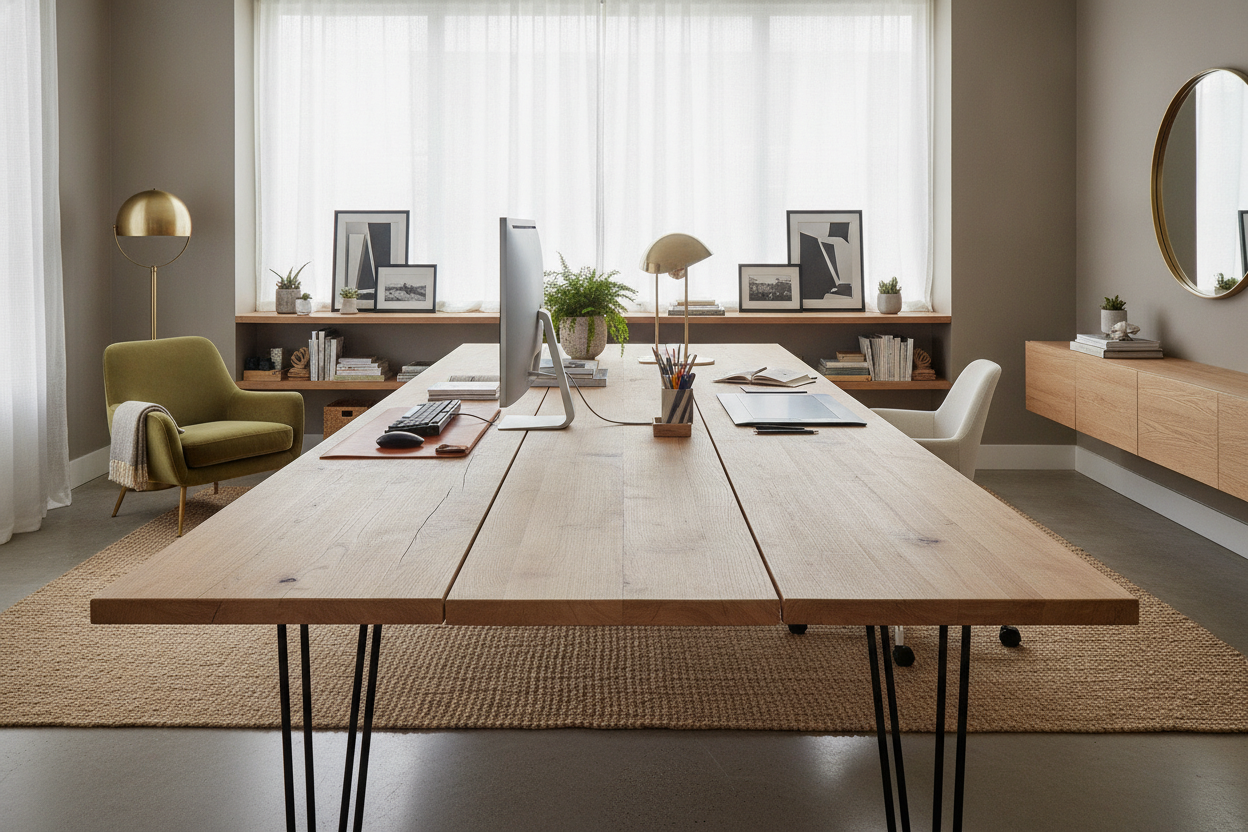
You need to look for a sturdy writing computer desk that uses a solid core or a metal support beam running the length of the underside. If you are going the DIY route with a kitchen countertop, you absolutely must put a support leg in the middle. A dual computer desk setup is an investment in your hardware; don't let a $40 table be the reason your $2,000 rig ends up on the floor. Look for weight capacities of at least 150 pounds to be safe.
Depth Over Width: The Secret to Fitting Everything
Everyone focuses on how wide their two computer desk setup should be, but depth is the secret sauce. Most standard desks are 24 inches deep. In a multi computer desk, that is a recipe for a headache. Once you put two rows of monitors or a large ultrawide on there, the screen is practically touching your nose. You want a desk that is 30 to 34 inches deep. This gives you room for your keyboard, a large desk mat, and enough focal distance so you aren't squinting at pixels all day.
If your room is too small for a deep desk, you have to think vertically. I’ve seen people successfully use a 6 drawer computer desk with hutch to reclaim that lost space. You can put your secondary laptop or your modem/router up on the hutch levels, keeping the main surface clear for your primary monitors. It’s about clearing the 'visual noise' so you can actually focus on the screen in front of you.
Taming the Two-Machine Cable Monster
A dual pc desk setup means at least two power bricks, two HDMI/DisplayPort cables per monitor, mouse wires, keyboard wires, and webcam USBs. It’s easily 15 to 20 cables. If they are all hanging down the back of the desk, it looks like a tech-themed horror movie. You need a horizontal cable tray that bolts to the underside of the desk. Do not rely on those little plastic adhesive clips; they will fall off the moment the room gets warm.
I’m a huge fan of using 'snakes' or braided cable sleeves to group the wires coming from each machine. When designing a multiple computer desk setup, I always recommend plugging everything into one high-quality surge protector mounted directly to the bottom of the desk. This way, only one single power cord goes from the desk to the wall outlet. It makes the whole setup look like it’s floating and makes vacuuming underneath a breeze instead of a hazard.
Making It Look Like Furniture, Not a Server Room
The biggest mistake people make with a 2 pc desk setup is forgetting they have to live in the room. You don't need everything to be 'gamer' branded with glowing red LEDs. To make the space feel like home, I always add a large leather or felt desk mat. It anchors the peripherals and softens the look of the hard desktop surface. Add a real lamp with a warm bulb (2700K) rather than relying on the harsh overhead light or the blue glow of your monitors.
Bringing in a plant or two also helps break up the 'tech' vibe. A small snake plant or a pothos can survive in the low-light corners of a desk and adds much-needed organic shapes to a space filled with rectangles. If you want to really style your computer setup desk, match your chair fabric to your room's curtains or rug. It’s those small touches that differentiate a professional home office from a teenager’s basement lair.
My Personal Setup Fail
I once tried to mount two 32-inch monitors on a single-pole arm attached to a cheap veneer desk. I woke up at 3 AM to a loud 'crack.' The weight of the monitors had acted like a lever and literally punched a hole through the particle board. I had to reinforce the hole with a steel plate just to keep the monitors from falling. Learn from me: if you're going big on tech, go big on the desk material. I eventually switched to a solid birch block, and I haven't heard a single creak since.
FAQ
Can I run two PCs on one monitor?
Yes, most modern monitors have multiple inputs (like HDMI and DisplayPort). You can manually switch inputs using the monitor's menu, or use a KVM switch to do it with a single button press.
How much weight can a standard desk hold?
A typical cheap flat-pack desk usually tops out at 50-75 lbs. A solid wood or high-end office desk can usually handle 150-300 lbs. Always check the manufacturer's specs before loading up two towers.
Is a 55-inch desk big enough for two PCs?
It’s tight. You can fit two laptops or one tower and one laptop, but two full-sized towers and dual monitors will feel very cramped on a 55-inch surface. 60-72 inches is the sweet spot.

Laisser un commentaire
Ce site est protégé par hCaptcha, et la Politique de confidentialité et les Conditions de service de hCaptcha s’appliquent.