


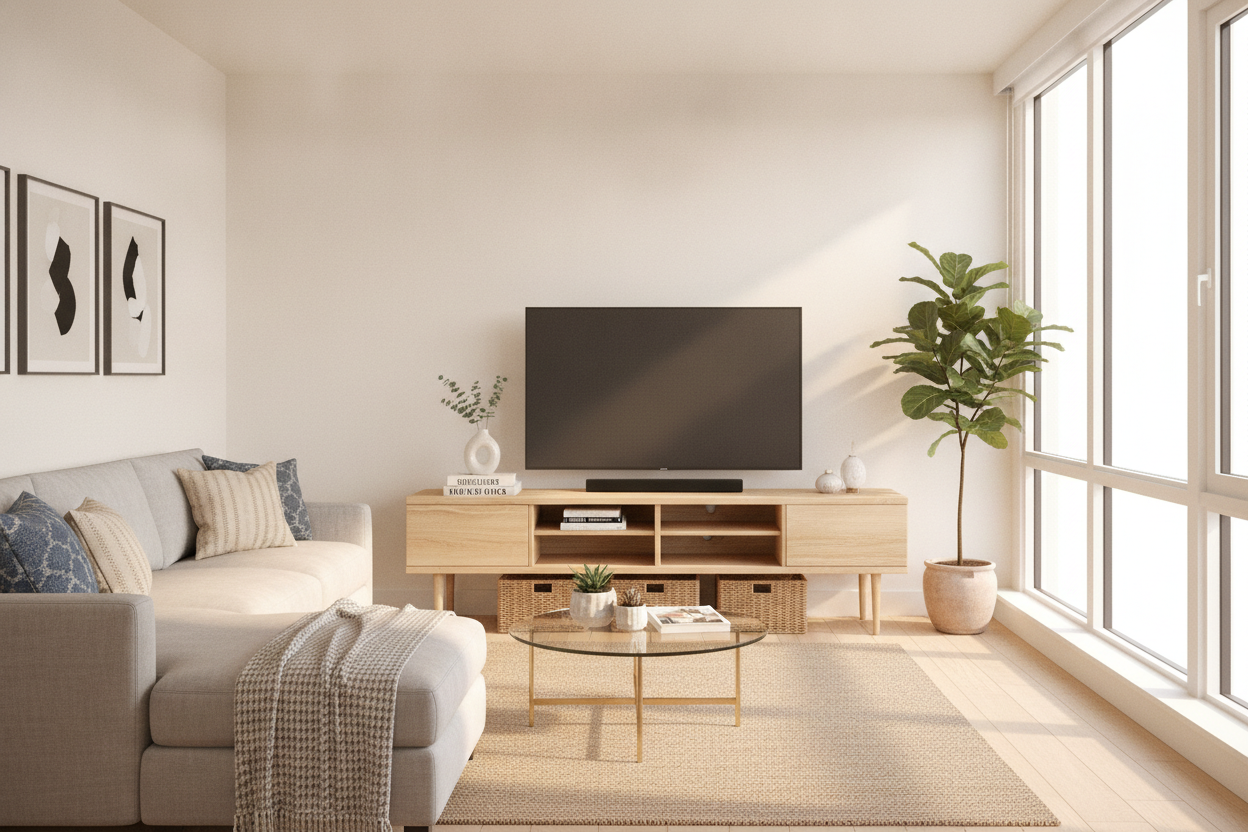
I once spent three years in a 450-square-foot studio where I tried to force a 75-inch TV into the layout because I thought it would make my Friday nights feel 'premium.' Instead, it felt like living inside a Best Buy. The screen dominated the wall, the glare was inescapable, and I had exactly zero room for a lamp or a plant. When I finally downgraded to a mid-sized screen and a 50 in tv console, the entire room felt like it grew by five feet.
We are constantly told that bigger is better, but in the reality of urban living, proportion is the only thing that matters. A 50-inch setup is the unsung hero of apartment design—it’s large enough for an immersive movie night but compact enough to let your living room actually function as a living room, not just a home theater.
Quick Takeaways
- A 50-inch TV is physically about 44 inches wide; your console should be at least 50-55 inches to look balanced.
- Legs are mandatory for small spaces to keep the floor visible and the room feeling airy.
- Avoid 'fast furniture' MDF; look for high-grade plywood or solid wood to prevent sagging.
- Cable management is the secret to making a small setup look expensive rather than cluttered.
The 'Goldilocks' Screen Size Nobody Talks About
The tech industry wants you to buy the biggest panel you can afford, but they don't see your floor plan. A 50-inch screen is the 'Goldilocks' size for most apartments. It allows for a comfortable viewing distance of about 6 to 8 feet, which is exactly what most city living rooms offer between the sofa and the wall.
When you pair this screen size with a properly scaled unit, you gain back 'white space' on your walls. That space is vital. It’s where you put the art that makes you happy or the sconce that provides warm evening light. By not maxing out the wall with glass and plastic, you create a home that feels curated rather than just occupied by electronics.
Stop Putting Medium TVs on Massive Credenzas
I see this mistake in half the apartments I visit: a perfectly good mid-sized TV sitting lonely in the middle of a six-foot-long sideboard. It looks like a postage stamp. If you have a limited footprint, a dedicated 50 media console is designed with the specific depth and height needed to keep your screen at a comfortable eye level.
There is a massive functional difference when you look at a media console vs credenza. Credenzas are often 30-plus inches high, which is great for serving buffet dinner but terrible for your neck when you're binging a series. A dedicated media unit usually sits between 18 and 24 inches high, putting the center of the screen right where it belongs.
The Power of Visible Floor Space
If your room feels cramped, look at your furniture's feet—or lack thereof. Solid-to-the-floor, blocky cabinets act like walls. They stop the eye and make the floor plan feel smaller than it actually is. It’s a heavy look that suffocates small rugs and tight corners.
I always tell my friends to get a tv cabinet on legs. When you can see the floor extending all the way to the baseboard, your brain registers more square footage. Plus, it’s a practical win: you can actually get a vacuum under there. Nothing kills a vibe like a visible layer of gray dust bunnies peeking out from under a heavy cabinet.
Sneaky Storage Tricks for a 50" Media Console
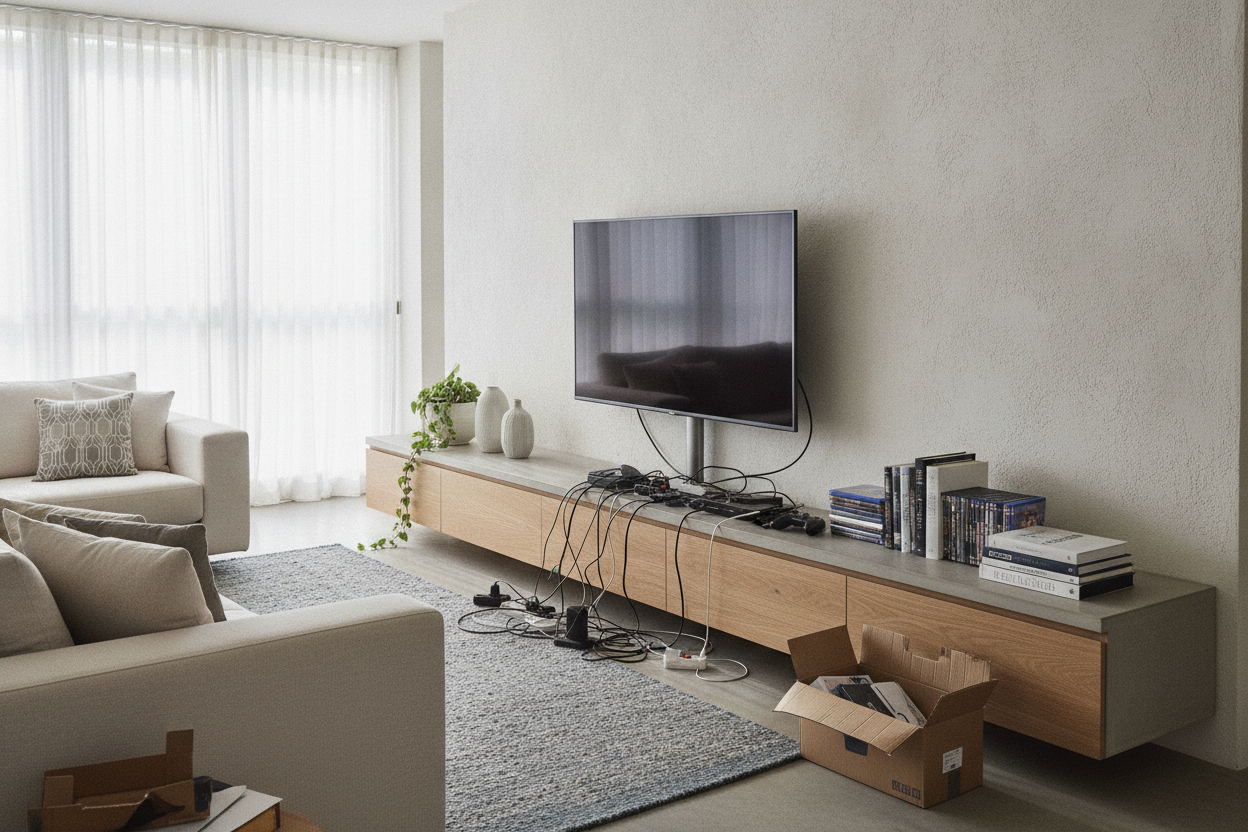
Just because you’re going smaller doesn’t mean you have to lose storage. A well-designed 50" media console can be a powerhouse for hiding apartment clutter. I use mine to house the router, the gaming consoles, and that giant nest of black power strips that usually ruins the aesthetic. Look for units with ventilated back panels so your tech doesn't overheat.
If you're tight on shelf space elsewhere, look for units that can double as book media storage. I like to use the interior cabinets for things I don't want to see—like internet hardware—and keep the open cubbies for a few choice hardcovers. It makes the unit feel like a piece of furniture rather than just a tech stand.
How to Style the 'Dead Zone' Around Your Screen
The 'dead zone' is that awkward gap between the TV and the edge of the console. Don't leave it empty, but don't over-clutter it either. I usually go for an asymmetrical look: a medium-sized ceramic vase on one side and a low stack of two or three books on the other. This balances the weight of the screen without blocking the speakers or the IR sensor.
If the wall still feels bare, don't buy a bigger TV. Instead, try a tall floor lamp on one side of the console. It adds height and vertical interest, drawing the eye upward. It makes the 50-inch setup feel like a deliberate design choice rather than a compromise.
My Biggest Console Mistake
Years ago, I bought a $110 particle board unit because the color matched my rug. Big mistake. Within six months, the 1.2 lb/ft³ density board started to sag in the middle under the weight of my receiver. The 'wood' finish was actually just a contact paper that peeled the first time I spilled a drop of water. Now, I only buy units with a solid wood frame or high-quality birch plywood. It costs more upfront, but it doesn't end up in a landfill after one move.
FAQ
How wide should my console be for a 50-inch TV?
Your console should be at least 50 inches wide, but 54 to 60 inches is the sweet spot. This leaves about 5 inches of 'buffer' on each side of the screen so it doesn't look like it's falling off the edges.
Can I put a 50-inch TV on a 40-inch stand?
You can, but it will look top-heavy and unstable. If the TV is wider than the stand, you run a much higher risk of knocking it over if you catch a corner while walking by.
What is the best height for a TV console?
For a standard sofa, look for a console that is 18 to 22 inches tall. You want your eyes to be level with the bottom third of the screen when you're sitting down.

Laisser un commentaire
Ce site est protégé par hCaptcha, et la Politique de confidentialité et les Conditions de service de hCaptcha s’appliquent.