


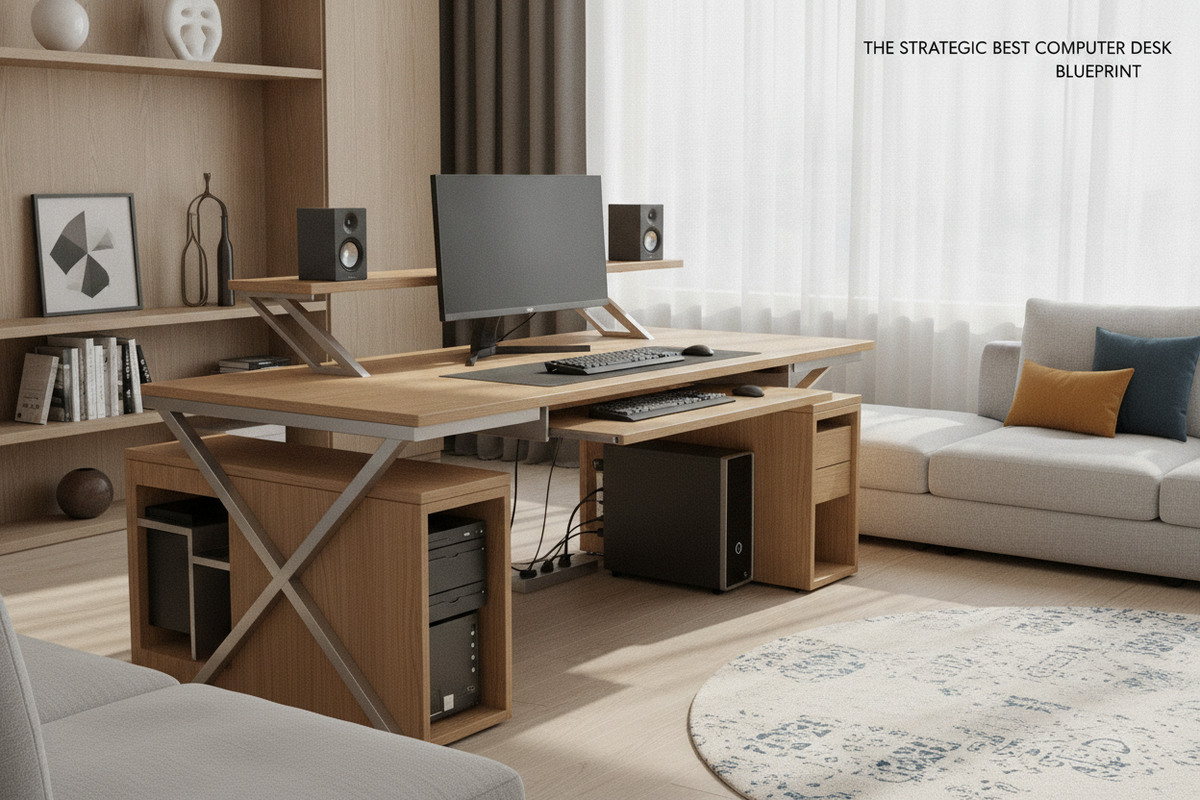
Introduction: Defining Quality and Function in Modern Workstations
Selecting the ideal workstation requires looking beyond surface-level finishes to evaluate how a piece of furniture interacts with your equipment, floor plan, and daily workflow. A well-designed computer desk serves as the anchor of a productive home office, balancing physical stability, ergonomic proportions, and efficient organization. Understanding what differentiates a standard table from a purpose-built workspace allows you to establish a layout that supports long hours of study, remote work, or creative projects without spatial friction.
Workstation Footprint Tiers and Dimensional Sizing Categories
Desks vary significantly in overall scale, and identifying the correct footprint tier ensures that your chosen model fits both your room boundaries and peripheral load. Exploring a diverse computer desk collection reveals several structural classes adapted for different spatial constraints and hardware configurations.
Compact Single-Screen Workstations for Nooks and Bedrooms
Compact workstations prioritize vertical efficiency and minimal floor encroachment. These models are engineered specifically for alcoves, shared guest rooms, or tight perimeter walls where preserving walk-around clearance is critical. While overall surface area is streamlined, these desks typically accommodate a single laptop or compact desktop display alongside primary input devices. Selecting a model with built-in lower shelves or an elevated riser helps keep the main desktop clear of clutter.
Mid-Sized Balanced Desks for Dual Monitors and Daily Tasking
Mid-sized desks represent the balanced core of home office workstations. Offering sufficient depth for comfortable focal distances and enough width to position dual monitors side by side, these surfaces accommodate both digital peripherals and analog writing tasks. The generous under-desk span provides uninhibited legroom while maintaining a manageable footprint within medium-sized study rooms or open living areas.
Expansive Executive and L-Shaped Multi-Zone Workstations
For complex workflows involving multiple displays, reference documents, and auxiliary hardware, an expansive rectilinear or corner workstation offers distinct primary and secondary zones. Utilizing an office computer desk product in an L-shaped configuration allows you to dedicate one wing to core computing tasks while keeping the adjacent surface open for note-taking, project assembly, or peripheral docking.
Structural Geometry and Frame Stability Analysis
Frame geometry determines how effectively a desk resists sway, vibration, and downward deflection under load. Structural integrity relies on sound joinery, robust upright supports, and intentional bracing placement.
Under-Desk Clearance and Legroom Ergonomics
Ergonomic comfort depends heavily on uninterrupted space beneath the work surface. A quality workstation avoids low-hanging crossbars or intrusive central supports in the knee well, enabling smooth chair rotation, height adjustments, and natural leg movement throughout the day. Proper vertical clearance also ensures that standard office chairs with adjustable armrests can roll flush beneath the desktop when not in use.
Triangulated Bracing and High-Load Corner Joinery
Lateral stability is achieved through reinforced connection points and strategic bracing. Steel frame designs often incorporate diagonal corner gussets or rear tension rods to form stable triangular structures that eliminate side-to-side wobble. For wooden and panel-based designs, thick modesty panels and reinforced cam-lock joinery distribute downward force evenly across the vertical gables.
Desktop Substrates and Surface Resiliency
The desktop substrate and exterior finish determine resistance to daily wear, moisture, and impact. High-density engineered wood core panels paired with durable laminate veneers provide dimensional stability, resisting warping under changing humidity levels. Modern textured melamine and laminate facings offer dependable scratch resistance against keyboards, monitor stands, and writing utensils while facilitating easy surface cleaning.
Storage Architecture: Open Shelving, Drawers, and Cable Management
Integrated organization is essential for maintaining an uncluttered workstation. Multi-tiered desks that include open side shelving accommodate computer towers, external drives, and reference binders without claiming valuable tabletop space. Built-in drawer pedestals offer enclosed utility storage for stationery and charging cords. Supplementing built-in storage with practical organization strategies, such as consulting a desk high office guide, helps establish dedicated sorting systems for physical correspondence and active project folders. Integrated grommets and cable clips further enhance functionality by guiding cords directly to wall outlets.
Room Synergy and Layout Planning Strategies
A computer desk should harmonize with the surrounding room architecture, preserving natural traffic flow and ambient lighting lines.
Perimeter and Corner Alignments for Compact Layouts
Positioning a workstation along an existing wall or into a 90-degree corner optimizes underutilized floor area. Selecting an office computer desk product with integrated shelving allows you to anchor the workspace along perimeter boundaries, leaving the center of the room open for easy movement and natural light distribution.
Concealed Workstations and Multi-Functional Living Spaces
In open-concept floor plans, maintaining a cohesive aesthetic across functional zones is key. Reviewing a computer desk office guide offers insight into designing discreet workspaces that blend smoothly into surrounding decor when the workday ends. Choosing furniture with clean lines, neutral tones, and enclosed storage minimizes visual clutter across shared living environments.
Assembly, Hardware Integrity, and Long-Term Maintenance
Long-term durability begins with correct initial assembly and routine upkeep:
- Leveling: Utilize adjustable foot glides to compensate for slight unevenness in hardwood or tiled flooring, eliminating persistent rocking.
- Fastener Care: Periodically check and re-tighten structural bolts and cam locks to maintain frame rigidity over years of use.
- Surface Maintenance: Clean tops with soft microfiber cloths and mild non-abrasive cleaners to preserve laminate coatings and edge banding.
Workstation Selection Decision Matrix and Final Summary
Selecting the best computer desk comes down to evaluating your workspace dimensions, computing hardware requirements, and storage preferences. Prioritizing solid structural geometry, durable laminate surfaces, and ergonomic under-desk clearance guarantees a comfortable, organized, and reliable workstation tailored to your ongoing productivity needs.


Laisser un commentaire
Ce site est protégé par hCaptcha, et la Politique de confidentialité et les Conditions de service de hCaptcha s’appliquent.