



Transforming a room corner into an active, height-adjustable workstation requires more than simply sliding a rectangular desk into an open angle. A corner standing desk reclaims underutilized square footage while enveloping the user in an ergonomic workspace. However, transitioning from a static corner table to a motorized sit-to-stand system introduces unique structural and spatial dynamics. Because the work surface moves vertically along two converging walls, spatial planning must account for clearance envelopes, lift balance, cable paths, and peripheral storage coordination.
When adapting workstations to constrained room corners, consulting a desk small corner guide helps establish spatial flow and baseline boundaries before selecting equipment.
The Spatial Architecture of Corner Standing Desks
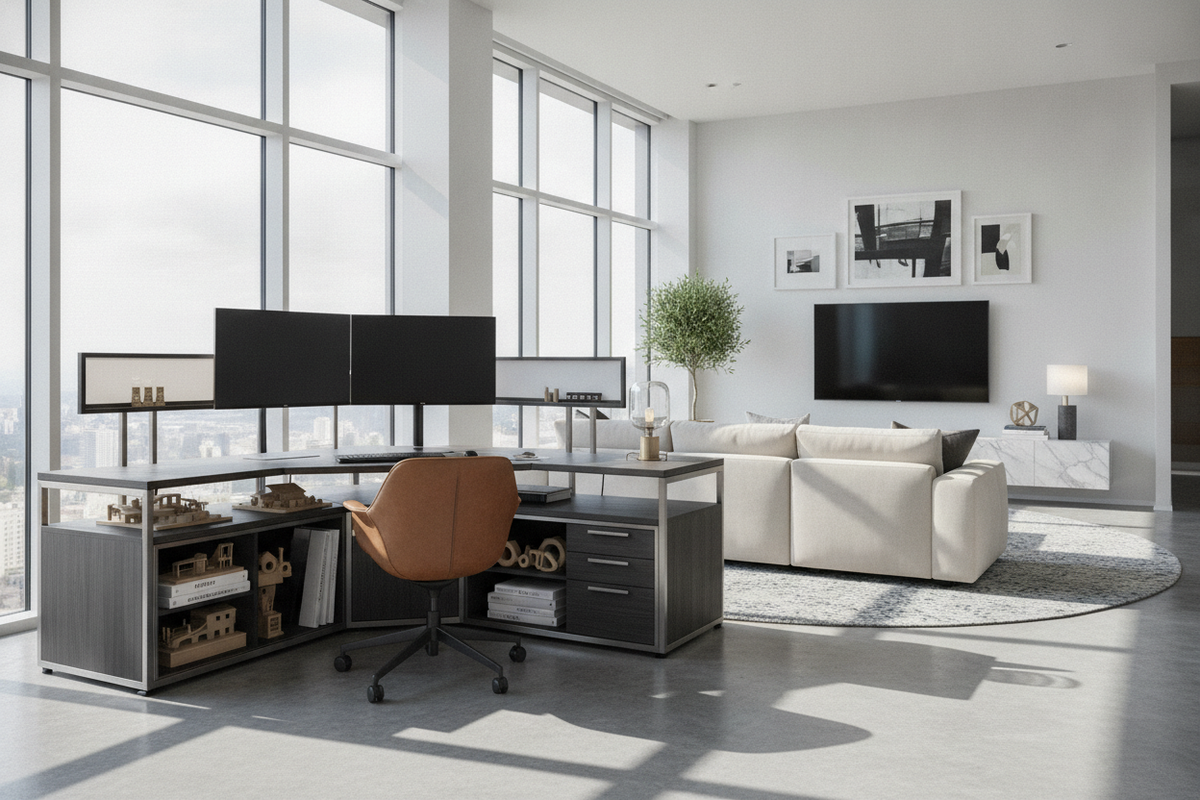
Positioning a desk within a corner creates a natural cockpit effect, placing monitors, reference documents, and peripherals within an easy reach radius. Unlike standard linear desks that extend along a single wall, a corner workstation distributes its functional surface across two perpendicular axes. This configuration offers distinct spatial advantages for home offices and open-plan spaces:
- Footprint Efficiency: Maximizes floor area in compact rooms by occupying transitional corner zones that might otherwise remain vacant.
- Zoned Surface Organization: Establishes clear task zones, separating primary computer screens from writing, drafting, or secondary equipment areas.
- Sightline Optimization: Directs primary seating angles inward toward the room or diagonally outward toward natural window light.
Achieving these benefits requires recognizing that a sit-stand desk functions as a dynamic mechanical element. As the desktop ascends and descends, its relationship with surrounding architecture changes continuously.
Corner Desk Geometries and Dimensional Footprint Tiers
Corner standing desks generally fall into distinct architectural shapes, each catering to different spatial configurations and user requirements:
Compact Chamfered and Diagonal Desks
Featuring a single diagonal front edge, chamfered corner desks are engineered for tight alcoves and modest footprints. The rear apex nests directly into the 90-degree wall junction, while the front curve accommodates a single-monitor setup and basic peripherals with minimal forward floor intrusion.
Symmetrical L-Shaped Configurations
Symmetrical L-shaped desks provide equal-length returns on both the left and right wings. This geometry is ideal for balanced dual-zone workflows, where one side supports digital tasks and the opposite side handles analog paperwork, sorting, or creative drafting.
Asymmetrical Extended Returns
Asymmetrical designs feature a deeper primary desk surface paired with an extended secondary return wing. This layout excels in multi-monitor configurations, accommodating secondary display mounts, audio gear, or desktop printers without crowding the primary keyboard zone.
Curved Inner Ergonomic Cockpits
Desks featuring a softly contoured inner radius allow users to swivel smoothly between adjacent wings. The continuous curvature provides natural forearm support during posture changes throughout the working day.
Dynamic Clearance Kinematics: Wall Gaps, Sills, and Trim
The most critical aspect of corner sit-stand installation is establishing dynamic vertical clearances. Because room walls are rarely perfectly plumb, an ascending desk surface can make contact with architectural features if placed flush against the drywall.
Selecting an engineered adjustable height standing product ensures smooth transit and reliable memory presets for varied working postures across daily routines.
Perimeter Buffer Gaps
Always maintain a perimeter buffer between the rear desktop edges and the intersecting walls. This spacing accommodates minor wall curvature, baseboards, window trim, and baseboard heating registers. Without this buffer, friction against the wall can cause drive motor resistance or scuff paint finishes during height transitions.
Apex Cable Routing Kinematics
Cables routed behind a corner standing desk must navigate an enclosed vertical channel. Bundle cords into flexible cable vertebrae or articulated raceways centered at the corner apex. Provide adequate slack loops at the lowest desk elevation so cables do not pull taut or catch on wall trim when the desk rises to its maximum standing height.
Monitor Arm Articulation and Overhang
Articulated monitor arms frequently feature rear elbow joints that extend beyond the back edge of the desktop. In a 90-degree corner, this extension can collide with intersecting drywall surfaces. Mount monitor arms slightly offset from the central apex or use low-profile mounting brackets that keep arm linkages forward of the rear desktop perimeter.
Frame Architecture, Lifting Capacity, and Surface Material Tiers
Structural stability is paramount for corner standing desks, which feature wider desktop spans and broader weight distributions than standard linear tables.
For broader setups demanding expansive span capacity, exploring a high-grade height adjustable standing product provides dependable structural rigidity across the entire work surface.
Dual-Leg vs. Triple-Leg Motorized Frames
While compact diagonal desks often operate on robust dual-leg lifting columns, larger L-shaped desks typically utilize three-leg configurations synchronized by central motor controllers. Triple-leg systems distribute weight evenly across both return wings, dampening lateral deflection and preventing surface wobble at full standing height.
Surface Substrate Selection
Corner desktop surfaces require durable, dimensionally stable substrates to maintain structural integrity across joined panels:
- High-Pressure Laminate (HPL): Resists surface scratches, moisture, and daily wear across active work surfaces.
- Scratch-Resistant Melamine: Provides an economical, easy-to-clean finish suitable for standard home office demands.
- Engineered Wood Cores: Medium-density fiberboard (MDF) cores offer high dimensional stability, resisting warping near heat registers or windows.
Beveled or rounded edge profiles along the user-facing perimeter help reduce forearm pressure and eliminate harsh contact points during extended typing sessions.
Integrated and Perimeter Storage Coordination
Because the desktop surface moves dynamically, storage planning around a corner standing desk requires a decoupled approach to maintain unimpeded mechanical travel.
Pairing your workstation with an adjustable collection creates flexible vertical capacity for stationery, references, and office supplies along adjacent room walls.
Under-Desk Clearance Zones
Keep the zone beneath the central apex and primary leg swing path clear of static cabinetry. If mobile drawer pedestals or computer CPU mounts are placed beneath the desk, verify that the lowest desk setting does not compress these units. Suspension CPU holders should mount directly to the lifting frame so computer towers travel smoothly with the tabletop.
Flanking Vertical Storage
Position lateral file cabinets, credenzas, and modular shelving towers along the outer perimeter of the desk wings rather than directly underneath. This decoupled storage strategy keeps heavy archival materials off the motorized lifting columns while maintaining clean knee clearance throughout sit-to-stand transitions.
Visual Balance, Room Styling, and Leveling Protocols
Because corner workstations occupy considerable visual volume, styling choices should integrate the furniture naturally into the room decor.
Techniques from our small corner stand guide illustrate how disciplined footprint zoning and curated accents make corner furniture look purposeful rather than crowded.
Managing Visual Weight
Light wood tones, neutral whites, and soft grays help corner desks blend seamlessly with adjacent walls, opening up smaller rooms. For dramatic, executive-style spaces, rich walnut or matte black surfaces ground the corner when balanced with warm task lighting, ambient uplights, or framed wall art positioned above the upper travel limit.
Multi-Point Leveling Protocols
Floors in room corners are frequently out of level due to settling along structural framing. Utilize the independent adjustable glide feet under each desk leg to level the frame precisely along both perpendicular axes. A level frame prevents uneven motor drive wear, stabilizes multi-monitor mounts, and ensures smooth, whisper-quiet height adjustment for years of daily use.


Laisser un commentaire
Ce site est protégé par hCaptcha, et la Politique de confidentialité et les Conditions de service de hCaptcha s’appliquent.