


Architectural Fundamentals of Desktop Risers and Standing Converters
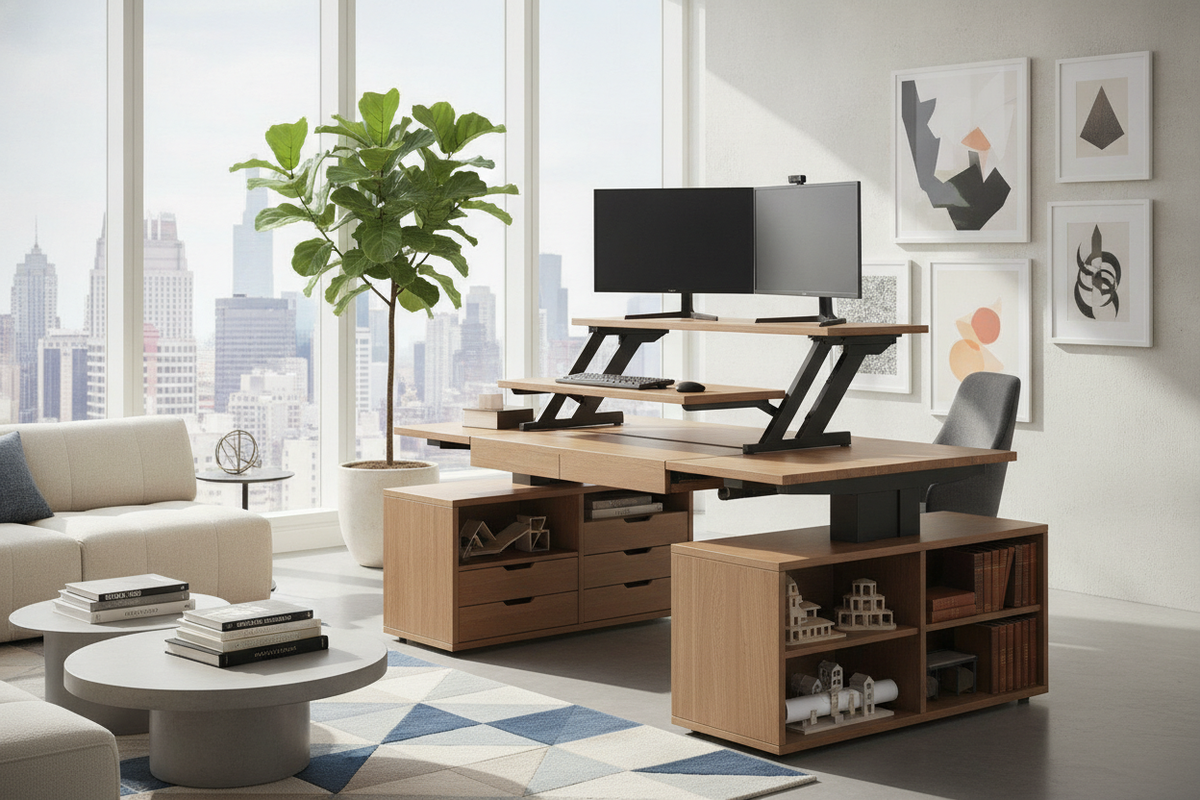
A desktop riser, commonly referred to as a standing desk converter, provides a flexible mechanical upgrade for stationary work surfaces. By placing an articulating platform directly atop an existing executive desk, writing table, or built-in credenza, users can shift between seated and standing work postures throughout the day. This setup allows you to retain foundational office cabinetry while introducing dynamic vertical adjustability.
The fundamental goal of a desktop riser is establishing an ergonomic spatial relationship between the visual line of sight and the physical input plane. When seated or standing, display screens should align near natural eye height, while keyboards and pointing devices rest near elbow height to minimize strain on the upper body. For workspaces that prioritize fixed multi-tier layouts over dynamic motion, an integrated monitor stand computer desk provides an alternative built-in approach to elevated display management.
Dimensional Sizing Tiers and Surface Envelopes
Choosing the best desk riser requires matching the converter footprint to the dimensions of the host workstation. Desktop risers fall into three primary dimensional categories, each catering to different hardware configurations and surface depths.
Compact Laptop and Single-Screen Risers
Compact risers prioritize a minimal physical footprint, making them well-suited for shallow writing tables, student study nooks, or modular secondary workspaces. These units typically feature a single continuous tier designed to support a standalone laptop or a single compact monitor with an external keyboard. Because of their modest dimensions, compact converters preserve surrounding desktop space for table lamps, writing pads, and physical document storage.
Standard Two-Tier Desktop Converters
Standard two-tier models represent the most common workspace configuration. These units feature an upper platform for display screens and an offset lower deck for keyboards and mice. The stepped design maintains a proper vertical split between screen elevation and forearm resting height. This tier separation prevents the common ergonomic mismatch where elevating a single surface pushes displays too low or keyboards uncomfortably high.
Wide Multi-Monitor and Heavy-Duty Risers
Wide converters feature broad, reinforced top decks designed to support dual-display arrays, ultrawide monitors, or combined screen-and-laptop workflows. In setups where desk depth is strictly limited, balancing extensive screen configurations on a riser can create visual crowding. Exploring freestanding monitor display stands offers an alternative method for managing expansive visual hardware without overburdening tabletop depth.
Kinematics and Elevation Mechanisms
The mechanical architecture of a desk riser dictates how the platform transitions vertically, directly affecting balance, footprint preservation, and ease of operation.
Vertical Scissor (X-Frame) Lifts
Vertical scissor designs utilize crossed structural arms that elevate the platform in a straight up-and-down motion. The primary advantage of an X-frame configuration is strict containment within its original base footprint. Because the center of mass remains vertically aligned over the converter base during the entire lift cycle, scissor mechanisms minimize tipping risks and eliminate the need for extra front clearance.
Cantilever (Z-Frame) Articulated Systems
Cantilever or Z-frame risers use pivoting linkage arms that arc outward and forward as they ascend. While this motion can bring screens and input devices closer to the user in deep workstations, it projects the operational envelope forward into the room. When planning a layout around a Z-frame converter, ensure sufficient clearance behind the desk chair so the platform does not intrude into circulation pathways during elevation.
Pneumatic Gas Springs vs. Manual Stepped Adjustments
Elevation counterbalancing generally relies on pneumatic gas struts, mechanical spring assists, or manual locking notches. Gas-spring systems enable smooth, continuous height adjustment across the entire travel range, locking into place with a simple hand lever. Manual notch designs offer fixed incremental stops, which provide positive physical locking but lack the micro-adjustable refinement of continuous pneumatic controls.
Base Workstation Structural Requirements and Weight Dynamics
Before installing a standing desk converter, assess the structural integrity of the underlying furniture. A static desk must support the combined weight of the converter unit, display monitors, mount arms, peripheral devices, and any downward pressure applied during daily typing.
Solid wood tops and reinforced composite surfaces with under-frame support rails handle concentrated converter footprints with minimal deflection. Conversely, lightweight hollow-core or unreinforced tables may experience center bowing under concentrated loads. In setups involving substantial multi-screen equipment, implementing floor-standing display mount strategies can alleviate physical weight burdens from the host workstation entirely.
Comparing Desktop Risers with Full Sit-Stand Workstations
Deciding between a desktop converter and a full height-adjustable desk depends on budget, room architecture, and existing cabinetry integration.
- Desktop Risers: Allow seamless preservation of existing credenzas, vintage desks, or built-in perimeter cabinetry without requiring complete furniture replacement.
- Motorized Desks: Solutions like ergonomic motorized sit-stand workstations elevate the entire tabletop surface, including all desktop accessories, storage trays, and writing tools, delivering a unified work plane and higher dynamic load handling.
Workspace Layout, Cable Management, and Storage Architecture
Integrating a standing desk converter into a productive home office requires intentional spatial planning around articulating components and auxiliary storage.
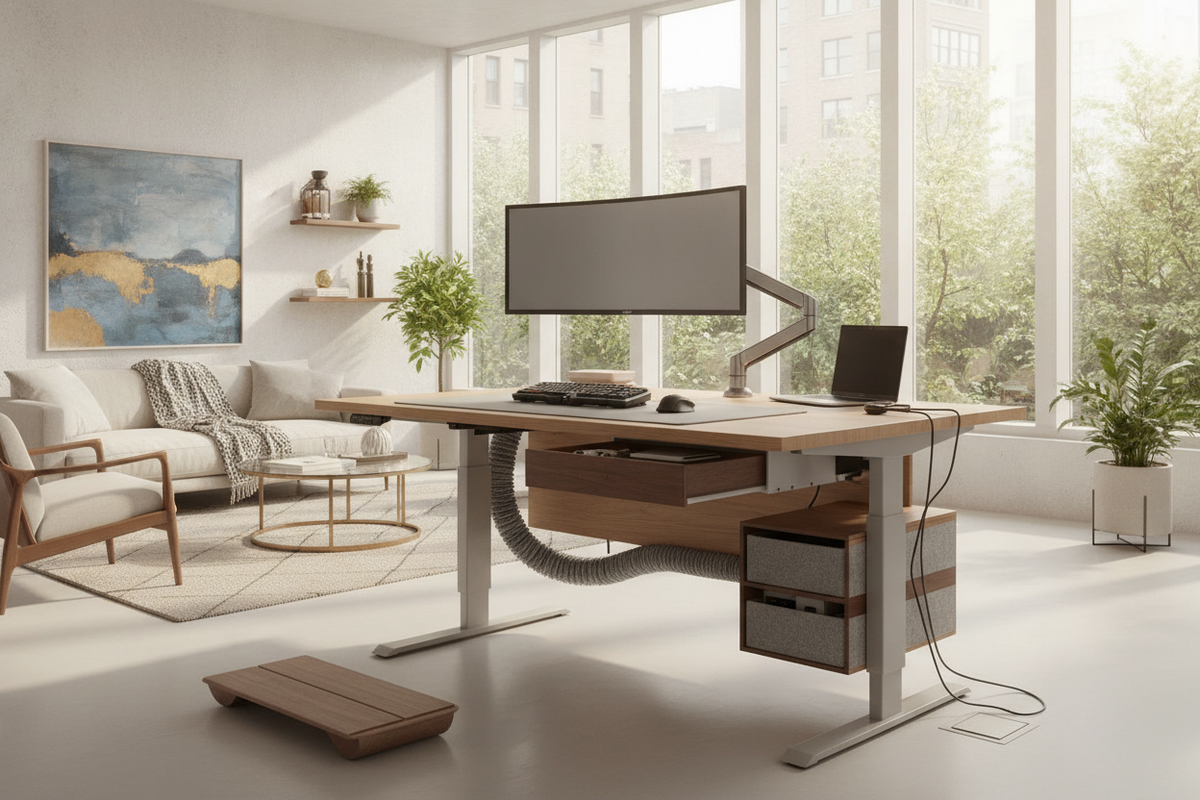
- Dynamic Cable Slack: Route display cables, power cords, and peripheral connections with sufficient slack along the mechanical pivot points to avoid pinching or tension during elevation transitions.
- Surrounding Vertical Clearance: Ensure overhead wall shelves, upper hutch cabinets, and wall-mounted art clear the maximum vertical height of elevated monitors.
- Pedestal and Drawer Access: Position stationary items, document organizers, and filing pedestals outside the converter footprint to maintain effortless access regardless of whether the platform is raised or lowered.
Selection Decision Matrix for Desk Risers
To identify the best desk riser for your specific workspace, evaluate your setup against these essential criteria:
- Measure Available Tabletop Depth: Verify that the host desk accommodates the base footprint of the converter with extra margin for cable drops.
- Assess Hardware Configurations: Select a single-tier surface for minimal laptop use or a dual-tier stepped platform for dedicated monitor and keyboard workflows.
- Evaluate Room Motion Clearances: Choose a straight-vertical X-frame lift for compact rooms or a forward-projecting Z-frame design for deep executive workstations.
- Verify Baseline Frame Rigidity: Confirm that the supporting desk frame offers sufficient structural strength to bear combined hardware and typing payloads without wobble.

Laisser un commentaire
Ce site est protégé par hCaptcha, et la Politique de confidentialité et les Conditions de service de hCaptcha s’appliquent.