


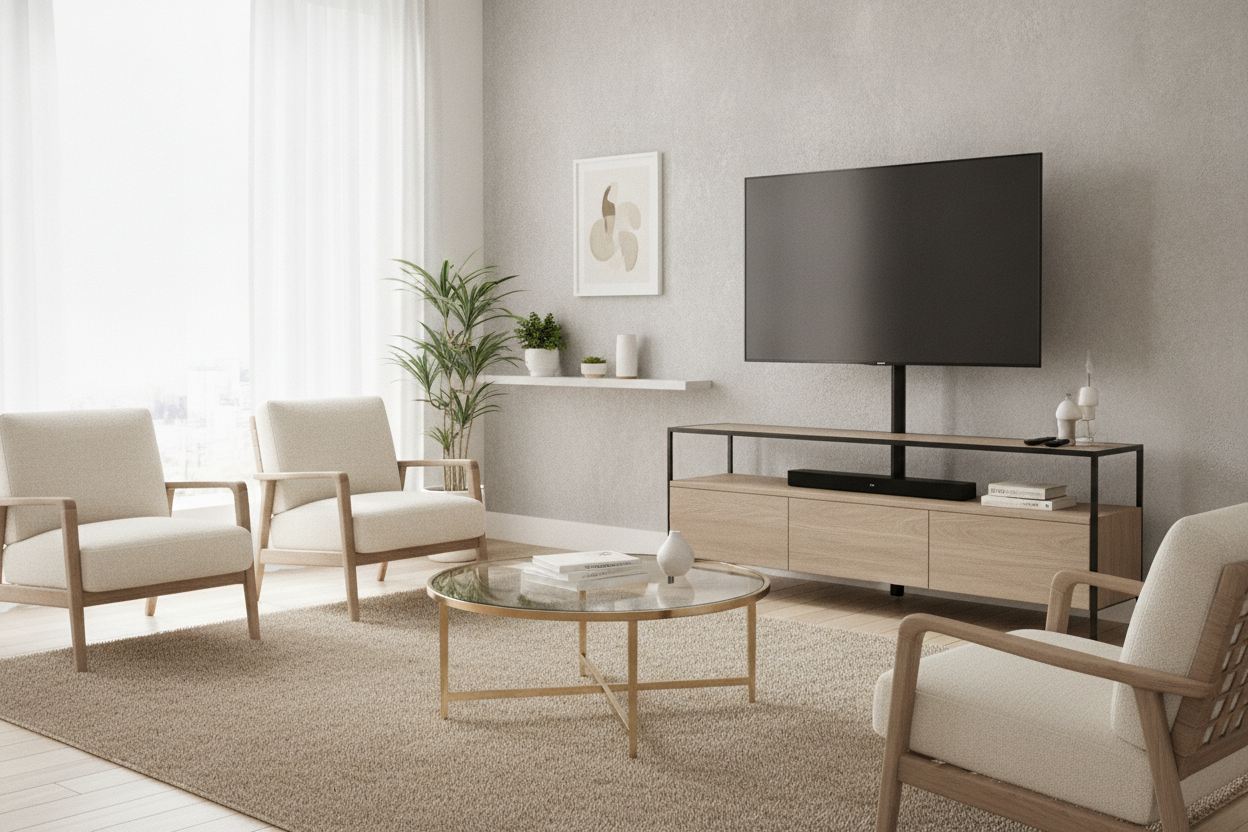
I remember standing in my third-floor walk-up with a half-dried tub of spackle and a plastic putty knife, trying to hide the fact that I’d treated my living room wall like a Swiss cheese experiment. I wanted that high-end, floating screen look I saw on Pinterest, but my landlord wanted his security deposit back. After three apartments and twelve patched holes, I finally gave up on the drill and bought a shelf mount tv stand.
It felt like a surrender at first, but it was actually the smartest furniture move I’ve made in years. You get the height and the sleekness of a wall mount without the structural damage or the anxiety of wondering if your stud finder is lying to you. It is the middle ground that actually works for people who move every two years.
Quick Takeaways
- No drilling required: Save your drywall and your security deposit.
- Built-in height: Most units allow you to mount the screen at the perfect eye-level, which is usually higher than a standard console.
- Cable management: The vertical spine hides those ugly black cords better than most 'pro' kits.
- Small footprint: These take up significantly less floor space than a bulky traditional dresser or media cabinet.
The Floating TV Dream vs. The Drywall Reality
We all want the 'floating' look. It makes a room feel bigger, cleaner, and less like a dorm room. But the reality of mounting a 65-inch OLED to a wall is a nightmare. First, you have to find the studs. If you live in an old building with plaster and lath, good luck. Even in modern builds, the studs are never exactly where you want the TV centered. You end up buying a $50 mount, a $100 drill you'll use twice, and spending a Saturday sweating while you pray the whole thing doesn't come crashing down during a Netflix binge.
Then there is the move-out day. Patching holes is one thing, but matching the exact texture of the wall and the specific shade of 'eggshell white' the landlord used is a recipe for losing $300 of your deposit. A tv mount stand with shelf bypasses this entire cycle of grief. You put it together in thirty minutes, bolt the TV to the bracket, and you’re done. If you move, it goes in a box or the back of the truck. No spackle required.
What Actually Is a Shelf Mount TV Stand?
Think of this as a hybrid. It’s not a traditional media console that just sits low on the floor, and it’s not a wall bracket. It’s a piece of furniture with a heavy, stable base—usually made of tempered glass or solid wood—and a vertical metal 'spine' that rises up the back. That spine has a VESA-compatible mounting plate at the top, just like a wall mount.
Most of these units are designed to be slim. Because the base is weighted, the whole thing can be quite narrow, which is a godsend for small apartments or awkward corners. The screen hangs from the spine, giving you that 'floating' aesthetic, while a few integrated shelves sit below for your peripherals. You get the height of a wall mount with the storage of a stand. It’s the best of both worlds, and honestly, it looks more intentional than a TV just sitting on its factory plastic legs.
The Soundbar Dilemma (Solved)
One of the biggest issues with wall mounting is where the heck the rest of the gear goes. You mount the TV, and then you realize your soundbar is sitting on the floor or you have to buy a separate floating shelf just for your Apple TV. It creates a cluttered look that defeats the purpose of mounting in the first place. This is where a tv stand with speaker shelf becomes essential.
By having a dedicated shelf directly under the screen, your soundbar sits at the perfect height for audio projection. You don't have to worry about weird angles or the sound being muffled by furniture. Plus, your gaming consoles and streaming boxes have a home that isn't the floor. It keeps the footprint tight and the wires concentrated in one spot. I’ve found that having that single shelf for a center-channel speaker makes the entire setup look like a custom built-in rather than a DIY project.
How I Finally Hid My Cords Without Wall Surgery
Cable management is the bane of my existence. Even when I did mount my TV to the wall, I was left with a 'tail' of black wires hanging down. I tried those plastic cord covers, but they always looked like an afterthought. The beauty of a shelf mount stand is the hollow spine. Most of these units have clips or a literal tube in the back designed to swallow your HDMI and power cables.
You run the wires from the back of the TV, down the spine, and they pop out right at the bottom near your power strip. It’s a clean, 10-second fix. I recently set one up in my bedroom, and from the front, you can't see a single wire. It makes the room feel ten times more organized. You don't need to cut holes in the drywall to fish cables through or buy expensive in-wall power kits. The furniture does the work for you.
But Is It Actually Sturdy Enough?
I’ll be honest: the first time I put a 70-pound TV on a single metal pole, I was terrified. I kept waiting for it to tip forward and crush my coffee table. But these things are engineered for balance. The base is usually wide and heavy enough to act as an anchor. If you’re still worried, one pro tip is to use the adjustable shelf storage at the bottom to hold your heaviest items.
I put my collection of oversized art books and my heavy vinyl receiver on the bottom shelf. That extra 20-30 pounds at the base makes the whole unit incredibly stable. Even if you have a cat that thinks the TV is a climbing wall, a well-weighted stand isn't going anywhere. Just make sure you check the VESA pattern and weight capacity of the stand before you buy—most support up to 100 pounds, which is more than enough for modern LED screens.
My Personal Experience
I bought a model with a dark wood base and a matte black spine last year. Assembly took me 40 minutes, and most of that was just figuring out which VESA screws fit my specific Samsung TV. The biggest 'fail' I had was not checking the height of my soundbar first; I had to move the shelf down one notch so it wouldn't overlap with the bottom of the screen. Once I dialed it in, it looked fantastic. The only real downside? These things are heavy in the box. Do not try to carry it up three flights of stairs by yourself unless you want a back appointment the next day.
FAQ
Will this fit my TV?
Check your TV's VESA pattern (the four screw holes on the back). Most stands are 'universal' and fit patterns from 100x100mm to 600x400mm. If your TV is from the last 10 years, it’s almost certainly compatible.
Can I swivel the screen?
Yes, most shelf mount stands offer a 30 to 45-degree swivel. This is actually better than most wall mounts, which are often fixed in place. It’s perfect for open-concept rooms where you might want to turn the TV toward the kitchen.
Is it better than a regular TV stand?
If you want height and a modern look, yes. If you need a ton of hidden storage for 500 DVDs and board games, you might prefer a traditional closed-cabinet console. But for a clean, tech-focused setup, the mount-style stand wins every time.

Laisser un commentaire
Ce site est protégé par hCaptcha, et la Politique de confidentialité et les Conditions de service de hCaptcha s’appliquent.