


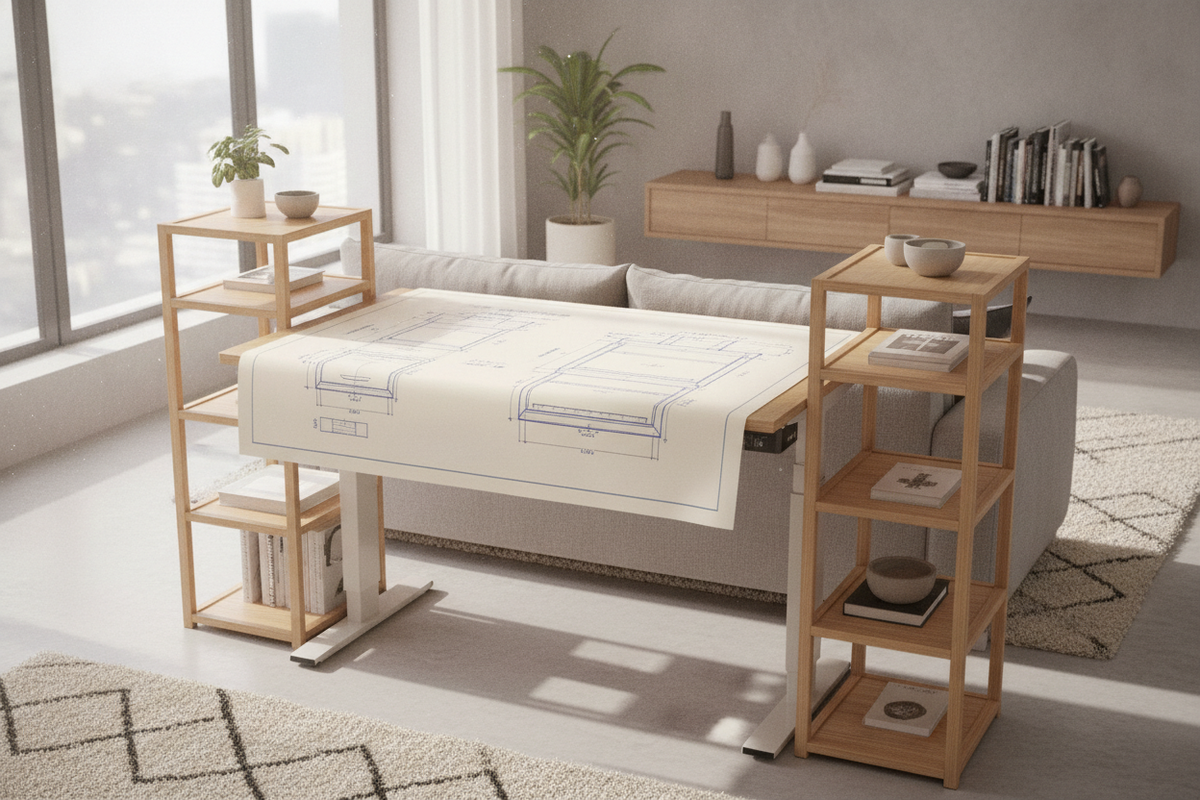
Introduction: The Ergonomic Need for Vertical Storage on Sit-Stand Desks
Integrating dedicated storage into a height-adjustable workstation introduces unique spatial considerations. Traditional fixed desks often rely on deep under-desk drawers or attached pedestals, but dynamic sit-stand frames require open clearance beneath the surface for leg movement, crossbars, and motorized lifting columns. A shelf standing desk configuration solves this spatial puzzle by utilizing vertical real estate above the primary worktop, keeping everyday tools accessible whether sitting or standing.
By lifting screens, audio monitors, notebooks, and hardware off the main desktop, an elevated surface arrangement preserves ample room for typing, sketching, and manual tasks. Organizing your work area around an adjustable desk shelf allows you to maintain clean sightlines, protect mechanical balance, and retain fluid transition between posture modes throughout the workday.
Architectural Types of Shelf Standing Desk Configurations
Workstation shelving takes several structural forms, each offering distinct advantages depending on room dimensions, equipment loads, and personal workflow requirements:
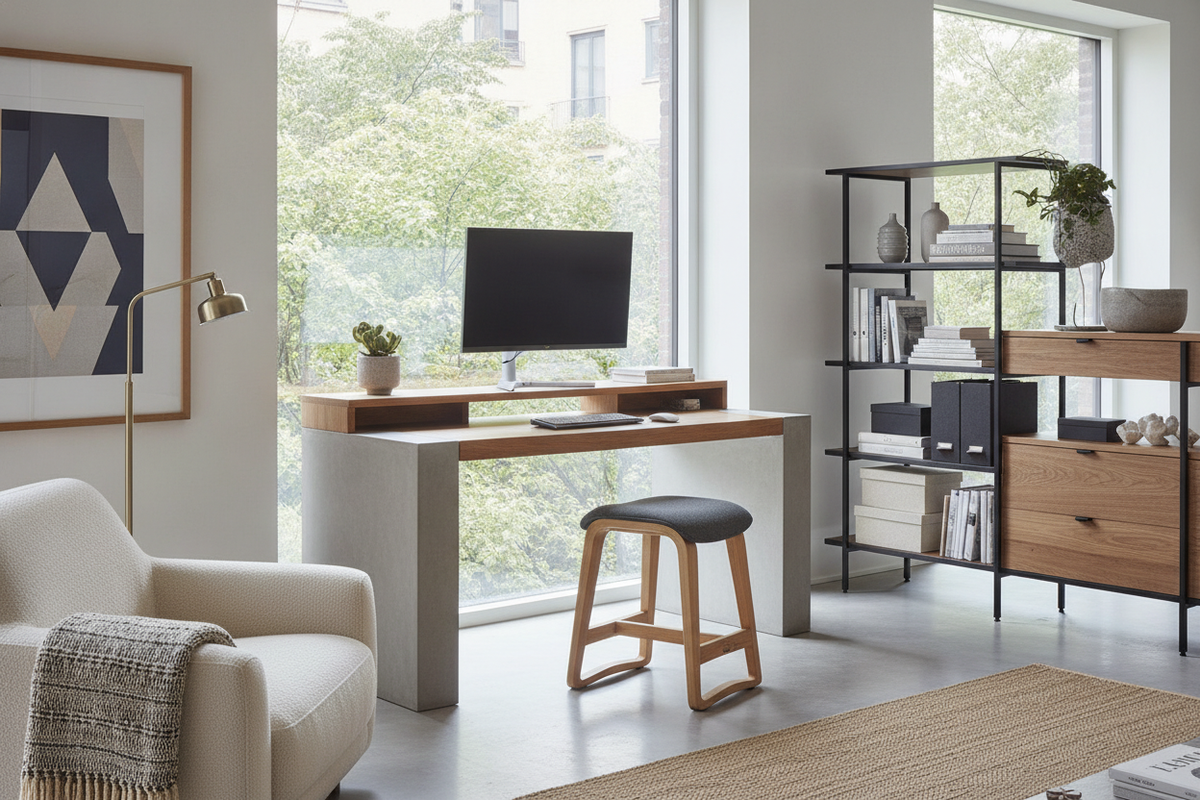
- Desktop Shelf Risers: Freestanding or clamp-mounted platforms that rest directly on the main desktop slab. These units provide tiered elevation for monitors while creating open cubbies underneath for keyboards, audio interfaces, or notebooks.
- Integrated Frame Hutches: Shelving units engineered to fasten directly to the frame or rear desktop perimeter, rising in unison with the lifting columns during motorized transit.
- Adjacent Free-Standing Towers: Independent multi-tier bookcases positioned alongside the sit-stand desk to hold heavy hardware, printers, and reference libraries without adding dynamic load to the desk motor.
When comparing how different desk architectures manage storage integration, reviewing a comprehensive desk shelf guide helps clarify the trade-offs between fixed drawers and open shelving tiers.
Dimensional Planning: Matching Shelf Proportions to Desktop Depth
Successful desktop organization requires balancing the depth of your shelves against the total surface area of your workstation to avoid visual crowding and physical interference.
Compact Desks
On shallow workstations, an elevated shelf must remain slim to ensure sufficient space remains in front for your keyboard and wrists. Slim profile risers lift displays to natural eye height while reclaiming the surface below for compact peripherals and daily stationery.
Standard and Wide Workstations
On wider desks, full-width adjustable desk shelves span the entire rear perimeter. This broad footprint accommodates dual-monitor setups, studio speakers, and desktop charging docks. For large workstations requiring heavy-duty vertical accessories, pairing a wide format surface like an adjustable standing desk product ensures ample surface real estate for full-span shelving units without encroaching on primary work zones.
The Mechanics of Adjustable Desk Shelves: Ergonomics and Modularity
An adjustable desk shelf system provides ergonomic flexibility by letting users customize platform height, shelf span, and modular accessories. Rather than adopting a static height, multi-position shelving supports proper display positioning, which helps align screen tops with natural eye levels.
Explore versatile tiered components in our adjustable shelf collection to customize shelf elevations and compartment heights for your hardware layout. Incorporating modular dividers, under-shelf slide-out trays, and configurable support legs allows your workstation to shift effortlessly between single-laptop setups and complex multi-display arrangements.
Dynamic Weight Balancing and Sit-Stand Motor Stability
Motorized standing desks rely on balanced weight distribution across their lifting columns. Introducing heavy desktop shelving requires careful planning to prevent uneven motor wear or structural wobble:
- Center of Gravity Alignment: Position heavier equipment toward the central axis or evenly distribute weight between the dual lifting legs rather than clustering heavy items on a single side.
- Dynamic Load Awareness: Account for the combined mass of the shelf structure, monitor arms, displays, and desktop accessories to ensure smooth height adjustment.
- Vibration Dampening: Apply cork, felt, or silicone padding beneath shelf feet to absorb typing vibrations and eliminate monitor wobble during standing sessions.
Material Selection, Surface Finishes, and Durability
Choosing compatible materials for both the standing desk and its shelving components ensures structural rigidity and cohesive aesthetics:
- Solid Hardwoods: Offer high resistance to shelf sag across wide spans and bring organic warmth to modern metal desk frames.
- Engineered Wood with Laminate or Melamine: Delivers exceptional scratch resistance, dimensional stability against humidity fluctuations, and uniform density for clean edges.
- Powder-Coated Steel and Aluminum Supports: Provide rigid vertical legs and clamp brackets capable of holding heavy gear with minimal visual bulk.
Adjacent & Wall-Integrated Shelving Layouts for Standing Workstations
For expansive storage needs, combining a streamlined desktop shelf with nearby storage units creates a functional hybrid layout. Wall-mounted shelves positioned above the standing desk's maximum elevation provide overhead storage for books, art, and secondary devices.
To keep the motorized desktop light while maintaining extensive office storage, coordinate your desk with a dedicated shelves shelf standing product placed adjacent to the work zone. This strategy allows the sit-stand surface to glide freely while high-density storage remains stationary and easily reachable.
Customizing and Styling: Cable Management and Surface Zoning
A well-planned shelf standing desk arrangement functions best when cabling and peripheral zones are thoughtfully mapped:
- Under-Shelf Cable Routing: Tuck display cables, power cords, and USB hubs directly beneath the elevated tier, channeling wires into an under-desk cable tray to prevent snagging during vertical transit.
- Three-Tier Zoning: Organize the workspace into primary action zones (keyboard and mouse on main desk), secondary access zones (displays and docking stations on the shelf), and tertiary storage zones (underneath the shelf or in adjacent cabinets).
For builders seeking inspiration on blending modular components into a tailored built-in aesthetic, explore this desk shelves guide on creative workstation customization.
Step-by-Step Assembly, Leveling, and Long-Term Maintenance
Setting up your shelving configuration with proper techniques ensures long-term stability and clean operation:
- Leveling the Surface: Verify that the standing desk base is level before installing desktop risers. Use micro-adjustable leveling feet beneath shelf supports to eliminate uneven contact.
- Fastener Inspection: Periodically inspect clamp bolts, bracket screws, and shelf joints to ensure hardware remains snug despite daily movement and height adjustments.
- Surface Care: Clean wood and laminate shelf tops with a soft microfiber cloth and mild furniture cleaner, avoiding excess moisture near electronic cable channels.
Conclusion: Building a Cohesive, Dynamic Standing Workspace
A thoughtfully planned shelf standing desk transforms an ordinary sit-stand frame into an organized, ergonomic workstation. By balancing vertical storage tiers with smart weight distribution and clear surface zoning, you can maximize usable desktop space while enjoying smooth height transitions throughout your workday.


Laisser un commentaire
Ce site est protégé par hCaptcha, et la Politique de confidentialité et les Conditions de service de hCaptcha s’appliquent.