


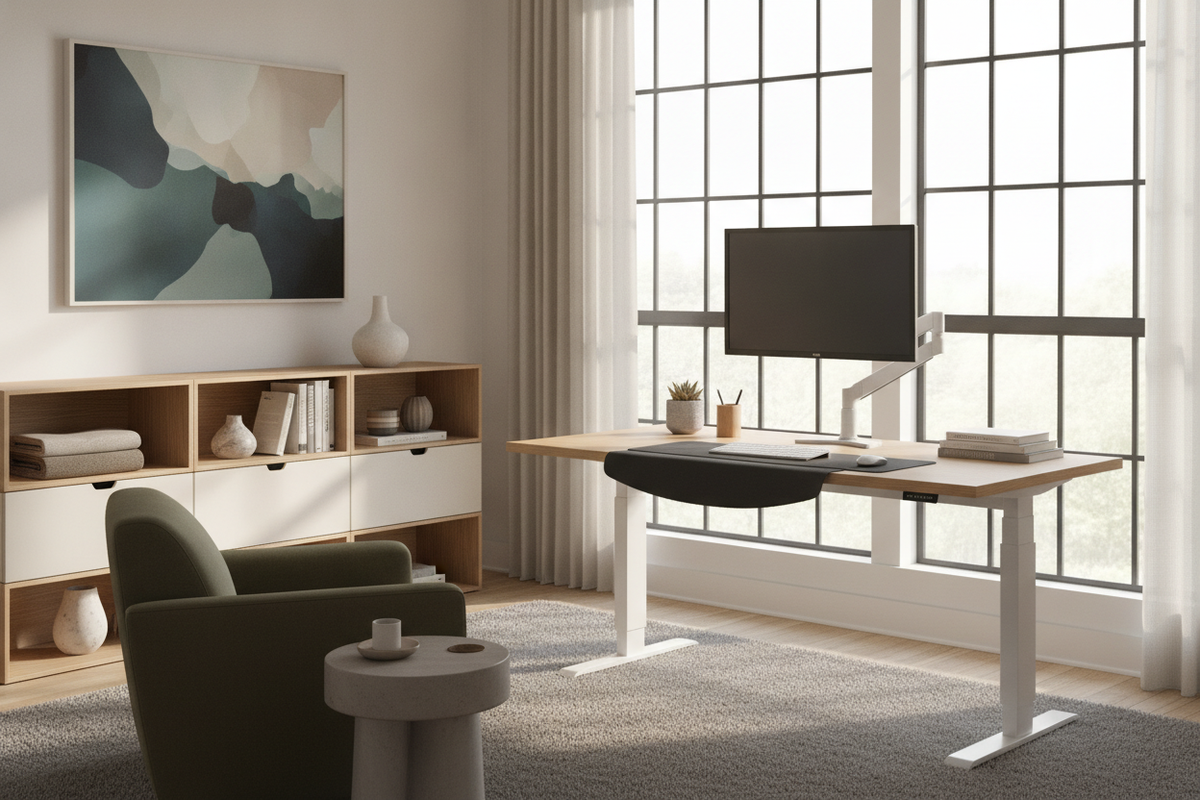
A dynamic workstation supports active posture changes without requiring a full office overhaul. The quickstand desk format represents a focused approach to ergonomic retrofitting: rather than replacing an entire stationary executive desk or credenza setup, a column-mounted or freestanding converter platform mounts directly atop the existing surface. This design introduces full sit-stand capability while preserving your existing furniture foundation.
Understanding the QuickStand Desk Concept and Retrofit Ergonomics
A sit-stand workstation converter sits directly on an existing tabletop or clamps securely along the rear edge. Central to this concept is a vertical column that holds an independent work surface for your keyboard and mouse, paired with an integrated monitor mount above. By lifting the user interface rather than the entire table perimeter, this setup delivers upright posture flexibility within a compact spatial footprint.
Understanding what a sit stand desk is for helps clarify why these adjustments matter. A static seated position throughout long workdays can lead to physical fatigue and stiffness. Transitioning smoothly between seated and standing postures helps re-engage core stabilization, changes pressure points on the lower back, and supports mental focus during intensive work sessions.
Core Mechanical Principles: Counterbalance vs. Motorized Converters
Desktop retrofits generally rely on one of two lifting systems: manual counterbalance mechanisms or motorized linear actuators. To better understand these motion principles, reviewing a detailed counterbalance standing desk guide provides clear mechanical context.
- Counterbalance Mechanisms: These systems utilize internal constant-force springs or tensioned mechanical assemblies. Once tuned to the precise weight of your monitor, keyboard, and work platform, the entire assembly glides vertically with minimal physical effort. They require no electrical power cord for height travel and provide instantaneous vertical transitions.
- Motorized Lift Converters: Motorized units use electric drive systems operated via keypad controllers. While they eliminate the need for manual tension calibration, they add motor bulk to the desktop and require proximity to wall power outlets.
- Independent Focal Articulation: Premium converter architectures feature dual-glide mechanics. This configuration allows the monitor elevation track to move independently from the primary keyboard tray, ensuring proper screen height relative to forearm alignment.
Structural and Spatial Compatibility: Evaluating Your Existing Workstation
Before introducing a dynamic workstation converter, you should systematically assess your primary desk surface. When you plan to convert existing desk to standing configurations, structural integrity and clear clearance dimensions are essential factors.
Surface Depth and Rear Overhang
Clamp-on converter models require an unobstructed desktop edge lip along the back perimeter. Desks featuring full-height modesty panels, flush rear trim, or built-in perimeter aprons may block traditional C-clamp hardware, making a freestanding base model the more practical choice. Furthermore, work surfaces must offer sufficient depth so the keyboard tier rests comfortably without projecting awkwardly into primary room walkways.
Load Distribution on Desktop Materials
A converter concentrates the combined weight of your display screens, mounting arm, keyboard tray, and user arm resting force onto a relatively small footprint. Solid wood, thick engineered composite cores, or heavy-duty laminate surfaces handle this localized pressure well. Lightweight honeycomb paper-fill table surfaces, by contrast, may flex under point loads and generally benefit from broader load-dispersion plates or freestanding base plates.
Ergonomic Calibration: Independent Monitor and Keyboard Alignment
Proper ergonomic setup relies on aligning both the display interface and the input peripherals to natural body biomechanics. Exploring a Humanscale standing desk setup guide illustrates the value of proportional alignment during posture shifts.
- Keyboard Tray Height: Adjust the lower tier so your forearms rest roughly parallel to the floor, allowing elbows to maintain an open angle while wrists remain neutral and straight.
- Monitor Elevation: Move the independent display bracket along the central column until the top third of your display glass aligns near seated or standing eye level.
- Viewing Distance: Ensure your display sits roughly an arm's length away, reducing eye strain and preventing forward neck lean.
- Tension Adjustment: Fine-tune the central counterbalance screw until the unit holds firmly at any elevation without drifting upward or settling downward.
Integrated Cable Management and Workspace Surface Organization
Dynamic converters shift the vertical position of your monitor and peripherals throughout the day, making cable routing an important practical consideration. As noted in discussions surrounding the Humanscale Float desk review, disciplined wire management preserves smooth mechanical motion and prevents accidental disconnections.
Most column-style converters integrate an internal hollow wire harness channel. Running display cables, power lines, and peripheral cords through this centralized vertical track prevents wire tangling during height transitions. Ensuring sufficient cable slack at the base of the column allows the entire assembly to reach maximum standing height smoothly without pulling on wall outlets or desktop power strips.
Workstation Storage Architecture: Pairing Retrofit Desks with FUFU&GAGA Furniture
Because a desktop converter occupies central surface real estate on your main desk, coordinating adjacent storage becomes vital for keeping paperwork and office tools organized. Integrating dedicated FUFU&GAGA storage pieces maintains clean visual lines and an efficient workflow.
- Under-Desk Mobile File Pedestals: Compact rolling filing cabinets fit neatly beneath the primary desk frame, securing essential records and office supplies without interfering with lower converter clamping brackets.
- Matching Credenzas and Sideboards: Positioning a low-profile credenza behind or alongside your main workstation creates a dedicated staging area for secondary devices, printers, and reference binders, freeing the active desktop for sit-stand movement.
- Tall Bookcases and Modular Shelving: Vertical storage units positioned adjacent to the desk keep project materials accessible without cluttering your standing work zone.
- Cable Concealment Hubs: Utilizing storage credenzas with integrated wire routing cutouts helps hide power bricks, docking stations, and external drives out of direct view.
Decision Matrix: Selecting the Right Desktop Elevation Strategy
Choosing between a quickstand desk converter retrofit and a complete sit-stand desk frame depends on your existing office layout, furniture investment, and daily workflow habits.
A converter workstation is ideal when you want to retain an antique, custom, or high-value executive desk while adding modern ergonomic movement. It provides rapid installation, operates cleanly without complex motorized systems, and keeps your current office layout intact. For open-plan offices, study nooks, and multi-functional spaces, pairing a retrofit converter with modular storage cabinets offers a balanced, flexible solution for everyday productivity.


Laisser un commentaire
Ce site est protégé par hCaptcha, et la Politique de confidentialité et les Conditions de service de hCaptcha s’appliquent.