


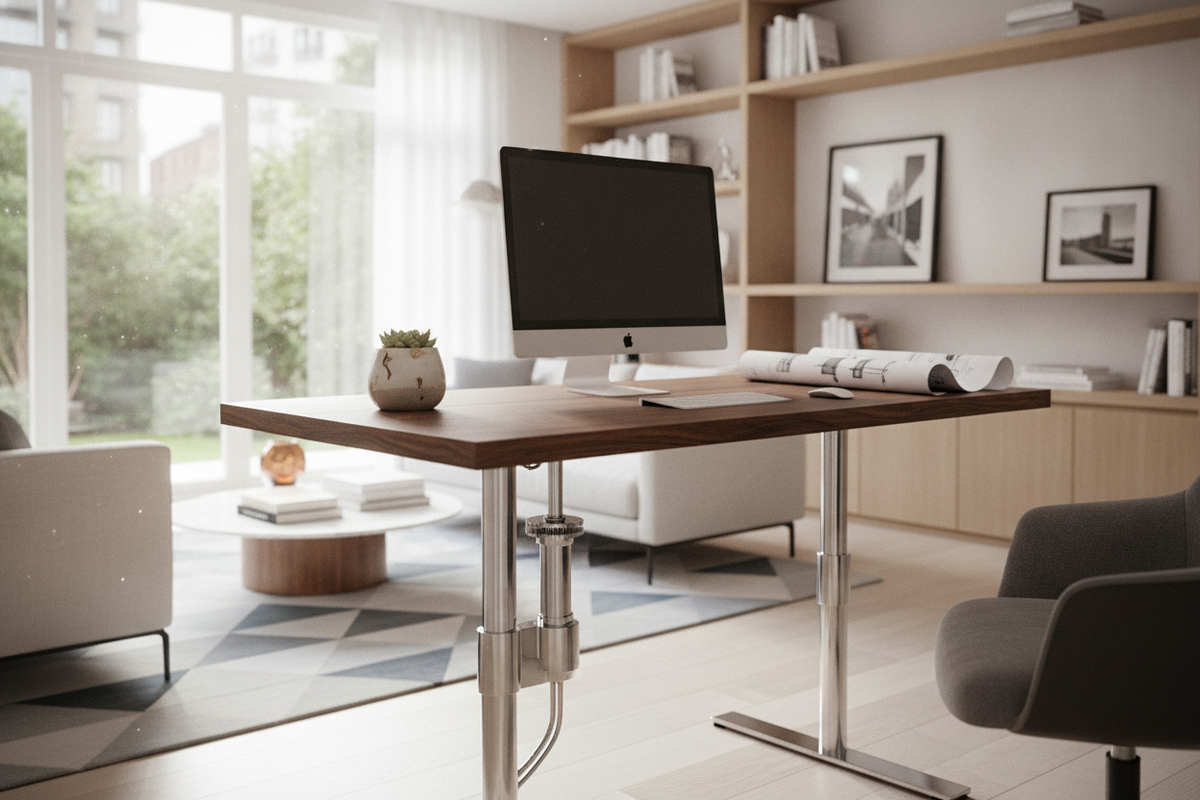
Understanding the Hydraulic and Pneumatic Lift Mechanism
Adjustable workstations have evolved beyond standard fixed frames and motorized consoles. A hydraulic computer table harnesses fluid and gas-assisted mechanics to offer seamless height transitions without requiring electrical power. For home offices where layout flexibility, minimalist aesthetics, and silent operation are top priorities, understanding how these fluid-driven systems function is the first step toward building an adaptable workspace.
Fluid and Gas-Assisted Elevation Dynamics
At the core of a hydraulic or pneumatic desk is an internal counterbalance cylinder. When you engage the release paddle or lever mounted beneath the desktop edge, internal valves open to allow compressed fluid or gas to displace the piston rod. This balanced counter-pressure assists you in raising or lowering the work surface with minimal manual effort. Releasing the lever locks the fluid chamber instantly, securing your tabletop firmly at your chosen height for typing, drafting, or reading.
Cord-Free Freedom: Why Hydraulic Tables Excel at Home
Unlike motorized desks that tether your layout to the nearest electrical wall socket, a hydraulic table for home functions entirely off the grid. This mechanical independence unlocks complete room placement freedom. You can position your workstation floating in the center of an open living room, directly beside an expansive window, or tucked inside an alcove without trailing power strips across your floors. For those who appreciate flexible interior setups or alternate layout strategies like our hidden office armoire desk guide, unpowered hydraulic tables provide an uncluttered, modern profile.
Dimension Categories and Room Fit for Home Workstations
Choosing the right desk proportions ensures that your workstation complements your living space without overwhelming room pathways or cramping everyday movement.
Compact Mobile Podiums vs. Full-Scale Desktop Workstations
Hydraulic desks generally fall into distinct footprint tiers. Compact mobile podiums feature single-column pedestals, locking caster wheels, and smaller desktop trays designed primarily for a laptop, notebook, and mouse. These models easily roll between living rooms, bedrooms, and quiet corners for quick task shifts. In contrast, full-scale hydraulic desks offer expansive dual-column surfaces capable of supporting dual monitors, desk pads, and document trays. When evaluating broader workspace furniture options alongside height-adjustable models, exploring a dedicated writing computer desk collection helps you clarify which surface area best matches your daily workload.
Ergonomic Reach Envelopes and Clearance Architecture
When planning your room layout, consider both horizontal footprint and vertical elevation clearance:
- Knee and Leg Clearance: Verify that under-desk crossbars or center columns leave ample space for your legs and an ergonomic task chair at seated heights.
- Sit-Stand Travel Range: Ensure that wall-mounted art, floating shelves, or sloping attic ceilings do not obstruct the desk when raised to full standing height.
- Perimeter Walkway Flow: Maintain comfortable buffer zones behind and beside the workstation to facilitate smooth foot traffic throughout the room.
Desktop Materials, Core Substrates, and Base Stability
The construction quality of both the desktop and the support frame dictates the stability, tactile comfort, and long-term durability of your workstation.
Engineered Wood, High-Pressure Laminate, and Solid Wood Surfaces
The desktop surface must endure continuous wrist contact, peripheral shifting, and occasional liquid spills. High-density engineered wood topped with durable laminate delivers strong scratch resistance and easy wipe-down care in contemporary finishes. Alternatively, selecting a solid wood computer desk surface introduces organic grain patterns, natural warmth, and timeless texture that age beautifully in residential environments.
Heavy-Duty Steel Base Geometry and Center-of-Gravity Balance
Because hydraulic tables feature moving structural components, base engineering plays a crucial role in preventing surface wobble. Look for heavy-gauge steel leg columns paired with wide, low-profile feet. Dual-column frames distribute weight evenly across broader table surfaces, while single-pedestal designs rely on balanced, weighted base plates to maintain a low center of gravity throughout height adjustments.
Integrating Peripheral Storage and Workspace Harmony
Because hydraulic tables focus on fluid movement rather than built-in cabinetry, pairing them with the right accent storage maintains an organized, design-forward room.
Coordinating Side Credenzas, Mobile Pedestals, and File Cabinets
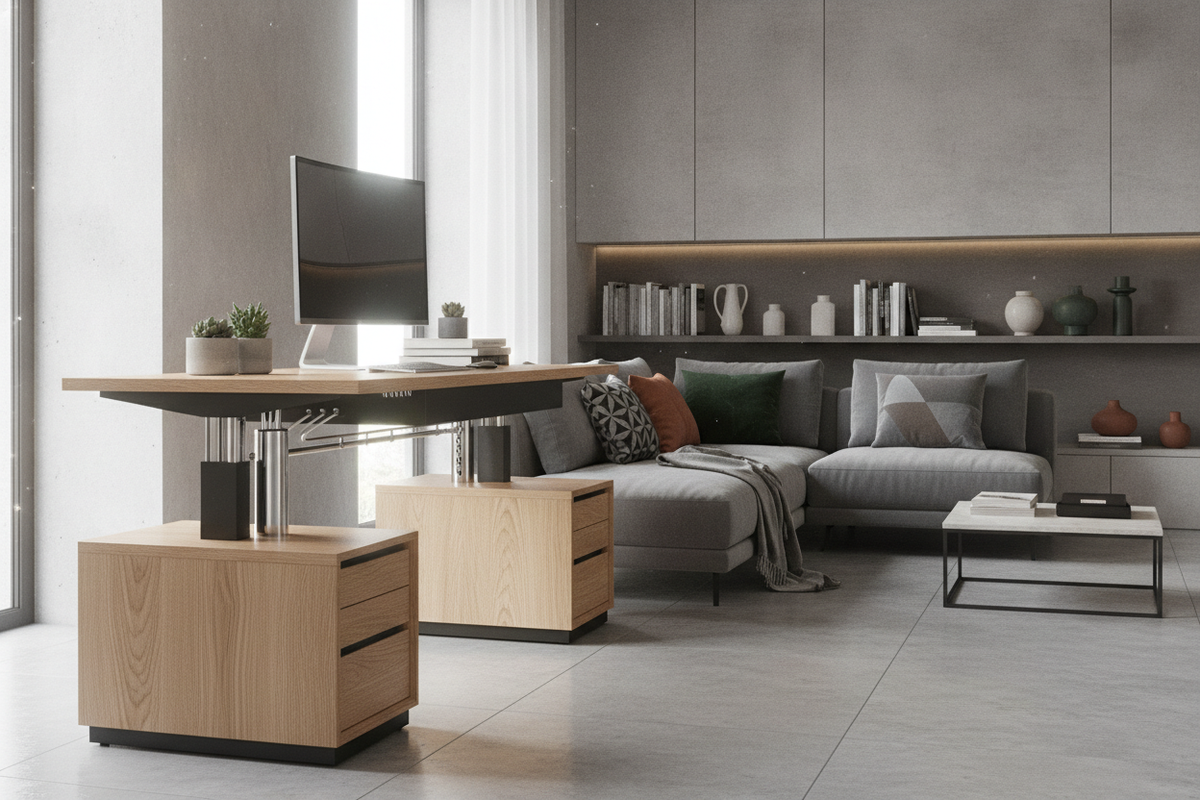
To preserve clean tabletop sightlines, supplement your sit-stand desk with standalone storage units. Low-profile rolling file pedestals tuck neatly beneath the desk when lowered or sit comfortably to the side during standing sessions. For dedicated home offices requiring extensive document archiving, comparing open hydraulic desks with integrated designs like a white corner computer desk helps determine whether separate modular storage or built-in cabinetry best serves your organizational habits.
Cable Loom Management and Clean Desktop Organization
Because the desktop moves vertically, peripheral cables need careful routing to prevent snagging or pulling loose. Using flexible cable sleeves, adhesive clips along the undercarriage, and articulated wire spines keeps monitor, laptop, and charging cords securely guided along the moving frame. Reviewing practical planning tips in our home office monitor setup guide can assist you in arranging display mounts and cord runs for a clean, professional aesthetic.
Assembly, Calibration, and Routine Care
Proper assembly and occasional maintenance ensure that your hydraulic desk operates smoothly and silently for years to come.
Step-by-Step Column Mounting and Base Leveling
When unboxing your table, assemble the structural frame on a soft rug or protective blanket to prevent surface scuffs. Align the hydraulic column carefully with the base mount and desktop support plate, tightening all hardware evenly in an alternating cross pattern. Once upright, adjust the threaded leveling feet under the base pads so the table rests firmly on uneven hardwood, tile, or carpet surfaces without rocking.
Piston Tension Adjustment and Maintenance Best Practices
To keep the lifting mechanism responsive, follow a few fundamental care practices:
- Counterbalance Adjustment: Many hydraulic frames include a tension knob or adjustment bolt near the cylinder to fine-tune lifting resistance according to the weight of your desktop equipment.
- Smooth Lever Engagement: Apply gentle, steady pressure on the activation handle when initiating elevation changes.
- Surface and Column Cleaning: Wipe down steel columns with a dry microfiber cloth to prevent dust buildup along mechanical seals, and clean the desktop using mild, non-abrasive wood or laminate cleaners.
Hydraulic Table Selection Checklist: Finding Your Ideal Match
Before making your final selection, review these essential criteria to ensure your new table fits your work habits and interior decor:
- Spatial Layout: Determine whether a compact mobile cart or a broad stationary desk fits your room footprint.
- Mechanism Type: Choose intuitive paddle or handle releases that offer smooth, silent height adjustments.
- Equipment Weight: Match the internal cylinder counterbalance to your combined monitor, laptop, and accessory setup.
- Aesthetic Coordination: Select frame colors and tabletop finishes that harmonize with existing bookcases, credenzas, and ambient room lighting.


Laisser un commentaire
Ce site est protégé par hCaptcha, et la Politique de confidentialité et les Conditions de service de hCaptcha s’appliquent.