


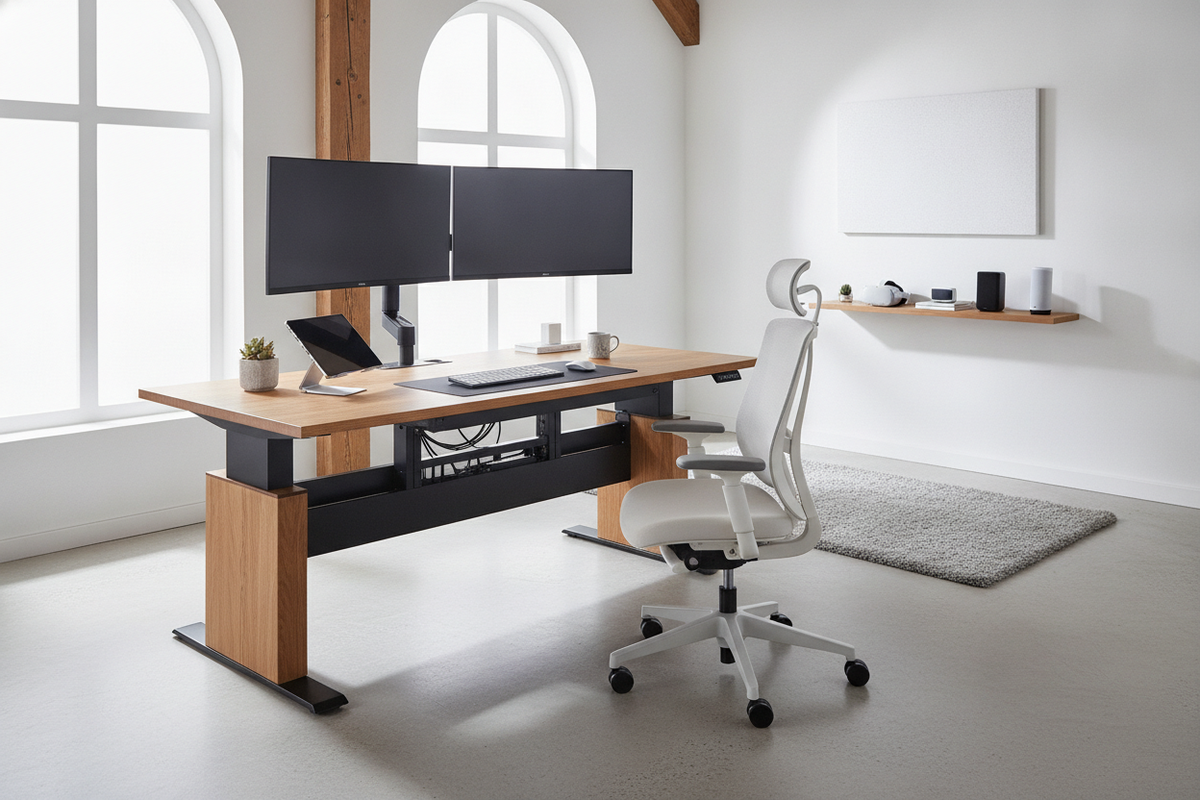
I remember the day I finally set up my dream dual-monitor rig. Two 27-inch screens, heavy-duty steel arms, and a desk that looked like a NASA mission control center. I thought I was winning at life until I tried to stand up for a 2 PM meeting. My manual riser didn't just resist; it practically laughed at me. I was hunched over, veins popping in my neck, trying to deadlift 45 pounds of tech just to get some blood flowing to my legs.
If you have been there, you know the struggle. You want the health benefits of standing, but the physical effort required to move a weighted-down manual converter makes you stay seated all day. That is where an electric desk riser becomes less of a luxury and more of a workspace necessity.
Quick Takeaways
- Manual risers often require a 20-30 lb lift force when fully loaded, which is brutal on your lower back.
- A motorized lift provides a smooth, hands-free transition that prevents monitor wobble and coffee spills.
- Cable management is the biggest hurdle, but easily solved with a bit of slack and some Velcro straps.
- If your current desk is high-quality but fixed-height, a riser is the best way to save your furniture.
The Hidden Trap of the 'Affordable' Manual Riser
I fell for it. I bought a cheap manual riser thinking I was being savvy. At the time, I had this beautiful, heavy mahogany table that had been in my family for years. I did not want to toss it, so an adjustable riser desk converter seemed like the perfect compromise to keep the wood I loved while gaining the ergonomics I needed.
The problem is the gas-spring mechanism. These things are designed for a single laptop or maybe one lightweight monitor. Once you clamp on a dual-monitor mount and two screens, you have exceeded the 'sweet spot' of the tension. Every time I wanted to stand, I had to clear my desk, plant my feet, and pull with everything I had. It was loud, it was clunky, and it was dangerous. One time, the spring caught and jerked so hard that my webcam flew off and hit the wall.
This friction is the silent killer of productivity. If it takes thirty seconds of physical labor to change positions, you simply won't do it. You will stay seated, your back will ache, and that $150 manual riser will just become a very expensive, permanent monitor stand. That is the trap of going cheap on manual gear when you have a heavy-duty setup.
Enter the Electric Desk Riser: No More Morning Deadlifts
The first time I used an electric desk riser, it felt like I had moved into the future. Instead of the 'yank and pray' method, I just tapped a button. The hum of the motor was quiet—not silent, but certainly quieter than my mechanical keyboard—and the movement was perfectly linear. No jerking, no sudden pops, just a smooth ascent.
Using a motorized desk riser changes the way you work because it removes the mental barrier to standing. I find myself switching positions four or five times a day now. Because the transition is so stable, I can actually keep typing while the desk is moving. If you have ever tried to do that on a manual riser, you know it's a recipe for a typo-filled disaster or a knocked-over water glass.
The stability is the real winner here. A powered desk riser usually uses a screw-drive or a heavy-duty motor that locks in place. There is no 'bounce' when you lean your elbows on the desk to read an email. For anyone doing precision work—like photo editing or coding—that lack of vibration is a massive upgrade over the flimsy springs found in manual units.
Managing Cords on a Powered Desk Riser
I will be honest: adding a motor means adding another power cord to your floor. It is the one trade-off you have to accept. When I moved away from my old DIY desk with laptop stand setup, I realized I had a massive 'spaghetti' problem. You have your monitors, your keyboard, your mouse, and now the desk itself all needing power or connectivity.
The trick is 'the loop.' You need to bundle your cables together and leave enough slack so that when the riser reaches its maximum height, nothing is being pulled taut. I once saw a guy rip the HDMI port right out of his laptop because he forgot to account for the lift height. Use Velcro ties to attach your cable bundle to the leg of the riser. It keeps things tidy and ensures that your electric desktop riser doesn't become a specialized machine for snapping wires.
Desk Riser Electric vs. Full Standing Desk: Which Wins?
This is the question I get asked most often. Should you just buy a whole new desk? It depends on the 'bones' of your current setup. If you are working on a $40 hollow-core door from a big-box store, do not put a heavy riser on it. The weight of the electric desk riser plus two monitors will eventually cause the desk surface to bow or even crack.
In that case, you are better off looking at a standing desk with electric lift. These give you a much larger continuous workspace. A riser takes up a lot of 'real estate' on your desktop, whereas a full desk gives you that edge-to-edge flat surface. However, if you have a high-quality desk you love, the riser is the way to go. It is also a lifesaver for renters who don't want to haul a 150-pound motorized table every time they move.
If you want the best of both worlds—clean aesthetics and easy movement—an adjustable height standing desk with built-in presets is the ultimate goal. But for those of us who just need to fix our current situation without a total office overhaul, the desk riser electric option is the most logical middle ground. It provides the heavy-lifting power of a full desk in a package that fits on your existing furniture.
The Verdict: Is an Electric Desktop Riser Worth the Extra Cash?
Yes. Every single penny. If you have a multi-monitor setup, a manual riser is basically a prank played on your lower back. The price gap between manual and electric has narrowed significantly over the last few years, making it hard to justify the physical strain of the old-school versions.
An electric desktop riser is an investment in actually using the furniture you bought. You are paying for the lack of friction. When standing up is as easy as pressing a button, you will actually do it. Your posture will improve, your energy will stay higher in the afternoon, and you won't feel like you just finished a set of deadlifts every time you want to change your view. Don't settle for the 'affordable' struggle—get the motor and save your back.
FAQ
How much weight can a motorized desk riser actually hold?
Most mid-range models handle between 35 and 55 pounds. That is plenty for two 27-inch monitors and a laptop, but always check the specs if you are using heavy, older iMacs or ultra-wide screens.
Are electric risers loud enough to annoy my coworkers?
Not really. They produce a low-frequency hum that is usually quieter than a handheld vacuum. In a typical office environment, people won't even notice it's moving unless they are looking at you.
Do they wobble when fully extended?
If you buy a quality unit with a wide base, the wobble is minimal. However, because it sits on top of another desk, you are at the mercy of that desk's stability too. Make sure your base table is solid.


Laisser un commentaire
Ce site est protégé par hCaptcha, et la Politique de confidentialité et les Conditions de service de hCaptcha s’appliquent.