


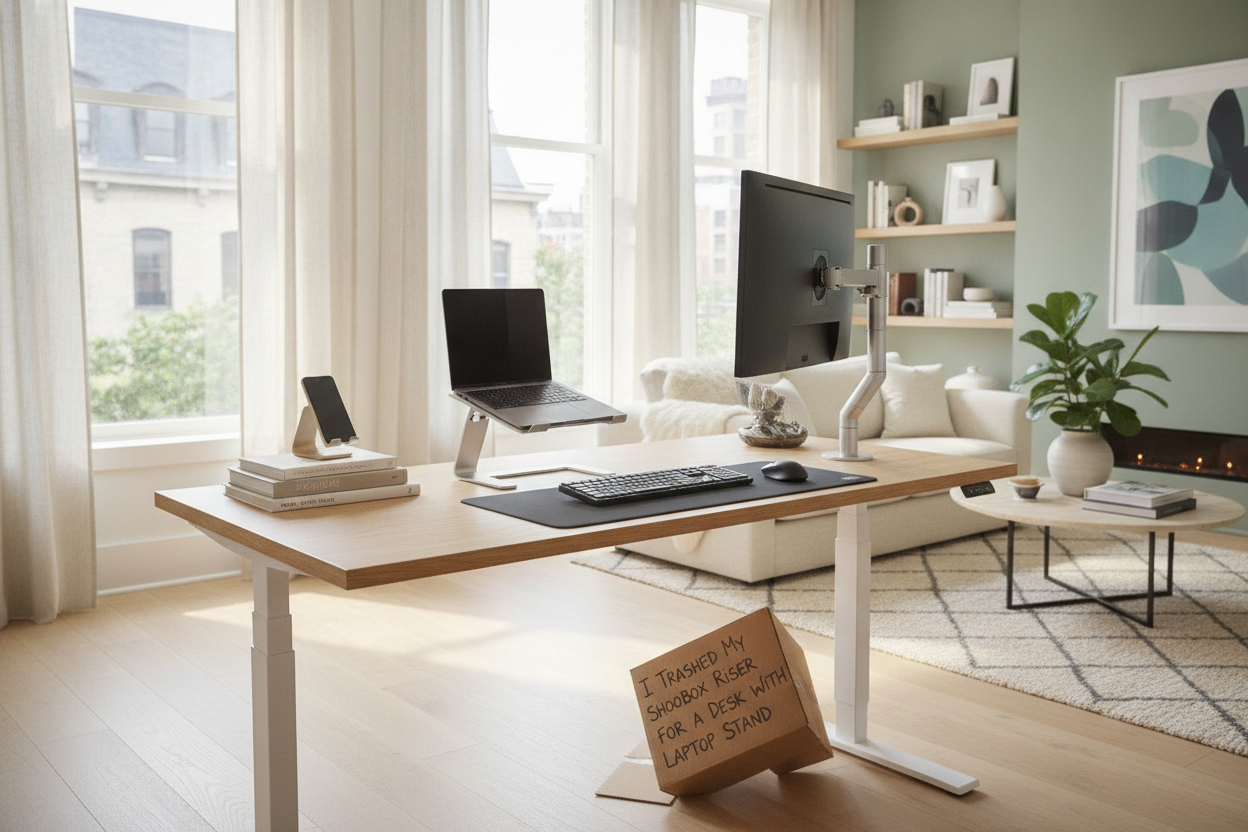
I spent three years working from a dining chair that gave me the posture of a cooked shrimp. My desk was a $40 IKEA slab, and to keep my neck from snapping, I had a precarious tower of three shoeboxes and a massive Joy of Cooking hardcover supporting my MacBook. It worked until I bumped the table and my $2,000 laptop took a dive toward a half-full coffee mug. That was the day I realized I needed a real desk with laptop stand.
- Built-in tiers are way more stable than wobbly aftermarket risers.
- Integrated stands save massive amounts of desk surface area.
- Two-tier designs allow for a lower keyboard and higher screen.
- Avoid cheap particle board; it shakes the second you start typing quickly.
The Dark Ages of the Shoebox Setup
We've all been there. You start with one shoebox. Then you realize your eye level is still too low, so you add a thick coffee table book. Before you know it, your workspace looks like a middle-school science project about structural integrity. It’s embarrassing to be on a Zoom call when your colleagues can see the Nike logo peeking out from under your webcam.
Beyond the aesthetics, the physical toll was real. My tech neck was so bad I was spending $100 a month on a chiropractor. A flat table is fine for a desktop monitor, but for a laptop, it is a recipe for chronic upper back pain. I needed a permanent laptop table for standing or sitting that didn't require a construction permit to adjust every time I changed positions.
Why Add-On Risers Just Made Me Mad
I tried the cheap route first. I thought buying a laptop stand for standing at desk would solve it. I bought one of those aluminum foldy things that looks like a transformer. It was okay, but it ate up six inches of depth on my desk. Every time I wanted to write in a notebook, I had to shove the riser to the side, usually knocking over my pens in the process.
Most stand up desk for laptop add-ons are clunky. They solve the height problem but create a clutter problem. They wobble. If you type directly on the laptop keyboard while it is elevated, the screen shakes like it is in an earthquake. A dedicated standing workstation for laptop use integrates the lift into the frame, so the whole thing feels like a solid piece of furniture rather than a Jenga tower.
The Ergonomic Sweet Spot Actually Exists
The real magic happens when you separate the keyboard height from the screen height. When I finally upgraded to a proper adjustable height desk for laptop use, my shoulders dropped two inches immediately. You want your elbows at a 90-degree angle and your eyes hitting the top third of your screen. You cannot do that on a flat surface without an external keyboard.
I eventually bit the bullet on a motorized sit to stand laptop desk. Having a sit stand up desk with memory preset controller meant I could hit one button and go from a seated focused mode to a standing mode. It is about precision. Being off by even half an inch can be the difference between a productive afternoon and a tension headache. This adjustable desk for laptop setup finally let me lock in those heights.
Reclaiming My Desk Real Estate
Once the laptop was on its own dedicated tier, my desk felt huge. I could actually fit a 24-inch monitor next to it without feeling crowded. It turned my cramped corner into a legitimate laptop standing workstation. I could finally have my coffee, my iPad, and a physical notebook all in one view without the laptop standing stand taking over.
It is funny how much more I actually write by hand now. On a standard stand desk for laptop, there is often no room for paper. But with an integrated 2-tier writing computer desk, the lower level is completely clear. I am not constantly moving things around like a sliding tile puzzle just to jot down a phone number on my laptop stand table.
What to Look for Before You Buy
Don't just buy the first portable adjustable laptop table you see on an Instagram ad. Check the weight capacity. Some of the cheaper sit stand laptop table models use thin plastic joints that will snap if you lean on them. Look for a steel frame and a top that is at least 0.75 inches thick.
Stability is the biggest deal. If the desk has a T-frame base, make sure the feet are long enough to prevent tipping. If you are tall, verify the max height of the laptop adjustable standing desk. Many models top out at 42 inches, which might still leave you hunching. Aim for something that hits at least 48 inches if you want a true best standing desk for laptop experience. Whether you need a sit and stand laptop desk or a permanent standing desk laptop, check the reviews for 'the wobble factor.'
Can I use a laptop stand desk for a desktop monitor?
Usually, yes, but check the depth. Most sit to stand laptop desk designs have a narrower top tier specifically for laptops. A massive 32-inch monitor might overhang the edges or be too heavy for the lift mechanism on an adjustable standing desk laptop.
Is a manual or electric lift better?
Electric is worth the extra money every single time. If you have to hand-crank your adjustable laptop standing desk, you will eventually stop moving it and just leave it at one height forever. Memory presets are the secret to actually using the standing feature.
Do these desks shake when you type?
The cheap ones do. Look for a desk with cross-bracing or a heavy-duty steel base. If you are a heavy-handed typer, avoid the single-post C-shape tables; they are notorious for the monitor bounce.

Laisser un commentaire
Ce site est protégé par hCaptcha, et la Politique de confidentialité et les Conditions de service de hCaptcha s’appliquent.