



The Allure of the Marble Standing Desk: Luxury Meets Dynamic Ergonomics
Standard height-adjustable desks often lean heavily into industrial or utilitarian looks, featuring black powder-coated legs and basic laminate tops. For homeowners and remote professionals who want a sophisticated interior, a marble standing desk introduces classical architectural elegance to an active work routine. The flowing veining of stone creates an upscale atmosphere that blends smoothly into traditional libraries, upscale living rooms, or curated modern suites.
However, bringing stone into dynamic furniture requires thoughtful planning. Unlike lightweight wood or hollow-core boards, stone and stone-composite surfaces present distinct weight, mounting, and structural considerations. Selecting the right model from a comprehensive standing desk collection means evaluating how tabletop materials interact with motorized lifting frames, spatial proportions, and daily work habits.
Surface Materials: Natural Stone Slab vs. Engineered Marble Finishes
When shopping for a marble top standing desk, the primary design choice involves choosing between natural quarried stone and engineered alternatives. Both options provide striking aesthetics, yet they perform very differently under daily work conditions.
Solid Natural Marble: Prestige, Mass, and Sealant Care
Genuine quarried marble offers unmatched natural beauty, depth, and distinct veining patterns where no two pieces are identical. It carries significant tactile prestige and remains cool to the touch. Yet authentic marble is porous, prone to etching from acidic liquids like citrus juices or coffee, and vulnerable to staining if spills sit unnoticed. Maintaining genuine marble requires periodic sealing and gentle cleaning. Furthermore, solid stone slabs are exceptionally heavy, requiring robust lifting columns capable of supporting substantial desktop weight before monitors and hardware are added.
Engineered Marble and Faux Stone Composites: Practical Daily Resilience
To capture the look of marble while avoiding excessive weight and maintenance, many workstations utilize engineered stone, sintered stone, or high-pressure laminate composites with faux marble finishes. These engineered surfaces resist scratches, moisture penetration, and staining effectively. Because composite tops weigh less than solid quarry slabs, they reduce continuous mechanical strain on motorized components while offering uniform patterns across broad surface areas.
Dimensional Footprints and Room Placement Planning
Stone-topped workstations serve as substantial visual anchors. Careful spatial planning ensures the desk enhances the surrounding room without interrupting clear walking paths or cluttering your visual field. When reviewing your overall layout, consulting advice on designing a standing desk setup that actually looks good can help align your finish choices with the surrounding architecture.
Compact Formats for Multi-Functional Living Areas
In shared apartments, studio spaces, or bedrooms, a compact marble sit-stand desk fits neatly into alcoves or multipurpose corners. Its refined texture prevents the workspace from feeling like an unwelcome corporate invasion. In spaces where personal grooming and remote tasks overlap, multipurpose pieces like the desk product illustrate how elegant, multi-functional furniture preserves precious square footage without sacrificing visual style.
Executive Spans for Dedicated Office Suites
In dedicated home offices, larger desk spans allow for comprehensive multi-screen arrangements, reference books, and focused task lighting. A broad stone-textured surface naturally commands attention in the center of the room or along an accent wall. When positioning wide desks, plan for sufficient clearance around all sides to accommodate smooth transitions between seated and standing positions.
Structural Rigidity: Dual-Motor Mechanics and Heavy Top Stability
Stability is critical for any sit-stand workstation, especially when supporting a dense tabletop. While any desk may experience subtle movement at maximum elevation, heavy surfaces require specialized frame engineering to prevent noticeable wobbling during active typing or writing. Familiarizing yourself with advice on how a home office setup with standing desk avoid these mistakes highlights the importance of choosing a dependable lifting base.
- Lifting Configurations: Desks with synchronized dual motors generally manage dense surfaces more smoothly than single-motor setups.
- Leg Column Construction: Multi-stage, telescoping steel columns with wide foot bases distribute top-heavy loads evenly to minimize frame sway.
- Safety and Collision Awareness: Integrated anti-collision sensors help protect the desk mechanism and surrounding furniture should the top encounter an obstacle during adjustment.
Coordinating Storage and Accent Furniture with Stone Surfaces
A marble top looks best when it remains uncluttered. However, many sit-stand desks lack deep built-in drawers. Pairing your marble standing desk with complementary storage helps maintain an orderly desktop.
Low-profile lateral credenzas, mobile file pedestals in matching neutral tones, and nearby shelving units provide essential organization for papers and supplies. If your room also doubles as a grooming or creative studio, versatile pieces such as the desk product show how dynamic, adjustable components and smart storage can live harmoniously in one curated setting.
Assembly Precautions, Cable Routing, and Surface Maintenance
Setting up and maintaining a stone-inspired workstation requires mindful handling:
- Assembly Safety: Dense tops should always be lifted and aligned with assistance to prevent strain, frame warping, or accidental chipping.
- Clamping Considerations: Clamping monitor arms directly onto solid natural stone requires caution, as localized pressure can risk micro-fractures; engineered composites or freestanding monitor risers are often simpler alternatives.
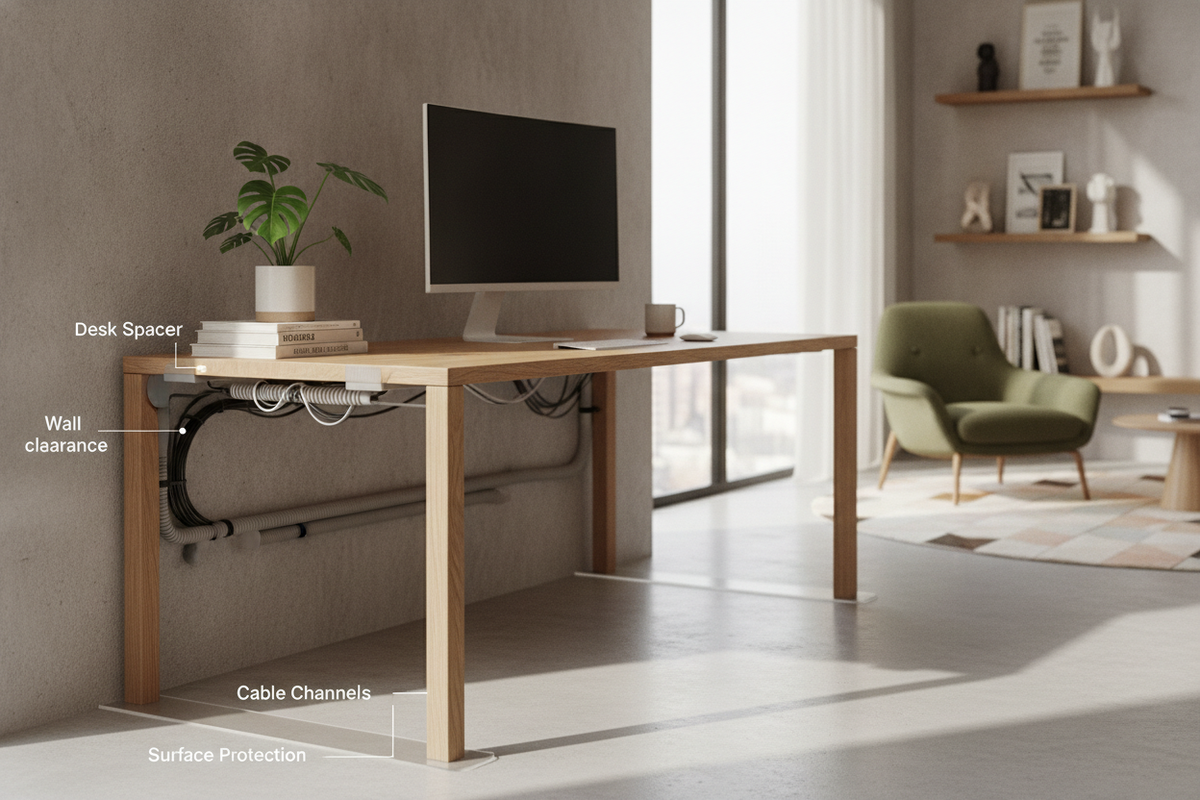
- Cable Management: Under-desk adhesive cable trays and flexible cord spines keep hanging power cords neatly bundled without needing to drill directly into stone faces.
- Surface Care: Clean stone or composite tops with soft microfiber cloths and pH-neutral solutions, avoiding abrasive scouring pads or bleach-based sprays.
Decision Framework: Selecting the Ideal Marble Sit-Stand Setup
To choose the ideal workstation for your home office, evaluate your priorities across four core criteria:
- Material Type: Weigh the authentic luxury and maintenance demands of solid natural stone against the daily durability and lighter weight of engineered composites.
- Mechanical Foundation: Confirm that the lifting frame offers synchronized motors, multi-stage legs, and sufficient lifting capability to manage your desktop plus hardware.
- Proportional Fit: Measure your available floor footprint and vertical clearance to ensure smooth transitions between sitting and standing heights.
- Surrounding Organization: Plan dedicated storage nearby so your marble surface remains an inspiring, uncluttered workspace.

Laisser un commentaire
Ce site est protégé par hCaptcha, et la Politique de confidentialité et les Conditions de service de hCaptcha s’appliquent.