


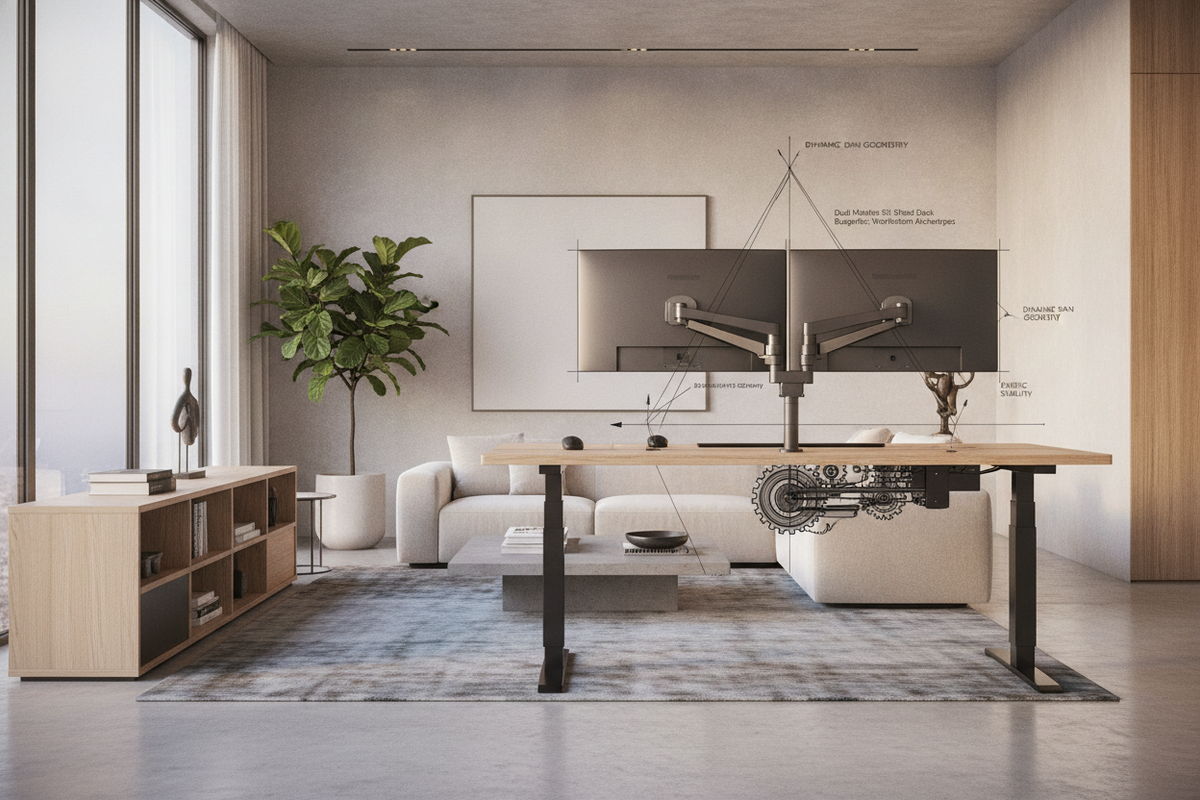
Designing an ergonomic workspace with two screens requires balancing mechanical support, spatial clearances, and visual comfort. Whether managing code repositories, tracking financial datasets, or editing multi-track timelines, deploying a dual monitor sit stand desk setup introduces unique structural variables that go beyond standard single-display configurations. From cantilevered arm torque to vertical cable management, careful planning ensures smooth transitions between seated and standing work postures.
Dual Screen Elevation Archetypes: Dedicated Desks vs. Desktop Workstation Converters
When implementing dual-screen elevation, the two primary formats are dedicated full-frame adjustable desks and add-on desktop converters. A full-surface motorized sit stand desk setup lifts the entire tabletop, including your screens, input devices, desktop speakers, and task accessories. This approach preserves a unified surface plane and provides broad flexibility for positioning articulated mounting arms across the rear desk edge.
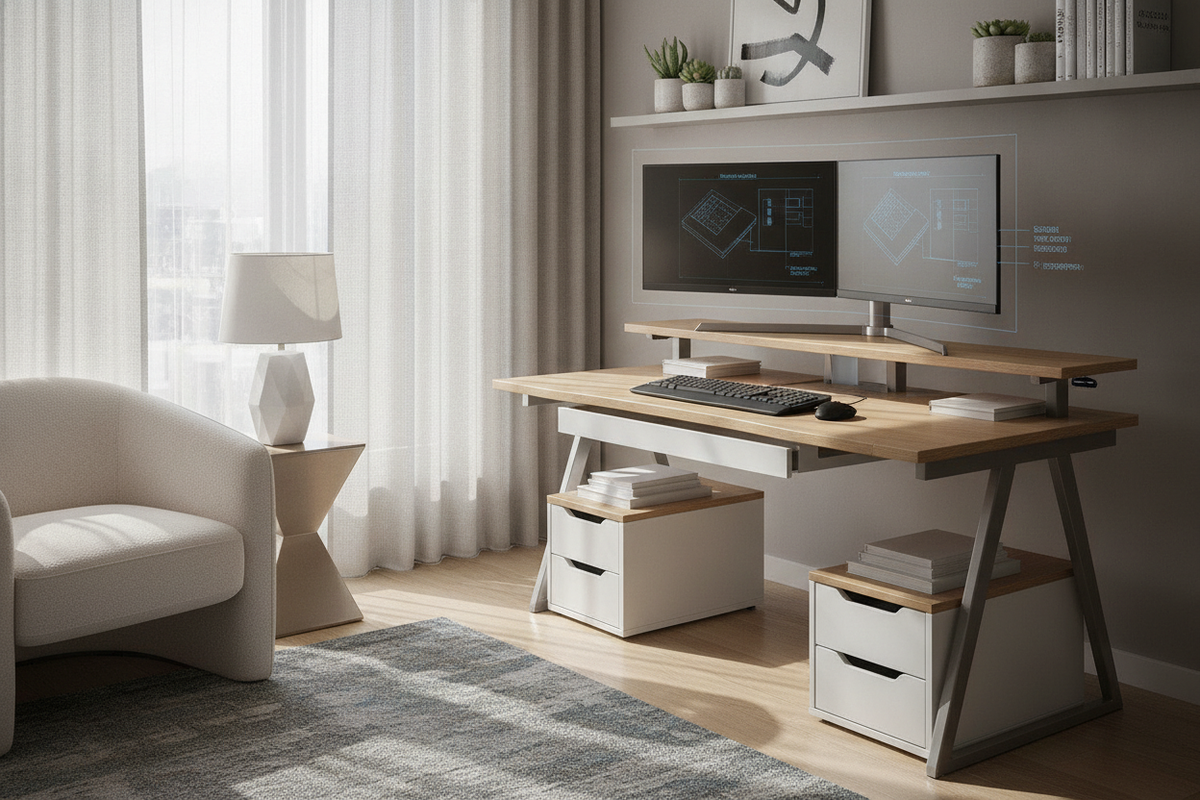
Conversely, a dual monitor sit-stand desktop workstation converter rests atop an existing fixed table, elevating a dedicated monitor tier and keyboard shelf via manual gas-spring or scissor mechanisms. While converters offer an accessible path to standing work without replacing an existing credenza or executive desk, they introduce distinct spatial tradeoffs. The elevated monitor shelf shifts the center of gravity forward, and the smaller tiered platforms require disciplined peripheral placement to avoid crowding your active work zone.
Display Span Geometry: Arm Articulation, Viewing Focal Arcs, and Desktop Depth
Positioning two displays requires careful geometry to maintain visual clarity without excessive head turning. In dual-screen configurations, placing both panels flat in a continuous horizontal line creates unequal focal distances between the center of the display array and its outer edges. To maintain a consistent optical focal arc, orient the monitors inward to form a gentle concave curve centered on your primary seated or standing vantage point.
Desktop depth directly influences your ability to establish this concave viewing angle. Articulated dual monitor arms require rear clearance behind the desk to fold their elbow joints properly. If a desk is placed flush against a wall, shallow depths can push the monitors forward into your primary typing zone. In tight footprints, exploring solutions like evaluating screen clearance on compact desks can help determine whether low-profile desk clamps, grommet mounts, or dedicated secondary stands provide the best balance of viewing distance and stability.
Kinetic Stability and Structural Load Audits
Suspending two heavy screens on articulated arms introduces cantilevered torque along the rear perimeter of the tabletop. When monitors are extended forward toward the user, the downward rotational force on the desk clamp increases. Ensuring long-term stability involves assessing three critical mechanical factors:
- Desktop Core Integrity: Solid composite boards or reinforced structural tops resist the localized clamping pressure of heavy dual arms more evenly than hollow-core panels. Using a wide steel reinforcement plate helps distribute the clamping load across a broader surface area.
- Frame Torsion and Elevation Wobble: As motorized lifting columns extend toward standing height, any lateral imbalance from offset monitor weight can exacerbate screen shake during typing. Centering the total monitor payload across the desk frame's primary support axis minimizes unwanted oscillation.
- Dynamic Cable Slack Architecture: Sit-stand transitions require calculated wire slack for display connections, power cables, and peripheral hubs. Fastening cables tightly at sitting height without adequate travel loops can strain display ports or unseat connections when the desk reaches full elevation.
Integrated Workstation Organization and Multi-Tier Storage Synergy
A dual monitor sit-stand workstation functions best when secondary peripherals and paperwork do not compete with screen motion or surface travel. Utilizing integrated multi-tier workstation desks or paired organizational furniture allows users to delineate between active task surfaces and long-term storage.
Under-desk mobile file pedestals, slim CPU holders, and perimeter credenzas keep bulky items off the moving desktop while ensuring essentials remain accessible. When positioning under-desk cabinets, verify that the descending frame clears the top of the storage unit throughout its full downward travel path. Mounting multi-outlet power strips and docking hubs directly to the underside of the moving desktop keeps the primary screen cabling contained within a single unified riser spine.
Alternative Mounting Frameworks and Long-Term Spatial Planning
In compact home offices where desktop depth or wall clearances preclude deep articulating arms, decoupling the screens from the desk entirely offers a compelling layout strategy. Implementing freestanding floor display mounts or independent wall track systems allows the sit-stand desk to move vertically while screens remain independently supported at an optimal height.
Regardless of whether you choose a fully integrated motorized desk or a modular dual monitor sit-stand desktop workstation riser, matching your monitor span dimensions to your desk depth and frame stability creates a comfortable, clutter-free workspace built for sustained productivity.

Laisser un commentaire
Ce site est protégé par hCaptcha, et la Politique de confidentialité et les Conditions de service de hCaptcha s’appliquent.