


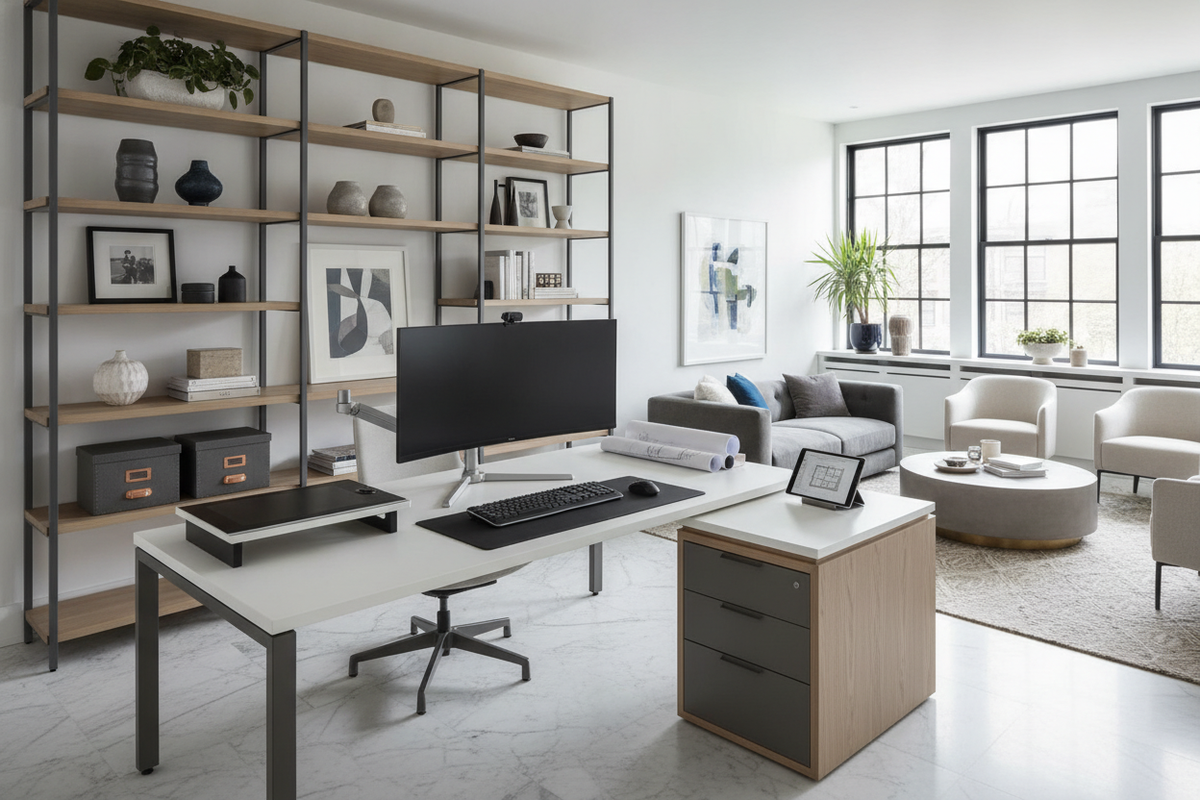
Understanding the Desk with Right Return Configuration
Choosing an L-shaped workstation requires clarity on terminology, orientation, and layout mechanics. A desk with right return features a secondary work surface extending outward from the right-hand side of the main tabletop when viewed from the seated position. This configuration establishes an efficient two-sided workstation tailored for expansive tasks, multi-monitor setups, and dedicated storage placement.
How Return Orientation Is Defined from the Seated Position
In office furniture terminology, orientation is consistently defined from the perspective of the seated user rather than someone standing in front of the desk facing it. When you sit at the primary work surface facing forward, the return wing extends to your right hand. Clarifying this perspective early prevents common spatial planning mistakes and ensures the assembly aligns seamlessly with room walls, doorways, and electrical outlets.
Fixed Right Return vs Reversible Modular Designs
Workstations generally come in two structural variations: fixed right-hand models and reversible L-shaped designs. A fixed right return features dedicated joinery, pre-drilled brackets, or integrated storage units specifically tailored for right-side installation. These models often offer streamlined frame aesthetics and specialized pedestal integration. In contrast, reversible modular designs allow the return wing to be attached to either the left or right side during initial assembly, offering flexible placement if you rearrange furniture across different rooms over time.
Ergonomic and Workflow Advantages of a Right-Hand Return
An intentional workstation layout minimizes unnecessary torso twisting and shortens physical reach distances across extended working hours. Positioning the return extension on the right side provides distinct ergonomic and organizational benefits for right-dominant tasks and multi-device management.
Dominant Reach Zones and Peripheral Device Placement
For individuals who favor their right hand, placing physical note pads, graphics tablets, secondary displays, document stands, or reference books on the right-hand surface supports natural movement patterns. Items positioned along the primary reach arc can be accessed with a smooth pivot of an ergonomic chair rather than overextending the shoulder or straining the lower back.
Dividing Primary Computing from Secondary Task Surfaces
A practical method for organizing a right return desk involves deliberate task zoning. Arranging central computing equipment—such as primary monitors, keyboards, and mouse pads—along the main tabletop creates a dedicated digital focus area. Meanwhile, assigning secondary tasks such as paperwork review, reference reading, or auxiliary device docking to the right-hand return helps maintain visual order and reduces clutter across the main surface.
Spatial Planning and Room Layout Strategies
The footprint of an L-shaped desk alters room circulation and sightlines. Proper room layout planning accounts for wall perimeters, architectural features, and walking clearance to preserve an open, comfortable environment.
Corner Placement and Wall Alignment Checks
Placing an L-shaped desk into a room corner creates an efficient, enclosed cockpit setup that preserves open floor space in the center of the room. When arranging a desk with right hand return in a corner, ensure that the return wing runs along an uninterrupted wall that does not block baseboard heating units, closet doors, or low-mounted wall receptacles.
Peninsula and Floating Room Layouts with Walkway Clearance
In larger rooms or open-concept offices, positioning the desk as a peninsula—where the main surface backs against a wall while the right return extends out into the room—serves as an architectural room divider. This setup establishes visual separation between work zones and living areas. When using a peninsula or floating layout, ensure sufficient clearance along surrounding walkways so family members or colleagues can pass comfortably without brushing against desk corners.
Managing Window Glare and Doorway Sightlines
Orienting your workstation relative to natural light and entryways is vital for comfort and focus. Positioning the main desk surface perpendicular to exterior windows prevents harsh backlighting during video calls and reduces direct screen glare. Placing the desk to maintain an open diagonal view toward the room entrance creates a secure, commanding perspective that eliminates unexpected distractions.
Dimensional Proportions and Decision Frameworks
Balancing the proportional dimensions of the main desk and the return wing ensures that the workstation fits your space without overwhelming the room. Choosing a balanced model, such as a compact L-shaped corner desk, helps maintain harmony between usable surface area and room proportions.
Main Tabletop vs Return Wing Proportions
On many professional L-shaped desks, the main desk surface features a deeper working depth, while the return wing features a slightly narrower depth. This stepped profile preserves generous arm and monitor distance in the primary zone while providing an accessible, streamlined side surface that does not intrude unnecessarily into the center of the room.
Under-Desk Knee Clearance and Seated Pivot Arc
Unrestricted lower-body movement is essential when transitioning between the main surface and the return. Look for designs that feature diagonal corner supports, recessed inner corner legs, or open structural frames. A clear under-desk pivot zone allows you to swivel freely from your keyboard to secondary tasks without bumping knees or catching chair armrests against structural hardware.
Integrated Storage Architecture for Right Return Desks
Storage architecture determines how efficiently an L-shaped workstation keeps supplies, paperwork, and technology organized without cluttering the primary surface.
Right-Side Pedestal Drawers and Filing Cabinets
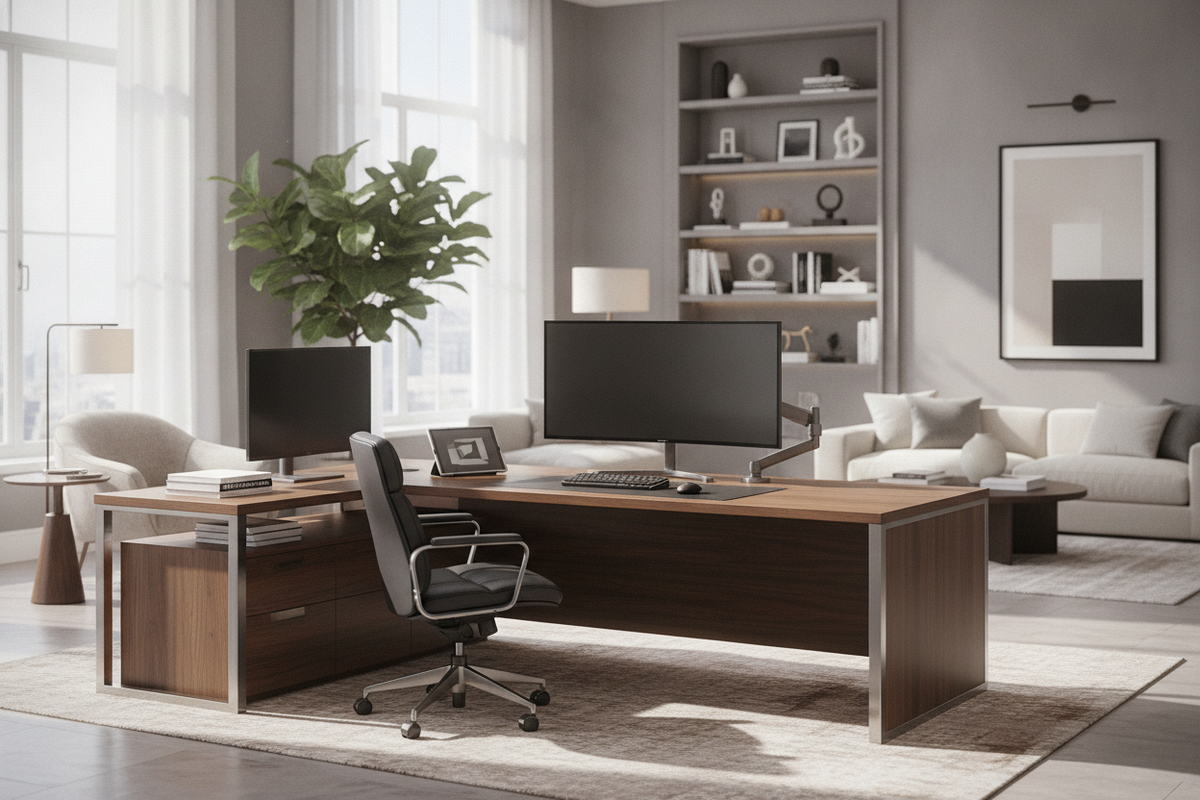
Integrating drawer pedestals beneath the right return provides immediate access to essential stationery, office files, and personal accessories. For deeper planning on drawer layouts and organizational accessories, consulting a comprehensive desk return guide provides valuable structural insight into balancing leg space with high-capacity filing drawers.
Open Return Shelving vs Closed Utility Cupboards
Choosing between open shelving and closed cabinets depends on what you plan to store. Open lower shelves on the return wing provide convenient locations for PC desktop towers, external hard drives, or decorative storage bins, maintaining airflow and visual lightness. For multi-tier utility and corner optimization, an L-shaped corner desk with integrated shelving balances open display tiers with robust stability.
Surface Materials, Structural Stability, and Cable Management
Material composition and wire routing systems ensure long-term durability and a clean visual presentation across both wings of your workstation.
Engineered Wood, Laminate, and Steel Frame Pairings
Durable engineered wood panels coated with scratch-resistant and moisture-resistant laminates provide reliable surfaces for daily writing, typing, and equipment placement. When paired with heavy-duty steel support legs and crossbeams, these surfaces resist deflection across the span of the return wing, ensuring level transitions across the corner connection seam.
Corner Seam Support and Dual-Wing Wire Routing
The joint where the main desk meets the return wing requires sturdy under-mount steel connector plates to eliminate tabletop sagging or shifting. In addition, managing cords from dual-surface workstations requires coordinated routing channels, such as grommet holes and under-desk cable trays, guiding power cords and monitor cables down a single frame leg toward wall outlets.
Selection Checklist: Choosing the Ideal Right Return Workstation
- Orientation Confirmation: Confirm from the seated position that your room layout accommodates a right-side extension without obstructing doorways or windows.
- Workflow Mapping: Determine whether the right return will host secondary monitors, physical writing zones, or peripheral devices.
- Legroom Verification: Ensure the inner corner design provides open swivel clearance for your office chair.
- Storage Needs: Choose between open shelving for equipment ventilation or enclosed drawers for private document organization.
- Cable Organization: Verify the presence of wire management grommets and under-frame channels across both tabletop sections.

Laisser un commentaire
Ce site est protégé par hCaptcha, et la Politique de confidentialité et les Conditions de service de hCaptcha s’appliquent.