


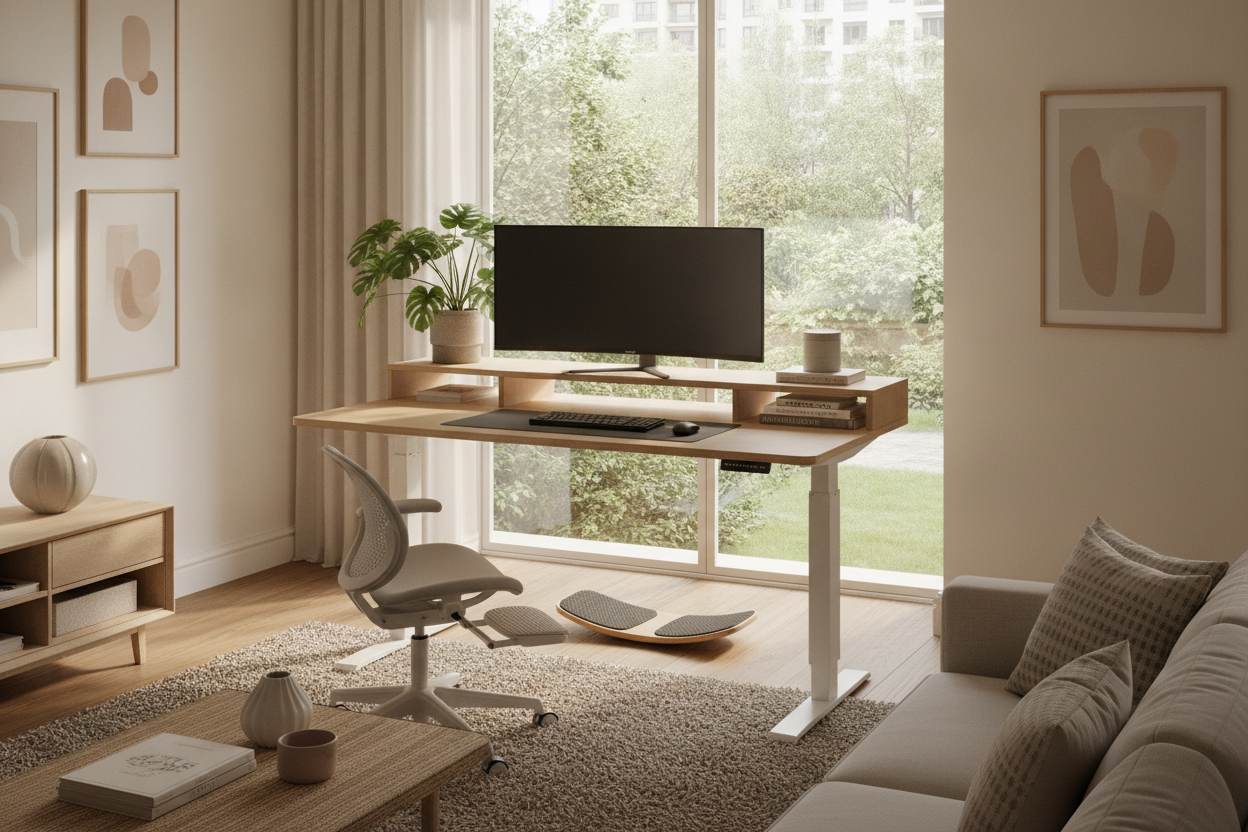
Understanding How Stand Up Desks Impact Daily Workflows
When planning or refreshing a home workspace, many people question: are stand up desk good for you? The modern workstation has evolved far beyond static, fixed-height desks. As screen time increases, workers naturally seek setups that accommodate movement throughout long projects. Wondering do standing desks work in practical day-to-day settings often comes down to how well the workstation facilitates posture changes rather than forcing a single rigid position.
A common misconception is that a standing workstation requires being on your feet all day. In practice, asking is standing at a desk good for you is really an inquiry into postural variation. Remaining in any fixed position—whether seated or standing—for hours on end can lead to stiffness and physical fatigue. Incorporating height adjustability into your layout allows you to transition between seated focus and standing tasks smoothly. For a broader overview of workstation fundamentals, our desk work guide offers insights into tailoring layouts to specific tasks.
Ergonomic Alignment: Setting Up for Comfort and Postural Support
To determine if are standing desk good for you, one must examine ergonomic geometry. A desk is only as effective as its setup. When evaluating whether are standing desks healthy or if is standing desk healthy for your specific routine, proper alignment of the elbows, wrists, neck, and screen distance plays the most critical role.
When configuring an adjustable station like a spacious standing desk product, consider these essential ergonomic principles:
- Elbow and Forearm Angle: Adjust the desktop height so your forearms rest parallel to the floor, allowing your elbows to maintain an open angle around ninety degrees without hunching your shoulders.
- Eye-Level Screen Alignment: Position your primary monitor so the top third of the display aligns with your horizontal eye line, preventing excessive downward neck tilt.
- Neutral Wrist Position: Keep keyboard and mouse surfaces level with your natural arm reach so your wrists remain straight rather than angled upward or downward.
- Foot Support and Weight Distribution: Stand with feet shoulder-width apart, keeping knees slightly unlocked to promote gentle shifts in weight rather than locking your joints.
The Sit-Stand Balance: Building a Sustainable Movement Routine
Achieving real physical comfort requires balance. If you are exploring whether is standing desk good for you, remember that alternating postures is key. Rather than attempting to stand for an entire afternoon, adopting an interval routine allows muscles and joints to adapt without undue strain.
A helpful approach involves standing during short, active tasks—such as review calls, webinars, or sorting emails—and returning to a supportive ergonomic chair for intensive typing or detailed creative work. This rhythm keeps the body active while ensuring that high-focus tasks receive the seated stability they require.
Workspace Architecture and Room Clearance for Standing Desks
Integrating a dynamic workstation involves more than picking a desktop; it requires careful spatial planning. Before installing a standing desk, assess the three-dimensional clearance of your room. For aesthetic and practical advice on balancing visuals with utility, our standing desk good guide highlights approaches to unified interior design.
Key spatial factors to evaluate include:
- Vertical Path Clearance: Ensure the desk surface and mounted monitors have unobstructed vertical travel space, clear of floating wall shelves, angled ceilings, or wall art.
- Perimeter Footprint: Account for the space needed when pushing back an office chair during standing sessions to avoid cramped paths behind the desk.
- Wall Anchoring and Stability: Verify that nearby wall-mounted units or storage cabinets leave adequate breathing room so motorized desks can operate smoothly without friction against adjacent furniture.
Storage and Cable Management Solutions for Moving Workstations
Height-adjustable frames present unique organization challenges. Unlike traditional executive desks with built-in side pedestals, standing desks typically feature open leg frames to allow vertical travel. Managing accessories and electronics requires deliberate planning.
A versatile motorized model, such as a multi-preset standing desk product, pairs seamlessly with mobile under-desk filing pedestals or low lateral credenzas placed alongside the station. These standalone units maintain ample storage for paperwork and hardware without adding weight to the motorized lift frame.
For hybrid tasks involving gaming or multi-screen setups, integrated surface risers or a specialized desk stand product help organize desktop accessories, chargers, and small devices. When running power cords and display cables, always provide adequate slack to accommodate the full travel range from lowest seated position to highest standing elevation.
Decision Matrix: Is a Stand Up Desk Right for Your Setup?
To help determine whether a standing desk fits your daily routine, compare these standard workspace styles:
- Fixed-Height Desks: Best suited for users with dedicated secondary workspaces who prefer comprehensive built-in drawer storage and traditional wooden construction.
- Manual Desk Converters: Suitable as a temporary tabletop addition for existing furniture, though they often reduce usable surface area and add visible bulk.
- Electric Height-Adjustable Desks: The most versatile solution for dynamic postural variation, offering smooth transitions, programmable height presets, and clean modern aesthetics.
Ultimately, a stand up desk is an excellent investment for anyone looking to introduce flexibility, dynamic movement, and refined ergonomics into their daily workflow.

Laisser un commentaire
Ce site est protégé par hCaptcha, et la Politique de confidentialité et les Conditions de service de hCaptcha s’appliquent.