


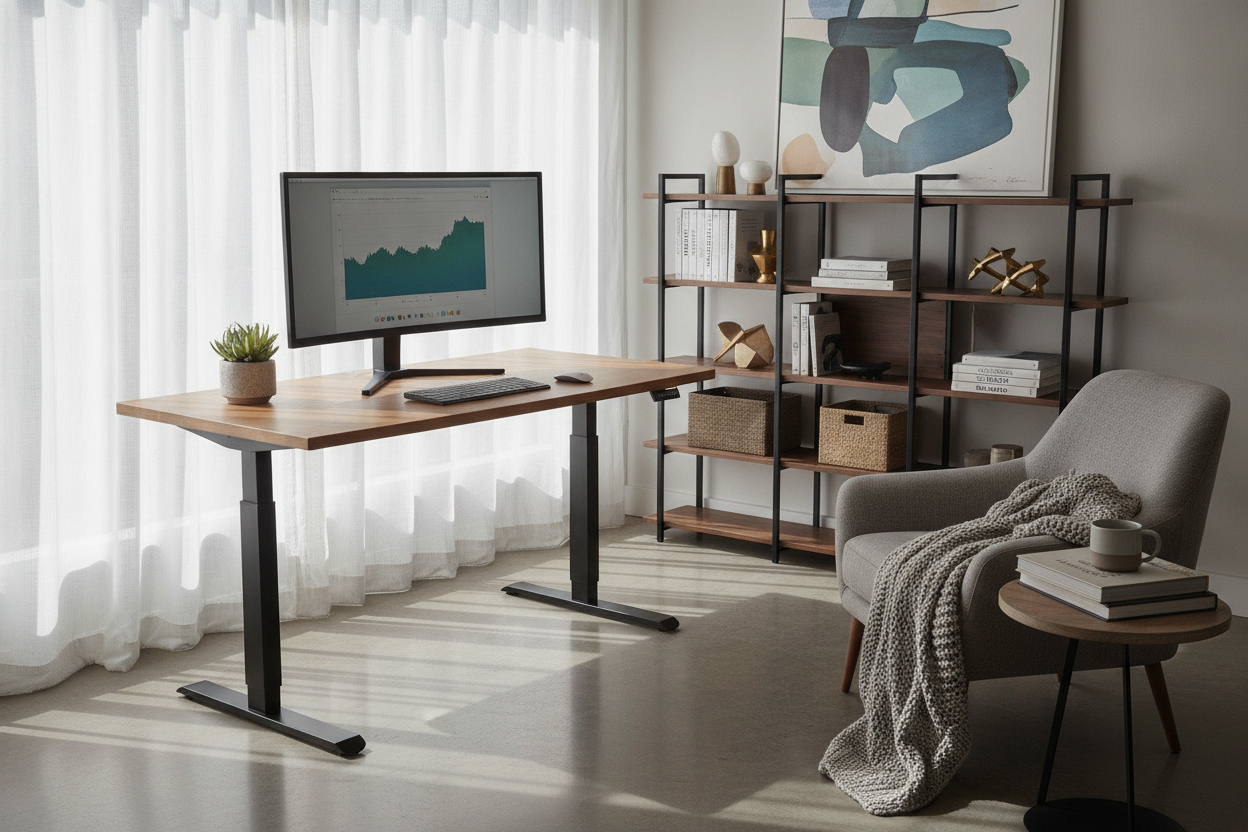
When planning a home office or upgrading an existing workspace, one of the biggest investments you face is deciding between a traditional static desk and a motorized sit-stand workstation. With standing setups growing increasingly common, many remote professionals and homeowners find themselves asking: are sit stand desks worth it for daily productivity, spatial comfort, and room organization?
While an adjustable desk offers undeniable flexibility, it also introduces unique design considerations. The open leg architecture of lifting columns alters under-desk storage, the motorized travel zone requires intentional wall planning, and power cords require active slack. Understanding how an adjustable workstation fits into your daily routine and room layout helps ensure that your investment pays off in lasting functionality.
The Core Value of Sit Stand Desks: Workflow Flexibility and Movement
The primary advantage of a height-adjustable desk lies in dynamic posture switching throughout long working sessions. Rather than remaining locked into a single position for hours, you can shift heights in seconds to align your physical posture with different types of daily tasks.
Active Posture Switching for Extended Workdays
Many professionals find that different work phases benefit from different working stances. Routine emails, administrative tasks, and creative brainstorming often feel natural while standing, encouraging active movement and alertness. In contrast, intensive writing, detailed spreadsheet analysis, and precision design work frequently call for seated focus. Having the ability to change desk height on demand eliminates the midday sluggishness that often comes from sitting uninterrupted at a fixed surface.
Shared Workstations and Multi-User Household Adaptability
In modern households where a dedicated home office serves multiple family members or hybrid work schedules, a single static desk rarely fits everyone comfortably. Fixed-height desks are built to standard baseline dimensions that may force shorter or taller individuals to compromise their seated posture or rely on extensive chair adjustments.
An adjustable workstation equipped with electronic controls solves this problem cleanly. Choosing an ergonomic sit stand desk with memory preset controller allows different users to save their exact preferred seating and standing levels. With a single touch, the surface transitions smoothly between custom heights, turning a single workstation into a versatile shared asset for partners, roommates, or students.
Spatial and Clearance Planning: Fitting an Adjustable Desk in Your Room
Before bringing a motorized desk into your room layout, evaluating your physical space is essential. Unlike a conventional desk that stays stationary, an adjustable desk requires dynamic clearance along its entire vertical path.
Vertical Travel Clearance and Wall Obstacle Management
A standing desk travels upward through airspace that is normally unoccupied. When mapping your room layout, inspect the vertical boundary above and around the intended desk location:
- Floating Shelves and Wall Art: Ensure mounted shelving units, framed prints, or hanging whiteboards sit safely above the desk's maximum travel height.
- Window Sills and Trim: If placing the desk in front of a window, check that the surface and mounted monitor arms do not collide with protruding sills or blind mechanisms.
- Overhead Fixtures and Sloped Ceilings: In attic offices, under-stair nooks, or rooms with low pendant lighting, verify total ceiling clearance for both the desktop and tall dual-monitor setups at full standing extension.
Dynamic Cable Slack and Power Routing Strategies
Because the desktop moves up and down continuously, standard stationary cable management is insufficient. Power cords, display cables, and peripheral connections must be able to stretch safely without pulling plugs loose or straining device ports.
The most effective strategy is mounting an under-desk power strip directly to the underside of the desktop surface. When all monitor cords, laptop chargers, and desk accessories plug into a single traveling power strip, only one heavy-duty main power cable needs to travel from the desk to the wall outlet. Using an articulated cable spine or flexible cable sleeve protects this single drop cord, preventing snagging on baseboards or nearby furniture during height transitions.
The Storage Trade-Off: Solving the Open-Frame Dilemma
Perhaps the biggest functional difference between traditional executive desks and sit-stand models is integrated storage. Traditional desks often feature built-in pedestals, drawers, and heavy cabinetry. Sit-stand desks, by contrast, rely on open leg frames and lifting columns to maintain balance and reduce motorized load.
Mobile Pedestals and Under-Desk File Caddies
To retain essential document and supply storage without interfering with vertical movement, mobile storage pieces are the ideal companion. Compact rolling file cabinets and slim drawer caddies can slide beneath the desk when you are working seated, and remain easily accessible when the desk is raised. When selecting a mobile pedestal, verify that its total height sits comfortably below the desk's lowest seated setting so the frame never contacts the top of the cabinet.
Coordinated Perimeter Storage: Credenzas and Bookcases
Another smart organization strategy is moving heavy storage out of the desk footprint and along the room perimeter. Pairing your height-adjustable workstation with a coordinated lateral credenza, sideboard, or tall bookcase creates a clean division of functional zones. The desk surface stays dedicated to immediate computer hardware and active note-taking, while archives, reference books, printers, and office supplies remain neatly organized along adjacent walls.
Evaluating Build Quality: Frame Architecture, Motors, and Surfaces
Not all sit-stand desks perform the same way in daily use. When deciding if a standing desk is worth the investment, paying attention to frame construction, column design, and tabletop materials ensures long-term stability and satisfaction.
Column Stages and Wobble Resistance at Maximum Height
Stability becomes increasingly critical as a desk rises toward its maximum elevation. When typing or leaning on a desk at standing height, poorly engineered frames can exhibit distracting monitor shake or lateral wobble. Look for heavy-gauge steel leg frames with wide floor footings and multi-stage telescoping columns. Three-stage lifting columns provide a wider overall height adjustment range and offer superior overlap between column segments, yielding a much sturdier feel when fully extended.
Desktop Surface Durability, Weight Capacities, and Finishes
The desktop itself must withstand daily wear, clamped monitor arms, and heavy electronic equipment. Premium engineered wood substrates finished with durable, scratch-resistant laminates or resilient edge banding provide moisture protection and visual appeal. For expansive multi-screen setups, ultrawide curved monitors, and heavy audio hardware, selecting a spacious 71-inch wide height adjustable standing desk ensures ample surface area without crowding your writing space or overloading the frame's lifting mechanism.
Decision Checklist: Should I Buy a Standing Desk?
To help you decide whether an adjustable desk aligns with your home and workflow, use this straightforward evaluation checklist.
When a Sit Stand Desk Is the Ideal Investment
- You spend extended hours each day working at a computer and want the freedom to alternate between sitting and standing.
- Your workstation is shared among multiple household members who require different ergonomic surface heights.
- You appreciate a minimalist, open-concept aesthetic and are comfortable utilizing mobile pedestals or wall units for supplementary storage.
- You want a flexible setup that adapts easily to varied tasks like video conferences, manual drafting, and digital typing.
When a Traditional Desk or Mod May Be a Better Choice
- You require deep, built-in lockable drawers, file drawers, and heavy cabinetry directly attached to your main workspace.
- Your room layout is confined to a tight alcove or angled niche with fixed overhead shelves where vertical travel is obstructed.
- You prefer to explore modular desk modifications or tabletop converters on an existing cherished antique desk rather than replacing your furniture frame entirely.
By balancing your daily working habits, room clearance, and perimeter storage planning, you can confidently determine whether a sit-stand desk will elevate your daily productivity and enhance your home office environment.

Laisser un commentaire
Ce site est protégé par hCaptcha, et la Politique de confidentialité et les Conditions de service de hCaptcha s’appliquent.