


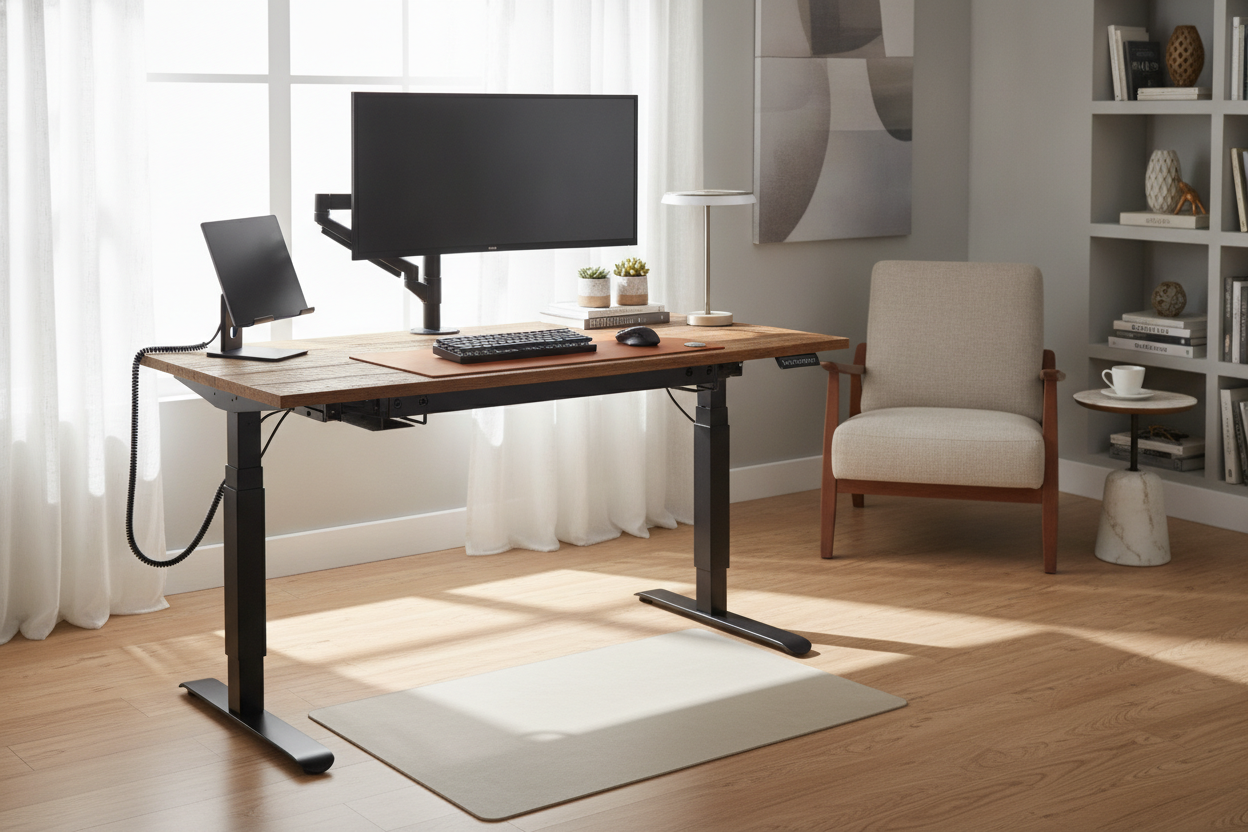
I spent six months staring at a particle-board slab that shook every time I typed a slightly aggressive email. It was a basic writing computer desk that I bought in a panic when I first started working from home, and it looked exactly like what it was: a temporary fix that overstayed its welcome. When I finally decided to upgrade to a standing desk kit, I realized why I had waited so long. Every pre-made ergonomic desk I found online looked like it belonged in a sterile corporate cubicle farm—lots of white laminate, rounded plastic corners, and zero soul.
- Building your own means you get real wood, not 'wood-look' stickers.
- A quality kit is essentially just the motorized legs and the computer brain.
- Dual motors are a non-negotiable for heavy solid wood slabs.
- You can finish the entire assembly in under an hour if you have a power drill.
Why I Refused to Buy Another Pre-Packaged Laminate Desk
Most high-end ergonomic brands charge a massive premium just to screw a piece of veneered MDF onto a metal frame. I didn't want my home office to look like a call center. I wanted a desk that felt like actual furniture—something with grain, character, and enough weight to stay still. By buying the sit stand desk hardware separately, you can spend your money on a gorgeous piece of walnut or a thick butcher block from the hardware store instead of paying for a brand name’s marketing budget.
The frustration of searching for 'the one' ended when I realized the frame and the top don't have to come from the same place. Most standing desk hardware is designed to be universal, meaning you can turn almost any flat surface into a functional workspace. I’ve seen people use vintage doors, live-edge slabs, and even old dining tables. It’s the ultimate hack for people who care about aesthetics but need the health benefits of standing.
What Actually Comes in a Standing Desk Kit?
When the box arrives, don't be surprised by the weight. You’re looking at about 60 pounds of industrial-grade steel. Inside, you’ll find the standing desk hardware kit: two lifting columns (the legs), two feet, the crossbar that connects them, and the control box. This box is the brain of the operation. It handles the power and ensures both legs move at the exact same speed so your coffee doesn't slide off during the transition.
It’s not nearly as intimidating as it looks. Most sit stand hardware setups are modular. You’re basically just bolting the feet to the legs and the legs to the frame. The wiring is usually color-coded or uses unique plugs so you literally cannot plug the motor into the wrong hole. It’s like LEGOs for adults who want to avoid back pain.
The Hardware Reality: Do You Actually Need Power Tools?
I am the person who once put an IKEA bookshelf together backward, so I was terrified of the height adjustable hardware. Here is the honest truth: you really should use a power drill. While you could technically muscle the screws into a solid wood top with a screwdriver, your forearms will hate you by the end. A simple $20 drill makes the process of attaching the adjustable height desk hardware feel like a breeze.
If the idea of drilling into a $300 piece of wood makes you sweat, you aren't alone. Just use a piece of masking tape on your drill bit to mark the depth so you don't accidentally go through the top of the desk. If that still sounds like too much work, you might be better off buying a sit stand desk with file cabinet that comes with everything pre-drilled and ready to go. But for the rest of us, that one-time effort of drilling eight holes is the only thing standing between you and a custom masterpiece.
Single Motor vs. Dual Motor: Don't Skimp on the Lift Capacity
This is where most people make a mistake to save fifty bucks. A single-motor height adjustable table hardware setup is fine if you’re using a feather-light laminate top and a single laptop. But if you’re planning on using a heavy 1.5-inch thick butcher block, you need dual motors. Single motors are slower, louder, and prone to 'stuttering' when the weight isn't perfectly balanced.
When comparing a budget standing motorized desk frame to a high-capacity dual-motor version, the stability difference is night and day. You want sit to stand desk hardware that can lift 250+ pounds without sounding like a dying vacuum cleaner. Dual motors also tend to be more stable at full height, which is critical if you don't want your monitors wobbling every time you type.
The Final Verdict: Is Building Your Own Workspace Worth It?
After three years of using my custom-built setup, I’ll never go back to a pre-packaged desk. My total cost was lower than the 'designer' versions, and I have a desk that is literally one-of-a-kind. The assembly took me 45 minutes, and most of that was just double-checking my measurements. The adjustable desk hardware has been flawless, moving my heavy oak top up and down three times a day without a hiccup.
If you have zero interest in a DIY project and just want a reliable, finished product delivered to your door, I’d suggest the sit stand up desk with memory preset controller. It gives you the same functionality without the sawdust. But if you want a desk that actually looks like it belongs in your home, grab a kit and a slab of wood. You won't regret it.
Can I use any tabletop with a standing desk kit?
Almost any flat, solid surface works. Just ensure the standing desk hardware is rated for the weight of the material and that the wood is at least 3/4 of an inch thick so the screws have enough to bite into.
How long does assembly take?
If you have your tabletop ready, the actual sit stand desk hardware assembly takes about 45 to 60 minutes. Most of that time is spent ensuring the frame is centered on the wood before you start drilling.
Is a custom desk more stable than a pre-made one?
Usually, yes. Because you can choose a high-quality, heavy-duty standing desk hardware frame and pair it with a solid wood top (which is heavier and denser than the MDF used in cheap desks), the overall unit is much more grounded.


Laisser un commentaire
Ce site est protégé par hCaptcha, et la Politique de confidentialité et les Conditions de service de hCaptcha s’appliquent.