


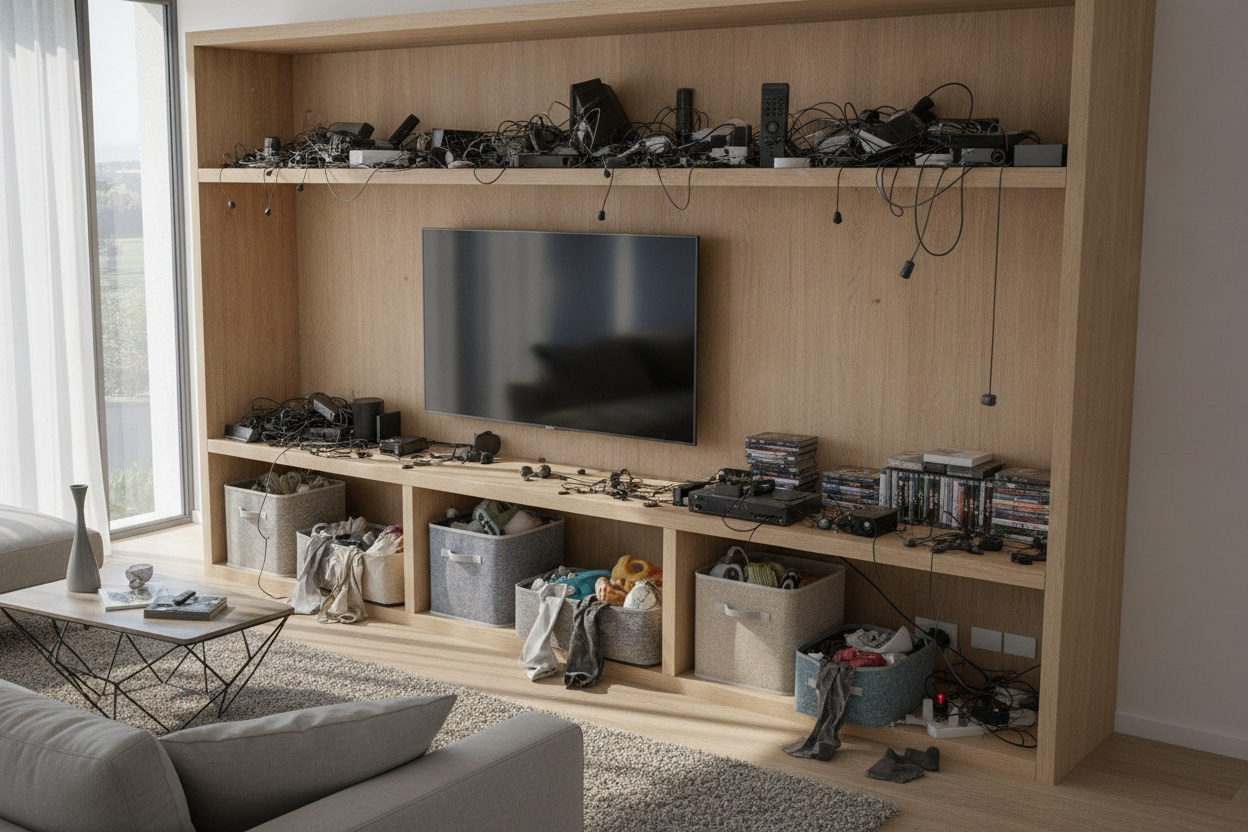
I remember the night I finally snapped. I was trying to relax with a glass of wine and a movie, but all I could see was the tangled nest of HDMI cables and a dusty copy of a board game I haven't played since 2019. I’d spent $400 on a minimalist unit because I thought tv shelf storage should look like a gallery. Instead, it looked like a tech junkyard.
We have all been there. You see a photo of a mid-century console with three art books and a single ceramic vase on the shelf. It looks airy. It looks intentional. But unless you live in a museum, your reality involves a mess of remotes, tangled chargers, and perhaps a stray dog toy or two. My open shelves didn't breathe; they just accumulated dust bunnies the size of tumbleweeds.
- Open shelves require weekly dusting or they look dingy within days.
- Cables are impossible to hide without a solid back panel.
- Visual clutter under the TV distracts from whatever you're actually watching.
- Baskets and bins are the only way to keep 'junk' accessible but invisible.
The Pinterest Lie of the Perfectly Styled Console
The fantasy of open media shelving is a trap. Designers love it because it creates negative space, making a small room feel larger. But designers don't usually account for the black plastic brick that is your router, the neon orange Nintendo Switch dock, or the three different remotes required just to turn on the soundbar. In my old setup, these items sat out in the open, mocking me every time I sat down to unwind.
I tried 'styling' them. I bought a marble tray for the remotes. I tried to hide the router behind a fake plant. It just looked like a mess with a plant in front of it. The problem is that media gear is inherently ugly. It’s functional, not aesthetic. When you choose a console with zero hidden areas, you’re committing to a lifestyle of constant curation that most of us simply don't have the energy for after a 9-to-5.
Why Open TV Shelf Storage Becomes a Clutter Magnet
Flat surfaces are dangerous. If there is an empty shelf, something will eventually occupy it. In my house, that meant mail, spare change, and half-empty packs of batteries. Because there was no 'home' for these small items, they just landed on the nearest flat surface—which happened to be right under my 55-inch screen. Every time the sun hit that shelf, I could see every fingerprint and layer of gray dust on my black electronics.
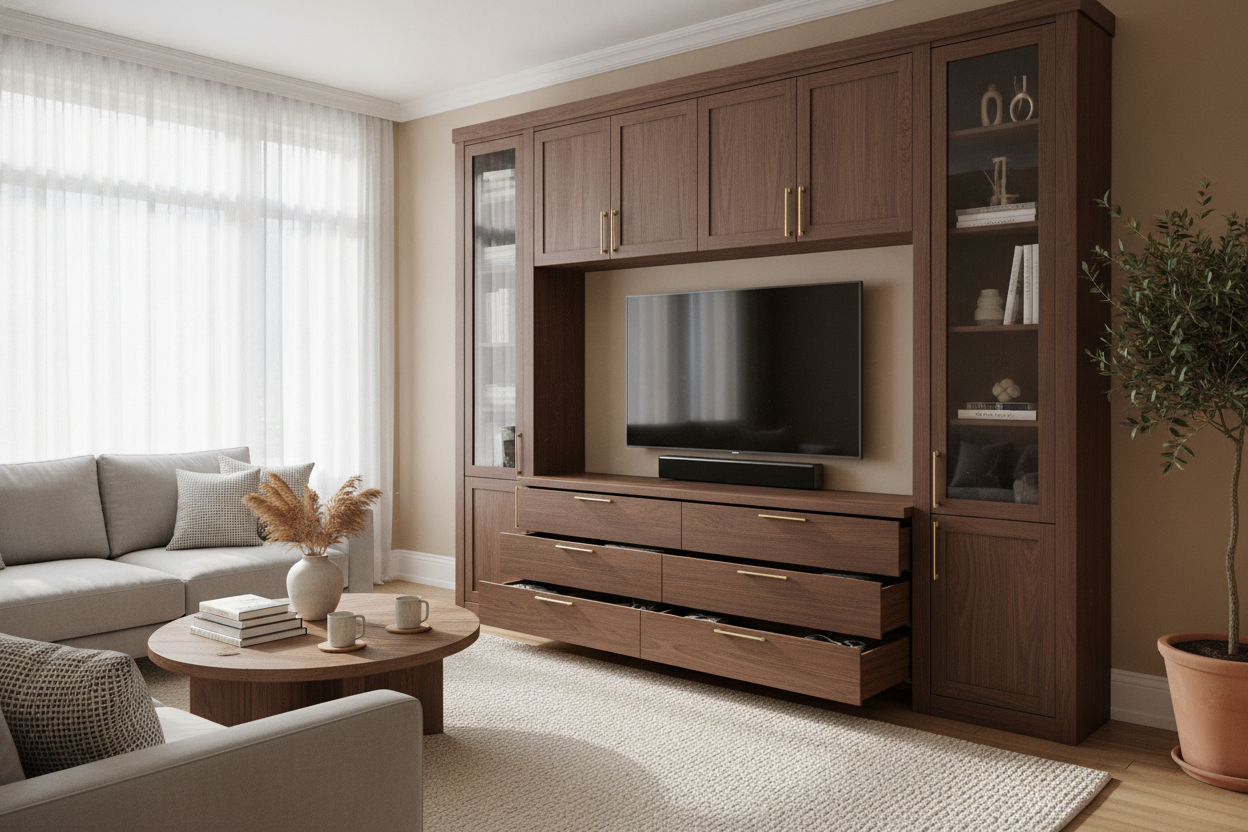
Then there are the cords. Even with those sticky plastic cable clips, managing five different power bricks on an open shelf is a nightmare. It creates a chaotic 'spiderweb' effect that ruins the clean lines of the furniture. I eventually realized that the airy look wasn't worth the mental tax of seeing the mess, so I finally swapped my TV stand for a wide storage cabinet. The difference in my stress levels was immediate. If I can't see the tangle of wires, it doesn't exist.
How a Storage Bin TV Stand Saved My Sanity
If you aren't ready to buy a whole new credenza, the storage bin tv stand strategy is your best friend. The goal is to turn those open 'voids' into drawers. I measured my shelf openings three times before shopping—standard cubbies are usually 11 or 13 inches, but older media units have weird, shallow dimensions that won't fit a standard IKEA bin. I spent an afternoon hunting for adjustable shelf storage systems that allowed me to move the middle plank up two inches, finally giving me enough clearance for deep woven baskets.
Once the bins were in, the transformation was total. One bin holds the controllers and charging cables. Another holds the 'tech graveyard' of adapters I might need once a year. A third holds the dog’s evening chew toys. When everything has a bin, cleaning up takes thirty seconds. You just toss it in and slide the bin back. It’s the lazy person’s guide to looking like an organizing pro.
Styling a TV Stand With Storage Bins So It Doesn't Look Like a Playroom
The biggest risk with a tv stand with storage bins is that it can end up looking like a kindergarten classroom. To avoid the 'daycare' aesthetic, stay away from primary colors or cheap collapsible fabric bins that sag after two weeks. I learned this the hard way after buying cheap felt bins that lost their shape the moment I put a heavy controller inside. They looked sad and lumpy within a month.
Instead, look for structured materials. A stylish black TV stand entertainment center looks incredible when paired with dark stained wood crates or heavy-duty matte metal bins. If your vibe is softer, go for water hyacinth or seagrass baskets with a wire frame inside for stability. These textures add warmth to the room while completely obscuring the plastic tech chaos hiding inside them.
The 'Hide Everything' Alternative: Sliding Doors
For some, even bins are too much visual noise. If you’re a true minimalist, you don't want to see the texture of a basket; you want a flat, clean surface. This is where sliding doors come in. They are the ultimate solution for small apartments because you don't need clearance for swinging cabinet doors. You can have a coffee table just inches away and still get to your gear.
I’m a huge advocate for a TV stand storage credenza with sliding glass doors—specifically the fluted or smoked glass variety. It’s the 'best of both worlds' hack. The textured glass hides the specific clutter of your DVR and PlayStation, but it’s still transparent enough that your infrared remote signal can actually reach the devices. No more standing up and pointing the remote at a specific 2-inch gap just to change the volume.
FAQ
Do storage bins block the remote signal?
Yes, if the bin is solid wood or thick plastic. If you need to hit a sensor, use a wire mesh bin or a woven basket with a loose weave. Alternatively, use an IR repeater kit to route the signal inside the bin.
How do I stop my electronics from overheating in a bin?
Never put a running game console in a closed bin. For routers or cable boxes, use wire baskets that allow 360-degree airflow, or cut a small ventilation hole in the back of the furniture unit itself.
What size bins should I get for a standard TV stand?
Measure the height, width, and depth. Most 'cube' units take 11x11 or 13x13 bins. For media consoles, the depth is usually the killer—many bins are 15 inches deep while consoles are only 14. Always check the depth before you buy.


Laisser un commentaire
Ce site est protégé par hCaptcha, et la Politique de confidentialité et les Conditions de service de hCaptcha s’appliquent.