


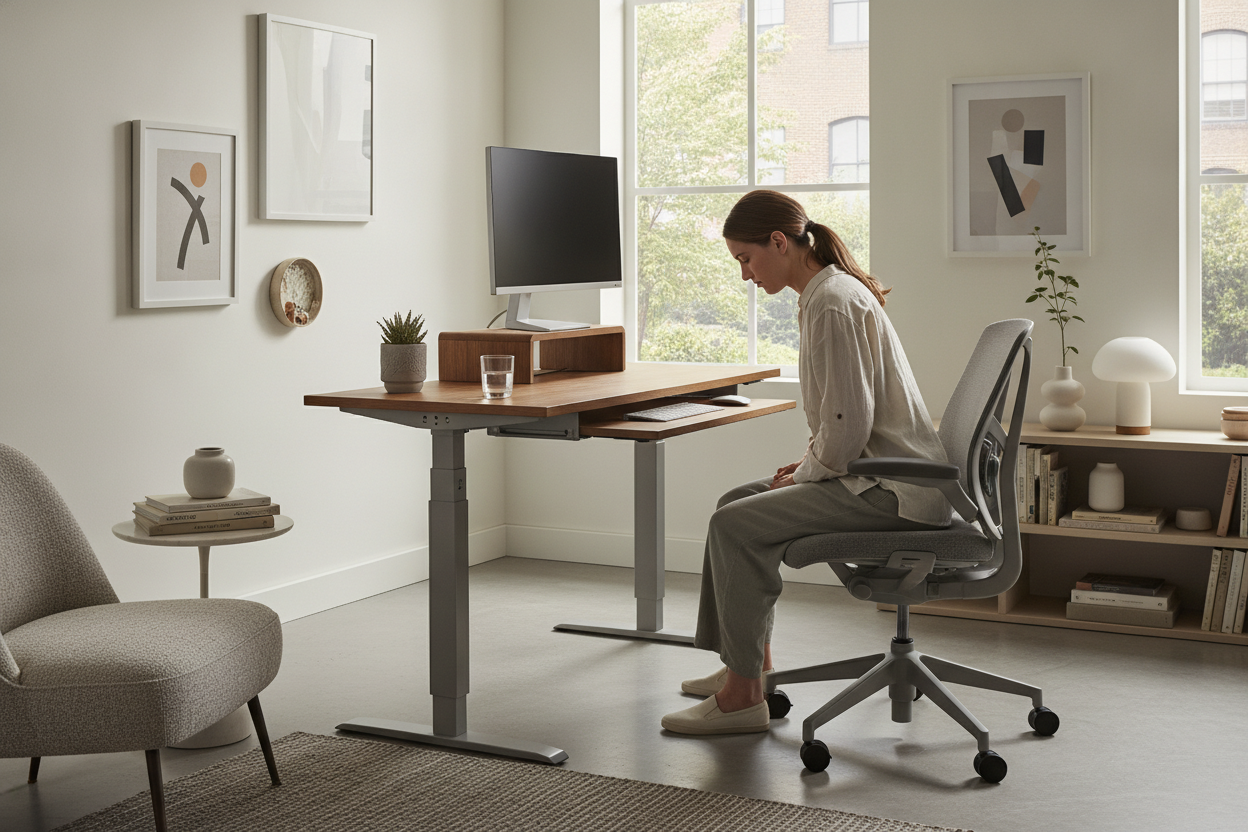
I spent $500 on a motorized frame thinking I'd become a productivity god. Instead, I just became a standing person with a sore neck. The computer stand desk is often sold as a cure-all for WFH misery, but if you don't get the monitor height right, you're just trading lower back pain for a cervical spine that feels like it’s being crushed by a hydraulic press.
We've all seen the Pinterest-perfect setups, but the reality of a sit-stand computer stand is much messier. I spent three weeks adjusting my height by half-inches, trying to find the 'sweet spot' that didn't exist because my geometry was fundamentally broken.
Quick Takeaways
- Standing doesn't fix a low screen height; it just changes your altitude.
- Your keyboard and monitor must be on different horizontal planes.
- A flat-top motorized frame is only half of an ergonomic solution.
- Built-in monitor tiers prevent the 'laptop hunch' that ruins your neck.
The Day I Realized Standing Was Actually Hurting My Neck
I thought I was doing everything right. I bought the anti-fatigue mat. I wore the supportive sneakers. I even tried to stand at computer desk workstations all day because I thought more was better. By 3 PM on a Tuesday, my neck felt like it was on fire.
The problem wasn't my legs; it was my chin. Because my laptop was sitting flat on the desk surface, I was looking down. Standing up didn't change that downward angle. It just meant I was hunching while standing instead of hunching while sitting. It's a faster way to get a headache, honestly.
The Flaw in the Basic Stand Up Computer Table
If you buy a standard stand up computer table that is just a flat rectangle, you're buying an ergonomic lie. Laptops are the enemy of posture. If the keyboard is at the right height for your elbows, the screen is too low. If the screen is at eye level, you're typing like a T-Rex.
Even a high-end ergonomic home office sit stand up desk can't solve this without help. I tried stacking my laptop on a pile of heavy coffee table books, but the whole thing wobbled every time I hit the backspace key. It looked like a middle-school science project gone wrong.
Why a Computer Desk With Stand Is the Actual Solution
The fix was getting a computer desk with stand—and by 'stand,' I mean a built-in second tier. This isn't just an aesthetic choice. A computer desk with monitor stand forces the screen up to your natural eye line while keeping your wrists flat on the main surface.
When I finally made the switch, the relief was instant. My shoulders dropped two inches. I wasn't jutting my jaw forward to see my Slack notifications. A tiered setup creates a 12-inch gap between your hands and your eyes, which is exactly what your body needs to stop the 'tech neck' cycle. Plus, it frees up actual desk real estate for your coffee and notebooks.
How I Finally Found My Sit-or-Stand Rhythm
Finding a computer desk sit or stand rhythm is about micro-movements. I don't stand for hours anymore. I stand when I'm on calls and sit when I need to do deep focus work. Because the monitor is always at the right height, the transition is seamless.
When I'm done for the day, I clear the keyboard, and it functions perfectly as a writing computer desk. No more fidgeting with the height controller every ten minutes. I just work. If you're struggling with posture, stop looking at your feet and start looking at where your screen actually sits.
FAQ
How high should my monitor be?
The top third of your screen should be at eye level. If you're looking down at the center of the monitor, your desk setup is failing you.
Is a built-in stand better than an arm?
Monitor arms are great for flexibility, but a built-in shelf is sturdier and usually cheaper. It also gives you a place to tuck your keyboard when you're eating lunch at your desk.
Can I use a standing desk converter?
You can, but they are often bulky and take up 80% of your usable space. A dedicated tiered desk is much cleaner and feels like real furniture, not an appliance.

Laisser un commentaire
Ce site est protégé par hCaptcha, et la Politique de confidentialité et les Conditions de service de hCaptcha s’appliquent.