


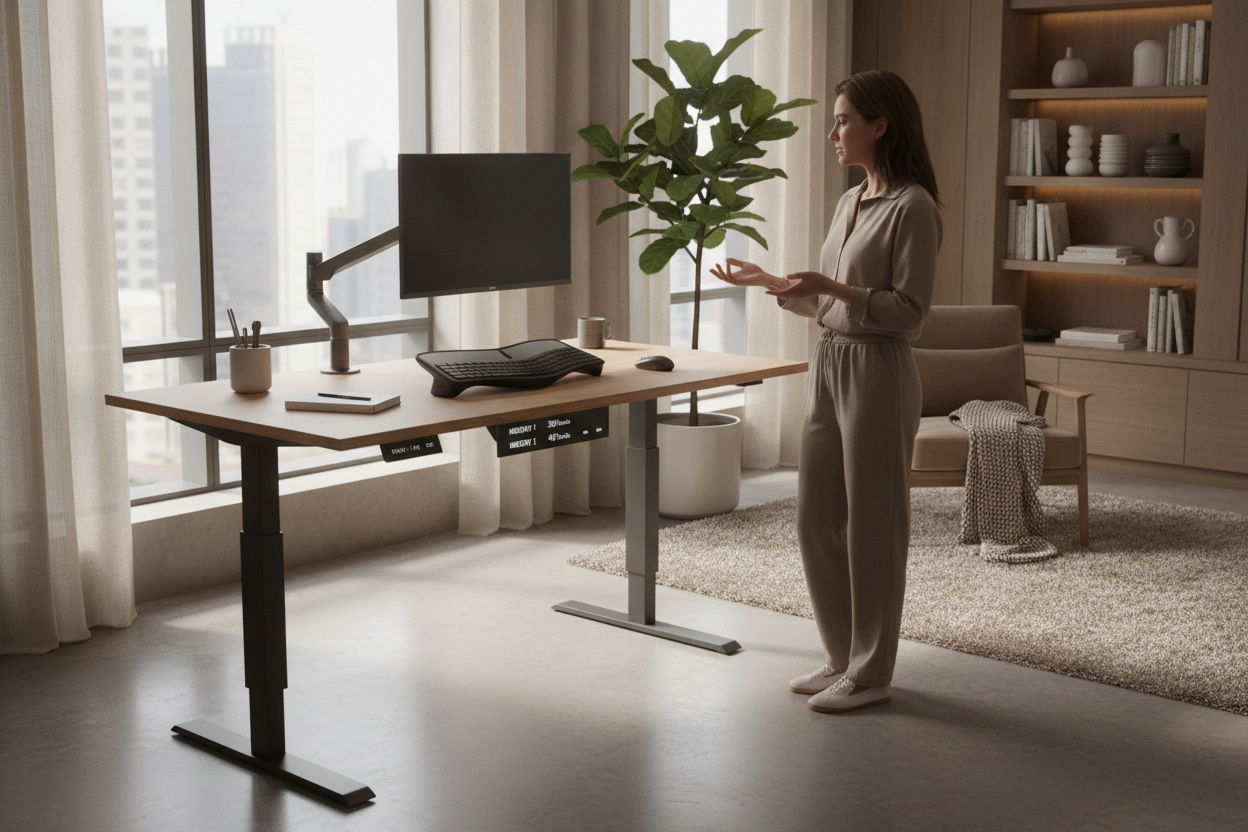
I remember the first time I set up a desks for standing up in my spare bedroom. I spent two hours obsessively routing cables and another hour admiring the clean lines of the bamboo top. I was convinced I’d be standing for six hours a day, finally curing the permanent 'C-shape' my spine had adopted after a decade of laptop work.
Two weeks later, the desk stayed at sitting height. Forever. Why? Because every time I wanted to stand, I had to hold a basic 'up' button for 18 seconds, micro-adjusting until my elbows felt sort of okay, only to realize I’d gone too high and had to nudge it back down. That tiny bit of friction was enough to make me stay seated for three months straight.
The Novelty Wears Off Faster Than You Think
When you first get a stand up desk office setup, the novelty is high. You’re excited to move. But after the honeymoon phase, your brain looks for any excuse to stay lazy. If your desk requires you to manually crank a handle or hover over a button like you’re defusing a bomb just to find your preferred height, you won't use it.
I’ve tested the manual cranks. They’re a nightmare. You have to clear your coffee mug every time so you don't smack it with your elbow while winding the handle 40 times. Even the basic electric ones with just 'up' and 'down' arrows are annoying. You never quite hit that sweet spot where your wrists are at a perfect 90-degree angle, and that's how you end up with carpal tunnel issues by Friday afternoon.
Why Memory Presets Are Actually Non-Negotiable
If you want to actually stand while working, you need a controller that remembers you. I’m talking about the 1, 2, 3, and 4 buttons. One tap, and the motor whirs to your exact standing height while you go grab a glass of water. It removes the decision-making process entirely.
I’ve found that a reliable ergonomic sit stand up desk is the difference between a piece of furniture that helps your health and a very expensive, heavy stationary table. When the transition is seamless, you actually do it between meetings. You hit 'Preset 2' when you're on a Zoom call to stay alert, and 'Preset 1' when you need to deep-dive into a spreadsheet. Without those presets, you’re just fighting the hardware all day.
Making Your Stand Up Desk for Office Look Less Corporate
Most standing desks look like they were stolen from a cubicle farm in 2005. To avoid the 'IT department' aesthetic, you have to get aggressive with cable management. Buy a heavy-duty steel cable tray that screws into the underside of the desktop. If I see a single power strip hanging like a tech-spider, the whole room is ruined.
Swap out the plastic casters for wood legs if you don't need to move it, or at least hide the 'tech' with textures. A large felt desk mat or a solid oak monitor riser can do wonders. If you want to style a desk in home office so it feels like a curated room rather than a call center, focus on natural materials. Matte finishes and brass desk lamps go a long way in masking the industrial motor columns.
The Posture Rules You Can't Ignore
Standing is only better than sitting if you do it right. I see people standing at their desks with their shoulders hunched up to their ears because the desk is too high, or leaning on one hip like they're waiting for a bus. Your elbows should graze the top of the desk, not rest heavily on it. Your monitor should be at eye level so you aren't looking down at your toes.
When you are setting up office desk ergonomics, don't forget the floor. Standing on a hardwood floor in socks for four hours is a recipe for heel spurs. Get a 3/4-inch thick anti-fatigue mat. It’s not the prettiest accessory, but your lower back will thank me in three years. Also, wear supportive shoes—slippers don't count.
How often should I switch between sitting and standing?
Don't try to stand all day. Aim for a 2:1 ratio. Sit for 40 minutes, stand for 20. Or switch every hour. The goal is movement, not just standing still, which can be just as hard on your veins as sitting.
Are dual-motor desks worth the extra money?
Yes. Single-motor desks are slower, louder, and have lower weight capacities. If you have two monitors and a heavy desktop, a single motor will struggle and eventually burn out. Dual motors are smoother and last much longer.
Will a standing desk wobble when fully extended?
Cheaper T-frame desks will wobble if you’re a heavy typer. Look for a desk with a crossbar or heavy steel legs that weigh at least 50-60 pounds on their own. The more weight in the base, the more stable your screen will be while you work.

Laisser un commentaire
Ce site est protégé par hCaptcha, et la Politique de confidentialité et les Conditions de service de hCaptcha s’appliquent.