


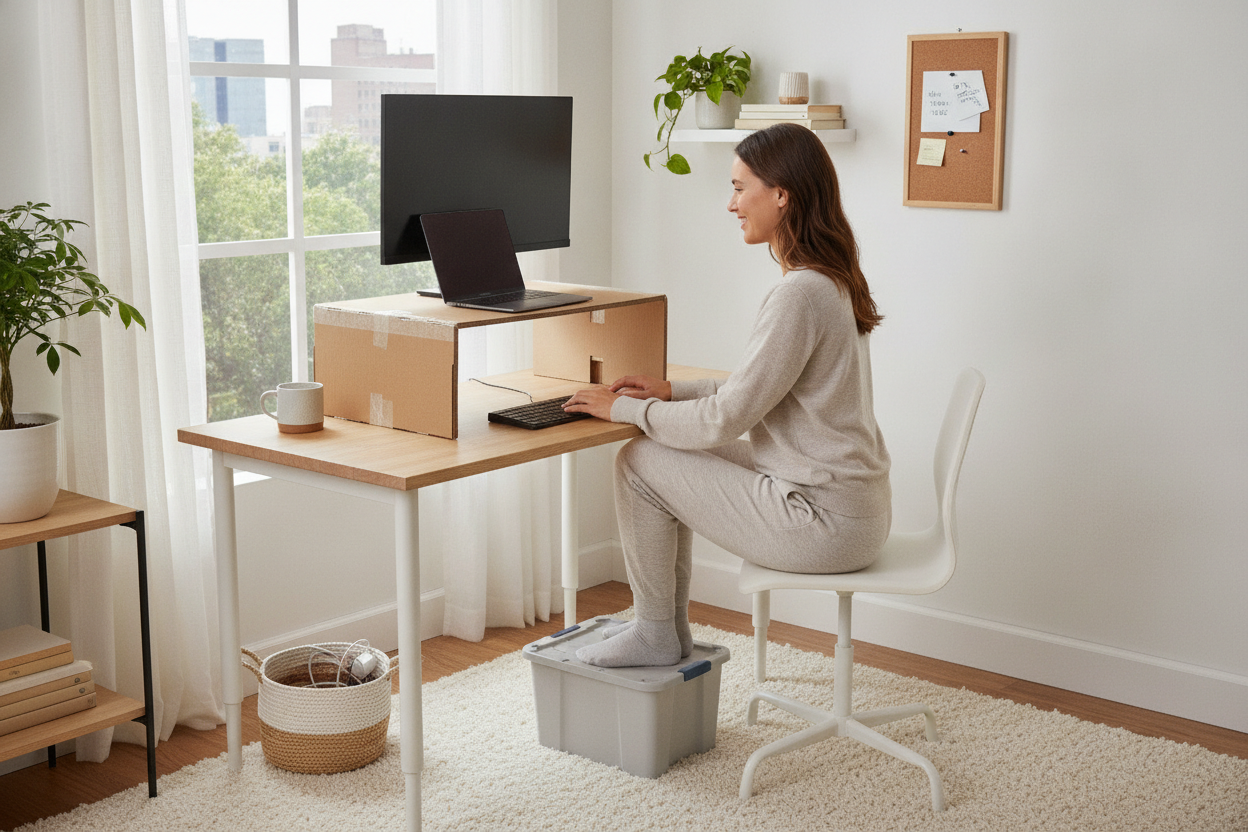
I was staring at my 1960s teak desk—a find that took me six months of scouring Craigslist to locate—and realized it was slowly killing my lower back. My spine felt like a compressed accordion after eight hours of Zoom calls. I looked at those sleek, motorized standing desks everyone on LinkedIn seems to own, but I couldn't bring myself to send my solid wood heirloom to the guest room just for the sake of ergonomics. I needed a stand for standing desk that didn't require a furniture overhaul.
Quick Takeaways
- Keep your favorite furniture while gaining ergonomic benefits.
- Save hundreds of dollars compared to buying a full motorized desk.
- Setup usually takes minutes, not hours of assembly.
- Beware of 'visual clutter'—some risers are bulkier than others.
I Refused to Part With My Beloved Vintage Table
There is a specific kind of heartbreak in realizing your favorite piece of furniture is actually a torture device. My desk is a mid-century beauty, but it is a standard writing computer desk with zero adjustability. It sits exactly 29 inches off the ground, which is great for 1964, but terrible for a 2024 workflow involving three monitors and a bad habit of slouching.
I spent weeks looking at full motorized replacements. Most of them felt soul-less. They were made of particle board with 'wood-look' laminates that would peel in two years. I wanted the height, but I didn't want the aesthetic of a corporate cubicle. Retrofitting my existing setup became a mission. I needed something that could sit on top of the teak without scratching the finish or looking like a piece of hospital equipment.
The solution wasn't a new desk, but a way to make my current one work harder. I realized that by spending less than a hundred bucks, I could keep the style I loved and stop my chiropractor from making a down payment on a boat using my appointment fees.
Wait, What Even Is a Stand for Standing Desk?
The terminology in the office furniture world is a mess. You’ll hear people talk about converters, risers, and platforms interchangeably. Essentially, a stand for standing desk is a desktop unit that sits on your existing surface. It uses either a gas spring or a manual locking mechanism to lift your monitor and keyboard to standing height.
A rising desk platform is fundamentally different from a standing desk frame. With a frame, you’re replacing the legs of your desk. With a platform, you’re adding a second story to your workspace. It’s the difference between a full home renovation and just adding a really good kitchen island.
Most of these units come fully assembled. You pull them out of the box, set them on your desk, and you're done. No Allen wrenches, no confusing diagrams, and no leftover screws that make you wonder if the whole thing is going to collapse at noon. It’s the ultimate lazy person’s path to better health.
The Aesthetic Struggle of the Stand Desk Attachment
Let’s be honest: most desktop converters look like they belong in a radiologist's office. They are often heavy, black, industrial-looking slabs of steel. If you’ve spent time curating a cozy home office, a clunky stand desk attachment can feel like an eyesore. I spent a lot of time looking for a stand up desk extension that didn't ruin the 'vibe'.
If you have a very small workspace, sometimes even the smallest riser feels like too much. In those cases, I usually tell people to skip the massive hydraulic platforms and try a TV monitor on stand to at least get the screen at eye level. It’s a smaller footprint and way less intrusive.
For my setup, I eventually found a wooden riser that felt more like a piece of furniture than a piece of machinery. The key is to look for slim profiles. Avoid the ones with massive, protruding keyboard trays if you don't actually use a separate keyboard. If you're a laptop-only worker, a simple Z-shaped aluminum stand is often all you need to bridge the gap.
Will a Stand Up Desk Add On Ruin Your Posture?
There is a hidden danger with any stand up desk add on: the 'split-level' trap. If you put your laptop on a riser but keep your mouse and keyboard on the actual desk below, you’re going to end up with 'T-Rex arms.' Your shoulders will hunch, and your wrists will ache within twenty minutes. Ergonomics is about angles, not just height.
When you set up your riser, your elbows should be at a 90-degree angle when typing. Your eyes should be level with the top third of your screen. If the platform you buy doesn't have a separate, lower tray for your keyboard, you might find that while your neck feels better, your wrists start to protest. I learned this the hard way after a week of 'standing' while reaching down to my old desk surface to type.
Measure your height before you buy. If you’re over six feet tall, many budget extensions won't actually go high enough to be ergonomic. You don't want to be standing only to find yourself still looking down at your screen.
When You Should Actually Just Buy the Full Desk
I love my riser, but it isn't perfect. There are some days when I look at the 'cable spaghetti' hanging off the back and wish I had a cleaner solution. Desktop converters have weight limits. If you are running a heavy 32-inch iMac and two side monitors, a cheap platform is going to wobble every time you type. It’s annoying and, frankly, a little nerve-wracking.
If your job requires a massive amount of gear or if you share a desk with someone of a vastly different height, a full ergonomic home office sit stand up desk is the better play. Motorized desks allow for memory presets, so you can hit a button and go from 'sitting' to 'standing' in seconds without manually lifting a heavy platform.
But for the rest of us—the ones who just want to stop sitting for ten hours a day without throwing away a $500 vintage desk—the stand is a total win. It’s a low-risk, high-reward way to see if you’re actually a 'standing person' before you commit to a thousand-dollar piece of motorized furniture.
FAQ
Is a desk converter stable enough for gaming?
Generally, yes, but avoid the cheapest plastic models. Look for a steel frame with a weighted base. If you're an aggressive mouse-mover, you'll notice a slight bounce that you wouldn't get with a fixed desk.
Will it scratch my wooden desk?
Most come with foam or rubber pads on the bottom. If they don't, go to the hardware store and buy some felt pads for three dollars. It’s worth the peace of mind for your finish.
How much weight can a desktop stand actually hold?
Most mid-range models handle between 25 and 35 pounds. That’s plenty for a laptop, a monitor, and a cup of coffee. Just don't try to lean your full body weight on it while you're thinking.


Laisser un commentaire
Ce site est protégé par hCaptcha, et la Politique de confidentialité et les Conditions de service de hCaptcha s’appliquent.