


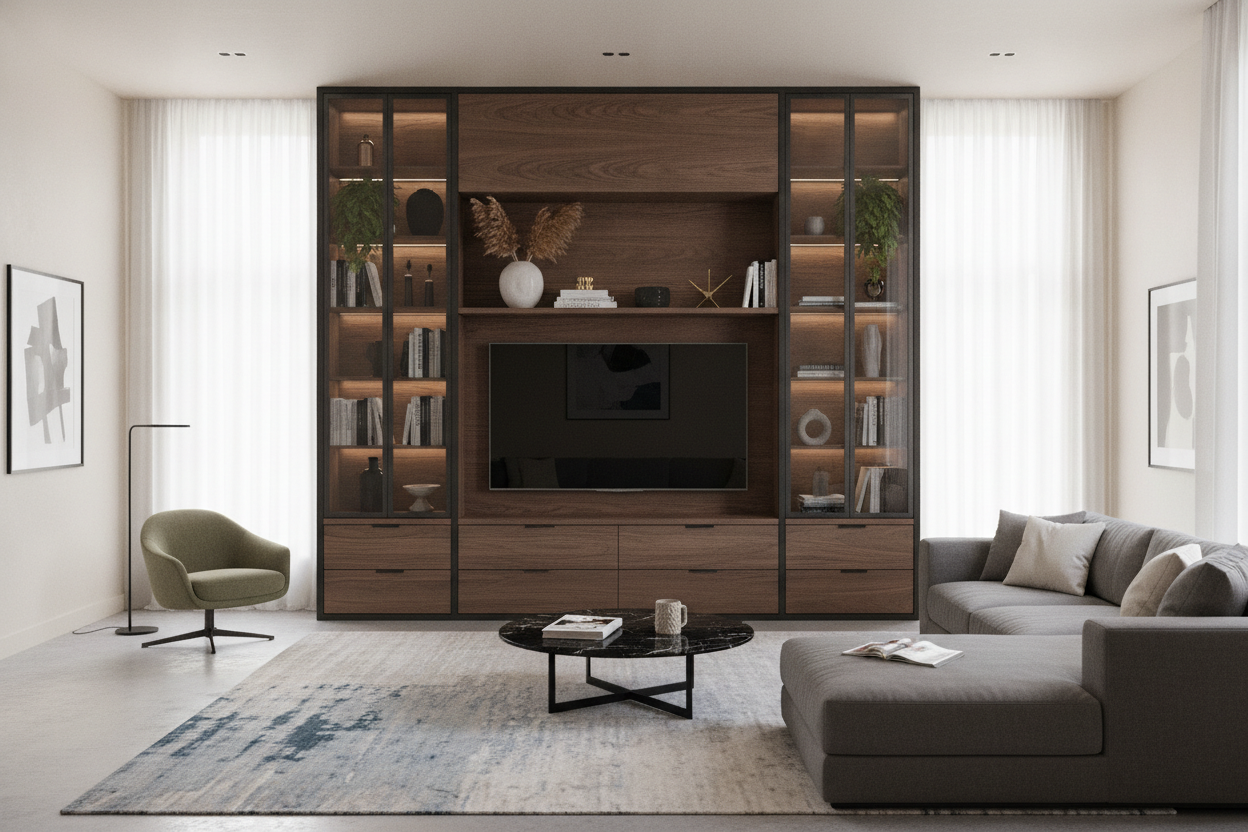
I remember the first time I splurged on a 65-inch OLED. I spent three hours calibrating the black levels, but when I finally sat back on my sofa, something felt off. The screen looked like a massive billboard hovering over a tiny, pathetic toothpick. I had committed the ultimate design sin: I didn't size up my tv unit for living room layout, and it made my expensive tech look like a budget impulse buy.
We have a tendency to think about furniture in terms of 'fit.' If the TV is 55 inches, we look for a 55-inch stand. But in the world of high-end interiors, that is a recipe for a room that feels cramped and amateur. If you want your home to look like it was styled by someone who knows what they are doing, you have to embrace the oversized console.
Quick Takeaways
- Never match your TV width to your console width; it creates a top-heavy 'lollipop' look.
- Aim for a console that is at least 25% wider than your screen.
- Long, low-profile units actually make small rooms feel larger by drawing the eye horizontally.
- Extra width provides critical space for cable management and heat dissipation for consoles.
The 'Lollipop Effect' (And Why It's Ruining Your Vibe)
You’ve seen it. A massive 65-inch flat screen perched precariously on a 60-inch interior tv stand. The screen edges hang over—or sit flush with—the edges of the furniture. In design circles, we call this the 'Lollipop Effect.' It makes your expensive television look like it’s about to tip over at any second.
When the TV is the same width as the base, the visual weight is all at the top. This makes the room feel unstable and cluttered. A TV is a black void when it’s off; you need a substantial piece of furniture underneath it to anchor that weight. Without that extra width, your living room loses its focal point and just looks like a tech graveyard.
The 25% Sizing Rule I Swear By
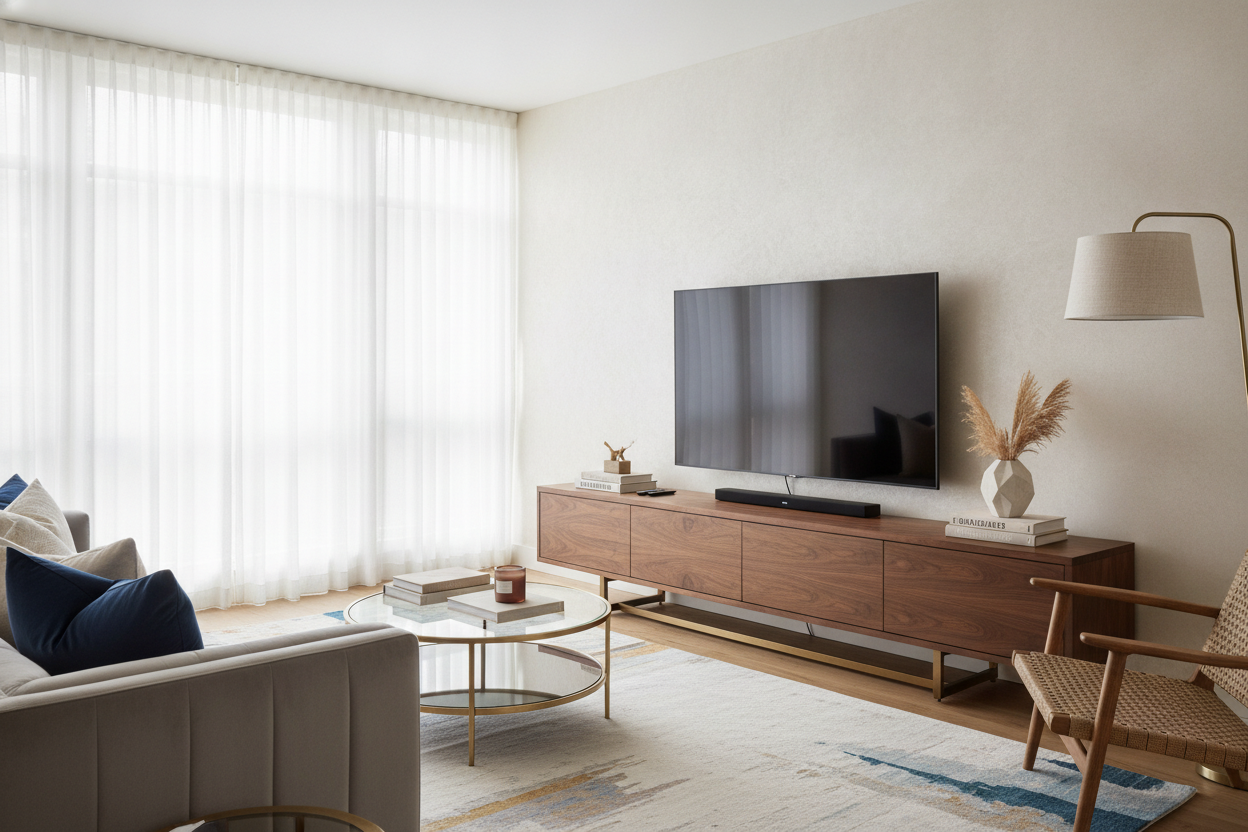
The math is simple, but people ignore it constantly. I tell everyone that their media console should be at least 25% wider than the actual width of the TV. If you have a 55-inch TV (which is usually about 48 inches wide), you should be looking at a unit that is at least 60 to 70 inches wide. This creates a balanced 'skirt' of furniture around the tech.
Investing in a wide TV stand entertainment stand isn't just about aesthetics; it’s about future-proofing. We all know you’re going to want a bigger screen in three years. If you buy a stand that is already significantly wider than your current set, you won’t have to replace your furniture when you decide to upgrade to that 75-inch monster later on.
But What If My Living Room Is Tiny?
This is where people get nervous. They think a long piece of furniture will 'swallow' a small room. It’s actually the opposite. When you put a short, boxy cabinet in a small room, it chops up the floor plan and makes the walls feel closer together. A long, low-slung unit creates a continuous horizontal line that tricks the brain into thinking the wall is longer than it is.
I often suggest a modern TV stand with cabinets for tight spaces because it provides massive storage without the bulk. By keeping the height low—around 18 to 22 inches—you keep the sightlines open. You get the width you need for visual balance, but the low profile prevents the room from feeling like a storage locker.
Extra Width Equals Breathing Room for Ugly Tech
Let’s talk about the back of your TV. It’s a mess, right? Cords, power strips, the router you can't hide, and that gaming console that sounds like a jet engine. A cramped TV stand means all those components are shoved into tiny cubbies with zero airflow. That’s how hardware dies.
A wider unit gives you the luxury of spacing. You can have the PlayStation in one cabinet and the messy router in another, with plenty of room for cables to run horizontally. If your floor plan truly cannot handle a 70-inch floor unit, I’ve seen people find success when they modern wall cabinet for living room storage to keep the floor clear while still getting that necessary horizontal width.
How to Style the Empty Space on the Ends
Once you have that extra 10 or 15 inches on either side of your TV, don't leave it barren. This is your chance to make the 'media area' look like a 'living area.' I like to place a single, structural plant—like a snake plant or a small monstera—on one side to add some life to the cold tech. On the other side, a stack of two or three oversized design books and a small, dimmable lamp works wonders.
The goal is to blend the screen into the room’s decor. When you browse a collection of TV stands, look for pieces with a clean top surface. Avoid units with built-in hutches or side towers; they trap you into a specific TV size and look dated the second you bring them home. Keep it flat, keep it wide, and keep it simple.
Personal Experience: The 5-Inch Mistake
I once bought a mid-century walnut console for my apartment. It was beautiful—solid wood, tapered legs, the works. But I cheaped out and got the 50-inch version for my 50-inch TV. I thought it would look 'sleek.' It looked terrible. The TV corners lined up perfectly with the console corners, making the whole thing look like a giant 'T' shape. I hated it for two years before I finally admitted defeat and sold it. I replaced it with an 80-inch industrial metal unit, and the entire room suddenly felt more expensive, even though the new stand actually cost less than the walnut one.
Frequently Asked Questions
How much wider should the stand be than the TV?
Ideally, you want at least 6 to 10 inches of extra space on each side of the television screen. This ensures the setup doesn't look top-heavy.
Can I put a small TV on a very large stand?
Yes! This actually looks very intentional and high-end. It gives you more room for styling with lamps, vases, and books, making the TV less of a 'black hole' in the room.
What is the best height for a TV unit?
For most standard sofas, you want the center of your TV at eye level. This usually means a console height between 18 and 24 inches. Avoid 'tall' dressers unless you enjoy neck strain.

Laisser un commentaire
Ce site est protégé par hCaptcha, et la Politique de confidentialité et les Conditions de service de hCaptcha s’appliquent.