


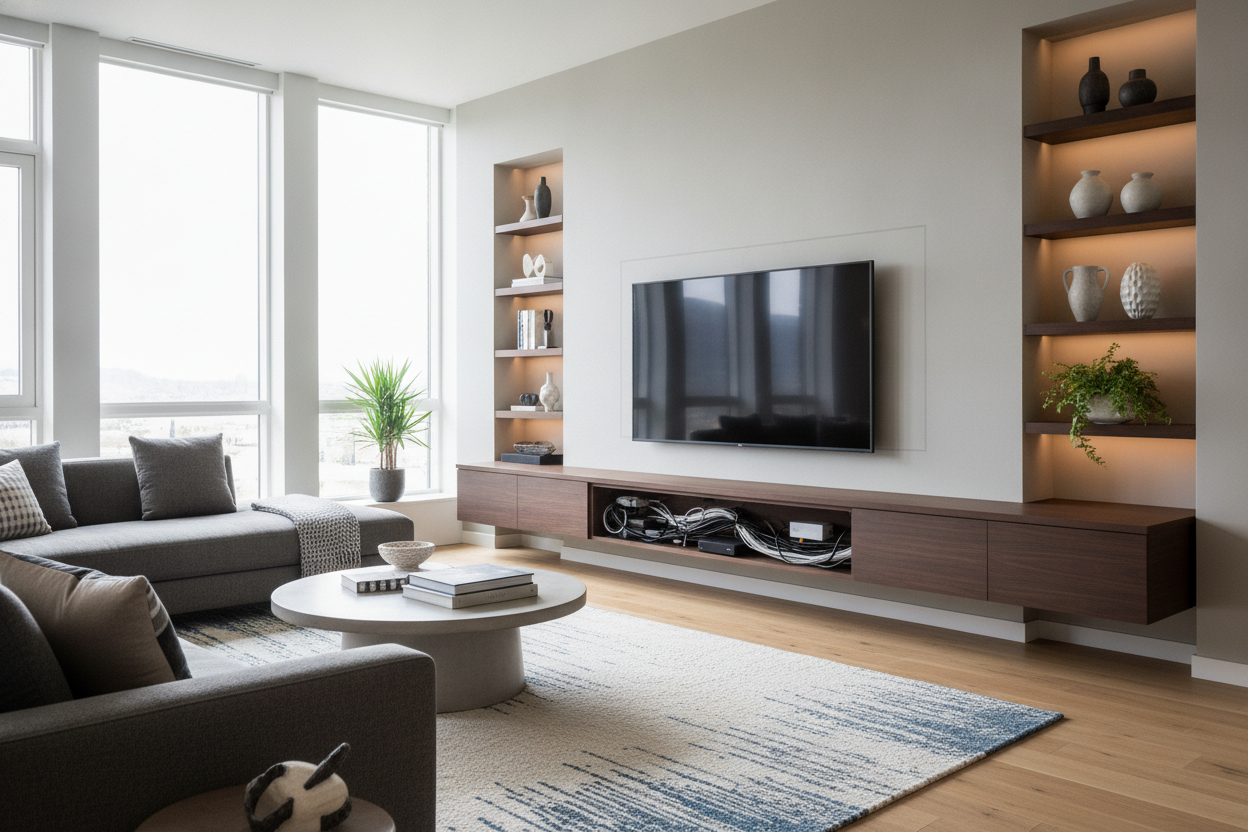
I remember staring at my living room wall at 2 AM, surrounded by drywall dust and a tangled mess of HDMI cables that looked like a nest of angry black snakes. I wanted that sleek, hovering look I saw on a high-end designer's feed, but I quickly realized that gravity doesn't apply to electricity. If you don't have a plan for floating tv stand cable management, your expensive minimalist setup is going to look like a tech disaster within ten minutes of plugging in your PlayStation.
The truth is, most people buy the furniture first and think about the wires later. That is a recipe for a 'waterfall of shame'—that ugly vertical drop of cords hanging from the bottom of your console. If you want the clean lines without the headache, you have to be smarter than the wires.
Quick Takeaways
- Buy a unit with pre-drilled routing holes; drilling your own into high-gloss MDF usually ends in tears.
- Mount a heavy-duty power strip inside the cabinet so only one cord ever has to leave the unit.
- Use paintable cord raceways if you aren't allowed to cut holes in your rental's drywall.
- Always, always find the studs—anchors alone won't hold a tech-heavy console for long.
The Minimalist Dream vs. The Cord-Tangled Reality
We've all been there: scrolling through endless pages of tv stands, dreaming of a living room that feels light, airy, and expensive. The floating look is the gold standard for modern interiors because it clears up floor space and makes even a cramped 12x12 apartment feel like a loft. But those professional photos never show the bulky power bricks, the router antennas, or the four different HDMI cables required to make the TV actually work.
When you get that unit home and realize it’s just a flat box with no exit strategy for your gear, the panic sets in. You end up with wires draped over the sides or, worse, dangling directly underneath in plain sight. It ruins the illusion of 'floating' immediately. To pull this off, you need to think like an electrician, even if you’re just a stylist at heart.
Why You Need a Floating TV Unit With Cable Management Built In
Stop looking at basic floating shelves and start looking for a dedicated floating tv unit with cable management. The difference is in the guts of the piece. A proper media unit will have 'pass-through' holes in the back of every compartment, allowing you to snake wires horizontally between sections without them ever being visible from the front.
Take a piece like the 110 floating high gloss tv stand with led light. It’s designed with the tech-heavy user in mind. It has the internal clearance for a power strip and the routing channels needed to keep your Apple TV and soundbar connected without a single wire showing. If your console doesn't have these channels, you're going to spend your Saturday afternoon with a hole saw bit, likely cracking the finish on your brand-new furniture.
The Magic of the Hidden Power Strip
Here is my favorite pro tip: don't plug everything into the wall. Mount a 6-outlet power strip to the internal back wall of your floating console using heavy-duty command strips or industrial velcro. This way, all your devices—the TV, the console, the speakers—plug into the strip *inside* the furniture. Now, you only have one single power cord exiting the unit to hit the wall outlet. It's much easier to hide one cord than seven.
3 Renter-Friendly Ways to Hide the Remaining Wires
If you can't go 'behind the wall' because your landlord is a stickler for the security deposit, you have options. First, paintable cord raceways. These are plastic channels that stick to the wall. Buy a $15 kit, snap the cords inside, and paint the plastic the exact same color as your wall. From three feet away, it disappears.
Second, use strategic decor. A tall, structural vase or a stack of oversized coffee table books placed on the floor directly under the cord exit can mask the drop perfectly. Third, consider 'fabric cord covers' in a color that matches your wall. They look a bit softer and more intentional than raw black plastic wires.
Not Ready to Drill? Try Faking the Floating Look
I get it—drilling six-inch lag bolts into your wall is terrifying, especially if you aren't sure where your plumbing lines are. If the structural commitment of a floating unit feels like too much, you can fake it. I've seen plenty of people successfully use floor-based units that have integrated mounting brackets to get the screen up high without the wall-mounting stress.
In fact, I Faked A Floating Screen Using A Wood Tv Stand With Mount once when I lived in a pre-war apartment with crumbling plaster walls. It gave me the height and the 'hover' I wanted for the screen, but the weight was supported by the floor, and the cables were hidden behind a built-in pillar. It’s a great middle-ground for the DIY-cautious.
Personal Experience: The Night the Shelf Fell
A few years ago, I ignored the weight ratings on a cheap floating shelf because I loved the walnut finish. I loaded it with a heavy receiver and used 'heavy-duty' drywall anchors instead of finding the studs. At 3 AM, I heard a sound like a gunshot. The whole thing had ripped out of the wall, taking a chunk of the sheetrock with it. Now, I own a $20 stud finder and I never mount anything without hitting wood. Trust me: find the studs, or find a different design.
FAQ
Do I need to hire an electrician to hide wires in the wall?
Not necessarily, but you do need to follow code. You cannot simply run a standard TV power cord through the wall—it’s a fire hazard. You need an 'in-wall power kit' which is essentially an extension cord rated for wall use. It’s a DIY job for some, but call a pro if you’re nervous.
How high should a floating TV stand be?
Most people mount them too high. Your eye should be level with the bottom third of the TV screen when you’re sitting on your sofa. Usually, the bottom of the console should sit about 10 to 12 inches off the floor.
Will a floating console hold a 75-inch TV?
Only if it is anchored into at least three studs. Most floating units are rated for weight, not screen size. Check the weight of your TV against the console’s max capacity, and always add 10 pounds of 'buffer' for your cables and accessories.

Laisser un commentaire
Ce site est protégé par hCaptcha, et la Politique de confidentialité et les Conditions de service de hCaptcha s’appliquent.