


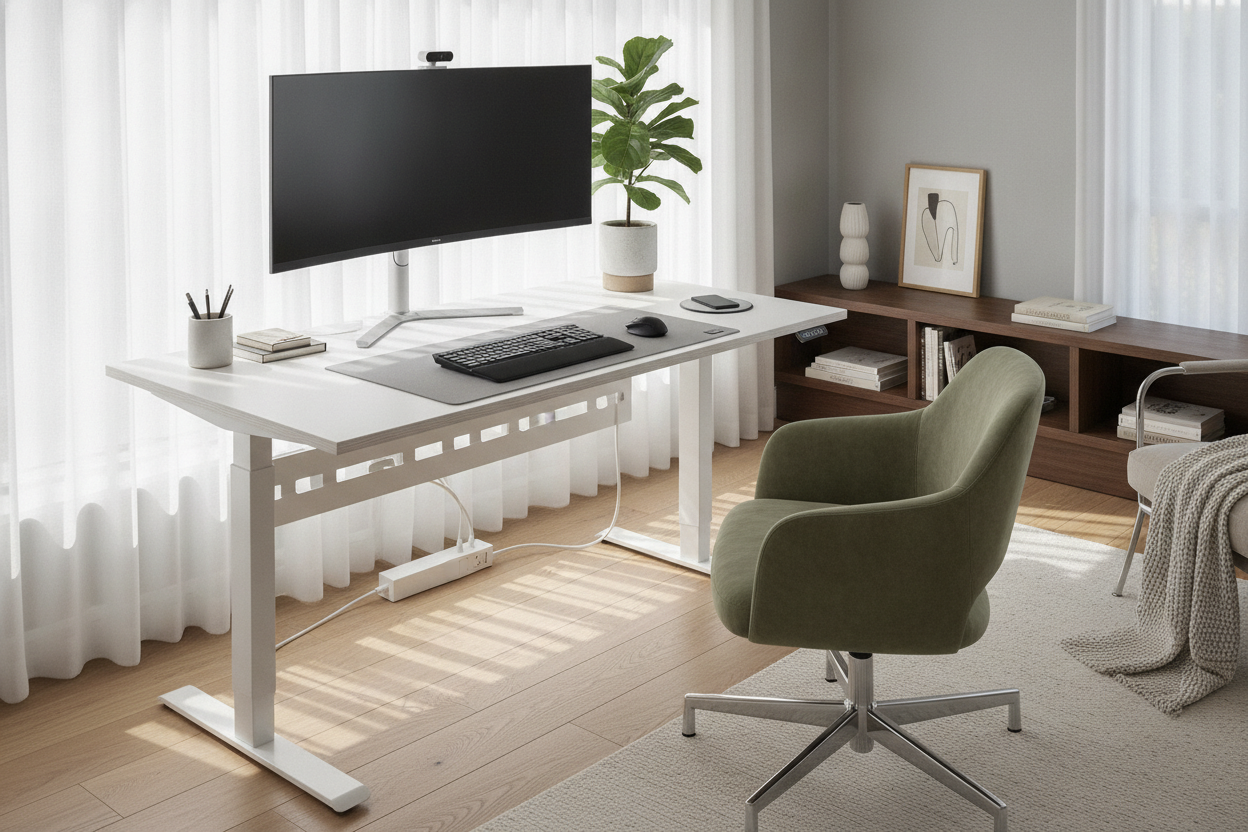
I was halfway through a budget presentation when my phone screen flickered to that dreaded 1% red bar. Naturally, my charger was in the kitchen, and my laptop's USB ports were already hogged by a webcam and a microphone. I spent the next three minutes awkwardly ducking off-camera to rummage through a junk drawer, looking like a frantic raccoon.
That was the day I decided an electric desk with wireless charger wasn't a luxury—it was a survival tool for the disorganized. After months of testing, I can tell you that having a dedicated spot to drop your phone makes a massive difference in how you actually use your workspace.
Quick Takeaways
- Ends the 'where is my cable?' panic mid-meeting.
- Charging speeds are designed for steady maintenance, not emergency bursts.
- Placement is everything—avoid chargers located in your 'mouse zone.'
- A cable-free desktop significantly reduces visual noise and mental clutter.
The '1% Battery' Panic on Zoom
We've all been there. You're on a call, your phone is your two-factor authentication device or your secondary calendar, and it's about to die. You can't leave the frame, so you start a desperate, one-handed blind hunt for a Lightning or USB-C cable behind your monitor.
Switching to a standing desk with phone charger capabilities changed my entire workflow. Instead of treating my phone like a separate device that needs a 'trip to the wall,' it just lives on the desk. When I sit down, the phone goes on the pad. It's a subconscious habit now, like putting on a seatbelt.
Is the Built-In Pad Actually Fast Enough?
Let's get real about the tech. If you're expecting the same speed you get from a 45W wall brick, you're going to be disappointed. Most built-in chargers in an electric height-adjustable standing desk with wireless charging output between 10W and 15W. That is 'trickle charge' territory.
But here is the thing: you don't need a sprint. You're at your desk for hours. This is about maintenance power. It is the difference between ending your shift at 15% and ending it at a crisp 100% without ever thinking about it. If you need a 0-to-80 charge in twenty minutes, keep a fast-charger in your bag, but for daily grinds, the built-in pad is plenty.
Saying Goodbye to Desktop Clutter
Cables are the natural enemy of focus. Even one white cord snaking across a dark wood desktop feels like an itch I can't scratch. By choosing a height adjustable desk with wireless charging, I finally cleared the 'cable nest' that used to sit right next to my coffee mug.
I’ve spent a lot of time figuring out how I hid the cords on my electric standing desk for things like monitors and speakers, but the phone was always the outlier. A built-in pad solves the last-mile problem of cable management. The surface stays flat, clean, and ready for actual work.
Don't Buy One Without Checking These Specs
Not all integrated chargers are created equal. I once tested a desk where the charging coil was located exactly where I like to move my mouse. Every time I adjusted my cursor, I’d smack my phone across the room. Look for a pad positioned in the top corner or a dedicated 'tech zone' away from your primary movement areas.
Also, don't sacrifice the desk's primary job for a $20 charging component. Make sure you're getting a standing desk with electric lift system that features a dual-motor setup if you plan on holding heavy monitors. A weak motor will struggle and eventually burn out, regardless of how cool the phone charger is. Check the desktop thickness too—if the wood is too thick and the coil isn't recessed properly, your phone case might prevent the charge from even starting.
The Verdict: Actually Worth the Upgrade?
Is it a gimmick? Technically, you could just tape a $15 Qi pad to the underside of any table. But the integration is what you're paying for. It is about the seamlessness of a workspace that anticipates your needs.
If you're upgrading from a basic writing computer desk, the jump to a standing desk with built in wireless charger is a no-brainer. It removes one more tiny friction point from your day, and in a world of endless Zoom calls and Slack notifications, I'll take any win I can get.
FAQ
Will it charge through my phone case?
Most standard plastic or silicone cases work fine. However, if you have a thick 'rugged' case or a metal plate for a magnetic car mount, the induction won't work. Stick to cases under 3mm for the best results.
Does the charger work when the desk is moving?
Yes, the power for the charger is usually tapped directly from the desk's control box. Your phone stays charging whether you're transitioning from sitting to standing.
Can I replace the charging pad if it breaks?
In most designs, the pad is proprietary and embedded. It's rare for them to fail, but if they do, you're usually looking at a warranty claim rather than a DIY fix. Buy from a brand with a solid 3-5 year warranty.



Laisser un commentaire
Ce site est protégé par hCaptcha, et la Politique de confidentialité et les Conditions de service de hCaptcha s’appliquent.