


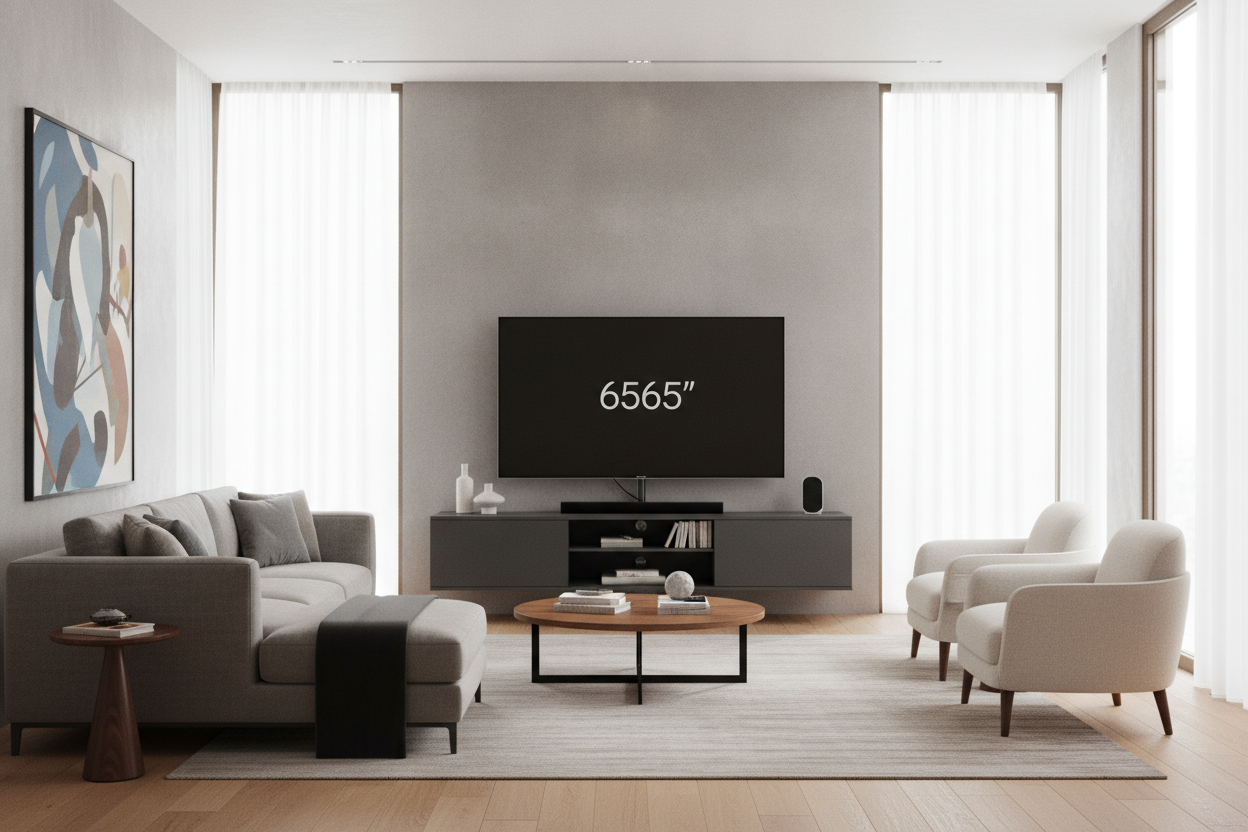
I remember the first time I graduated from a hand-me-down coffee table to a real TV stand. I had just dropped a month's rent on a beautiful 65-inch OLED, and I figured buying a 65 media console to match was the logical next step. I thought the symmetry would be satisfying. Instead, I spent the next six months wondering why my living room felt like a giant tech showroom instead of a home.
The reality is that furniture marketing is a bit of a trap. When you see a stand labeled as a '65-inch' unit, it refers to the physical length of the piece from left to right. But your TV? That 65-inch measurement is diagonal. This discrepancy is the root of almost every layout disaster I see in modern living rooms. If you want your space to feel intentional, you have to stop matching the numbers.
Quick Takeaways
- A 65-inch TV is actually about 57 inches wide, leaving only 4 inches of clearance on a 65-inch stand.
- Matching TV width to console width creates a 'top-heavy' look that shrinks your room.
- The ideal furniture-to-TV ratio is roughly 1.5:1.
- A 65" media console is actually the sweet spot for a 50 or 55-inch television.
The Dreaded 'Pyramid Effect' Explained
When your TV is nearly the same width as the furniture beneath it, you create what I call the 'Pyramid Effect.' Because the screen is a massive, dark rectangle, it carries a lot of visual weight. If the console doesn't extend significantly past the edges of the screen, the TV appears to be crushing the furniture. It makes the whole setup look like an upside-down pyramid—unstable, precarious, and visually 'loud.'
This lack of breathing room forces the eye to focus entirely on the black glass of the screen rather than the decor of the room. In a well-balanced space, your furniture should act as an anchor. A console that is too narrow fails to ground the TV. Instead of the TV being a part of the room, the TV *is* the room. I’ve seen 84-inch sofas look tiny just because they were placed next to a TV-and-stand combo that was too vertically dominant.
The goal is to have enough horizontal space on either side of the screen to place a small object—a ceramic vase, a stack of books, or even just empty air. Without that 'ledge,' your living room feels like a retail display. It’s about creating a base that feels sturdy enough to support the technology without looking like it’s struggling under the weight.
So, What Size TV Actually Belongs on a 65" Media Console?
Here is where the math gets annoying but necessary. A 65-inch television is measured from the top left corner to the bottom right. The actual horizontal width is usually around 57 to 58 inches. If you put that on a 65-inch stand, you have about 3.5 inches of wood showing on either side. That is a tight squeeze that looks accidental, not curated.
If you have already purchased a 65 media console, the best-looking TV for that unit is actually a 50-inch or 55-inch model. A 55-inch TV is roughly 48 inches wide. On a 65-inch stand, that leaves you with about 8.5 inches on each side. That is the 'sweet spot.' It allows the console to frame the TV rather than just holding it up. You can find more details on these proportions in my rules for buying a 65 inch media console.
I always tell people to ignore the 'fits up to X-inch TV' stickers on the box at the store. Those stickers are about weight capacity and safety, not aesthetics. Just because a stand *can* hold a 75-inch TV doesn't mean it *should*. Most 65-inch units are built with a weight capacity for modern LED screens, but they lack the physical footprint to make a large screen look balanced.
The 'Two-Thirds' Rule for Living Room Harmony
If you want to get the proportions right every single time, follow the two-thirds rule. Your TV should take up roughly two-thirds of the width of the media console. If your TV is 57 inches wide (a standard 65-inch screen), you should be looking for a console that is at least 80 to 85 inches long. This creates a 12-inch buffer on both sides, which is exactly what you need to make the tech look like a choice rather than an intrusion.
This ratio works because it allows the furniture to remain the primary architectural element. When the furniture is significantly wider than the screen, it draws the eye horizontally across the room, which actually makes your walls feel wider. It’s a classic staging trick. A long, low sideboard with a smaller TV on top will always look more expensive and 'designed' than a massive TV squeezed onto a matching stand.
What to Do If You Already Bought the Wrong Size
If you’re currently staring at a 65-inch screen on a 65-inch stand and realizing I’m right, don’t panic. You don’t necessarily have to buy new furniture. You just need to trick the eye into thinking the base is wider than it is. The easiest way to do this is by 'flanking.' Place a tall, structural plant—like a 6-foot Fiddle Leaf Fig—on one side of the console and a slim floor lamp on the other. This extends the visual footprint of the media center without requiring a new 80-inch sideboard.
Another option is to wall-mount the television. By floating the screen about 6 to 8 inches above the console, you create a gap of 'white space' that breaks up the pyramid effect. However, be careful with your height. A common mistake is to mount the screen way too high once you realize the proportions are off. If you go this route, check out this guide on the media console wall mount to avoid the 'hospital waiting room' look.
Finally, consider the 'asymmetrical lean.' If your stand is too small, move the TV to one side of the console rather than centering it. Use the remaining space on the other side for a large lamp or a tall piece of art. This breaks the symmetry and makes the 'too-small' stand look like a deliberate stylistic choice rather than a sizing error.
My Own $600 Mistake
I once bought a beautiful mid-century unit in a dark walnut finish. It was exactly 65 inches wide. I put my 65-inch TV on it and hated it for two years. I tried to convince myself it was 'minimalist,' but it just looked cramped. I eventually moved that console to my bedroom, put a 43-inch TV on it, and it looked incredible. The lesson? Dimensions on paper don't account for how a room feels. I ended up buying a 2.0 lb density foam sofa and an 84-inch sideboard for the living room, and I’ve never looked back.
FAQ
Can a TV be wider than the stand?
Technically yes, if the legs fit, but it’s a major design ‘don’t.’ It’s visually jarring and a safety hazard. If someone bumps the overhanging corner, that expensive screen is hitting the floor.
How much wider should a stand be than the TV?
Aim for at least 3 inches on each side as an absolute minimum, but 6 to 10 inches on each side is the professional standard for a balanced look.
Does the height of the console matter?
Absolutely. If you have a massive screen, you want a lower console (around 18-22 inches high). If you use a tall buffet with a 65-inch screen, you’ll be straining your neck and the room will feel even more top-heavy.

Laisser un commentaire
Ce site est protégé par hCaptcha, et la Politique de confidentialité et les Conditions de service de hCaptcha s’appliquent.