


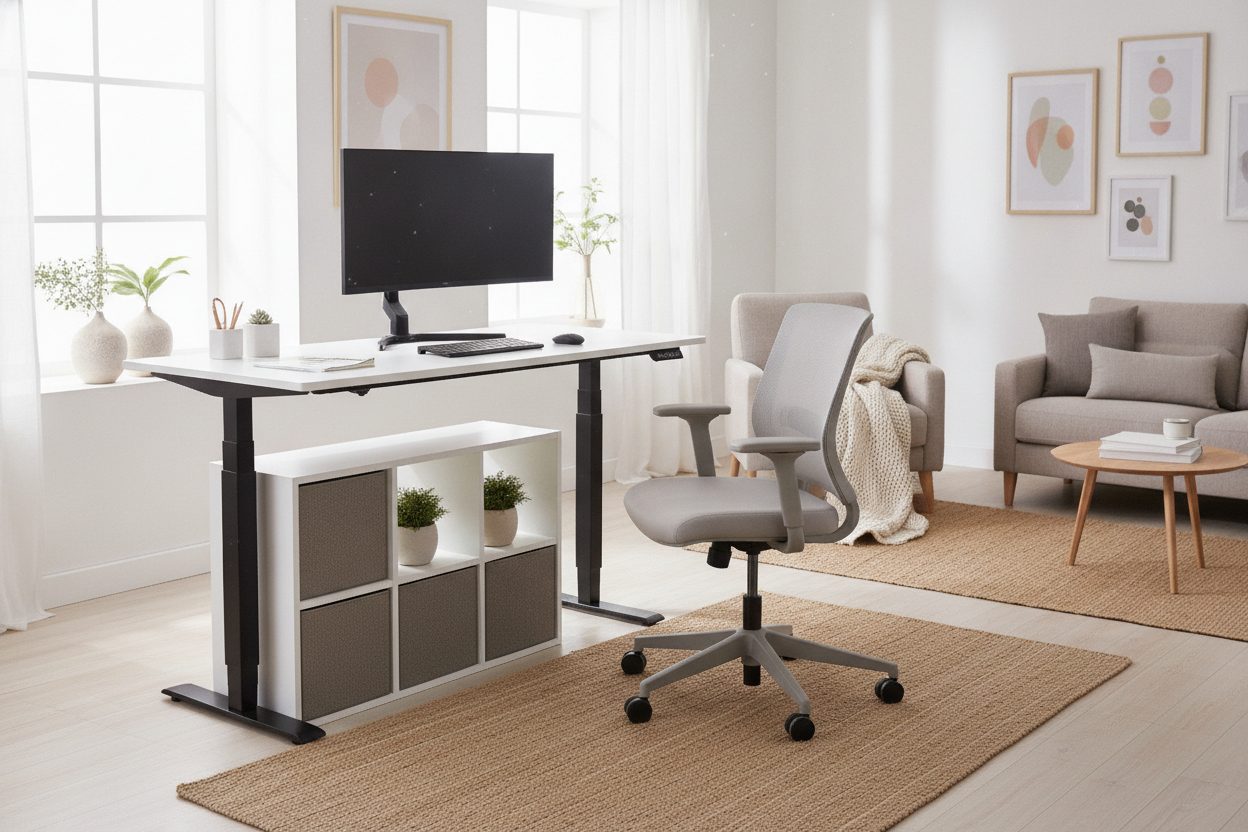
I spent three weeks in 2021 working from a stack of Amazon boxes on top of my kitchen table because I was too cheap to buy a real motorized desk. Every time I looked at those high-end brands, I saw $700 price tags that felt like a personal insult to my bank account. Finding a standing desk inexpensive enough to justify the purchase without it falling apart in six months is a balancing act of knowing which 'premium' features are actually just expensive fluff.
- Prioritize motor quality over desktop material.
- Accept a multi-piece top to save big on shipping.
- Skip the built-in USB ports; they are usually underpowered anyway.
- Memory presets are the one 'extra' you should never cut.
The 'Wobble Tax' (And How to Avoid Paying It)
When you browse high-end furniture showrooms, you are often paying what I call the 'wobble tax.' Premium brands charge hundreds extra for heavy-duty steel crossbars and T-style legs that promise zero movement at 45 inches high. While stability matters, many budget frames are surprisingly sturdy if you aren't trying to mount three 32-inch monitors on them.
You can find a reliable frame without the designer markup by looking at the weight capacity rather than the brand name. A frame rated for 150 lbs is plenty for a laptop, a monitor, and your coffee. When you look at a Vari Sit-Stand Desk vs. a Budget Standing Motorized Desk, you realize the premium price often covers the marketing and the 'pre-assembled' convenience, not necessarily a motor that lasts five times longer.
3 Features to Skip for the Best Standing Desk on a Budget
To find the best standing desk on a budget, you have to be ruthless about what you don't need. First, ditch the solid hardwood. A slab of kiln-dried oak looks amazing, but it adds $300 to the price and weighs a ton. High-quality laminate or MDF is the way to go; it's easier to clean and won't warp if you spill your water.
Second, stop looking for built-in USB charging ports or wireless pads integrated into the desktop. These components are usually the first thing to break, and they are almost never fast-charging. Buy a $20 power strip and command-strip it to the underside of the desk instead.
Third, you don't need a fancy OLED touchscreen keypad. A simple button interface works just as well. I’ve found that Why the Walnew Electric Standing Desk Is a Budget Unicorn is because it focuses on a smooth lift rather than distracting tech gadgets that inflate the cost. You want a motor that doesn't scream, not a screen that tells you the temperature.
Why Multi-Piece Desktops Are Actually Fine
There is a weird stigma against desks that come with a 'spliced' top—where the desktop is two or three pieces of wood joined together. People think it looks cheap or feels unstable. In reality, this is the secret to finding a budget sit-stand desk because it allows the manufacturer to ship the desk in a standard box instead of a massive freight crate.
That freight shipping cost is usually baked into the price of single-piece desks. By accepting a small seam down the middle (which you can easily hide with a desk mat), you can get a Super Sized Standing Desk With Electric Lift 63X31 5Pc Desktop for a fraction of the price of a solid-top equivalent. Once your keyboard and mouse are in place, you won't even notice the seam is there.
My Pick for the Best Standing Desk Under 400
If you have a strict budget, the sweet spot is usually right around the $300 mark. This is where you move away from 'shaky' territory into 'reliable workhorse' territory. My top pick for the best standing desk under 400 must have one specific feature: memory presets. Do not buy a desk where you have to hold the 'up' button for 20 seconds every time you want to stand. You will get bored and eventually stop using the standing feature entirely.
I recommend the Adjustable Height Standing Desk With Electric Lift System 54 Desk With Memory Presets. It offers enough width for a dual-monitor setup but keeps the price low by using a smart, efficient frame design. It’s the best budget electric standing desk for someone who wants the functionality of a professional office without the corporate price tag.
How to Make the Best Budget Electric Standing Desk Look Expensive
A cheap desk looks cheap because of the clutter, not the material. Spend $15 on a cable management tray to hide those dangling wires. Use a large felt or faux-leather desk mat to cover the seams of a multi-piece top. This adds a texture that feels high-end and dampens the sound of your typing.
If you find that an electric model is still stretching your wallet, remember that a solid Writing Computer Desk paired with a laptop riser can be a great temporary fix. But if you're ready to commit to standing, focus on the motor and the memory settings. The rest is just window dressing.
Personal Experience: The 'Crank' Mistake
I once bought a manual crank standing desk to save $50 over the electric version. I thought, 'I need the exercise anyway!' I used it exactly three times. Cranking a desk up 40 times is a chore, and it meant I stayed seated for eight hours a day. I eventually sold it for half what I paid and bought a motorized one. Saving money is great, but don't save it at the expense of actually using the furniture.
FAQ
Is a single motor enough for a budget desk?
Yes, for most home setups. A single motor can usually lift 150-180 lbs, which is more than a standard computer setup. Dual motors are faster and quieter, but they aren't a necessity if you are trying to stay under $400.
Do budget standing desks wobble at full height?
Most desks will have a tiny bit of 'micro-wobble' when fully extended. To minimize this, make sure you tighten the bolts every six months and place the desk on a hard floor rather than a plush carpet.
How long do inexpensive standing desk motors last?
Most budget motors are rated for about 5,000 to 10,000 cycles. If you move it up and down twice a day, that's over 6 years of use. Usually, the electronics in the keypad fail before the actual motor does.


Laisser un commentaire
Ce site est protégé par hCaptcha, et la Politique de confidentialité et les Conditions de service de hCaptcha s’appliquent.