


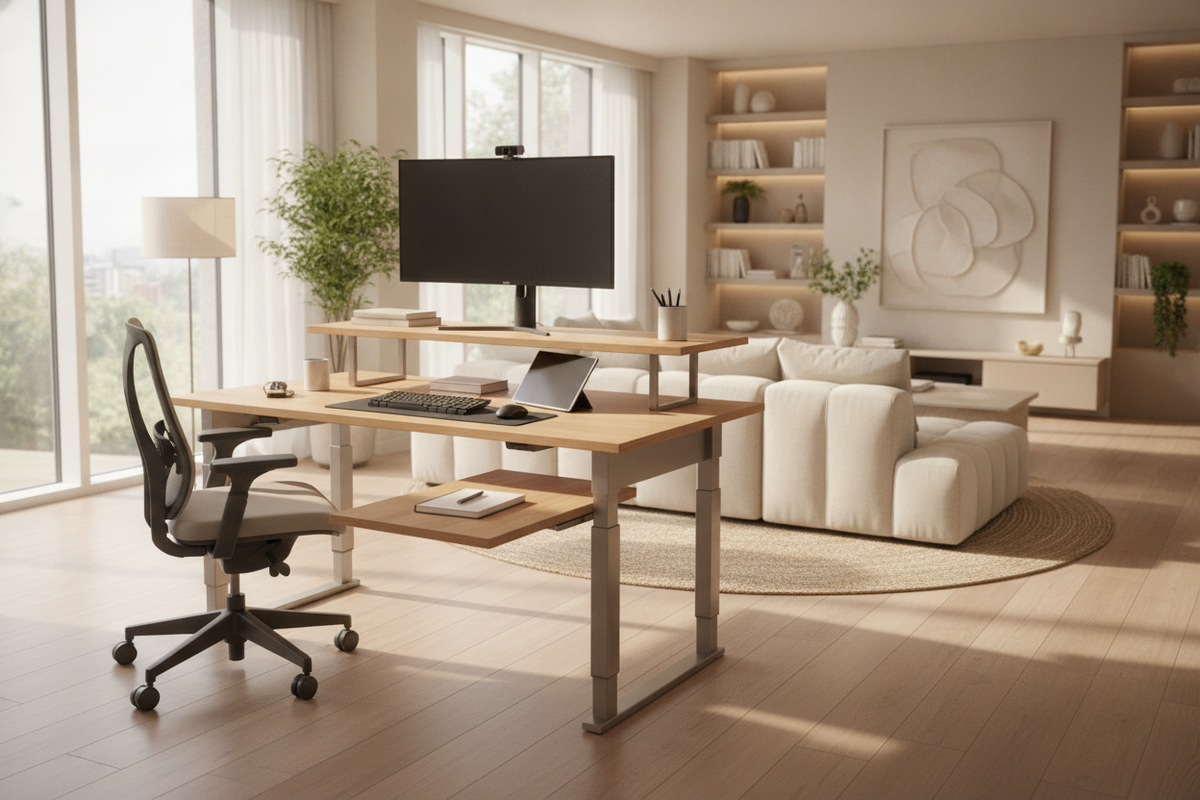
Standard flat work surfaces often force home office workers to compromise between digital hardware, physical paperwork, and basic accessories. A tiered desk reorganizes that dynamic by building upward rather than spreading outward. By utilizing elevated screen platforms, recessed writing tiers, and integrated lower shelves, modern multi level desks stratify equipment into dedicated functional planes. This architectural approach delivers greater utility within a compact room footprint.
Understanding the Tiered Desk: Architecture and Core Advantages
The core philosophy of a multi tier desk centers on vertical surface distribution. In a traditional workstation, monitors, keyboards, note pads, and desk lamps fight for identical surface territory. Over time, screens migrate forward, keyboard clearance diminishes, and paperwork piles on top of peripheral cables.
In contrast, a layered desk introduces separate structural tiers designed for specific tasks. Monitors sit elevated at natural eye height, the primary desk plane remains open for keyboard inputs or manual writing, and secondary shelving handles auxiliary gear. For workers examining broad selections within a dedicated computer desk collection, understanding these vertical divisions helps clarify how different frames fit diverse daily workflows.
Dimensional Profiles and Vertical Stratification
Most multi tier computer desk designs rely on three primary zones:
- The Visual Tier: An elevated shelf positioned along the back edge of the workstation. This riser holds single or dual displays, webcams, and compact desktop speakers without consuming deep desk clearance.
- The Task Tier: The central, widest flat plane. Because screens are elevated above it, this area stays clear for keyboards, mice, sketchpads, and active document handling.
- The Base Utility Tier: Shelves situated beneath the main surface, flanking the footwell, or anchored to the frame base. A computer desk multi level layout uses this lower zone for heavy towers, file bins, and backup power equipment.
This vertical stratification ensures that every piece of equipment rests on an intentional tier rather than competing for primary desk space. A thoughtfully engineered multi level computer desk maintains proper leg clearance below while maximizing overhead utility.
Ergonomic Alignment Across Multi-Level Workstations
Ergonomics in a home office depend heavily on viewing angles and arm position. When using a flat table, computer screens frequently sit too low, leading users to hunch forward. Placing books or standalone risers under a screen can solve the height issue but often creates wobbly, cluttered arrangements.
A structured multi-level computer desk incorporates display elevation directly into its structural geometry. By raising monitors naturally above the working plane, the desk supports an upright head posture and clear forward sightlines. Concurrently, the primary plane remains at a natural level for typing and writing, allowing forearms to rest comfortably. Separating the visual plane from the physical input tier helps prevent the forward slouching common during extended work sessions.
Room Fit and Spatial Layout Strategies
Because multi level desks leverage vertical space, they provide a compelling solution for compact apartments, study nooks, and multipurpose guest bedrooms. When floor space is limited, building upward lets you retain a full computing setup without crowding the room.
When positioning a tiered computer desk, keep sightlines and window clearances in mind:
- Wall Placement: Backing a multi-tiered frame against an interior wall provides solid visual grounding and simplifies cable concealment behind the vertical supports.
- Window Alignment: Avoid placing tall elevated tiers directly across from unshaded windows to minimize screen glare. Side illumination typically yields balanced ambient light.
- Vertical Clearance: Account for upper wall shelving, low ceilings, or sloping attic beams that could interfere with the upper tier or mounted displays.
Shoppers exploring popular options among bestselling computer desks frequently prioritize compact footprints paired with tiered shelving to maintain open walkways in smaller rooms.
Storage Integration, Peripheral Placement, and Cable Architecture
A major operational benefit of a computer desk multi level frame is deliberate peripheral separation. With multiple levels available, auxiliary hardware no longer crowds your primary typing zone.
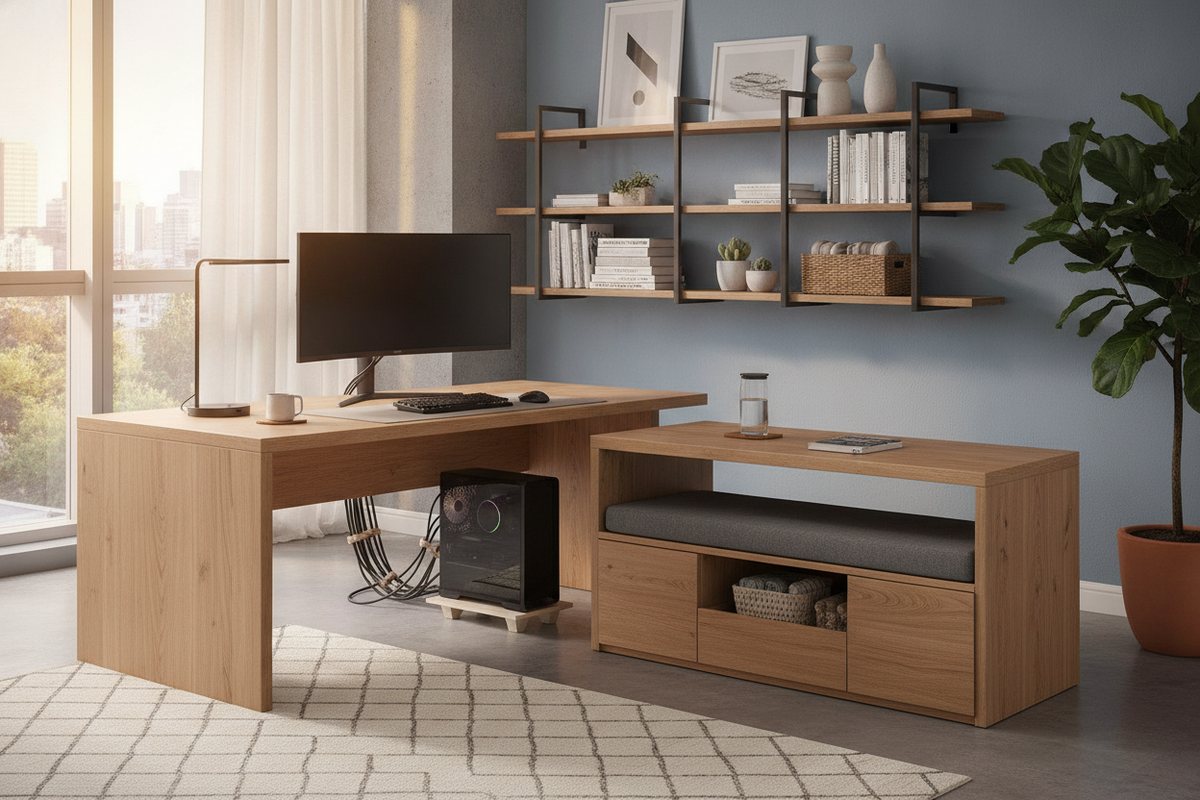
Audio interfaces, external hard drives, smart speakers, and desk lighting can sit permanently on the upper display platform. The area underneath the riser often forms a shallow alcove ideal for sliding a keyboard out of view when transitioning to analog paperwork. For heavy paper filing or extensive supply storage, pairing your desk with a complementary office storage cabinet with desk setup offers a cohesive way to keep bulky supplies organized nearby.
Cable management also benefits from vertical frame uprights. Power lines and display cords can follow the vertical tubing or back panels down to the lower tier, where surge protectors rest off the floor yet out of sight.
Material Selections and Structural Frame Stability
Because elevated shelves carry heavy visual equipment, structural rigidity is essential. A reliable multi tier desk typically features durable composite wood or solid timber panels supported by a welded, powder-coated steel chassis.
Pay close attention to cross-bracing and joint connections. Diagonal tension rods, rear modesty panels, or robust corner gussets prevent lateral wobble when typing vigorously. A sturdy layered desk must distribute the weight of multiple monitors evenly across its upright supports without deflecting or stressing the main surface connectors.
Assembly Logistics and Maintenance Considerations
Assembling a multi level computer desk requires a methodical approach compared to a basic four-legged table:
- Bottom-Up Assembly: Fasten base legs and lower support crossbars first before attaching intermediate work surfaces and upper riser tiers.
- Hardware Snugging: Keep structural bolts slightly loose until all tiers are aligned, then tighten them systematically to prevent frame twisting.
- Leveling Adjustments: Utilize adjustable foot pads to eliminate rocking on uneven flooring or area rugs.
Routine care involves periodic bolt inspections to ensure the elevated shelves remain rigid. Dusting under elevated tiers and wiping down laminate or wood finishes with a dry microfiber cloth preserves the appearance of the desk over years of active use.
Selecting the Right Tiered Desk for Your Daily Workflow
Choosing the ideal tiered computer desk comes down to your personal workload. Writers and general office workers often prefer clean dual-level designs that simply elevate monitors while keeping the writing zone wide and unobstructed. Creative professionals and technical users with multiple peripherals, reference materials, and audio gear often find that triple-tier or tower-integrated multi level desks deliver the specialized organization their routine demands.
By assessing your display sizes, storage requirements, and available floor space, you can select a tiered workstation that keeps essential tools within arm's reach while preserving a tidy, productive office environment.

Laisser un commentaire
Ce site est protégé par hCaptcha, et la Politique de confidentialité et les Conditions de service de hCaptcha s’appliquent.