


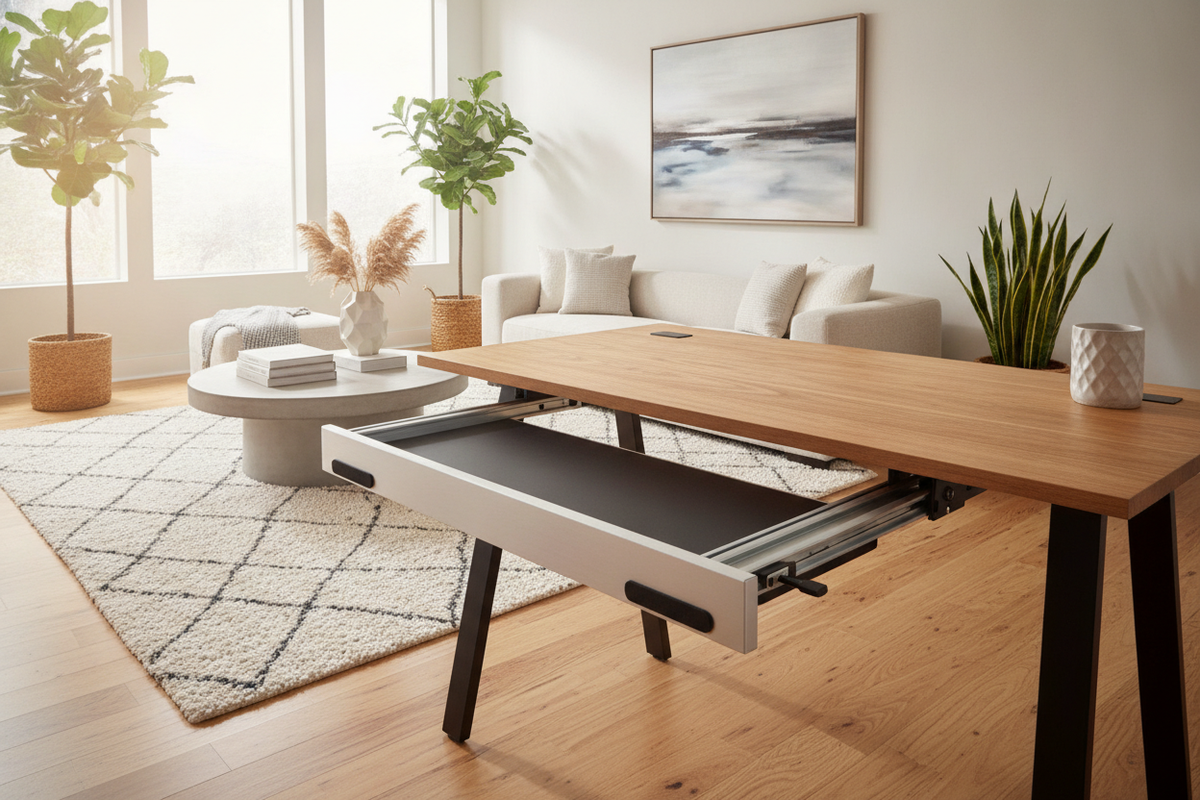
Under-Desk Track Architecture and Spatial Clearances
Integrating an ergonomic typing platform beneath a workstation fundamentally changes how the lower desk zone operates. Evaluating an under-desk platform such as an uplift desk keyboard tray requires careful planning around spatial envelopes, legroom margins, and hardware pathways. When mounted to the underside of a tabletop, the track and articulated arm assembly occupy vertical space that would otherwise remain open. Ensuring that your seated posture retains natural knee clearance without forcing chair height adjustments requires balancing desktop thickness, mechanism depth, and user proportions.
Track length determines how far the typing surface can glide beneath the work surface when stored away. Deep desktops can accommodate full-depth tracks that allow complete concealment of the platform. Conversely, shallow frames or desks with built-in perimeter aprons necessitate compact track profiles to prevent the rear mechanism from extending past the back edge or colliding with structural framing. Comparing hardware profiles with structural dimensions ensures that the uplift keyboard tray can smoothly retract without interfering with primary seating zones.
For those evaluating integrated options versus retrofitted platforms, understanding how desktop depth influences mechanical travel is essential. Reviewing a desk keyboard tray guide helps contextualize how built-in sliders compare to track-mounted articulating systems. In specialized multi-purpose or reception environments, exploring a dedicated desk keyboard tray product demonstrates how built-in channels maintain structural stability while preserving clean exterior aesthetics.
Structural Crossbars and the Role of Track Spacers
Modern height-adjustable and heavy-duty workstations often utilize steel crossbars or perimeter framing beneath the tabletop to maintain lateral stability. These structural bars present a physical obstacle when mounting longitudinal glide tracks. When a track must cross over a central support beam, the mounting surface is no longer planar, making direct fastening impossible without risking track warping or mechanism binding.
This scenario highlights the mechanical purpose of an uplift track spacer. A dedicated spacer bracket bridges the elevation difference created by the crossbar, dropping the mounting plane just below the frame profile. By creating a continuous, level mounting surface across the underside of the desk, the uplift desk track spacer allows the slide track to span the frame without compromising glide alignment.
When planning for spacer hardware, the core composition of the desktop requires consideration:
- Solid wood and dense composite cores provide robust anchor hold for the additional leverage created by dropped spacer brackets.
- Hollow-core or lightweight honeycomb tabletops generally lack the internal density needed to support cantilevered hardware under daily resting pressure.
- Fastener engagement depth must be calibrated so screws bite securely into the material without penetrating the upper finished surface.
Properly factoring in an uplift desk tray spacer setup protects both the mechanics of the tray and the structural integrity of the desktop over long-term use.
Step-by-Step Installation Geometry and Alignment Strategy
Executing a successful uplift desk keyboard tray installation requires systematic alignment before driving the first screw. Because articulating arms transmit continuous rotational and downward forces during typing, any minor deviation in track angle can cause uneven friction, premature glide wear, or lateral wobble. A methodical approach ensures smooth daily operation.
Begin by mapping out the centerline of your primary seated position. Aligning the track with your central line of vision relative to your primary display helps maintain neutral shoulder and wrist orientation. Mark pilot holes with precision, checking the underside for internal wiring channels, frame bolts, or embedded hardware inserts that could impede the drill path.
During uplift keyboard tray installation, maintain adequate perimeter clearance:
- Verify that the platform clears desk legs and side brackets across its entire swivel arc.
- Route keyboard and mouse cables with generous slack loops so mechanical extension does not tug on device connectors.
- Check full retraction depth to ensure the front edge rests flush with or behind the front edge of the desk surface when not in use.
Fastening the glide track securely into pre-drilled pilot holes prevents material splitting and guarantees that the arm glides smoothly along its full travel path without catching.
Workstation Storage Synergy: Balancing Trays and Dedicated Cabinetry
An under-desk articulated typing platform excels at clearing the primary desktop surface, keeping peripheral input devices off the central work area. However, an uplift desk tray is designed specifically for dynamic input mechanics, not stationary accessory holding. Overloading the platform with stationery, heavy peripherals, or documents diminishes its ergonomic balance and increases mechanical strain on the pivot joints.
A balanced workspace pairs dedicated under-desk platforms with comprehensive storage solutions. Evaluating workspace organization through a strategic desk tray guide clarifies how freestanding filing units, credenzas, and mobile pedestals handle storage volume while leaving the desk perimeter open for movement. In my view, separating dynamic typing mechanics from static item storage is the single most effective way to maintain both ergonomic comfort and an uncluttered office workflow.
By establishing distinct operational zones—reserving the under-desk tray exclusively for input devices and utilizing adjacent cabinetry for supplies—you maximize functional space, protect mechanical hardware, and preserve long-term workstation versatility.


Laisser un commentaire
Ce site est protégé par hCaptcha, et la Politique de confidentialité et les Conditions de service de hCaptcha s’appliquent.