


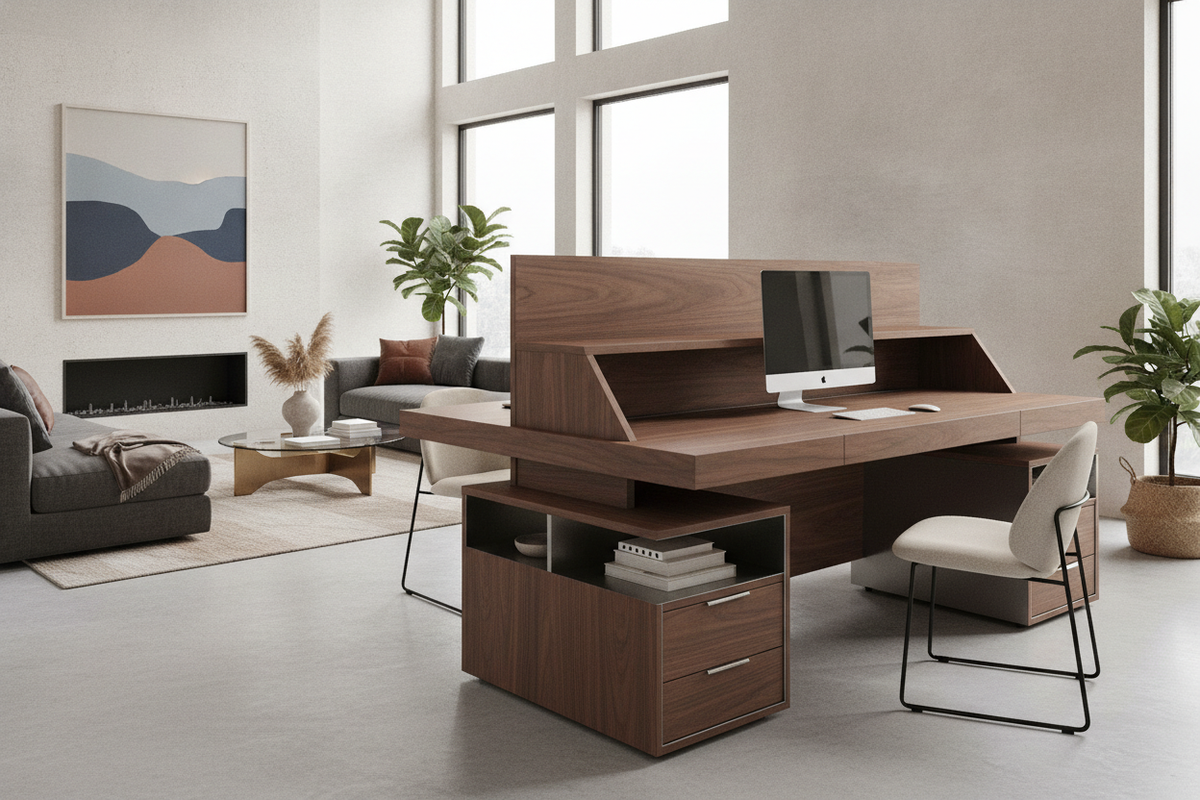
Corner Geometry and Dual-Screen Spatial Dynamics
Arranging a multi-display workstation within a room boundary requires understanding how angled surfaces distribute hardware. A corner computer desk for two monitors transforms underutilized floor area into a dedicated hub, yet the physical geometry of the desktop dictates whether displays sit at comfortable viewing distances or crowd everyday work tools.
Diagonal Corner Apex vs. Right-Angle Wing Layouts
Workstation design generally bifurcates into two layout approaches: positioning the user directly facing the diagonal corner apex, or seating them along one primary straight wing while using the adjacent return for peripheral hardware. Centering dual screens across a diagonal apex creates a natural inward arc, allowing both panels to wrap around the field of view with balanced head rotation. Conversely, spanning displays along a primary rectangular wing prioritizes an unobstructed linear surface, leaving the side return open for printers, document sorting, or secondary devices.
Surface Depth and Visual Ergonomics in Tight Corners
Focal depth represents the critical clearance between screen surfaces and the seated user. When using a corner computer desk for two monitors, the diagonal depth from the front edge to the rear wall intersection often exceeds that of standard rectangular tables. This extra setback provides ideal positioning for deep monitor stands or articulating clamp arms, preventing oversized displays from encroaching on keyboard placement or restricting comfortable arm-length eye relief.
Configuration Tiers for Multi-Screen Workstations
Selecting the right furniture silhouette depends on available floor space, required storage capacity, and the level of visual integration needed for the room.
Compact Diagonal Tables and Open Minimalist Frames
In bedrooms or compact study spaces, streamlined corner desks focus entirely on core surface utility. Triangular silhouettes and open-frame metal bases eliminate visual clutter while offering sufficient width across the diagonal chamfer to host two standard displays side by side. Selecting a streamlined modern corner desk with storage balances this minimalist footprint with integrated shelving, preserving open legroom underneath while maintaining dedicated compartments for peripheral towers or notebooks.
Hutch-Equipped Corner Workstations and Overhead Clearances
When vertical storage is essential, dual monitor computer desk with hutch designs build upward rather than outward. Incorporating overhead cubbies, display shelving, or enclosed upper cabinetry provides ample space for reference materials and office supplies. However, dual-panel configurations require verifying the horizontal aperture between vertical hutch supports. Opting for a desk with hutch and power integration ensures that screen height adjustment remains unhindered while keeping power connections accessible for multiple power bricks and accessories.
Dual Monitor Computer Armoires and Hidden Office Solutions
For multipurpose living rooms and shared suites, enclosing a dual-screen workstation inside cabinetry maintains a clean aesthetic when work concludes. A dual monitor computer armoire utilizes folding bi-fold doors or pocket panels to conceal hardware. When planning such installations, exploring dedicated corner armoire workstation design principles helps ensure that the internal cabinet width accommodates wide screens without restricting ventilation. Similarly, studying concealed armoire office setups assists in balancing interior shelf adjustments against peripheral depth requirements.
Input Peripherals, Keyboard Trays, and Desktop Usability
Managing input devices across angled furniture shapes requires intentional alignment to prevent awkward posture and maximize usable surface area.
Under-Desk Tray Geometry for Angled Seating
Equipping a dual monitor desk with keyboard tray mechanisms requires careful attention to the underside profile. Curved or chamfered front edges demand specially shaped keyboard platforms or articulated slide arms that clear corner support framing. A properly aligned tray frees the entire upper desktop for written notes, sketchpads, or auxiliary tablet devices while keeping wrists in a neutral typing posture.
Primary vs. Secondary Screen Orientation and Peripheral Reach
Dual-display workflows generally follow one of two arrangements: side-by-side equal focus or a primary central screen paired with an angled secondary monitor. A symmetrical layout places the seam between displays directly in the center, which works well for comparative data entry. An asymmetrical setup places the main screen directly ahead and angles the secondary screen along one desk wing, reducing neck turning for tasks centered on a single continuous application.
Structural Framing, Weight Distribution, and Cable Routing
A multi monitor workstation desk must bear significant distributed weight from displays, heavy-duty mounting hardware, and desktop accessories while maintaining a stable footprint.
Corner Leg Clearance and Under-Desk Legroom
Traditional corner construction sometimes places structural posts right at the inside apex, impeding chair movement. Modern corner designs favor cantilevered rear supports or perimeter sub-frames that clear the center knee area. This open architecture allows seamless swivel transitions between the main working wing and the secondary return surface.
Grommet Placement and Perimeter Wire Management
Intersecting walls tend to trap cords and power supplies. Desks with built-in desktop grommets, rear scalloped edge cutouts, or integrated under-mount cable channels keep monitor power leads and video cables neatly bundled, preventing snagging against wall baseboards when adjusting articulating screen arms.
Room Integration and Workstation Selection Blueprint
Matching a corner desk to an interior layout requires balancing room entry paths, natural window light to minimize screen glare, and daily work habits. Exploring a dedicated writing and computer desk collection offers a broad view of surface proportions, integrated drawer configurations, and finish options suited for diverse home office environments.


Laisser un commentaire
Ce site est protégé par hCaptcha, et la Politique de confidentialité et les Conditions de service de hCaptcha s’appliquent.