


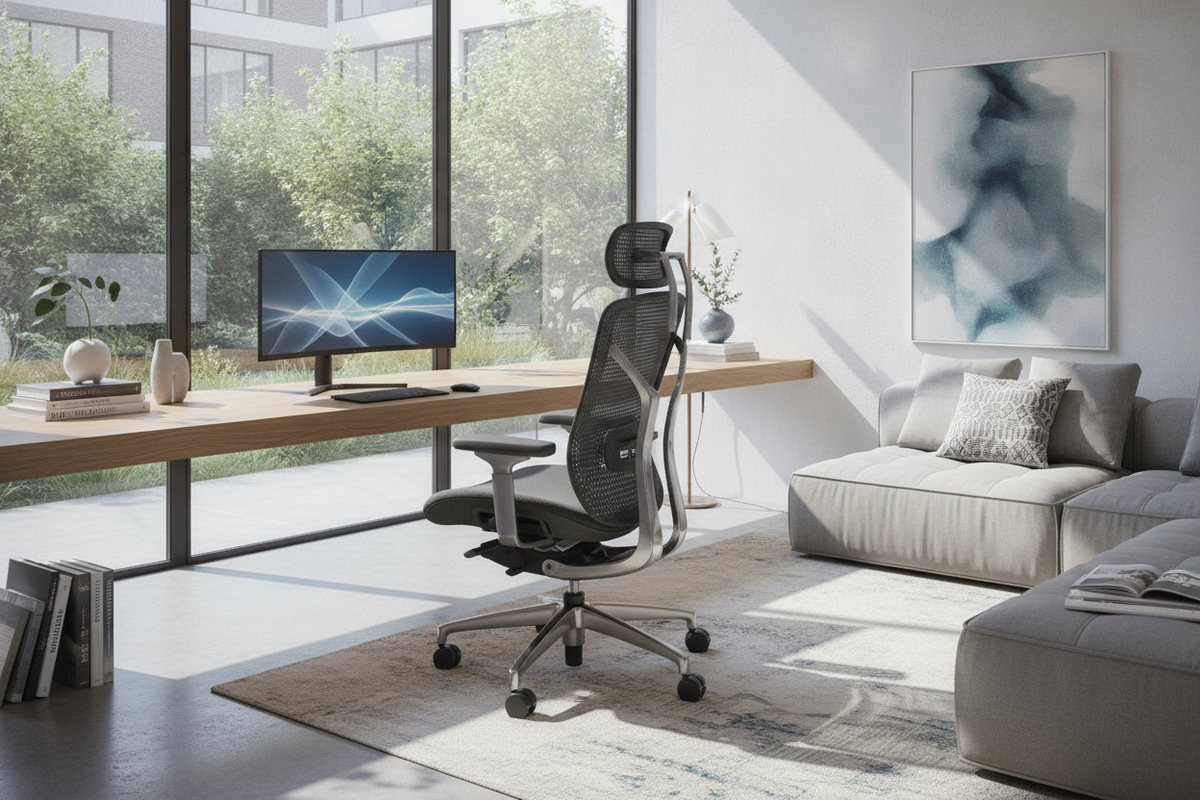
Maintaining physical alignment throughout prolonged desk tasks depends heavily on the interface between your seating and your workstation. Rather than relying on rigid, unyielding seating, selecting a dedicated computer chair for posture introduces mechanical touchpoints that support the body's natural curvature. Achieving a balanced sitting arrangement involves calibrating seat pan contours, lumbar contact, armrest positioning, and kinetic tilt to harmonize with your personal dimensions and desk dimensions.
Core Mechanical Adjustments of an Ergonomic Office Chair for Posture
The foundational advantage of an ergonomic office chair for posture lies in its mechanical adjustability. Unlike static occasional chairs, posture-focused task chairs allow fine-tuning across several critical zones:
- Lumbar Architecture: Adjustable lumbar systems vary from vertical sliding pads to dynamic, spring-loaded lower back wings. Proper placement aligns the support pad directly into the inward curve of the lower back, providing consistent reinforcement without aggressive forward pressure.
- Kinetic Synchro-Tilt: Synchronized tilt mechanisms recline the backrest at a gentle ratio relative to the seat pan, allowing the user to open up the torso angle while keeping feet resting comfortably on the floor.
- Tension Adjustment: Calibrating the recline tension knob ensures the backrest responds smoothly to body weight shifts, avoiding both sudden backward drops and stiff resistance.
For broader context on establishing a functional work zone, reviewing a comprehensive posture ergonomic computer guide helps connect seating mechanics with monitor elevation and keyboard reach.
Sizing and Spatial Clearance Dimension Tiers
Postural support relies directly on proportionate sizing. Choosing an incompatible chair profile can negate mechanical adjustments, making it essential to select an appropriate dimensional tier:
- Compact and Low-Profile Tiers: Designed for smaller physical frames and narrow desk alcoves. These models feature reduced seat depths and narrower backrests, preventing the seat edge from pressing behind the knees.
- Standard Mid-Back Tiers: Sized for general residential work areas and multi-user desks. They offer balanced backrest heights that reach the middle shoulder blades, suitable for standard task rotations.
- High-Back and Executive Tiers: Feature extended backrests and integrated or modular headrests, offering continuous contact along the entire upper spine during focused computing or reclined reading.
Seat pan depth remains vital across all tiers. A waterfall front edge—sloping gently downward at the front lip—helps promote natural lower-thigh clearance and unrestricted movement.
Armrest Mechanics and Desktop Transition Geometry
Armrests stabilize the shoulders and upper torso by absorbing the weight of the arms during typing and mousing tasks. Armrest articulation generally spans several functionality grades:
- Fixed Arms: Stationary loops or cantilevered supports suitable for basic, occasional seating.
- 2D Articulation: Height and depth adjustments that allow vertical positioning to match desk heights and forward-backward shifts to clear desk rims.
- 3D and 4D Articulation: Incorporates angular pivot, lateral width adjustments, and axial rotation, enabling precise placement directly beneath natural forearm resting angles.
Proper armrest calibration aims to keep the forearms level with the desk surface without forcing the shoulders to hunch upward. Furthermore, evaluating whether armrests can lower sufficiently to slide completely beneath your desk frame helps preserve floor space when the workstation is idle.
Material Frameworks: Mesh, High-Density Foam, and Hardware
The choice of upholstery and internal padding influences both daily comfort and long-term durability:
- Elastomeric Mesh: Woven synthetic mesh offers open airflow to manage heat accumulation during extended work blocks while distributing contact pressure across a resilient woven grid.
- High-Density Molded Foam: Dense foam cushions provide structured support that holds its shape over sustained use, offering reliable base stability under the pelvis.
- Base and Frame Materials: Reinforced nylon composite frames provide subtle torsional flexibility, whereas cast aluminum bases deliver rigid structural stability.
- Caster Selection: Hard dual-wheel casters move smoothly across low-pile carpets, while softer polyurethane-coated casters protect finished hardwood and laminate surfaces from scuffing.
Workstation Synergy: Pairing Posture Chairs with Desks and Storage
A supportive chair must function within the overall geometry of the home office. Pairing your seating with the correct desk style establishes fluid movement and functional clearance:
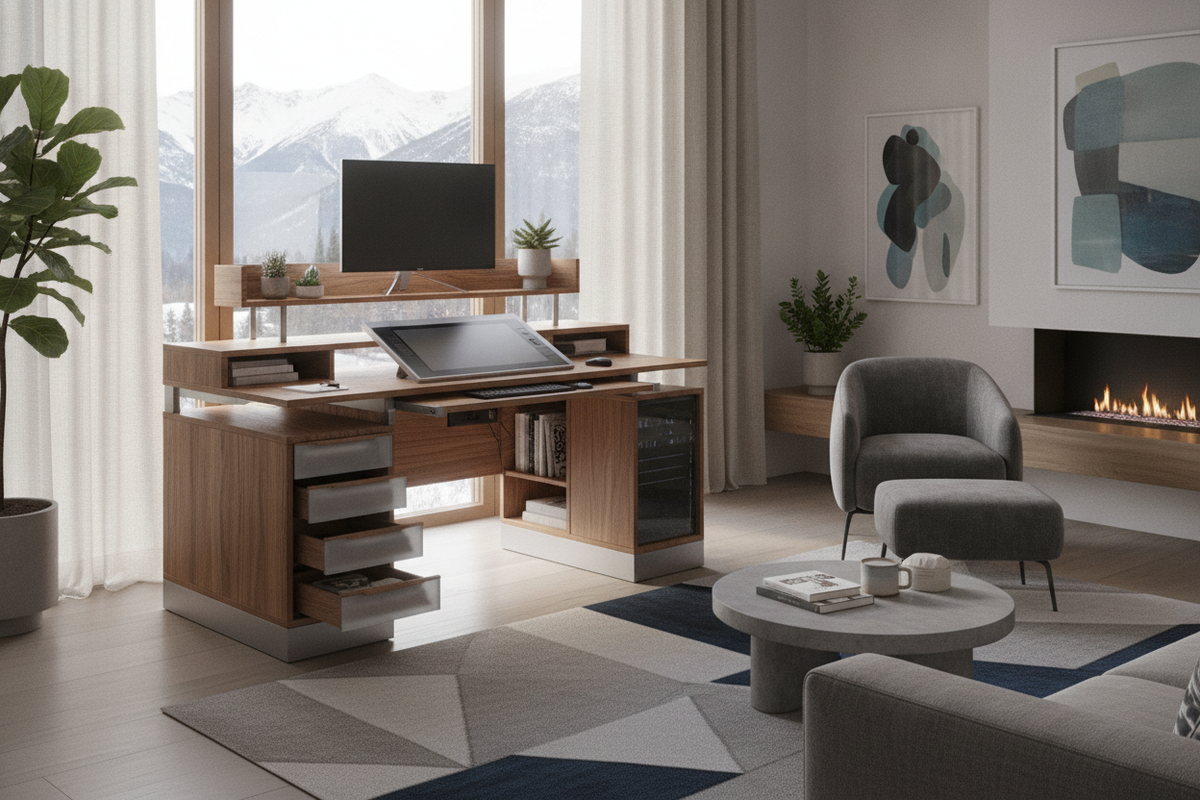
- Adjustable Sit-Stand Desks: Coordinating an ergonomic chair with an ergonomic office product allows smooth transitions between seated task focus and upright standing postures throughout the day.
- Standard Writing and Laptop Desks: Exploring a dedicated computer collection provides options with open knee clearance, allowing five-star swivel bases to rotate freely without colliding with side panels.
- Corner and Storage Workstations: Utilizing an expansive office computer product accommodates wide swivel arcs and provides deep knee wells to store the chair cleanly when not in use.
Ensure that a clear perimeter walking path of open floor clearance remains behind the workstation to allow unhindered chair roll-out and smooth standing transitions.
Assembly, Maintenance, and Daily Postural Calibration
Proper assembly and routine maintenance preserve the mechanical integrity of your computer chair:
- Sequence Your Calibration: Begin by adjusting seat height so feet rest flat on the floor with knees bent at a natural angle. Next, adjust seat depth to leave clearance behind the knees, slide the lumbar support into the small of the back, and finish by setting the armrests flush with the working surface.
- Fastener Maintenance: Periodically inspect and tighten hardware bolts on the armrests, seat mechanism, and base plate, as subtle daily movement can gradually loosen threaded connections.
- Upholstery Upkeep: Vacuum mesh backrests regularly to prevent dust accumulation within the weave, and wipe smooth upholstery surfaces with a damp cloth to preserve material flexibility.

Laisser un commentaire
Ce site est protégé par hCaptcha, et la Politique de confidentialité et les Conditions de service de hCaptcha s’appliquent.