


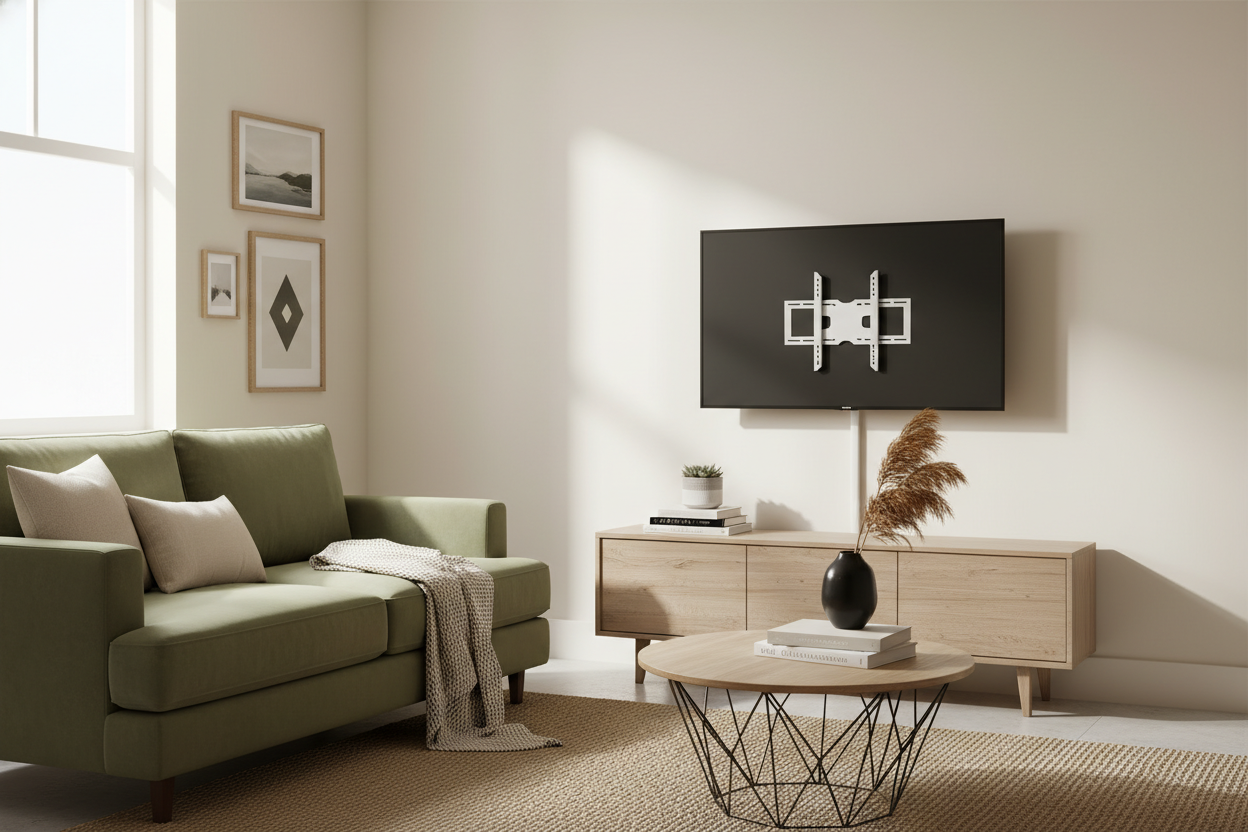
I spent three hours staring at my lease agreement like it was a restraining order for my power drill. My landlord, a guy who once tried to charge me fifty bucks for a scuff mark in the hallway, made it very clear: no holes in the plaster. But those wide, plastic 'chicken-feet' legs that come with modern 4K screens are an absolute eyesore. I needed the floating look, but I didn't want to lose my deposit, which is how I ended up down a rabbit hole searching for a small tv mount stand.
- Heavier bases (look for 8mm tempered glass or solid steel) are non-negotiable for stability.
- Center mounts solve the 'my TV is wider than my dresser' problem instantly.
- Cable management built into the spine is the difference between chic and a server room disaster.
- Always check your VESA pattern (the hole spacing on the back of the TV) before hitting 'buy.'
The 'No Drilling' Lease Clause That Ruined My Plans
When I first moved into my current place, I had grand visions of a gallery wall with a perfectly centered screen. Then I touched the walls. They’re that crumbly, 100-year-old plaster that turns into dust the moment a drill bit comes near it. Even if my landlord were cool with it, the wall itself probably wouldn't hold a 55-inch screen without a structural meltdown.
I started looking at traditional TV stands, but everything was so bulky. In a 600-square-foot apartment, a massive wooden console feels like a coffin for your living room. I needed something with a tiny footprint but high-end height. That is when I realized a small tv stand mount could give me the elevation I wanted without the structural commitment. It’s basically a heavy-duty pedestal that mimics the wall-mount experience.
How a TV Unit With Bracket Fakes the Built-In Look
There is a specific kind of 'visual clutter' that happens when a TV sits low on its factory legs. It cuts the room in half. By using a tv unit with bracket, you’re lifting the screen six to ten inches higher than a standard feet-mount would allow. That gap between the bottom of the TV and the surface of your furniture creates 'white space' that makes a small room feel significantly larger.
Switching to a center stand TV mount also fixes a major design flaw: the 'overhang.' Most modern TVs have legs at the very edges. If your dresser is 40 inches wide and your TV is 50 inches wide, those legs are going to hang off into thin air. A center mount tv stand puts all the weight on a single, heavy-duty point in the middle, meaning you can put a massive screen on a tiny vintage cabinet without it looking ridiculous.
Will a Cheap TV Mount Stand Actually Hold My Screen?
I’ll be honest: the first time I set up a cheap tv mount stand, I didn't sleep. I was convinced I’d wake up to the sound of $600 worth of glass shattering on the floor. But the physics are actually pretty simple. You aren't looking for fancy features; you're looking for base weight. A good small tv stand mount should have a base that weighs at least 10-15 pounds on its own.
If the base is made of thin, hollow metal, keep scrolling. You want 8mm thick tempered glass or a solid steel plate. I’ve tested stands where the 'neck' felt a bit wobbly, but as long as the VESA plate—the part that actually screws into the TV—is thick-gauge steel, it’s not going anywhere. Don't be swayed by brands you've never heard of; just look at the weight capacity. If your TV weighs 30 pounds, get a stand rated for 60. Over-engineering is your friend here.
Clamp TV Stands vs. Freestanding: Which Makes Sense?
If you’re working with a desk or a very thin console, a clamp tv stand is a tempting option. It frees up 100% of the surface area. However, most 'living room' furniture isn't built for clamps. I tried clamping a mount to an IKEA Lack unit once, and the hollow honeycomb paper inside the shelf just crushed under the pressure. It was a disaster.
For most renters, a freestanding center tv stand mount is the safer bet. It’s versatile. I’ve even seen people slide the base of a tall freestanding mount behind an existing black TV stand entertainment center. This allows you to keep the storage of the cabinet while the TV 'floats' at eye level behind it. It gives you the look of a high-end integrated unit without having to buy a whole new furniture set.
The Secret to Hiding Cords on a Bare-Bones Frame
The biggest downside to these minimalist stands is that there’s nowhere to hide the 'spaghetti.' When you have a single metal pole holding up a TV, the power cords and HDMI cables want to hang off the sides like vines in a jungle. It looks terrible if you don't manage it.
Most decent stands come with plastic clips along the back of the pole, but they are usually flimsy. My pro tip? Throw those away and buy a pack of black velcro ties. Wrap your cables tightly to the back of the center pillar. If the pillar is hollow, route them through the middle. If you do it right, the cables disappear behind the silhouette of the stand, and you maintain that clean, 'floating' aesthetic that made you want a mount in the first place.
FAQ
Will this stand wobble if I have a cat?
If you have a 'jumper,' go for a stand with a wider glass base. The weight of the TV actually helps stabilize the center of gravity, but a wide base prevents the whole thing from tipping sideways if a cat decides the top of the TV is a landing pad.
How do I know if it fits my TV?
Look for the 'VESA' size in your TV manual (e.g., 200x200 or 400x400). Almost every small tv mount stand is 'universal,' but they have limits on how wide the screw holes can be. Measure twice, buy once.
Are these hard to assemble?
It’s usually about six bolts. If you can put together a LEGO set, you can build one of these. Just make sure you have a second person to help you lift the TV onto the bracket once it's built.

Laisser un commentaire
Ce site est protégé par hCaptcha, et la Politique de confidentialité et les Conditions de service de hCaptcha s’appliquent.