


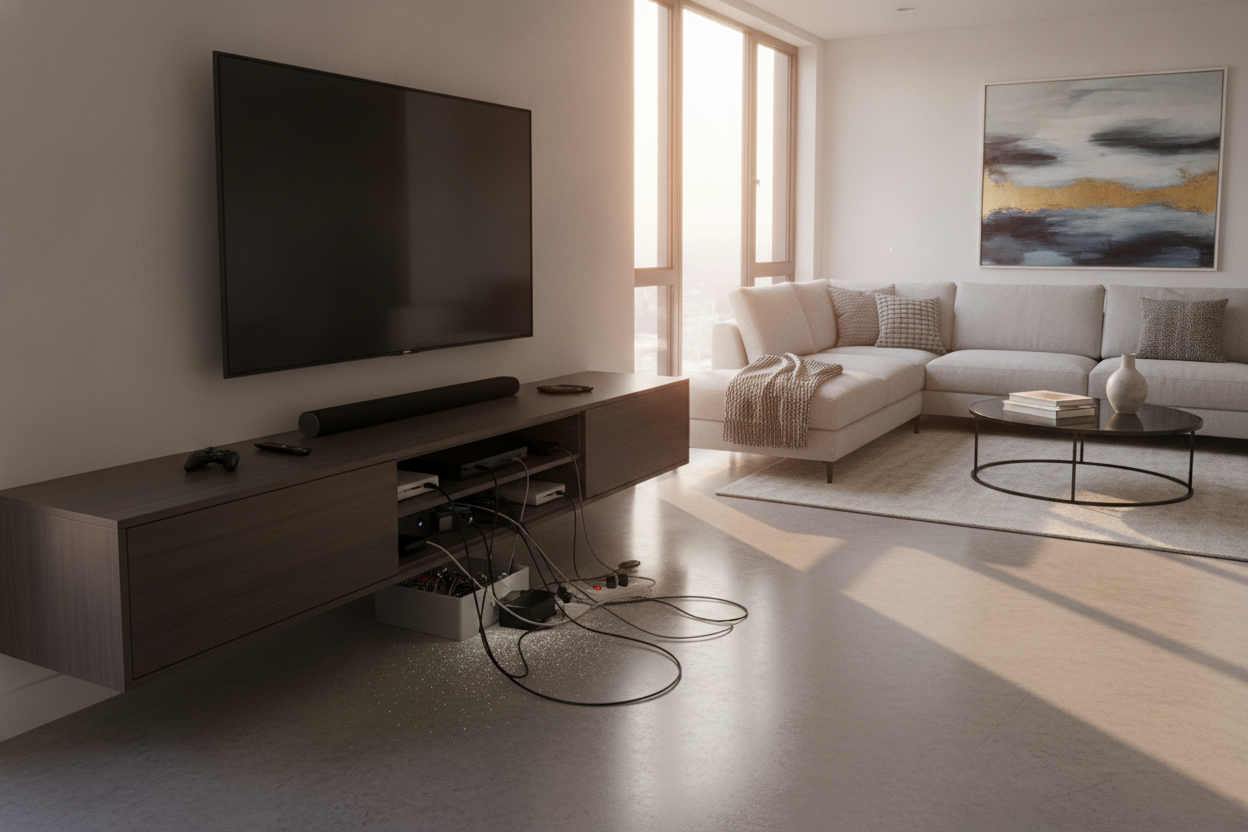
I spent three months hunting for the perfect contemporary tv stands 65 inch setup. I wanted that floating-in-air look you see on Pinterest where the only thing visible is a 4K image of a misty forest. Instead, I ended up with a gorgeous walnut slab and a literal 'spaghetti incident' of black rubber cables spilling out the back. It turns out, looking modern is easy; acting modern while tethered to seven different devices is the real challenge.
- Open shelving is a trap for anyone with more than one gaming console.
- Solid doors will overheat your tech unless there is proper ventilation.
- The best stands are at least 5-10 inches wider than the TV itself.
- Cable management isn't a luxury; it's a structural necessity.
The Catalog Illusion (And My Tangled Reality)
Product catalogs are liars. They show these contemporary tv stands for 65 inch tv setups in rooms with no outlets, no routers, and apparently, no electricity. In the real world, you have a soundbar, a PS5, a Nintendo Switch, and a streaming box. Each one of those needs a power cable and an HDMI lead.
When I finally unboxed my first minimalist console, I realized the 'sleek' design offered nowhere to hide my bulky surge protector. I was left with a high-end piece of furniture that looked like it was being strangled by a black octopus. If you're shopping for a 65-inch screen, remember that the screen itself is about 57 inches wide. If your stand is exactly 60 inches, it’s going to look cramped and top-heavy.
Why Minimalist Design is a Nightmare for Your Tech
The push for ultra-minimalist, open-shelf designs completely ignores how we actually live. I’ve seen people buy a minimalist modern tv stand for 55 inch tv thinking they could just 'be neat' with their wires. It never works. Dust loves open shelves, and wires love to tangle in the dark.
Most contemporary designs prioritize thin legs and airy silhouettes. That’s great for a magazine, but those thin legs can't hide a thick braided power cord running down to the floor. You end up taping wires to the back of the legs like a DIY project gone wrong. If you have more than two devices, 'open' is your enemy.
What to Look for in Contemporary TV Stands for 65 Inch TV Setups
You need depth and hidden volume. A 15-inch deep console is a joke for a modern receiver or a deep-set soundbar. I always tell friends to look for a modern tv stand with cabinets and drawers. Drawers are where the manuals and extra controllers go to die; cabinets are where the bulky power strips live.
Closed Storage That Still Breathes
Heat is the silent killer of expensive electronics. If you shove a gaming console into a sealed wooden box, it’s going to sound like a jet engine within twenty minutes. This is why I am a massive fan of slatted doors open shelves and cable management features. Slats allow the IR signal from your remote to pass through and, more importantly, let the hot air out while keeping the 'guts' of your system invisible.
Strategic Cutouts Over Wide-Open Backs
Avoid consoles with completely missing back panels. You think it makes cable management easier, but all it does is show off the dust bunnies and the beige wall behind the stand. You want a solid back with 2-inch grommet holes positioned specifically behind each shelf level. This lets you route cables internally from one device to another without ever seeing them from the front.
How to Fake the Cord-Free Look Without Sacrificing Your Gear
If you already bought a stand that’s a bit too 'open,' don't panic. Buy a pack of Velcro ties—never use plastic zip ties because you’ll inevitably need to swap a cable and have to cut them all off. I use heavy-duty command strips to mount my power strip directly to the interior 'ceiling' of the cabinet. It keeps the floor clear and makes vacuuming ten times easier.
My biggest mistake? Not measuring the height of my center-channel speaker before buying a stand with fixed shelf heights. I ended up having to leave the door off one side, which totally ruined the symmetry. If you're still in the hunting phase, browse our full collection of tv stands to find one that actually accounts for real-world hardware dimensions.
FAQ
How wide should a stand be for a 65-inch TV?
Your TV is about 57 inches wide. I recommend a stand that is at least 70 inches wide. This gives you room for a lamp or small speakers on the ends without the screen looking like it's falling off a cliff.
Will my remote work through wooden doors?
Not if they are solid. You either need a stand with glass inserts, slatted doors, or you'll need to install an IR repeater kit, which is just one more wire to hide.
Is a floating TV stand better for cable management?
Only if you run the wires through the wall. If you have a floating stand and five wires hanging down to the baseboard, it looks worse than a traditional console.

Laisser un commentaire
Ce site est protégé par hCaptcha, et la Politique de confidentialité et les Conditions de service de hCaptcha s’appliquent.