



Understanding Height Adjust Desk Architecture and Lifting Mechanics
Selecting a height adjust desk requires understanding how structural frames accommodate dynamic movement throughout a workday. Modern adjustable desks rely on telescoping legs, internal mechanical drives, and stable base geometry to raise and lower work surfaces smoothly. A flexible computer desk setup allows users to transition between sitting and standing postures while supporting computing hardware, peripheral devices, and writing tools.
When planning a modern setup, matching your desk geometry with hardware arrangements discussed in our desktop computer working guide helps maintain clean sightlines and functional wire management. The core mechanism of a telescoping standing desk typically consists of multi-stage column segments that nest within one another. Two-stage columns provide practical vertical travel suitable for standard adult ranges, while three-stage columns offer broader extension envelopes that accommodate both lower seated positions and elevated standing requirements. A balanced multi height desk design relies on precision machining inside the leg columns to prevent mechanical binding during transit.
Single vs. Dual Motor Electric Rising Computer Desk Frames
An electric rising computer desk utilizes motorized drive units integrated directly into the structural columns or mounted along an under-desk transmission rod. Frame architectures generally fall into single-motor or dual-motor categories:
- Single-motor systems: Utilize a single central motor connected via a hex drive rod to transfer rotational force across both lifting columns. These frames offer a practical, lightweight approach for compact desktops with modest equipment loads.
- Dual-motor configurations: Place an independent motor inside each telescoping column, synchronized via an electronic control box. This setup delivers balanced lifting torque, consistent vertical tracking, and dependable operation across wider surface spans.
Units equipped with an advanced height control desk handset allow users to program preferred sitting and standing heights into memory presets, eliminating the need to manually adjust alignment every session. An electric study table or work desk with digital controls can simplify routine transitions for multiple household users. For versatile everyday workstations, options like the adjustable height standing product offer convenient motorized adjustment and programmable memory interfaces for dedicated home offices.
Enclosed, Extendable, and High Table Workstation Variations
Beyond open two-leg frames, alternative furniture profiles address distinct architectural and aesthetic preferences:
- Enclosed standing desk designs: Feature integrated modesty panels, side acoustic baffles, or partial perimeter cabinetry that obscure hardware beneath the desktop while maintaining an organized aesthetic. Homeowners balancing open-concept decor may also consult our computer desk office guide for concepts on concealing primary workstations.
- Extendable standing desk surfaces: Incorporate sliding return sections or expandable frame rails, allowing you to widen the overall footprint as your equipment inventory grows.
- High table workstation models: Emphasize stationary elevated perches paired with drafting-height seating, creating flexible drop-in zones in shared family rooms or studio environments.
Sit Stand Desk Dimensions and Spatial Clearance Planning
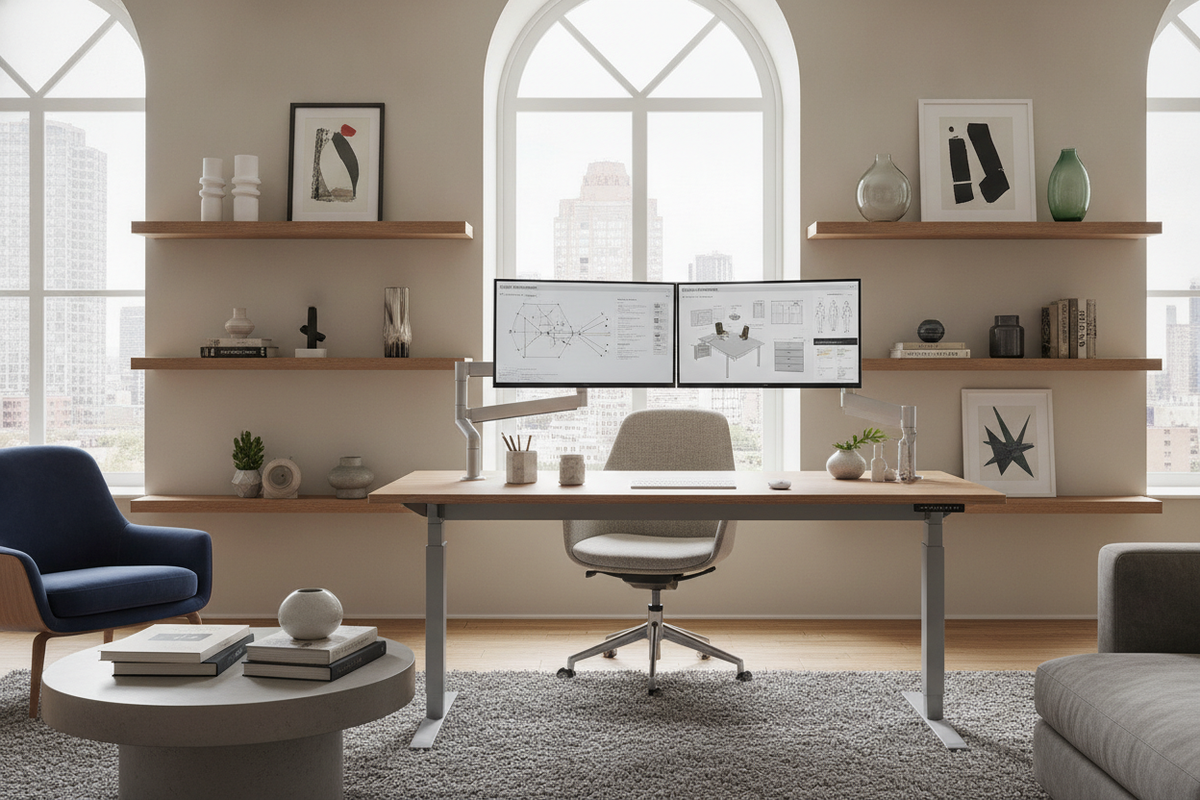
Careful evaluation of sit stand desk dimensions ensures that dynamic movement does not interfere with surrounding architecture, wall decor, or neighboring storage pieces. An effective height adjustable desk for home office layouts must account for dynamic vertical travel envelopes as well as static floor footprints.
When establishing perimeter clearances for a home office desk height adjustable station, consider these spatial factors:
- Vertical clearance: Ensure wall-mounted shelving, artwork, window sills, and hanging lighting fixtures remain positioned well clear of monitors when the desk is fully elevated.
- Wall setback: Maintain a small gap between the rear desktop edge and the wall to prevent monitor arm clamps or surface edges from scraping drywall during height transitions.
- Side and walkway clearance: Allow ample pathway space around the perimeter so elevated desk corners do not impede room circulation.
Compact Study Nooks vs. Executive Spans
Workstation surfaces should match the functional requirements of the user and the available floor area:
- Compact Study Desks: A dedicated height adjustable study table or compact adjustable working desk for home environments typically features narrower widths and depths, making it suitable for bedroom alcoves, dorm spaces, or dedicated study nooks supporting a laptop and notebook.
- Executive Workstation Spans: Broad desks designed for heavy commercial and multi-display tasks, such as the height adjustable standing product, provide extensive surface area for triple monitors, desktop audio interfaces, and physical reference binders. An office furniture height adjustable desk with a wide top provides ample separation between active work gear and reference materials.
Surface Top Materials, Stability, and Dynamic Load Balancing
The top surface and structural cross-members define the tactile durability and anti-wobble characteristics of an adjustable office table desk. Because adjustable desks rest on two or three vertical columns rather than four fixed corner posts, structural geometry directly influences rigidity at standing heights.
When evaluating an adjustable desktop desk, consider the relationship between tabletop materials and underlying support hardware:
- Solid Wood and Veneered Cores: Deliver substantial mass and classic furniture aesthetics, helping dampen minor vibrational transfer from typing.
- High-Density Engineered Wood and Laminates: Offer resilient, warp-resistant surfaces with easy-to-clean finishes that withstand daily office wear.
- Under-Desk Crossbars and Foot Length: Extended floor feet combined with sturdy top-support brackets minimize front-to-back rocking, while broad frame telescoping rails resist lateral sway when elevated.
- Dynamic Load Distribution: Distributing heavy monitor arms, desktop towers, and printer units evenly across the frame preserves smooth vertical motor operation and prevents localized frame stress.
Integrating Storage, Cable Routing, and Surrounding Office Furniture
Because a height adjust desk travels vertically, traditional fixed under-desk storage units require thoughtful repositioning. Integrating modular storage elements alongside mobile components preserves ergonomic freedom while keeping office essentials organized.
Explore complementary storage solutions across the office study collection to coordinate matching filing cabinets, modular shelving, and credenzas alongside your motorized workstation. Key integration techniques include:
- Under-Desk Cable Management Trays: Securing power strips, power bricks, and excess wiring directly to the underside of the desktop ensures that only a single main power cable moves during elevation changes.
- Flexible Cable Spines and Sleeves: Enclosing hanging cords in an articulated vertical cable spine prevents wires from snagging on adjacent furniture or pulling taut at standing heights.
- Mobile Pedestals and Low Credenzas: Placing low-profile mobile drawer units beneath or beside the frame ensures your work surface can lower completely without colliding with drawer tops.
- Surrounding Modular Bookcases: Positioning tall storage units alongside the desk perimeter maintains quick access to reference materials while allowing unobstructed vertical motion for the central work surface.


Laisser un commentaire
Ce site est protégé par hCaptcha, et la Politique de confidentialité et les Conditions de service de hCaptcha s’appliquent.