



Why Desktop Depth Matters: The Case for Desks 30 Inches Deep
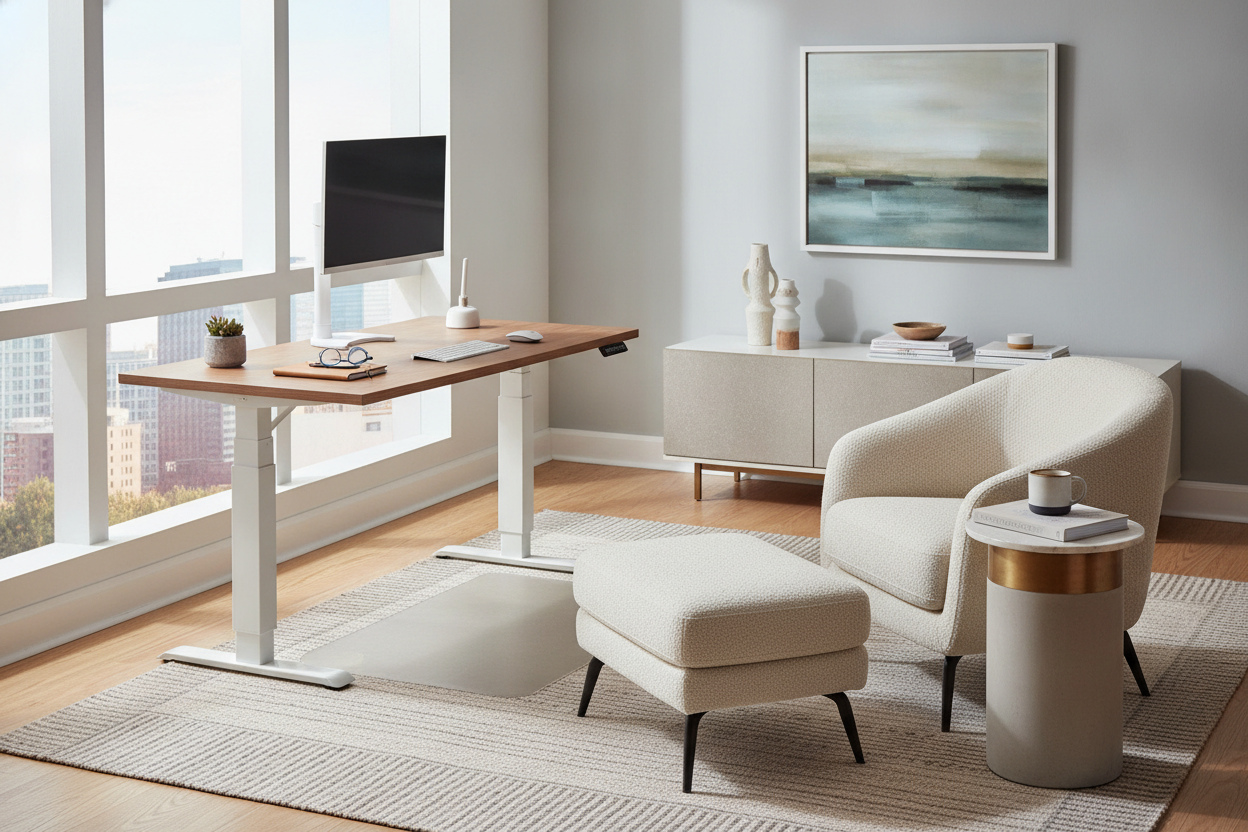
When planning a home workspace or professional study, tabletop width often receives the most attention, yet depth dictates how comfortable and versatile a workstation truly feels day to day. Standard compact surfaces can crowd hardware against your seating area, forcing screens and input devices into narrow footprints. Selecting desks 30 inches deep introduces significant functional real estate, allowing you to separate primary input peripherals from screens and analog paperwork. Exploring a versatile computer desk collection reveals that extra depth transforms a flat surface from a basic perch into a layered command center with room for comfortable arm support and ample knee clearance beneath.
Surface Architecture: Dividing a 30-Inch Deep Tabletop into Functional Zones
A broad surface functions best when organized into distinct horizontal tiers. A 30 inch deep desk provides enough front-to-back distance to create structured workflow layers without requiring you to constantly shift items out of the way.
The Primary Reach Zone: Keyboard, Mouse, and Immediate Active Work
The front boundary of a 30" deep desk serves as your immediate tactile touchpoint. Because the total depth is expansive, you can position your mechanical keyboard, mouse pad, or wrist rest slightly inward while still leaving comfortable forearm support along the desktop edge. This setup helps prevent cramped elbows and supports natural posture during typing and navigation.
The Intermediate Zone: Reference Material, Analog Writing, and Secondary Devices
The central strip of a 30" depth desk provides an adaptable transition area. In shallower furniture, placing a paper notebook, tablet, or sketch pad requires moving your keyboard aside. On a desk 30 deep, this intermediate tier remains open for physical note-taking, open reference books, audio mixers, or drawing tablets without interrupting your digital setup.
The Horizon Zone: Heavy Displays, Monitor Arms, and Peripheral Docking
The rear boundary of a 30 depth desk is dedicated to hardware support, cable management, and display placement. Keeping large monitors positioned further back preserves natural viewing angles and leaves open tabletop space beneath displays for desktop speakers, docking stations, or accent lighting.
Matching 30-Inch Depth Desks to Specific Workstation Use Cases
Different daily workflows benefit from the generous footprint of a 30 inch depth desk, particularly configurations involving expansive digital equipment or multi-disciplinary tasks.
Multi-Monitor and Ultra-Wide Display Setups
Users pairing multiple widescreen displays or oversized curved screens often find shallower tables restrictive. A 30 in deep desk or a dedicated 30 deep computer desk provides the necessary physical distance so wide displays do not overwhelm your field of view. Substantial depth also offers a secure clamping base for heavy articulated monitor arms. When configuring complex multi-screen stations, versatile options such as an office computer desk product can provide generous surface areas alongside structured storage compartments.
Hybrid Analog-Digital Workstations
Creative professionals, architects, students, and researchers frequently switch between screens and physical media. A 30" deep computer desk or an office desk 30 inches deep accommodates graphic tablets, open textbooks, material samples, and drafting tools without forcing sensitive electronics to the perimeter.
Integrated Storage and Clearance: Choosing a 30-Inch Deep Desk with Drawers
Incorporating built-in storage requires careful spatial balance so the furniture provides utility without restricting seated comfort.
Pedestal Drawers vs. Suspended Storage Modules
When selecting a 30 inch deep desk with drawers or a 30-inch deep desk with drawers, examine drawer extension and depth. Deeper pedestals take full advantage of the furniture footprint to house files, tech accessories, and office supplies. To keep these compartments orderly, consult a practical desk drawers office guide for tray partitioning ideas. For larger executive layouts, a comprehensive computer desk product with integrated cabinetry balances open leg space with enclosed storage.
Maintaining Seated Mobility and Knee Travel
Deep desks provide outstanding lower-body clearance, allowing tall users to stretch their legs comfortably and accommodate footrests or under-desk cable troughs. When choosing drawer pedestals, ensure the central knee well remains wide enough for smooth chair swivel and natural posture shifts throughout the day.
Room Planning and Floor Clearance for Deep Workstations
Because a computer desk 30 inches deep occupies more room volume than standard tables, floor clearance planning is essential.
Wall-Facing vs. Floating Layouts
Placing a deep workstation against a wall anchors the room and simplifies perimeter cable management. Alternatively, in larger home offices, floating the desk toward the center creates an open executive feel. For tighter quarters where open floor space is limited, reviewing a computer desk office guide can help you evaluate whether enclosed or convertible workstations better suit your room boundaries.
Traffic Lane and Chair Pushback Allowances
Always measure the perimeter around the desk footprint to preserve natural walkways. Leave ample clearance behind the seating edge so task chairs can glide back smoothly without colliding with walls, credenzas, or doorways.
Structural Rigidity, Frame Types, and Materials for Deep Desktops
A broader desktop requires robust structural engineering to resist surface sagging over time. Look for thick engineered wood or solid composite panels supported by full-length steel under-frame rails or dual-beam leg assemblies. Sturdy leg construction prevents side-to-side sway, ensuring heavy desktop hardware remains stable during intense typing and daily use.
Step-by-Step Decision Checklist for Selecting Your 30-Inch Desk
- Display Distance: Confirm the 30-inch depth provides adequate visual comfort for your screen size and monitor arm mounting bracket.
- Storage Configuration: Decide between open leg frames, under-hung drawers, or full-depth side pedestals based on your storage needs.
- Room Pathways: Verify that adding a deep desktop preserves clear traffic lanes and chair pushback clearance.
- Cable Organization: Look for integrated grommets, rear notches, or modesty panels designed to route cords neatly across the back edge.
- Material Durability: Choose scratch-resistant, sturdy desktop surfaces capable of supporting heavy computing gear and daily paperwork.


Laisser un commentaire
Ce site est protégé par hCaptcha, et la Politique de confidentialité et les Conditions de service de hCaptcha s’appliquent.