


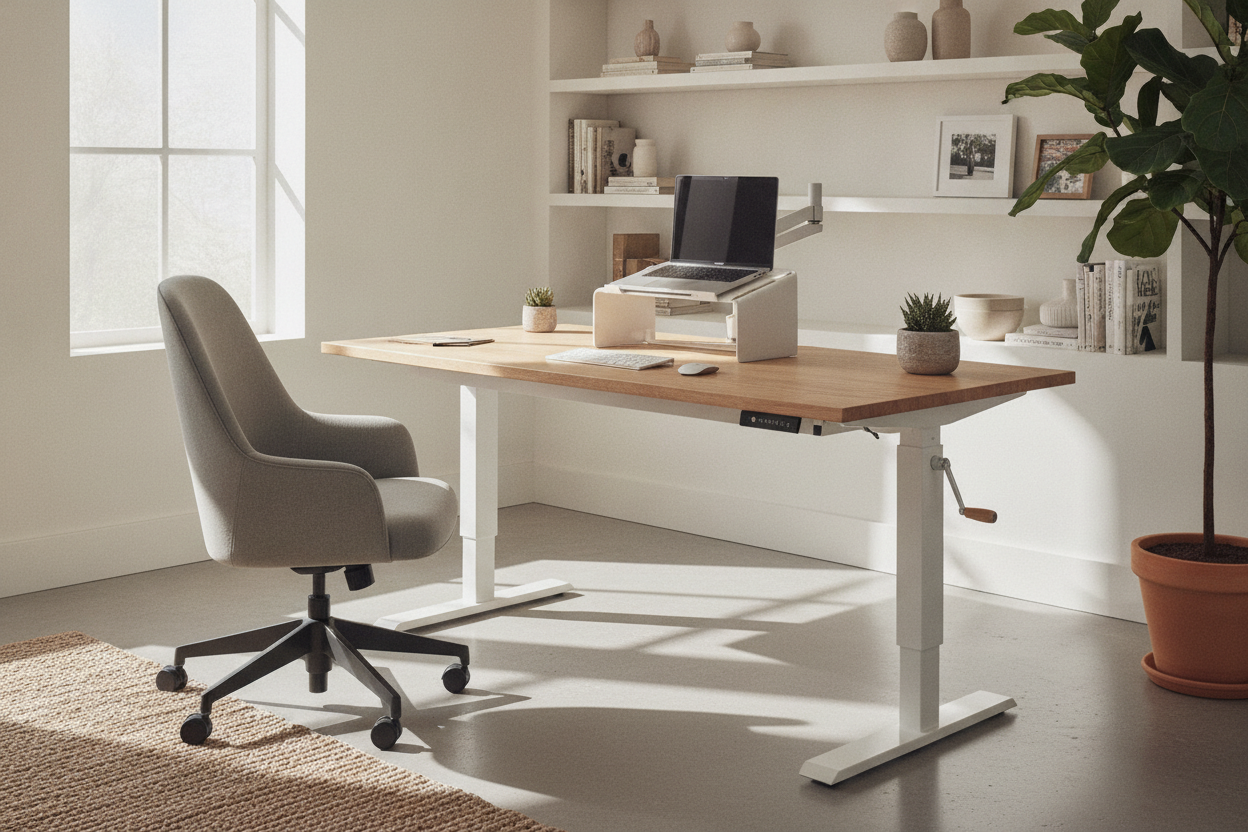
I once had the dubious honor of outfitting a 20-person startup office with a budget that wouldn't have covered a single designer ergonomic chair. I spent three weeks staring at spec sheets, reading frantic Reddit threads, and eventually assembling a small army of motorized frames in a windowless office. It taught me one thing: the best budget standing desk isn't the one with the most buttons; it's the one that doesn't feel like a Jenga tower when you actually start typing.
Searching for the best affordable standing desk is a minefield of 'sponsored' reviews and glossy renders. Most people get distracted by touchscreens and built-in USB-C ports. I’m here to tell you to ignore all of that. If the desk can't hold your coffee steady at 42 inches high, the fancy LED display is just a glowing reminder of a bad purchase. You need a frame that prioritizes steel over software.
Quick Takeaways
- Frame weight is more important than motor speed; heavy steel keeps you stable.
- Avoid 'single-stage' legs if you are over 5'10' or use heavy monitor arms.
- Dual motors are nice, but a high-quality single motor beats a cheap dual motor every time.
- Skip the app connectivity—you will never use it after the first forty-eight hours.
Why 'Cheap' Usually Means 'Wobbly'
When a manufacturer tries to sell a desk for under $200, they have to cut corners somewhere. Usually, that’s the steel thickness. A lightweight frame is easy to ship, but it's a nightmare for your monitors. If you’ve ever seen a screen vibrate every time you hit the 'Enter' key, you know exactly what I’m talking about. It’s not just annoying; it’s a recipe for a headache by 3 PM.
I’ve found that I Tested the Internet's Best Rated Standing Desk (And Have Notes) and realized that even the darlings of social media can feel flimsy at their maximum height. The secret is looking at the shipping weight. If the whole box weighs 40 pounds, that desk is going to sway. You want a frame that uses heavy-duty T-style legs with wide feet to anchor the center of gravity. Manufacturers often use thinner gauge steel to save on shipping costs, but that thin metal flexes under the weight of a monitor arm, leading to that dreaded side-to-side shimmy.
Stability also comes down to the tolerances in the leg columns. Cheap desks have significant 'play' between the telescoping segments. When the desk is at its lowest, it feels fine. But as you extend those legs to standing height, that tiny gap in the metal becomes a pivot point for wobbling. Don't be fooled by a desk that feels solid in the showroom; you need to see it fully extended before you trust it with your hardware.
The Features You Should Immediately Ignore
Marketing teams love to talk about 'smart' features because they distract you from the actual lift mechanism. Do you really need a desk that connects to your Wi-Fi? No. Do you need a built-in USB port that charges at a glacial pace? Absolutely not. These are $5 parts added to justify a $50 markup. Every dollar spent on an integrated LED strip or a Bluetooth app is a dollar that wasn't spent on the motor or the bearings.
Presets are the only 'extra' actually worth considering, but only if the base is solid. There are times when an Adjustable Height Standing Desk With Electric Lift System 54 Desk With Memory Presets makes sense because it saves your lower back the hassle of manual tweaking. It allows you to hit one button and walk away while the desk does its thing. However, if you’re on a strict budget, I’d rather have a rock-solid manual crank desk than a motorized one with a screen that glitches out after six months. I've seen too many 'smart' controllers die, leaving a desk permanently stuck in the sitting position.
Also, ignore 'collision detection' on ultra-cheap models. On high-end desks, it’s a safety feature. On budget desks, it’s often so poorly calibrated that the desk will stop moving if you just have a heavy coffee mug on the corner. It becomes a nuisance rather than a feature. Focus on the raw lifting power and the warranty of the motor itself. If the company doesn't stand by the motor for at least three years, they know it's a disposable part.
The Only 3 Specs That Actually Keep a Desk Stable
First, look at the leg stages. A three-stage leg (three telescoping sections) is almost always more stable and has a wider range of motion than a two-stage leg. It allows the desk to go lower for sitting and higher for standing without the segments becoming too thin at the top. This is crucial if you are particularly tall or short, as two-stage legs often have a 'dead zone' where they aren't quite ergonomic for either position.
Second, check the crossbar. Some budget desks skip the crossbar entirely to look 'minimalist,' but that’s a recipe for lateral wobble. A structural bar connecting the two legs prevents the desk from leaning left or right. Third, check the lift capacity. If you have an ultra-wide monitor or a heavy PC tower, you need a motor that isn't straining. For a massive 71 W Height Adjustable Standing Desk, you really should be looking at dual-motor systems to ensure the weight is distributed evenly across the frame. A single motor trying to pull up a 71-inch desktop is going to wear out fast.
Don't overlook the feet, either. Longer feet provide a better 'lever' against front-to-back tipping. If the feet are less than 20 inches deep, the desk is going to feel tippy, especially if you use a monitor arm that shifts the weight toward the back of the desktop. I always look for a frame where the feet are nearly as deep as the desktop itself.
When to Skip the Motor Entirely
Here is the hard truth: if your budget is under $150, you probably shouldn't buy a motorized desk. The motors at that price point are notoriously unreliable, and the warranty is usually non-existent. You are better off investing that money into a high-quality, fixed-height Writing Computer Desk that won't sag in the middle. You can always add a standing desk converter later when you have the funds for something that won't break.
I’ve seen too many people buy a 'deal' only to have the motor burn out while the desk is stuck at an awkward 38-inch height. If you can't afford a frame with a decent warranty, stick to a solid table. Your gear is too expensive to trust to a bargain-bin motor. A high-quality static desk gives you a much better surface for cable management and heavy accessories than a cheap, vibrating motorized frame ever will.
My Personal Desk Disaster
In 2019, I bought a $180 'top-rated' desk from a brand I’d never heard of. It looked great for two weeks. Then, I added a dual-monitor mount. The extra 15 pounds caused the motor to whine like a jet engine every time I stood up. Eventually, the left leg stopped moving entirely, leaving my workspace at a permanent 15-degree tilt. I had to prop it up with a stack of old textbooks just to finish my shift. I learned then that 'cheap' is often the most expensive way to buy furniture because you end up buying it twice.
FAQ
Is a single motor desk enough?
Yes, for a standard laptop and one monitor. If you have a heavy setup or a desktop over 60 inches, you'll want the power of dual motors to keep the lift smooth and level without burning out the hardware.
How do I stop my desk from wobbling?
Tighten every bolt every six months. Vibrations from the motor and daily use naturally loosen the hardware. Also, make sure your desk is on a hard surface or use furniture cups if it's on thick carpet.
Are manual crank desks better?
They are significantly more reliable at lower price points. There’s no motor to burn out and no electronics to fry. If you don't mind 30 seconds of 'exercise' to change heights, they are a great budget hack for a stable workspace.

Laisser un commentaire
Ce site est protégé par hCaptcha, et la Politique de confidentialité et les Conditions de service de hCaptcha s’appliquent.