


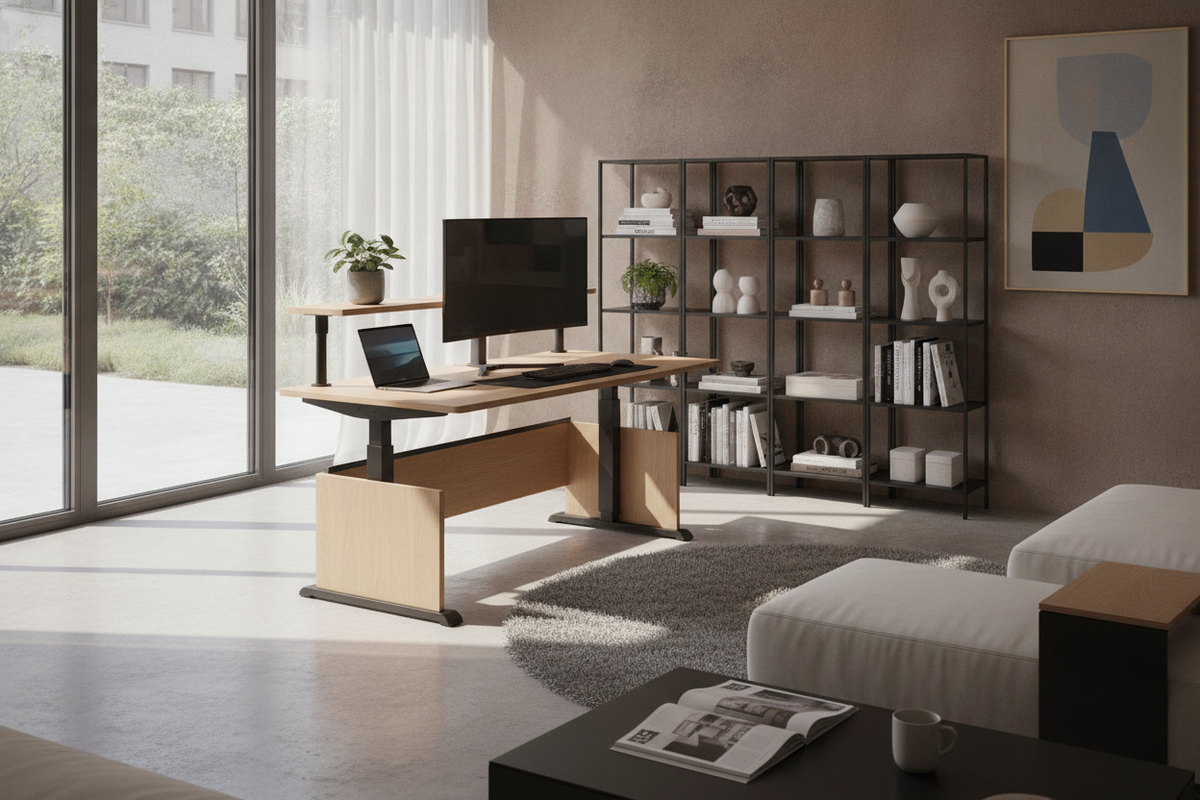
Understanding the Adjustable Computer Desk: Core Formats and Mechanisms
Selecting an adjustable computer desk involves balancing mechanical operation, structural rigidity, and room layout. Unlike static workstations, an adjustable frame introduces dynamic vertical movement into a room, requiring clear operational space above, below, and around the perimeter.
Dynamic desks generally fall into distinct operational categories. Electric motorized frames use telescoping column legs driven by integrated motors to raise and lower the worksurface smoothly. Manual crank systems provide height flexibility without requiring access to an electrical outlet, making them versatile for freestanding placements in open rooms. Pneumatic gas-lift frames utilize pressurized counterbalance cylinders for quick adjustments, often found in compact or mobile workstation models. Exploring a comprehensive computer desk collection helps clarify which mechanical format suits your daily workflow and aesthetic preferences.
When planning for a computer desk adjustable frame, you must also consider split-top surface models. These split designs keep a portion of the desk fixed for task lighting or beverages while allowing the primary monitor and keyboard section to rise independently.
Dimensional Categories and Spatial Clearance Planning
Proper workspace planning requires understanding how dynamic furniture interacts with surrounding architecture. Before setting up adjustable tables for computers, evaluate the full range of vertical motion against wall sconces, floating shelves, window sills, and nearby door swings. For additional layout advice on avoiding common spatial missteps, review our computer desk guide to ensure seamless placement.
Compact Footprints for Nooks and Multi-Purpose Rooms
In smaller rooms, guest bedrooms, or alcoves, compact dynamic tables provide flexible utility without dominating the floor plan. When positioning a compact desk in a tight corner, account for wall clearances. Ensure the desktop edge maintains a slight gap from drywall to prevent scuffing as the surface raises and lowers during routine adjustments.
Standard and Wide-Span Workstations for Multi-Display Setups
Larger home offices often require wider frame spans capable of supporting multi-monitor arms, computer towers, desktop audio monitors, and peripheral accessories. Wide-span frames distribute weight across reinforced crossbars and wider footplates, which reduces side-to-side wobble when elevated. Ensuring sufficient desktop depth is equally vital to maintain comfortable viewing distances from larger screens.
Multi-Tier Surfaces and the Role of an Adjustable Reading Table
Modern workspaces frequently accommodate tasks beyond standard keyboard input, including sketching, reviewing printed documents, or crafting. Integrating an adjustable reading table or a desk equipped with a tilting section creates versatile angles that reduce neck flexion during long reading or drafting sessions.
Some multifunctional rooms benefit from hybrid dynamic pieces. For example, selecting a dedicated desk adjustable product that combines storage, surface adaptation, and specialized mirrors can serve both personal grooming and administrative tasks in studio apartments or boutique dressing areas.
- Flat primary surface: Holds computer displays, laptop docks, and input peripherals securely.
- Articulating or tilting segment: Functions as a dedicated reading easel or drafting plane.
- Integrated lip or ledge: Prevents notebooks, tablets, and pens from sliding off angled surfaces.
Storage Strategies: Bridging Dynamic Frames and Static Cabinets
One structural challenge with an adjustable workstation is the natural limitation on integrated under-desk cabinetry. Because the entire desktop shifts elevation, fixed full-height pedestals cannot be permanently attached beneath the frame without blocking downward movement.
To maintain an organized home office, balance your dynamic desk with coordinated secondary storage. Pairing an open frame with a freestanding desk computer product or a dedicated credenza provides deep drawer capacity for files and stationery. If you prefer keeping technology concealed when not in work mode, our computer desk guide details how enclosed cabinetry and tall armoires can complement an active workstation setup.
Mobile drawer units on casters offer another flexible solution, allowing under-desk docking when the workstation is elevated, and effortless roll-out relocation when lowering the desk to standard seated height.
Material Durability, Cable Architecture, and Stable Assembly
The longevity of an active desk depends on construction materials and careful assembly. Heavy-gauge steel legs paired with rigid top surfaces provide stable performance over years of elevation changes. In my view, proper initial assembly and torque-checking on every structural bolt make the single biggest difference in long-term frame rigidity.
Cable architecture is equally essential on an adjustable frame. Because the desktop moves continually, power cords and display cables must feature sufficient slack loops. Fasten cords to an under-desk cable management tray and bundle them through flexible articulated spines or cable sleeves down to a surge protector. This prevents snagged wires, bent connectors, or tipping equipment when transitioning between seated and standing positions.


Laisser un commentaire
Ce site est protégé par hCaptcha, et la Politique de confidentialité et les Conditions de service de hCaptcha s’appliquent.