


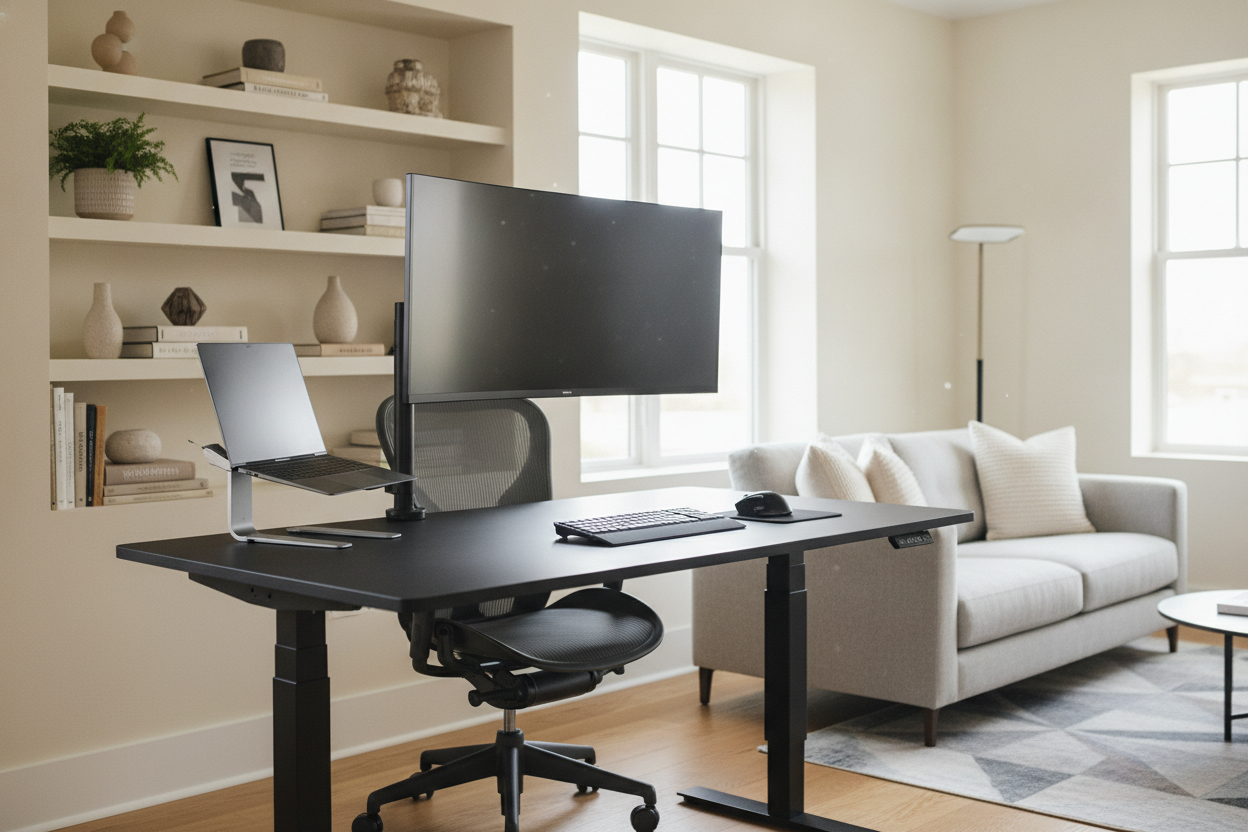
I remember the first time I set up a standing desk for computer work in my home office. I was so excited to stop slouching that I bought the cheapest motorized frame I could find on a flash sale. Three days later, I was trying to join a Zoom call while my dual-monitor setup swayed like a palm tree in a hurricane every time I typed a single sentence. It was embarrassing, distracting, and a total waste of $300.
The truth is that most motorized desks are built to hit a price point, not to support the heavy, off-center weight of a modern workstation. If you are serious about a computer standing desk, you have to look past the pretty desktop finishes and dive into the unsexy mechanical specs that actually keep your monitors from nose-diving into your lap.
Quick Takeaways
- Weight Capacity: Look for at least 250 lbs to account for heavy desktops and monitor arms.
- Dual Motors: Avoid single-motor systems; they are slower, louder, and prone to uneven lifting.
- Crossbar Stability: A physical bar between the legs is the only real way to kill the 'wobble' at max height.
- Leg Stages: Three-stage legs offer more range and better stability than two-stage versions.
Why Most Sit-Stand Desks Feel Like Earthquakes
We’ve all seen the ads: a smiling person standing perfectly still at a pristine, white desk. What they don't show is the 2-inch sway that happens the second you actually start working. When you extend a desk to 45 inches or higher, physics starts working against you. If the frame isn't built like a tank, your typing vibrations travel straight up the legs and amplify through your monitor arms.
I’ve found that a shaky desk doesn't just ruin your focus; it actually makes you stand less. You’ll find yourself lowering the desk just to get some stability so you can actually think. This constant adjustment often leads to the very fatigue we're trying to avoid. As I've noted before, you should Stop Trying to Stand at Computer Desk Workstations All Day, but when you do stand, that surface needs to be rock solid. A true pro-grade desk shouldn't feel like a folding table.
Spec 1: The 'True' Weight Capacity (Don't Forget Your Monitors)
Marketing teams love to brag about a 150-pound lift capacity. That sounds like a lot until you do the math. A solid 60-inch wood desktop can easily weigh 60 to 80 pounds. Add two 27-inch monitors, a heavy-duty dual-arm mount, a mechanical keyboard, and your oversized coffee mug, and you are suddenly red-lining that motor every time you hit the 'up' button.
Unlike a traditional Writing Computer Desk that just has to sit there and hold weight, a motorized frame is actively fighting gravity. When a motor is maxed out, it gets loud, it gets jerky, and eventually, it just dies. I always tell people to look for a frame rated for at least 225-250 lbs. This overhead ensures the motors aren't straining, which significantly extends the life of the electronics. If you have a heavy PC tower sitting on the desk surface rather than the floor, that high weight capacity becomes non-negotiable.
Spec 2: Dual Motors vs. Single Motors (The Lifespan Factor)
If you see an adjustable standing computer desk for under $200, it almost certainly has a single motor. These systems use a hex rod that runs through the center of the desk to turn the leg on the opposite side. It’s a mechanical nightmare. The rod can slip, the legs can get out of sync, and you’ll end up with a desk that is permanently tilted at a 3-degree angle.
I much prefer an Adjustable Height Standing Desk With Electric Lift System that utilizes dual motors. In this setup, each leg has its own dedicated motor hidden inside the column. This allows for a much smoother, quieter lift. More importantly, dual motors handle uneven loads much better. If your heavy PC is on the right side and your monitors are centered, a dual-motor system can balance that torque without burning out. In my experience, single-motor desks usually start groaning after 12 months of daily use, whereas a good dual-motor rig can last a decade.
Spec 3: The Crossbar (Your Secret Weapon Against Wobble)
This is the most controversial spec in the furniture world because crossbars are 'ugly.' Minimalist designers hate them because they break up the clean lines under the desk. But if you want a stand computer desk adjustable enough for a tall person, you need lateral stability. Without a crossbar connecting the two legs, the only thing preventing the desk from swaying left-to-right are the screws holding the legs to the desktop.
If you hate the look of a traditional crossbar, look for 'wedge' designs or legs that are noticeably thicker at the base (inverted orientation). However, for anyone over 6 feet tall, a physical crossbar is the only way to guarantee a wobble-free experience at full extension. I’ve tested 'T-style' legs and 'C-style' legs, and while the C-style gives you more knee room, they are notoriously more prone to front-to-back shaking. If you're an aggressive typer, don't skip the structural support.
Finding One That Doesn't Look Like Office Supply Store Leftovers
You don't have to settle for a workspace that looks like a cubicle farm just to get these specs. The secret is to buy the frame and the top separately. You can find heavy-duty, dual-motor frames in matte black or industrial grey and pair them with a beautiful piece of reclaimed walnut or even a live-edge slab. This gives you the mechanical power of a commercial workstation with the soul of a custom piece of furniture.
I spent months on My Hunt for an Industrial Adjustable Standing Desk That Doesn't Look Cheap, and the biggest lesson I learned was that the 'all-in-one' kits usually compromise on the desktop quality. By sourcing a high-spec frame first, you ensure the 'guts' of your office are built to last, leaving you free to obsess over the aesthetics of the wood on top.
FAQ
Do I really need a dual-motor desk?
If you have more than one monitor or a desktop larger than 48 inches, yes. Single motors are underpowered for heavy modern gear and tend to fail much faster under load.
How do I stop my standing desk from wobbling?
Check your floor first—most desks have leveling feet. If it's still shaking, it's likely a lack of a crossbar or thin leg columns. Pushing the desk against a wall can help, but a structural crossbar is the real fix.
Is a 1-inch thick desktop enough?
For most setups, yes. However, if you are using a heavy monitor arm that clamps to the back, a 1-inch MDF top might crack over time. I recommend at least 1.25 inches for solid wood or high-quality plywood to ensure the clamp doesn't damage the surface.


Laisser un commentaire
Ce site est protégé par hCaptcha, et la Politique de confidentialité et les Conditions de service de hCaptcha s’appliquent.