


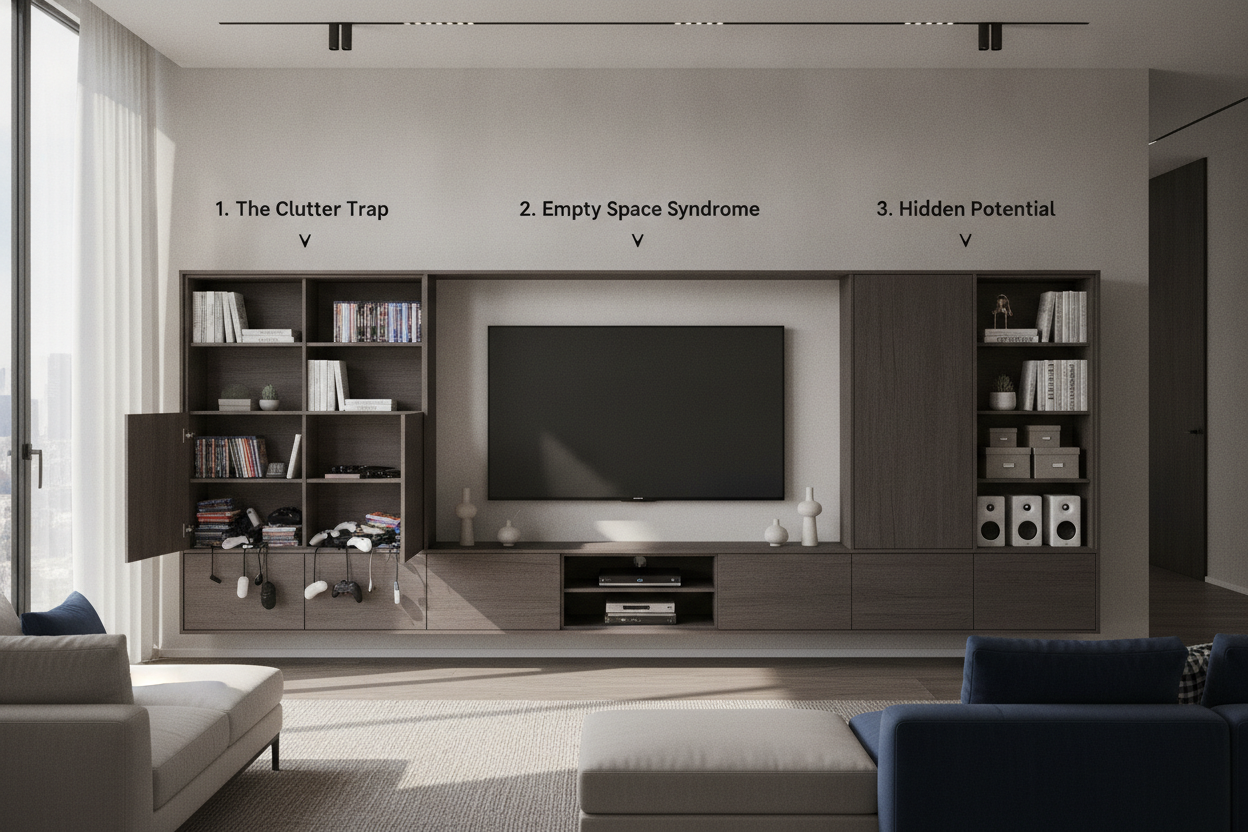
I have spent far too many Saturday nights staring at a $1,500 walnut sideboard, wondering why my living room still looks like a server room exploded in it. We spend months researching the perfect OLED panel, but when it comes to the piece of furniture that actually holds the thing, we usually just buy whatever looks good on Pinterest. That is a mistake. If you are currently upgrading your living room storage, you need to stop thinking about furniture and start thinking about infrastructure.
The 'Sleek Console' Illusion
We have all been there. You see a piece of media entertainment furniture that is barely 12 inches deep with spindly legs and zero visible holes. It looks incredible in a minimalist showroom. Then you get it home, try to shove your PS5, a cable box, and a mesh router inside, and realize the doors won't shut. Suddenly, your high-end entertainment console furniture is a graveyard of tangled black plastic and blinking lights.
The illusion of the 'sleek console' is that it can hide everything without providing the volume to do so. Most modern electronics are deeper than they used to be, and they run hotter. If you buy a cabinet based purely on the wood grain without checking the internal clearance, you are just buying a very expensive shelf for your dust. A functional entertainment unit storage solution has to be more than just a pretty face; it has to be a tactical hub for your tech.
- Prioritize depth over length.
- Check for internal adjustable shelving.
- Ensure there is a minimum of 2 inches of clearance behind every device.
- Look for 'vented' back panels or open-slat designs.
Rule 1: Measure Your Ugliest Tech First (Not Just the TV)
People always measure their TV and think they are done. That is how you end up ruining your living room's layout. Your TV is the easiest part—it is flat. The real enemies are the 'bricks': the AV receivers, the gaming consoles, and the massive power strips. A standard entertainment system tv stand often caps out at a 14-inch depth. That is a disaster for a modern receiver that needs 16 inches just for the chassis, plus another 2 inches for the cables sticking out the back.
When shopping for a living entertainment center, take a tape measure to your gear. If you have a PS5, it is 15.4 inches tall (or deep, depending on how you orient it). If your cabinet is only 15 inches deep, that console is going to be sticking out like a sore thumb. You also need to account for heat. Electronics are not meant to live in a sealed wooden box. If you don't have at least 3 inches of headroom above your amp, you are literally cooking your hardware. I have seen $500 receivers die in six months because they were suffocated in a 'pretty' cabinet.
Rule 2: Stop Ignoring the Back Panel
The back of your entertainment table for living room is just as important as the front. Most cheap tv home entertainment furniture comes with a flimsy piece of cardboard as a backer with one tiny, 2-inch circle for cables. That is a joke. By the time you run a power cable, three HDMIs, and an ethernet cord through that hole, it is jammed solid.
A real media cabinet should have wide, rectangular cutouts or a recessed back panel that allows for 'cable slack.' If you can't reach behind the unit to plug something in without moving the whole piece of furniture, it is a bad design. I personally prefer units with a 'floating' back panel or those that allow you to leave the back off entirely in certain sections. This keeps the airflow moving and ensures your cables aren't being bent at 90-degree angles, which can actually degrade the signal over time.
Rule 3: You Need More Closed Doors Than You Think
Open shelving is a trap. Unless you are a professional cable-tier with the patience of a saint, open shelves will always look cluttered. You need an entertainment cupboard with solid doors to hide the stuff that isn't pretty. Think about your router, your extra controllers, and those board games you haven't touched since 2019. An entertainment tables cabinets setup with a mix of 70% closed storage and 30% open display is the sweet spot.
For example, a high gloss entertainment center with handle-less doors can make a massive amount of gear disappear into the architecture of the room. It gives you a clean, minimalist look while the 'chaos' is safely tucked away behind a door. I always look for soft-close hinges and IR-friendly glass if I have to keep a remote-controlled box inside, but for most things, a solid wood or lacquered door is the way to go. It reduces visual noise and makes the whole room feel calmer.
When to Ditch the Console for a Larger System
Sometimes, a single 70-inch console just isn't enough. If your media centre living room serves as a library, a gaming hub, and a home theater, you might need to scale up. This is where entertainment towers furniture comes in. By going vertical, you reclaim floor space while gaining massive amounts of storage for things like physical media (yes, some of us still like 4K Blu-rays) or speakers.
If you aren't ready to commit to a full wall-to-wall built-in, a wide adjustable TV stand is a great middle-ground. It allows you to expand the footprint as your tech collection grows. I once tried to cram my entire life into a 48-inch mid-century credenza. It was a nightmare. The moment I switched to a wider, modular system, the room felt twice as big because the 'tech' wasn't fighting for space. Don't be afraid of a larger unit; a big, well-organized piece often looks less cluttered than a small, overflowing one.
FAQ
How much depth do I really need?
Don't settle for less than 18 inches. Once you factor in the thickness of the back panel and the cables protruding from your devices, 16 inches is the bare minimum to keep the doors closed.
Will my remote work through wooden doors?
Usually, no. If you have devices that require a direct line of sight for an IR remote, you'll need a cabinet with slat doors, mesh inserts, or an IR repeater kit (which is a cheap and easy fix).
How do I prevent my electronics from overheating?
Look for units with ventilation holes in the bottom and top of the back panel. This creates a chimney effect, pulling cool air in and letting hot air escape. If your cabinet is sealed, you can buy small, silent USB fans to mount inside.

Laisser un commentaire
Ce site est protégé par hCaptcha, et la Politique de confidentialité et les Conditions de service de hCaptcha s’appliquent.