


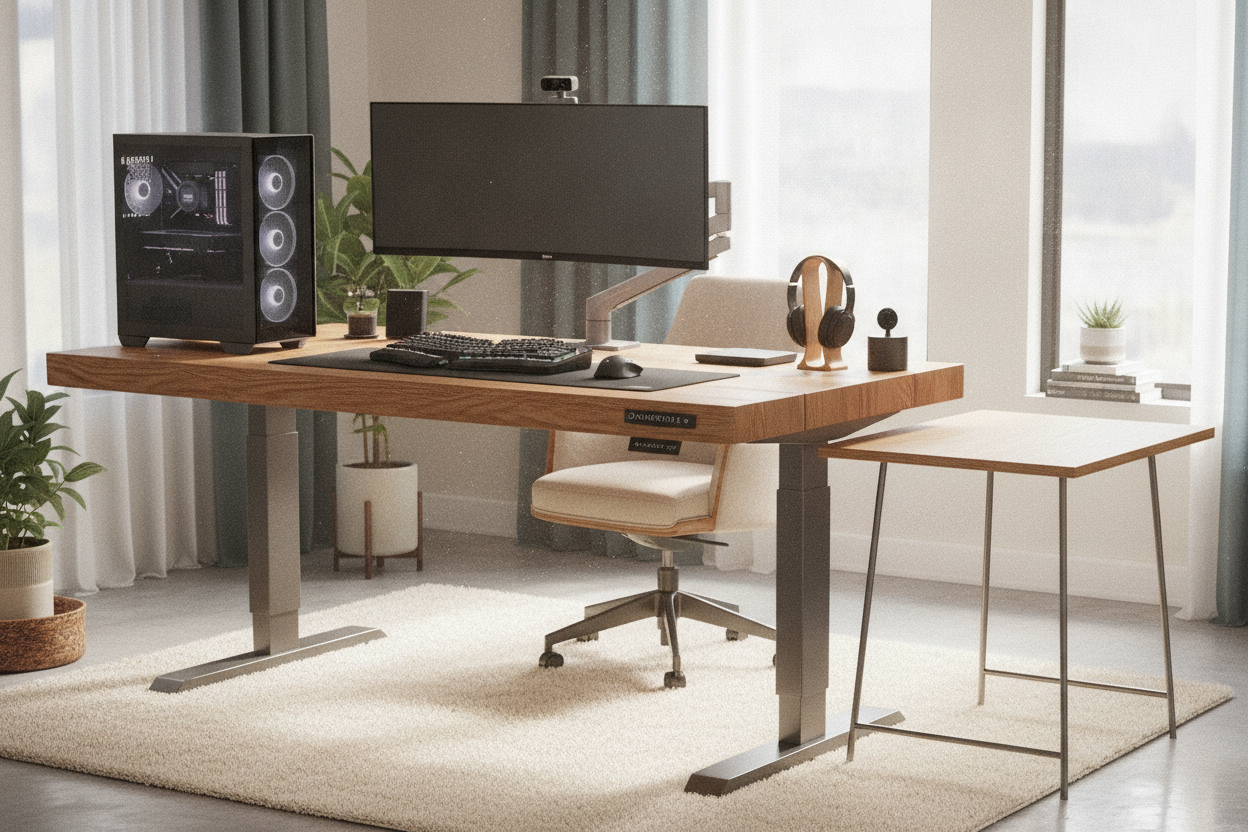
I spent three grand on a custom PC build only to put it on a $150 fiberboard slab that groaned every time I leaned on it. It is a common mistake: we spend all our budget on the specs inside the case and almost nothing on the stand up desk desktop that is supposed to hold it all up. I learned the hard way that when you are dealing with heavy gear, 'good enough' usually ends with a cracked monitor or a spilled latte.
- Cheap particleboard tops will literally crush under the pressure of monitor arm clamps over time.
- Single-motor lifts are a recipe for a burnt-out motor if your PC tower is heavy and off-center.
- Wobble is the enemy of concentration—if your screen shakes when you type, you will never actually use the standing mode.
- Dual-motor frames are non-negotiable for setups exceeding 50 lbs of hardware.
The Day My Monitors Shook and My Coffee Spilled
I remember the day clearly. I had just swapped my old, rock-solid writing computer desk for a budget motorized frame I found on a clearance site. I hit the button to raise it, and as it reached 42 inches, my dual 27-inch monitors started doing a terrifying synchronized dance. The higher it went, the more the center of gravity shifted, and the more the frame flexed.
My coffee didn't just ripple; it sloshed right over the rim onto my mechanical keyboard. The 'raising desk top' wasn't just moving; it was struggling. I realized then that I was trusting several thousand dollars of electronics to a frame held together by thin steel and hope. If you have ever felt that sickening lurch when a desk vibrates after a single keystroke, you know exactly why cheaping out on the base is a bad idea.
Why the Material of Your Stand Up Desk Desktop Actually Matters
Most entry-level options use a hollow-core or low-density particleboard for the stand up computer desktop. This is fine if you just have a laptop and a plant. But if you use a C-clamp for your monitors, you are applying hundreds of pounds of pressure to a tiny area of compressed sawdust. Eventually, that material gives way. The clamp sinks, the monitors sag, and the structural integrity of the desktop is shot.
I have seen desktops literally crack open because the owner thought a 3/4-inch piece of MDF could handle a heavy-duty triple-monitor mount. You want a solid core—either real wood or high-density furniture grade board—that is at least an inch thick. This isn't just about looks; it is about having enough 'meat' for your accessories to grab onto without crushing the internals.
The Danger of Unbalanced Weight on Your Motors
Then there is the stand up desk lift itself. Most people plop their 40-pound PC tower on the far right or left side of the desk. If you have a single-motor setup, you are asking that one motor to do 80% of the heavy lifting on one side while the hex rod tries to transfer power to the other. It is an uneven load that leads to 'desk lean.'
I burned out a cheap motor in six months because I didn't realize the weight distribution was killing the gears. You need the power of dual motors to ensure the lift stays even and synchronized. When the weight is balanced, the motors don't have to work nearly as hard, which means they will actually last a decade instead of a single semester.
Full Electric Workstations vs. Tabletop Converters
Some people opt for a desktop adjustable workstation—those heavy manual converters that sit on top of your existing furniture. They are surprisingly stable because they have a lower center of gravity, but they eat up your surface area and look a bit like a science project. If you are wondering if a full motorized setup will actually make you stand more, the answer is usually yes, but only if the transition is friction-less.
Full electric workstations are the gold standard, but if they wobble, you will find yourself leaving them in the seated position just to avoid the anxiety of a shaking screen. A converter is a great 'budget' fix for a heavy PC because you can keep your heavy tower on the floor or a separate stand, but for a clean, professional aesthetic, a dedicated motorized desk is always the winner—provided the frame can handle the load.
Finding the Desk You Actually Need for Heavy Gear
When you are looking for the sit stand up desk with memory preset that you can finally trust, look at the weight capacity first. Do not settle for anything less than a 250-lb rating. That sounds like overkill for a computer and two screens, but that rating usually indicates a much sturdier steel frame and better glide pads in the legs.
It is the stand up desk desktop you should be most picky about. Look for a 1-inch thick top and a frame with a crossbar if you are tall. If you are extending the desk to its max height, that crossbar is the only thing standing between you and a wobbly workspace. Spend the extra money on the dual-motor version. Your hardware (and your coffee) will thank you.
Can I put my PC tower on the floor?
Only if you have long enough cables and a cable management spine. If the desk goes up and the PC stays down, you are going to rip your ports right out of the motherboard. Most people prefer mounting the PC to the underside of the desk frame.
Is a 48-inch desk too small for a heavy setup?
For a heavy PC and dual monitors, yes. You will feel cramped, and the weight will be too concentrated in a small area, which increases the risk of the desktop bowing over time. Go for at least 55 or 60 inches.
Do I really need a dual-motor lift?
If your total gear weight is over 50 lbs, yes. Single motors are louder, slower, and prone to failing under uneven loads. Dual motors provide a much smoother, more stable lift that won't wake up the whole house.



Laisser un commentaire
Ce site est protégé par hCaptcha, et la Politique de confidentialité et les Conditions de service de hCaptcha s’appliquent.