


I spent $800 on a solid walnut desk once, only to ruin the entire look with a $15 plastic power strip zip-tied to the leg. It looked like my workstation was on life support. Every time I hit the 'up' button, I’d hold my breath, waiting to see which peripheral would get yanked off the surface because the cable didn't have enough slack. If you have ever heard the sickening thud of a smartphone hitting hardwood because of a short charging cord, you know my pain.
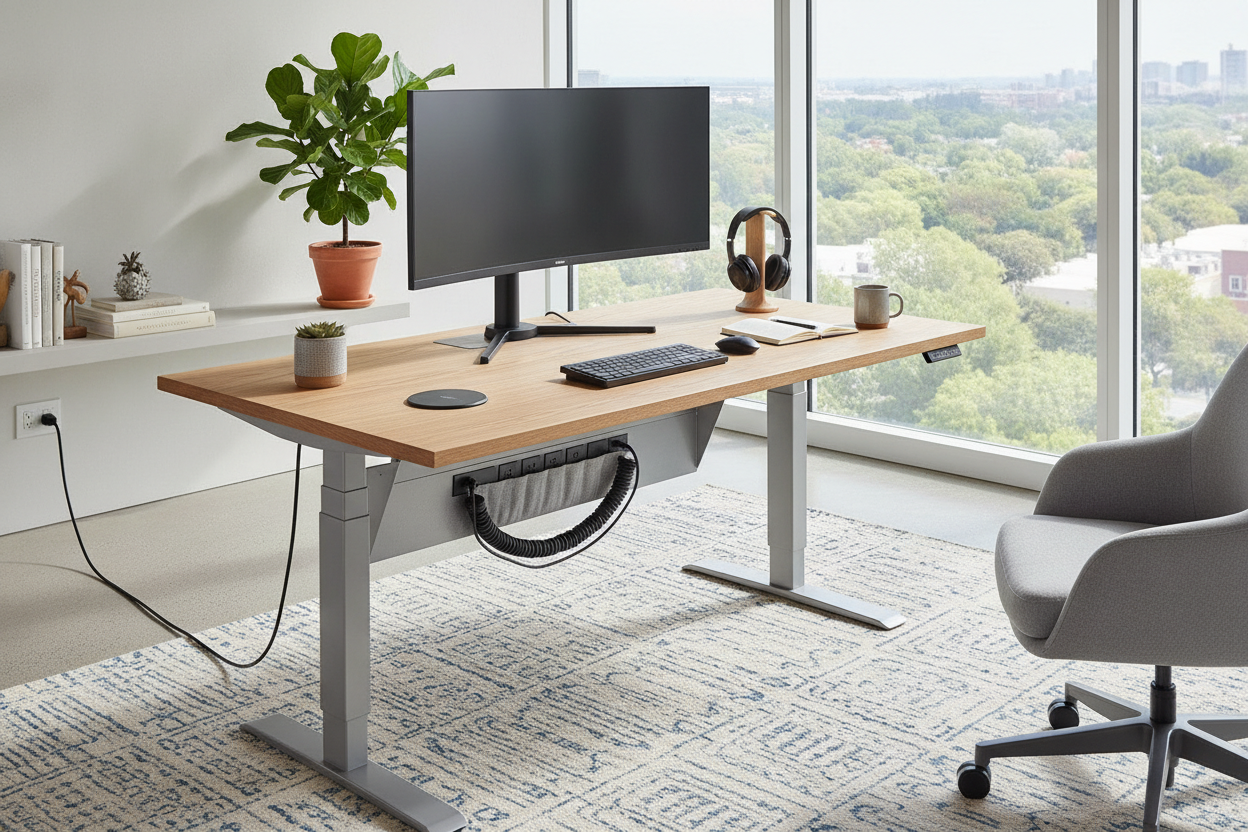
The solution isn't more cable clips or expensive sleeves. It is a adjustable desk with charging station. By moving the power source from the floor to the actual work surface, you eliminate the 'cord bungee jump' entirely. I finally made the switch, and my office went from a tech-junkyard to a space that actually feels intentional.
Quick Takeaways
- Integrated power stops cables from tension-snapping when you transition to standing.
- Wireless pads keep your phone at eye level without a mess of tangled white wires.
- Look for desks with at least 15W charging to ensure your devices actually gain battery during a meeting.
- A built-in hub usually includes USB-A and USB-C ports, future-proofing your setup.
The Ugly Truth About 'Minimalist' WFH Setups
We have all seen those pristine Instagram setups. A thin laptop, a single plant, and a cup of coffee. But reality is messy. Most of us are juggling a laptop, a second monitor, a smartphone, a smartwatch, and noise-canceling headphones. The second you plug all those in, your 'minimalist' dream becomes a tangled mess of cable spaghetti.
Standard standing desks are the worst offenders. They move, but your wall outlet doesn't. This creates a constant tug-of-war. I once saw a coworker's external hard drive take a dive during a Zoom call because they raised their desk and the cord was three inches too short. It’s not just ugly; it’s a hazard to your hardware.
Why I Finally Caved for an Adjustable Desk With Charging Station
The tipping point for me was a Tuesday morning coffee spill. I reached for my mug, my elbow caught a looped iPhone cord that was draped across the front of the desk, and suddenly my latte was inside my mechanical keyboard. That was the day I decided I was done with external hubs and swinging dongles. I needed a modern electric height adjustable desk that treated power as a feature, not an afterthought.
Upgrading to an electric adjustable height desk with charging station changed the daily friction of my job. Instead of hunting for a brick or crawling under the furniture to find a free socket, I just lay my phone down or plug my tablet directly into the desktop. It sounds small, but removing those ten tiny annoyances a day makes a massive difference in focus.
The Magic of the Flush Charging Pad
Not all power options are created equal. Some desks just slap a cheap power strip on the back. But a standing desk with charging pad is a different beast. These are usually flush-mounted Qi chargers built directly into the desktop material. It’s a dedicated 'home' for your phone. No sliding around, no cables trailing over the edge, just a clean surface where your tech stays topped off while you work.
Keeping Your Daily Carry Alive
My AirPods used to be my biggest headache. I’d jump on a 2:00 PM call only to hear that 'low battery' chime because I forgot to plug them in the night before. Using a sit-stand desk with wireless charging means my case just sits on the corner of my desk, constantly sipping power. I haven't seen a red battery icon on my peripherals in six months. It’s the ultimate insurance policy for your daily carry.
What to Check Before Buying a Powered Setup
Before you swipe your card for an electric standing desk with wireless charger, check the specs. Some cheap manufacturers use low-wattage chargers that barely keep your phone from dying, let alone actually charging it. You want a pad that offers at least 10W, preferably 15W. Also, look at the placement. If the charging pad is right where you usually put your mousepad, you're going to have a bad time.
I also learned the hard way that power isn't the only thing that matters. You still need a place to put your actual stuff. While I was looking for power, I realized I also needed an adjustable height office desk with drawers. A desk that has a power hub but no storage just leads to a different kind of clutter. You want a workstation that handles your cables and your pens, post-its, and hard drives with equal grace.
The Verdict: Is the Extra Cash Worth It?
If you are a casual user who only opens a laptop for twenty minutes a day, a basic writing computer desk is perfectly fine. Save your money. But if your desk is your cockpit for eight to ten hours a day, an adjustable standing desk with wireless charging is a mandatory upgrade. It’s about more than just aesthetics; it’s about creating a friction-less environment where you aren't fighting your furniture just to keep your phone alive.
FAQ
Will the wireless charger work through my thick phone case?
Most integrated Qi chargers work through cases up to 3mm or 5mm thick. If you have one of those heavy-duty rugged cases or a pop-socket on the back, you might have to take it off to get a consistent connection.
Is it hard to assemble a desk with built-in electronics?
Surprisingly, no. Most of these desks come with the power hub pre-installed in the desktop. You usually just have to connect one or two extra cables to the main control box during the standard assembly process. It adds maybe ten minutes to the build.
What happens if the charger stops working?
That is the one downside. If a built-in charger fails out of warranty, it’s harder to replace than a $10 cable. Look for brands that offer at least a 2-3 year warranty on the electronic components, not just the frame.


Laisser un commentaire
Ce site est protégé par hCaptcha, et la Politique de confidentialité et les Conditions de service de hCaptcha s’appliquent.