


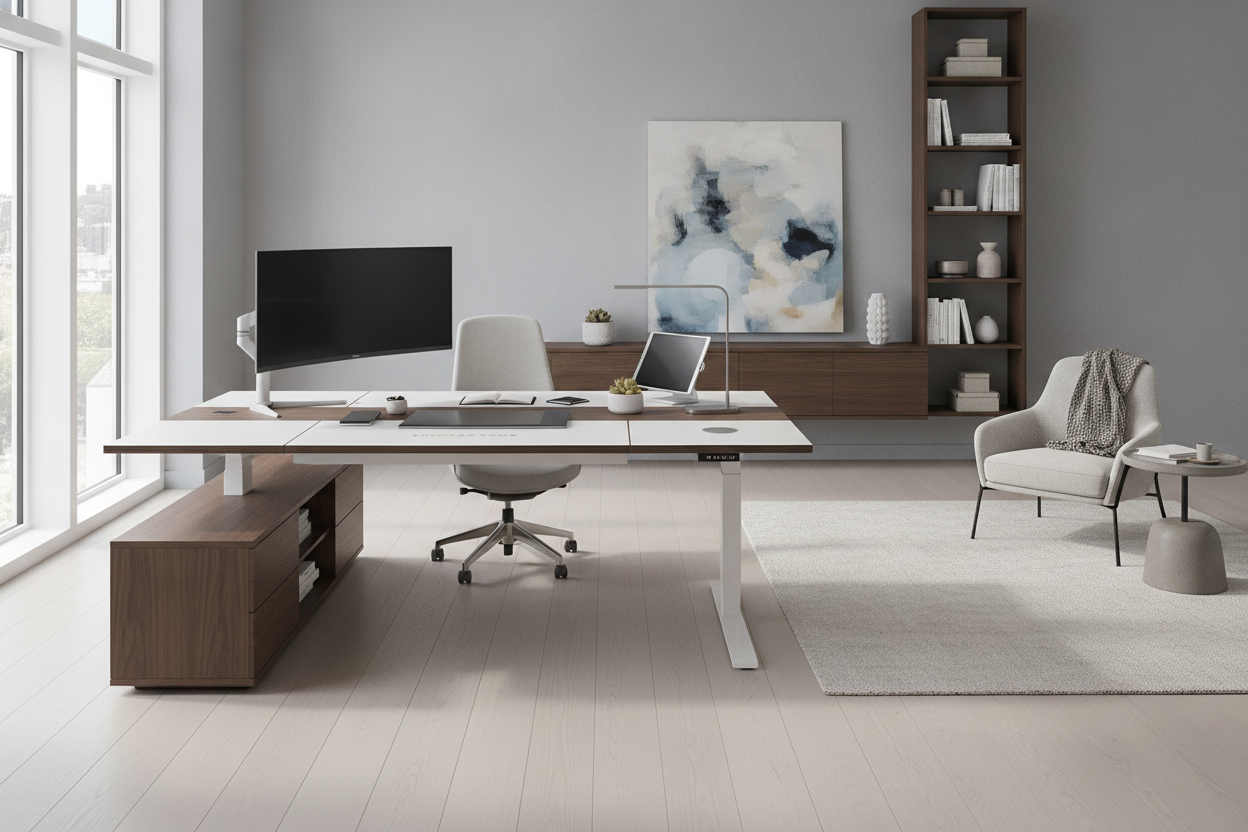
Architectural Room Placement and Spatial Clearance for Sit-Stand Desks
Positioning a height-adjustable workstation requires careful thought regarding vertical travel pathways and surrounding architectural elements. Unlike stationary desks that rest permanently against walls, an adjustable desk needs continuous clearance along its entire vertical route. Placing the desk against a wall requires checking for window sills, electrical faceplates, decorative wall paneling, and mounted shelving that could obstruct upward or downward motion.
Orienting the workstation perpendicular to natural light sources helps minimize glare across display panels while maintaining a pleasant outdoor sightline. For those designing a dedicated workroom, reviewing a structured standing desk guide offers insight into how room proportions, floating center layouts, and perimeter walkways interact with shifting surface elevations.
Surface Zoning: Organizing the Active Desktop Profile
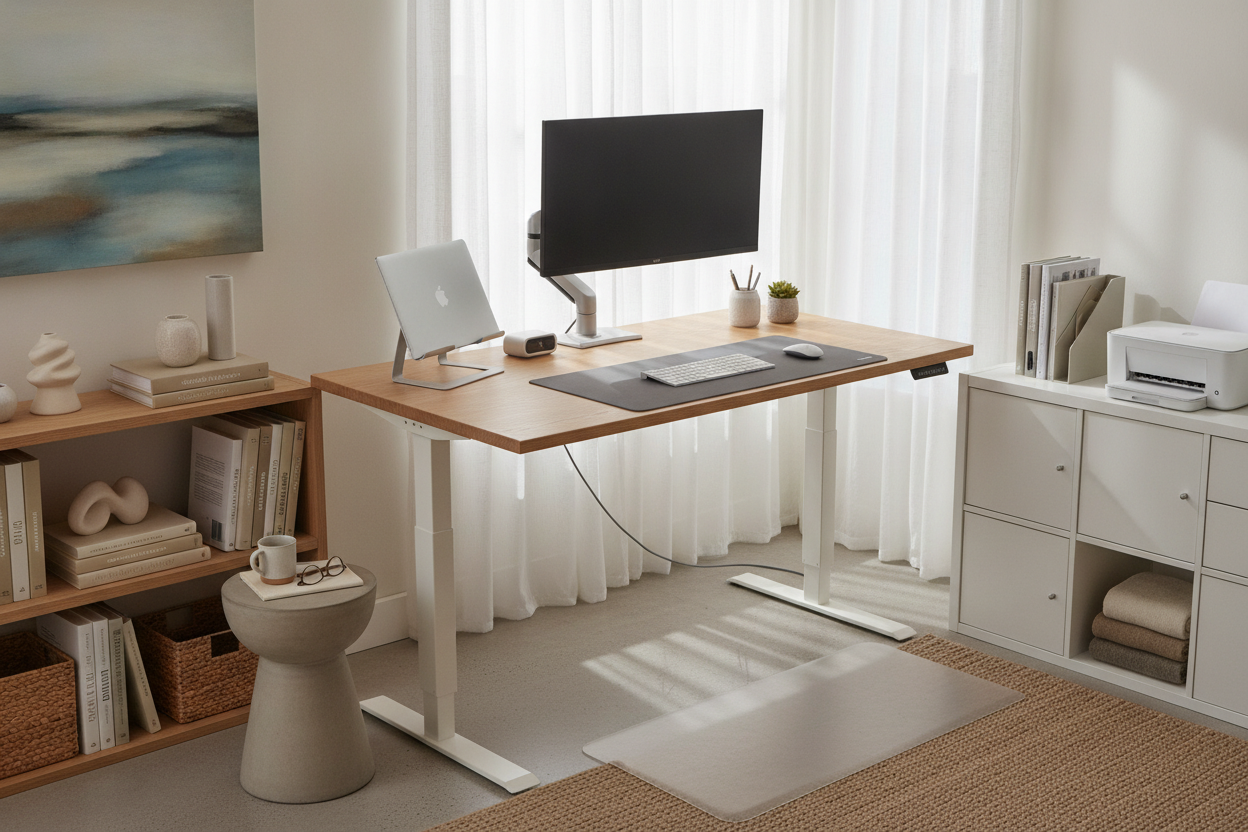
Maintaining an organized standing desk relies on intentional zoning of the desktop surface. Dividing the usable area into functional tiers keeps essential tools within easy reach while preventing visual clutter from accumulating near dynamic hardware components.
- Primary Reach Zone: The central area directly in front of your seated or standing position, reserved exclusively for your keyboard, primary pointing device, and immediate task items.
- Secondary Equipment Zone: The area extending slightly beyond your natural arm reach, suitable for monitor stands, audio interfaces, and laptop docks that require periodic access.
- Tertiary Staging Zone: The outer perimeters and back corners, ideal for ambient task lamps, stationary organizers, and reference documents.
Keeping the primary reach zone clear of loose accessories ensures smooth transitions between sitting and standing, allowing you to change postures without shifting fragile items across the work surface.
Dynamic Cable Management and Vertical Range Planning
Cable routing represents one of the most critical elements of a height-adjustable workspace. When a desk transitions to its highest point, cables connecting surface hardware to wall outlets or floor-mounted equipment experience tension if they lack sufficient slack. Using under-desk power strips, cable trays, and flexible raceways allows all desktop power connections to travel together as a unified bundle.
Anchoring power distribution directly underneath the desktop frame ensures that peripheral cords stay stationary relative to the worktop. To prevent common wiring snags, following an office setup standing guide helps you identify where slack loops should be introduced before securing cable ties and spine channels.
Decoupling Storage: Pairing Standing Desks with Stationary Cabinetry
A common pitfall with adjustable workstations is attempting to mount excessive storage directly to the moving frame. Adding heavy drawers, deep filing boxes, and bulky bins to an adjustable frame can increase motor strain and introduce noticeable wobble at standing heights. A more balanced design strategy decouples dynamic work surfaces from stationary storage architectures.
Pairing your adjustable desk with an independent credenza, low lateral file, or dedicated organizer keeps heavy paper archives and peripheral gear accessible without weighing down the lifting column. Consulting an office setup desk guide provides practical methods for organizing stationary units nearby. For comprehensive organizational needs, integrating an office desk product beside your adjustable table creates a secondary staging surface for printers, binders, and everyday office accessories.
Workflow-Specific Standing Desk Layout Blueprints
Different daily workflows demand tailored furniture configurations to balance equipment accessibility and movement freedom. Selecting a setup blueprint aligned with your primary tasks ensures consistent comfort throughout the day.
- The Digital Minimalist: A compact adjustable table hosting a single monitor arm, compact keyboard, wireless mouse, and a slim under-desk laptop mount. This layout maximizes open floor space and encourages fluid vertical adjustments.
- The Dual-Screen Power User: A wider desktop equipped with dual monitor arms anchored near the structural frame beams. Ancillary hardware is arranged symmetrically to keep lateral weight balanced across both lifting columns.
- The Hybrid Digital-Analog Zone: An arrangement that pairs a primary sit-stand desk with a fixed secondary surface. For extensive project layouts, incorporating an L-shaped office desk product configuration provides ample room for sketching, paperwork, and hardware testing without disturbing your digital station.
Lighting, Ergonomic Peripherals, and Floor Comfort Considerations
A balanced standing desk setup extends beyond the table frame to include surrounding lighting and underfoot ergonomics. Task lighting should feature an articulated arm or a monitor-mounted light bar so illumination moves in tandem with your screen, eliminating unwanted shadows as desk height changes.
Floor comfort is equally essential when incorporating standing intervals into your daily routine. Placing a supportive anti-fatigue mat beneath the desk eases foot pressure during standing phases, while selecting a mat that slides easily under stationary furniture simplifies transitions back to an ergonomic office chair. In our view, investing time in harmonizing surface zoning, cable pathways, and companion cabinetry turns a standard standing desk into a sustainable, long-term workspace.

Laisser un commentaire
Ce site est protégé par hCaptcha, et la Politique de confidentialité et les Conditions de service de hCaptcha s’appliquent.