



Integrated Wireless Charging in Modern L-Shaped Desks
Modern workspaces demand efficient power delivery without the visual disruption of tangled cords, bulky power bricks, and crowded power strips. An l shaped desk with wireless charging bridges functional power distribution with clean, architectural furniture design. By embedding inductive charging hardware directly into the desktop substrate or utilizing flush-mount surface modules, these desks transform an ordinary surface into an active charging zone. This integration creates a seamless landing pad for smartphones, wireless earbuds, and compatible accessories, ensuring essential devices remain charged throughout long work sessions without sacrificing valuable task area.
Beyond convenience, surface-level wireless charging changes how you interact with your workstation. Rather than fumbling behind monitors or bending under the desk to plug in charging cables, you simply place your device on a designated surface target. This setup reduces physical wear on device charging ports, prevents cable clutter from sprawling across primary writing areas, and maintains a clean visual aesthetic suited for modern home offices, creative studios, and hybrid corporate suites.
Surface Geometry and Dual-Wing Charging Layouts
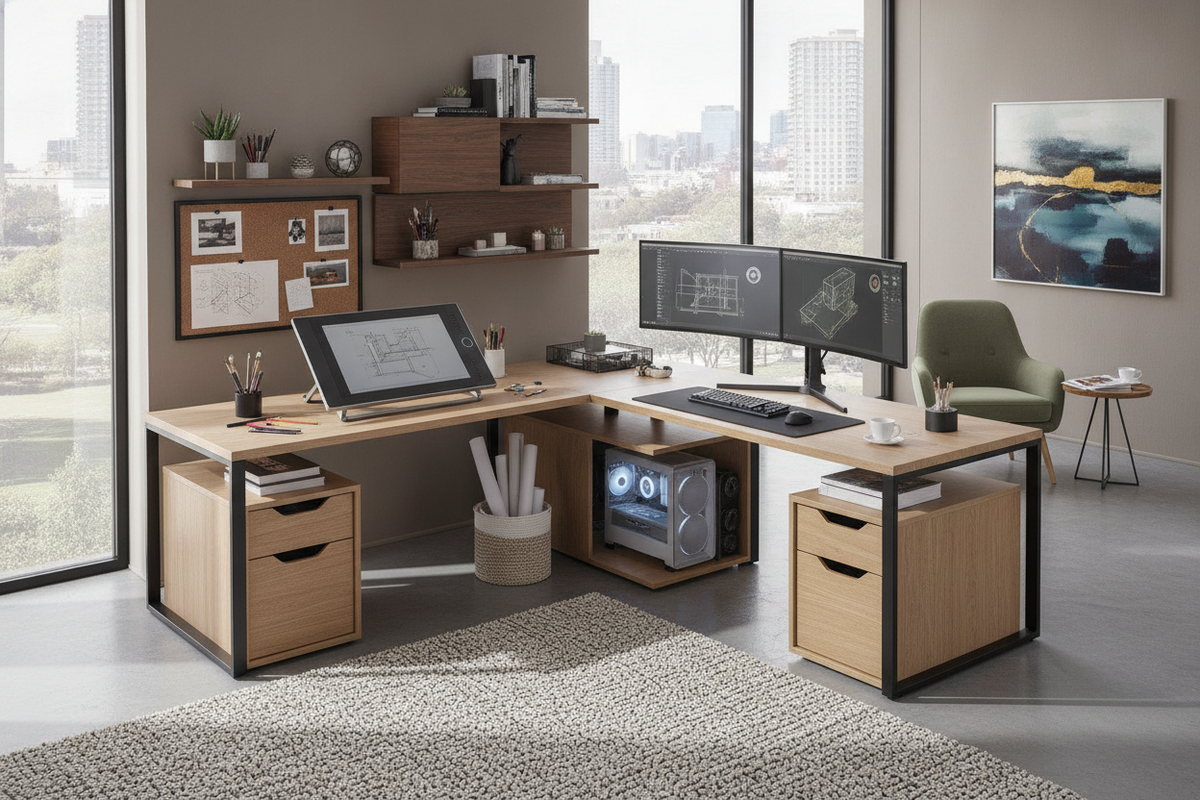
The defining advantage of an L-shaped workstation is its dual-wing geometry, which naturally bifurcates task zones. When selecting an l shaped desk with wireless charging, zoning the tabletop into distinct operational wings prevents peripheral clutter from interfering with high-focus tasks. Reviewing a comprehensive shaped desk guide helps clarify how to orient these intersecting returns relative to natural lighting, room entryways, and wall power points.
In a balanced layout, the primary wing serves as the intensive computing zone, accommodating monitor mounts, a central keyboard, and precision input devices. The secondary wing functions as the auxiliary landing zone, housing document storage, secondary reference materials, and the integrated wireless charging pad. Placing the inductive charger on the auxiliary return keeps your phone within your peripheral view for notifications while keeping the main keyboard deck entirely clear.
Compact Workstation Sizing Profiles
For dedicated alcoves, compact spare rooms, or urban apartments, space optimization is critical. Compact L-shaped desks maximize corner angles without protruding excessively into central walkways. In these tighter arrangements, an integrated charging module prevents power accessories from encroaching on scarce mouse and keyboard territory. Selecting a streamlined shaped desk product allows remote workers to maintain a complete dual-surface workstation within modest room footprints.
Expansive Executive and Multi-Monitor Configurations
Larger workstations provide expansive desktop returns designed to handle triple-display arrays, desktop audio monitors, and heavy task hardware. On broader desktops, built-in wireless charging acts as an anchor for secondary mobile devices and presentation gear. Choosing an expansive shaped desk product provides the structural foundation needed for multi-screen productivity alongside integrated power conveniences.
Power Architecture and Under-Desk Cable Routing
An integrated charging pad requires thoughtful electrical planning beneath the surface to maintain a clean appearance. High-performance desk setups combine surface-level inductive pads with concealed under-desk raceways, cable trays, and internal grommets.
- Sub-Surface Wire Channels: Route the charging module's power lead directly along the underside of the desktop using adhesive wire clips or enclosed cable channels to prevent hanging loops.
- Centralized Power Strips: Mount a surge protector beneath the corner junction of the L-frame to create a single connection hub for your computer tower, monitors, task lighting, and wireless charging pad.
- Single-Drop Wall Routing: Bundle all outgoing power cords into a braided cable sleeve that runs down a single rear desk leg, presenting a single clean line to the wall receptacle.
Material Selection, Surface Durability, and Heat Management
The materials used in an L-shaped desk influence both long-term structural durability and thermal management around electronic components. Inductive charging naturally generates mild warmth during operation, making heat dissipation an essential consideration for furniture longevity.
Engineered wood cores wrapped in high-pressure laminates or durable melamine veneers offer excellent resistance to surface scratches, heat exposure, and moisture rings. Desks engineered with flush-mounted wireless charging modules typically feature recessed under-mounts or heat-dissipating housing bezels that isolate electronic warmth from the primary tabletop core. Smooth, non-porous finishes also ensure effortless daily cleaning and consistent contact between the charging coil and your mobile devices.
Storage Configurations and Workspace Use Cases
A functional L-shaped workstation balances open task areas with integrated storage solutions such as file drawers, utility cubbies, and dedicated CPU platforms. Opting for a shaped desk product ensures that peripheral accessories, charging cables, and office supplies stay neatly organized below the main desktop line, preserving an open and organized workspace.
Hybrid Home Office and Multi-Device Workflows
For remote professionals who switch between company laptops, personal phones, and wireless accessories, an L-shaped desk with integrated power serves as an organized productivity hub. You can dedicate one side of the desk to docked video calls and computer tasks while using the adjacent return for handwritten notes, physical document review, and device replenishment.
Gaming Cockpits and Content Creation Setups
Content creators, streamers, and gamers benefit significantly from integrated surface charging. Broadcast setups often demand extensive desktop equipment, including microphone boom arms, audio interfaces, cameras, and lighting controls. Built-in wireless charging keeps mobile control devices and wireless peripherals powered without requiring extra cords that could tangle with audio leads or controller cables.
Room Fit, Outlet Proximity, and Assembly Planning
Before assembling an L-shaped desk with integrated electronics, map out your room layout to ensure smooth installation and convenient power access.
- Locate Wall Outlets: Measure the distance between your planned corner position and the nearest electrical outlet. Position the desk so that power cords reach wall plates without stretching across high-traffic footpaths.
- Determine Return Orientation: Many L-shaped models offer reversible wing configurations. Decide whether a left-hand or right-hand return best suits your room's natural light sources and door swing clearances.
- Test Electronics Prior to Final Placement: Before securing the desk flush against walls or baseboards, plug in the integrated wireless charging module and verify proper operation with your standard devices.
- Allow Baseboard Clearance: Leave a slight clearance margin between the rear desk frame and the wall to accommodate monitor clamp brackets, cord drops, and baseboard heating units.
By pairing dual-wing surface geometry with integrated wireless power, an L-shaped desk provides a durable, clutter-free foundation for any modern home office or creative studio.


Laisser un commentaire
Ce site est protégé par hCaptcha, et la Politique de confidentialité et les Conditions de service de hCaptcha s’appliquent.