


Core Approaches to Expanding an IKEA Desk Worksurface
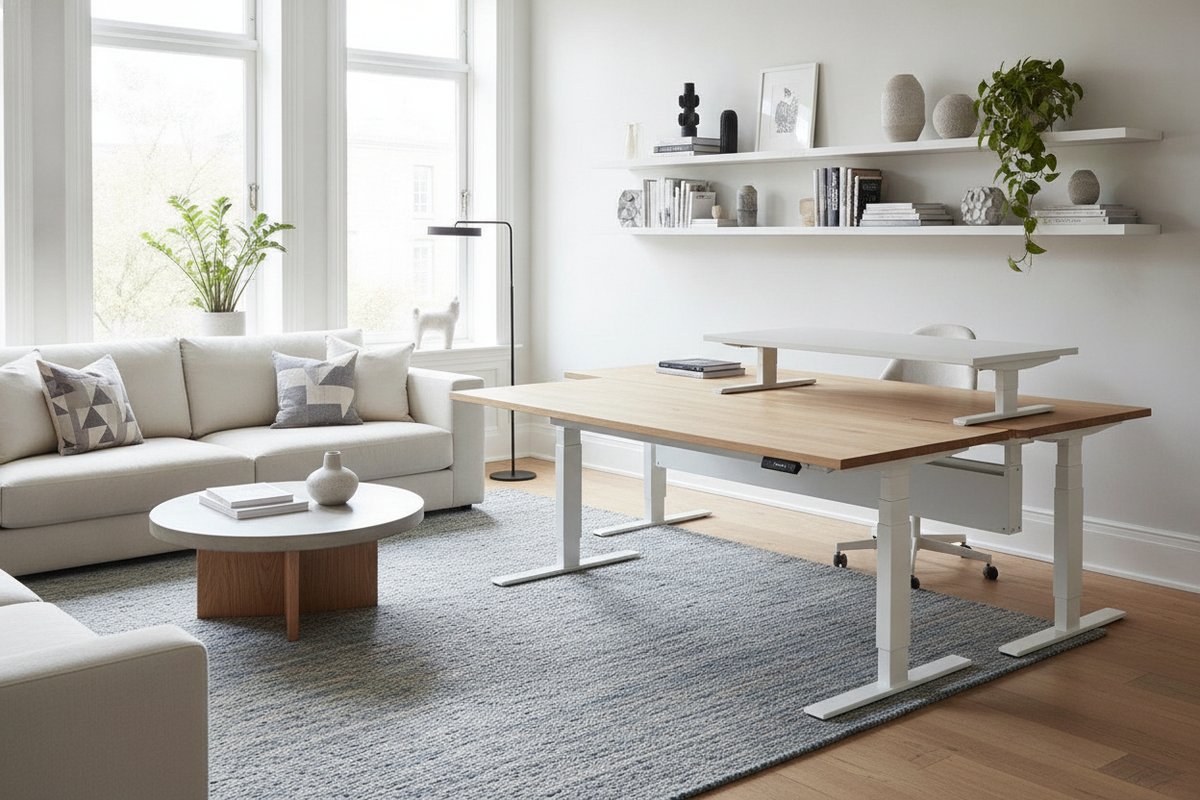
When daily workflow outgrows an existing workstation, introducing an ikea desk extender offers an efficient path to larger functional surface area without discarding the main frame. Desk expansion strategies fall into distinct hardware categories depending on whether the primary goal is increased forearm support, greater monitor viewing distance, or dedicated room for secondary peripherals.
Clamp-On Ergonomic and Depth Extenders
Clamp-on attachments represent the most common non-invasive modification. These include foldaway keyboard platforms, wrist-rest extensions, and rear-edge utility shelves. For specialized setups that combine displays with audio gear or analog consoles, consulting a desk ikea guide can clarify how tiered surfaces optimize reach without cluttering primary writing zones. Clamp-on solutions fasten directly to the desktop edge using padded brackets, making them adaptable across various desk series.
Modular Side Returns and Bridging Units
For more substantial surface increases, modular side returns and freestanding bridge panels allow users to construct an extended linear desk or an L-shaped corner layout. Pairing a primary desk with low-profile storage pedestals or matching secondary tabletops creates seamless work zones. Exploring a desk ikea guide focused on modular configurations highlights how bridging hardware and shared support legs can unify independent furniture pieces into a stable, continuous surface.
Desktop Material Compatibility and Load Distribution
Before attaching heavy hardware or clamping cantilevered trays, evaluating the internal composition of the desk is critical. Popular flat-pack desktops utilize distinct manufacturing constructions that react differently to clamping force and localized pressure.
Hollow-Core vs. Solid Edge Reinforcement
Many lightweight tabletops feature a paper honeycomb core enclosed by thin exterior fiberboard faces and narrow internal perimeter framing. Applying high-torque C-clamps to hollow areas can lead to surface crushing or bowing. To protect hollow-core tops:
- Use distribution plates: Wide metal or solid wood shims placed between the clamp pad and the desk underside spread clamping pressure across a broader surface area.
- Target internal frame perimeters: Fasten accessories near corner joints and edge bands where internal particleboard framing provides greater structural density.
- Avoid over-tightening: Hand-tighten clamps gradually until snug rather than using mechanical leverage that could puncture delicate veneers.
Managing Cantilevered Load and Stability
Any surface extension shifts the center of gravity outward. Front-mounted forearm trays and side-mounted shelves exert cantilevered leverage on the desk frame. If an extension projects far beyond the base legs, add dedicated support legs or secure the primary desk frame against a wall to prevent tipping or front-edge sag under leaning weight.
Dimensional Decision Categories for Workspace Extension
Choosing the correct extension style requires assessing how spatial layout affects ergonomic comfort and multi-device organization.
Depth Expansion for Visual Comfort and Peripheral Placement
Shallow desktop depths often force large monitors uncomfortably close to the user's primary seating position. Adding a rear clamp shelf or an under-desk pull-out tray reclaims focal depth, allowing comfortable alignment of screen height and keyboard position. Those setting up compact home offices can refer to an ikea desk guide to balance room clearance with adequate peripheral depth.
Width Expansion for Multi-Monitor and Dual-Zone Tasks
Lateral desk extenders expand horizontal desktop space to accommodate multi-monitor arrays or establish a dedicated dual-zone workstation. Separating digital monitor zones from clean paperwork areas streamlines workflow and keeps cords isolated from manual drafting spaces.
Integrating Storage Cabinets and Cable Routing with Desk Extensions
Expanding the desktop creates new voids and seams where cables and loose items can accumulate. Integrating modular drawer pedestals beneath joined tabletops serves a dual purpose: supporting the joint between two panels while providing organized housing for power strips, hubs, and office accessories.
- Joint Reinforcement: Placing a drawer unit directly beneath the seam of an extended tabletop offers sturdy, continuous vertical support without requiring custom carpentry.
- Continuous Wire Management: Route cables through under-desk mesh channels or adhesive trays that bridge the main frame and the extension to prevent snagging during height adjustments.
Step-by-Step Installation and Stability Verification Framework
Proper installation ensures an extended desk remains level, stable, and safe over daily use:
- Inspect Edge Bevels: Confirm the desk edge is flat and square rather than aggressively beveled, ensuring clamp brackets seat flush against the top and bottom faces.
- Position Reinforcement Plates: Align protective shims above and below the desktop core before engaging hardware brackets.
- Evenly Torque Hardware: Tighten parallel clamps incrementally to prevent skewed alignment and localized stress fractures.
- Perform Deflection Checks: Apply gradual downward pressure by hand to verify that neither the extension panel nor the primary desk frame exhibits unwanted flex or wobble before loading valuable monitors, laptops, or peripherals.


Laisser un commentaire
Ce site est protégé par hCaptcha, et la Politique de confidentialité et les Conditions de service de hCaptcha s’appliquent.