


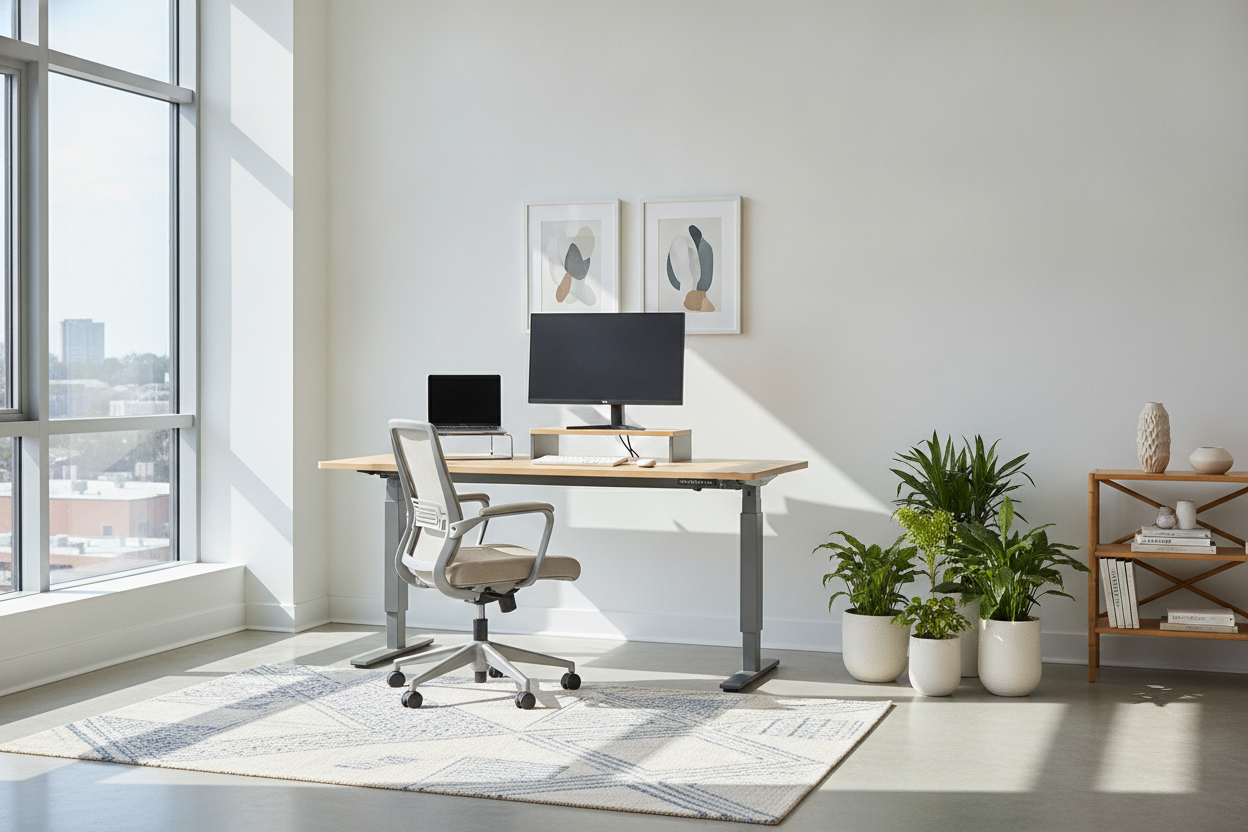
I remember staring at my screen for six hours straight, my lower back screaming, while I scrolled through $900 'executive' standing desks. It felt like a total racket. I just wanted to stand up occasionally without my monitor shaking like a leaf in a storm. Finding the best standing desk under 300 became my obsession because, frankly, I have better things to spend $600 on—like a chair that doesn't feel like a park bench or, you know, my mortgage.
- The $300 mark is where you stop getting flimsy soda-can legs and start getting real steel frames.
- Most $500 desks use the same internal motors as the $280 ones—you're often just paying for a brand name.
- Avoid 'puzzle-piece' split tops; they sag and collect crumbs in the center seam.
- A 54-inch width is usually the sweet spot for a laptop and a secondary monitor.
The Problem with 'Premium' Desk Culture
Social media has warped our brains into thinking a workspace isn't 'real' unless it features a $1,200 solid walnut slab. It's nonsense. I've spent enough time in furniture showrooms to know that most boutique brands are just white-labeling the same frames manufactured in the same three factories. Even the best standing desk under 500 often shares the exact same motor internals as a well-sourced standing desk under $300.
You aren't paying for extra durability at $800; you're paying for the marketing team's salary and maybe a slightly prettier control panel. If the motor lifts the weight and the legs don't buckle when you lean on them, you've won. Don't let a glossy Instagram ad convince you that your productivity depends on a hand-rubbed oil finish.
What You Actually Unlock in the $300 Tier
There is a massive difference between the bottom-of-the-barrel options and this mid-tier. When you move up from a basic electric standing desk under 200, you're primarily buying stability. At the sub-$200 level, the legs often feel like they're made of repurposed tin foil. At $300, the steel is thicker, the feet are longer, and the whole thing doesn't vibrate when your cat jumps on it.
You also start seeing solid, one-piece desktops. I've learned the hard way that a split-top standing desk is a recipe for frustration. Those two-piece boards eventually sag in the middle, creating a literal speed bump for your mouse. Spending a few extra bucks for a seamless surface is the best investment you can make for your sanity.
The 3 Non-Negotiables for Desks Under $300
If you're hunting for standing desks under 300, don't just click the first one you see. You have leverage at this price point. First, demand memory presets. There is nothing more annoying than holding a button for 20 seconds to reach your standing height. A desk with memory presets lets you tap a button and get back to work while the motor does the heavy lifting.
Second, look for a T-style frame rather than a C-style. T-frames distribute the weight more evenly, which reduces that annoying 'monitor wobble' when you're typing fast. Third, check the weight capacity. You want at least 150 lbs. Even if your gear only weighs 40 lbs, a higher capacity means the motor isn't straining every time it moves, which extends the life of the desk by years.
When You Might Actually Need to Size Up
I'll be honest: desks under $300 aren't for everyone. If you're a hardcore gamer with a massive liquid-cooled tower sitting on your desk and three 32-inch monitors, you're going to exceed the weight limit. Most budget motors will groan and eventually die under that kind of stress. You also might find the surface area a bit cramped.
If you need enough room for a printer, two monitors, and a sprawling stationary collection, you might need to look at a 71 W height adjustable standing desk. It’s a bigger footprint and a higher price tag, but it beats having your gear hanging off the edges. Know your gear's weight before you buy—don't guess.
My Final Verdict on the Budget Sweet Spot
For the average remote worker, standing desks under 300 represent the absolute peak of value. You get 95% of the functionality of a premium desk for about 30% of the price. I've tested the 'luxury' options, and while the wood might be nicer, the experience of actually working isn't $600 better.
Take the money you saved and buy a better chair or a high-quality monitor arm. A desk is just a flat surface that moves up and down; don't overthink it. If you're just starting to build out your home office, focus on the basics like a solid writing computer desk setup and then add the standing functionality when the budget allows. Your back will thank you, and your bank account won't hate you.
How long does assembly take?
Expect to spend about 45 to 60 minutes. Most of these desks come with the tools you need, but using your own screwdriver with a good grip will save your palms from some serious soreness.
Do budget standing desks wobble?
If you extend them to their absolute maximum height, you'll feel a slight sway if you're a heavy typer. It's rarely a dealbreaker, but putting the desk on a hard floor instead of thick carpet helps significantly.
Is a single motor enough?
For a standard laptop and monitor setup, yes. Dual motors are faster and quieter, but a high-quality single motor is perfectly capable of lifting a standard WFH setup without breaking a sweat.

Laisser un commentaire
Ce site est protégé par hCaptcha, et la Politique de confidentialité et les Conditions de service de hCaptcha s’appliquent.