


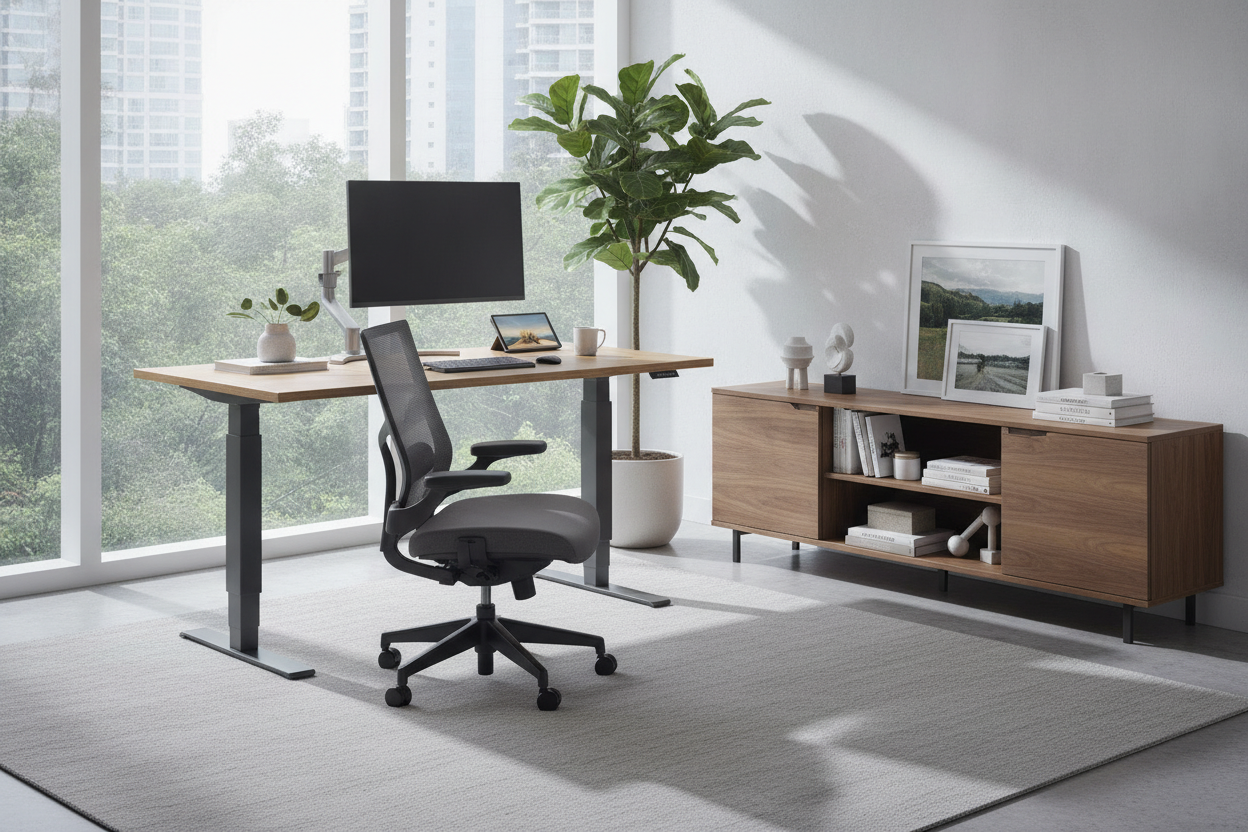
I spent three years hunched over a 1960s teak dining table that I bought at a flea market for $400. It looked like a million bucks in my Instagram photos, but by 3 PM every Tuesday, my neck felt like it was being squeezed by a vice. I was choosing vibes over my own vertebrae, and the vertebrae were losing the fight. I finally admitted defeat and upgraded to a power desk.
- Automatic adjustments mean you actually use the standing feature.
- Dual motors are non-negotiable for heavy monitor setups.
- Cable management requires long cords and a bit of planning.
- The physical relief of standing for 20 minutes an hour is immediate.
I Loved My Vintage Table, But My Back Hated It
My old setup was a classic mid-century find. It had those tapered legs and a warm grain that made my home office look like a design magazine. But it sat at a fixed 29 inches, which is the standard height for a traditional writing computer desk, but rarely the right height for someone who spends ten hours a day typing. I tried the usual hacks: a stack of books under my monitor, a lumbar pillow that cost $80, and even a footrest. Nothing worked.
The reality is that electric computer tables have come a long way from the beige, industrial-looking monsters of the early 2000s. I realized that my 'aesthetic' table was actually making me dread my workday. Every morning I’d sit down and feel my shoulders creeping up toward my ears. The fatigue wasn't just mental; it was the physical strain of being locked into a single, rigid position for hours on end.
Why a Manual Crank Setup Was Never Going to Work
I know what you're thinking: 'Why not just get a cheap manual standing desk?' Because I know myself. I am lazy. If I have to stand up and vigorously crank a handle 50 times to move my desk four inches, I am simply never going to do it. The handle will become a very expensive dust collector.
An automatic rising desk removes the friction. When my watch pings me to stand up, I hit a preset button and the desk glides up while I’m still reaching for my water bottle. It takes four seconds. That lack of effort is the only reason I actually transition between sitting and standing five or six times a day. If you have to work for it, you won't do it. Investing in the motorized version is paying for the guarantee that you'll actually use the thing you bought.
The Features That Actually Matter on a Power Desk
When you start shopping, don't get distracted by the cheapest price tag. A single-motor desk is fine if you just have a laptop, but if you’re running a real workstation, you want dual motors. They’re quieter, faster, and they don't struggle under the weight of a 32-inch monitor and a heavy desktop tower. I’ve seen cheap power lift desk models wobble like a leaf in the wind once they reach 42 inches in height. That is not a feeling you want when $2,000 worth of tech is sitting on top.
If you have the floor space, I’d actually recommend looking at an L-shaped lift computer desk. The extra surface area gives you room for a 'deep work' zone and a 'messy' zone, and the three-leg design is inherently more stable than a standard two-leg frame. Also, look for memory presets. You want to be able to save your exact sitting and standing heights down to the centimeter so you aren't fiddling with the 'up' and 'down' buttons every single time.
The Ugly Truth About Cord Management When Your Desk Moves
Here is the part nobody tells you: moving desks are a nightmare for cables. If you have a standard 3-foot power strip cord, it’s going to rip right out of the wall the first time you go to standing height. I learned this the hard way and nearly took my lamp down with it. You need to buy 6-foot or 10-foot cables for everything that stays on the floor, or better yet, mount a heavy-duty power strip to the underside of the desk itself.
I once went through a minor crisis when I lost standing desk power cord during a move across town. It turned my high-tech workstation into a very heavy, very short coffee table for a week. To avoid the 'cable waterfall' look, I highly suggest choosing a desk with a built-in charging station. It keeps your phone and tablet cords from dangling off the edge and getting caught in the lifting mechanism, which is a genuine hazard if you aren't careful.
The Verdict: Finding Balance Between Form and Function
I still miss the look of my vintage teak table sometimes. But I don't miss the 4 PM ibuprofen habit. A power sit stand desk is a tool, and once you start treating your office like a place of performance rather than a showroom, everything changes. My focus is better, my back is silent, and I actually have energy left at the end of the day to go for a walk instead of collapsing onto the sofa.
Modern designs are getting better, too. You can find tops in solid walnut or bamboo that look significantly more 'adult' than the basic white laminate. It’s a compromise, sure, but it’s one that your body will thank you for every single day.
How loud are the motors?
Most modern dual-motor desks are about as loud as a quiet hum. You can definitely move them during a Zoom call without anyone noticing. Avoid the super-budget single-motor ones if you’re sensitive to a grinding noise.
Does the desk wobble when you type?
At sitting height, almost never. At full standing height, a little bit of sway is normal, especially on carpet. If you’re a heavy typer, look for a desk with a crossbar or a heavier steel frame to minimize the shake.
Is it hard to assemble?
It’s heavy, so have a friend help you flip it over. The actual electronics are usually 'plug and play'—you just connect the motor cables to a control box. It usually takes about 45 minutes from box to standing.

Laisser un commentaire
Ce site est protégé par hCaptcha, et la Politique de confidentialité et les Conditions de service de hCaptcha s’appliquent.