


I finally did it. I spent three hours measuring, drilling, and sweating to get my 65-inch OLED perfectly level on the wall. I stepped back, wiped the drywall dust off my forehead, and felt like a DIY god. For exactly ten seconds. Then I saw it: the 'void.' A lonely stretch of baseboard and a tangled mess of black power cords that looked like a tech-themed horror movie. Mounting the TV was only half the battle; finding the best tv stand for wall-mounted tv setups was the real mission.
Quick Takeaways:
- Floating consoles create the illusion of more floor space, making 12x14 rooms feel massive.
- Aim for a console that is at least 10-12 inches wider than your TV to avoid a 'top-heavy' look.
- Depth is your enemy; keep the unit under 12 inches deep to save your shins.
- Integrated cable management is non-negotiable for a clean aesthetic.
The Awkward Void Underneath My Newly Mounted Screen
There is a specific kind of interior design panic that sets in when you realize your wall-mounted TV looks like a giant iPad stuck to a bare wall. It feels unfinished. I spent several late nights trying to browse various TV stands, but everything felt wrong. Standard floor-based credenzas were too bulky, and leaving the wall empty made the room feel cold and clinical.
I realized the problem wasn't the TV; it was the lack of an anchor. Without something underneath it, the screen just floats in space without context. I tried putting a bench there. Too low. I tried a bookshelf. Too cluttered. I even thought about those weird decorative ladders, but I'm not a farmhouse influencer. I needed something that felt intentional, something that bridged the gap between the floor and the screen without eating up my precious square footage.
The struggle is that most furniture is designed to hold the weight of the TV. When the wall is already doing that heavy lifting, your furniture needs a different job description. It needs to be a visual foundation and a storage hub, not a pedestal. I wanted my living room to look like a high-end studio, not a dorm room where someone just slapped a screen on the wall and called it a day.
Why the Best TV Stand for Wall-Mounted TV Setups Is Also Off the Floor
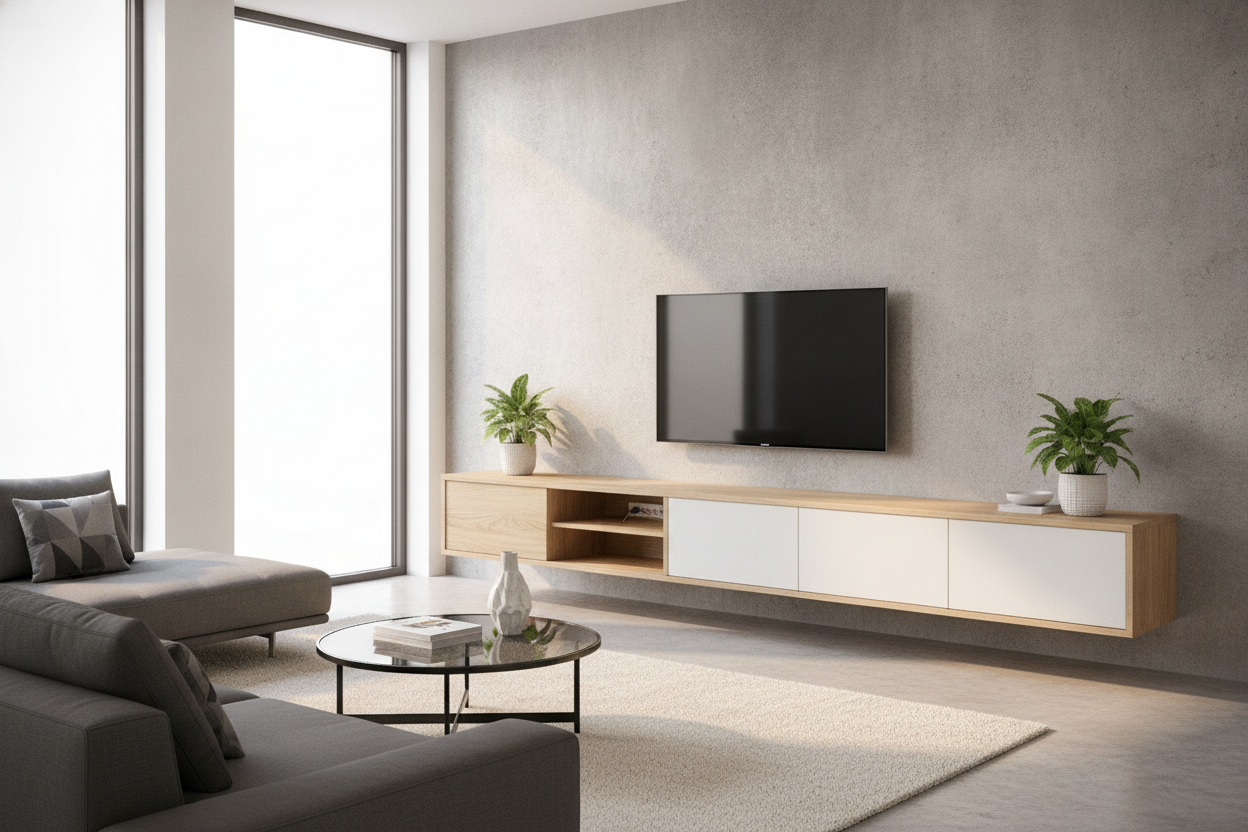
The 'aha' moment happened when I saw a 'double float' setup in a boutique hotel. By pairing a wall-mounted screen with a matching wall mounted media console, you keep the floor line visible all the way to the baseboard. This is the oldest trick in the book for small rooms. If your eyes can see the floor under the furniture, your brain thinks the room is bigger than it actually is.
I opted for a sleek, minimalist floating unit. It’s a total shift in how the room breathes. When you use best wall mounted tv stands, you aren't just saving space; you're creating a horizontal line that draws the eye across the room, making the ceilings feel higher. I went with a unit that has a flip-down door to hide my PS5 and the router, which are usually the biggest eyesores in my setup.
One thing I learned the hard way: check your wall type. If you have plaster and lath, you’re going to need serious toggles. If you have studs, make sure the mounting bracket for the console matches your 16-inch spacing. I once tried to 'wing it' with a cheap particle board unit and woke up to the sound of it ripping out of the drywall. Stick to MDF or solid wood with a steel hanging rail. It’s worth the extra $100 to know your media gear won't end up in a heap on the floor at 3 AM.
Proportions Are Everything (Don't Go Too Deep)
The biggest mistake people make is buying a standard 18-inch or 20-inch deep cabinet to put under a TV that only sticks out 3 inches from the wall. It looks like a giant chin jutting out into the room. I’m a huge advocate for maximizing flow in small spaces, and that starts with a slim profile. A 10-inch or 12-inch deep console is plenty for most modern electronics.
Think about the 'overhang' too. If your TV is 55 inches wide, don't buy a 55-inch stand. It’ll look like a lollipop. You want at least 6 to 10 inches of breathing room on either side of the screen. This creates a balanced 'weighted' look. I personally like the 80-inch console under a 65-inch TV. It gives you space to put a single, high-quality ceramic vase or a small plant on the end without it looking cluttered or crowded against the screen.
The Best Wall Mounted TV Stands Actually Fix the 'Cord Drop'
Let's talk about the 'cord drop.' It’s the visual equivalent of wearing a tuxedo with neon green Crocs. Even the most expensive OLED looks cheap if there’s a black snake of cables dangling down to the outlet. When you use a small wall mount tv stand, you can mount it directly over your outlets. Most of these units have a hollow back or pre-drilled cable holes that let you route everything internally.
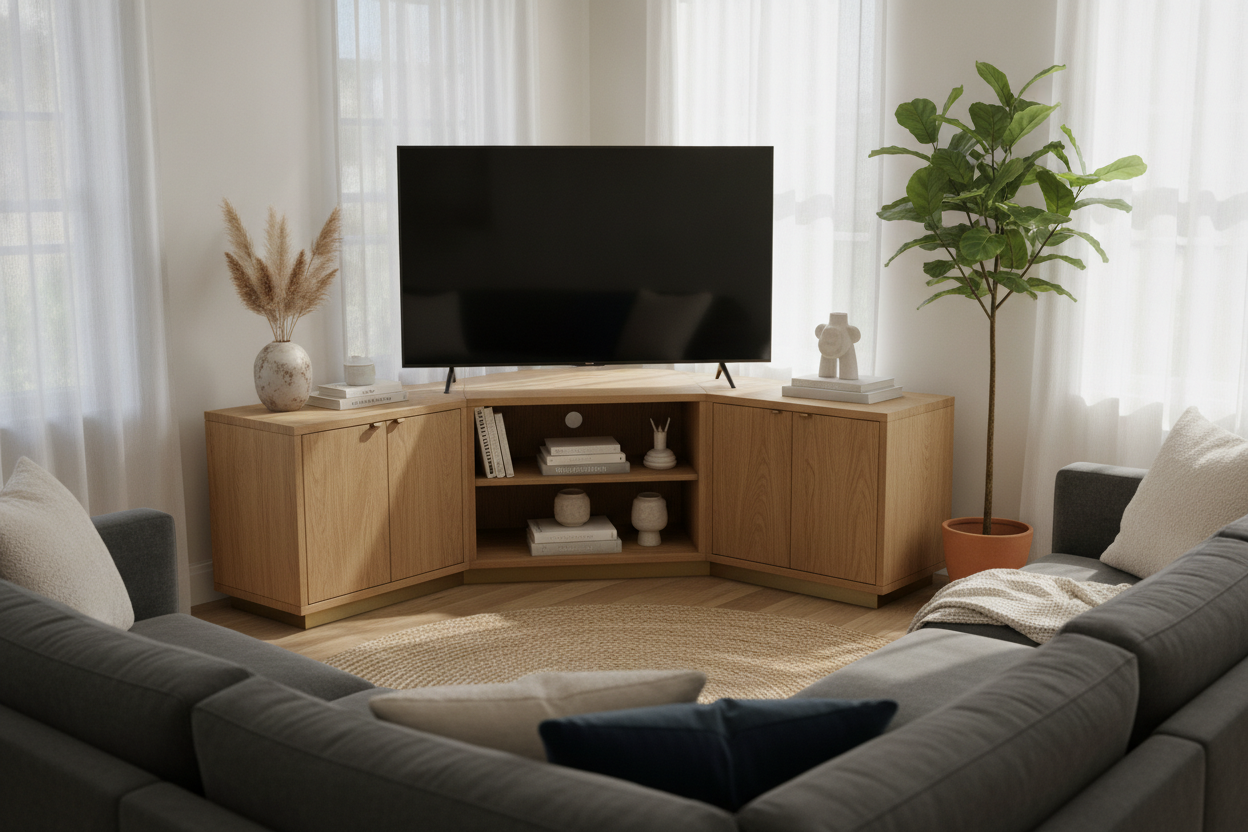
If your layout is weird—maybe your TV is in a corner or between two windows—you might feel stuck. I’ve seen people use a corner wall TV stand to solve this. It’s a brilliant move for open-concept apartments where you don't have a long, flat wall to work with. The goal is always the same: keep the wires inside the furniture and out of sight. I spent twenty minutes with some Velcro ties and a power strip inside my console, and now the only thing you see is the glow of the screen. It’s a massive relief for my inner neat-freak.
Lighting the Gap: My Favorite Visual Trick
If you want to go from 'nice living room' to 'custom home theater,' you have to light the gap. I’m not talking about harsh overhead lights. I’m talking about bias lighting. I added a simple LED strip to the back of my TV and another one under the floating console. It creates this soft, architectural glow that makes the furniture look like it's actually part of the wall.
If you aren't into DIY light strips, you can find an arranged TV stand with LED built right into the frame. It’s a 'set it and forget it' solution. This isn't just about looking cool; it actually reduces eye strain when you’re binge-watching in a dark room. The light behind the screen helps your pupils dilate properly, so you don't get that 'screen headache' after three episodes of a gritty prestige drama. Plus, it makes the whole setup look like it cost three times what it actually did.
FAQ
How high should I mount my floating TV stand?
Aim for 8 to 12 inches off the floor. You want enough space to run a vacuum or a Roomba underneath, but not so high that it feels like it's hovering in the middle of the wall. It should feel like a base, not a shelf.
Can I mount a floating stand on drywall alone?
I wouldn't risk it. Even if the stand is light, the moment you put a receiver or a stack of books on it, you're asking for trouble. Always hit at least two studs, or use heavy-duty toggle bolts rated for 100+ lbs if you have no other choice.
What is the best depth for a small wall mount tv stand?
Stick to 10-12 inches. Most modern streaming boxes and game consoles fit perfectly in that range, and it keeps the walkway clear so you aren't bumping into it every time you walk to the kitchen.

Laisser un commentaire
Ce site est protégé par hCaptcha, et la Politique de confidentialité et les Conditions de service de hCaptcha s’appliquent.