


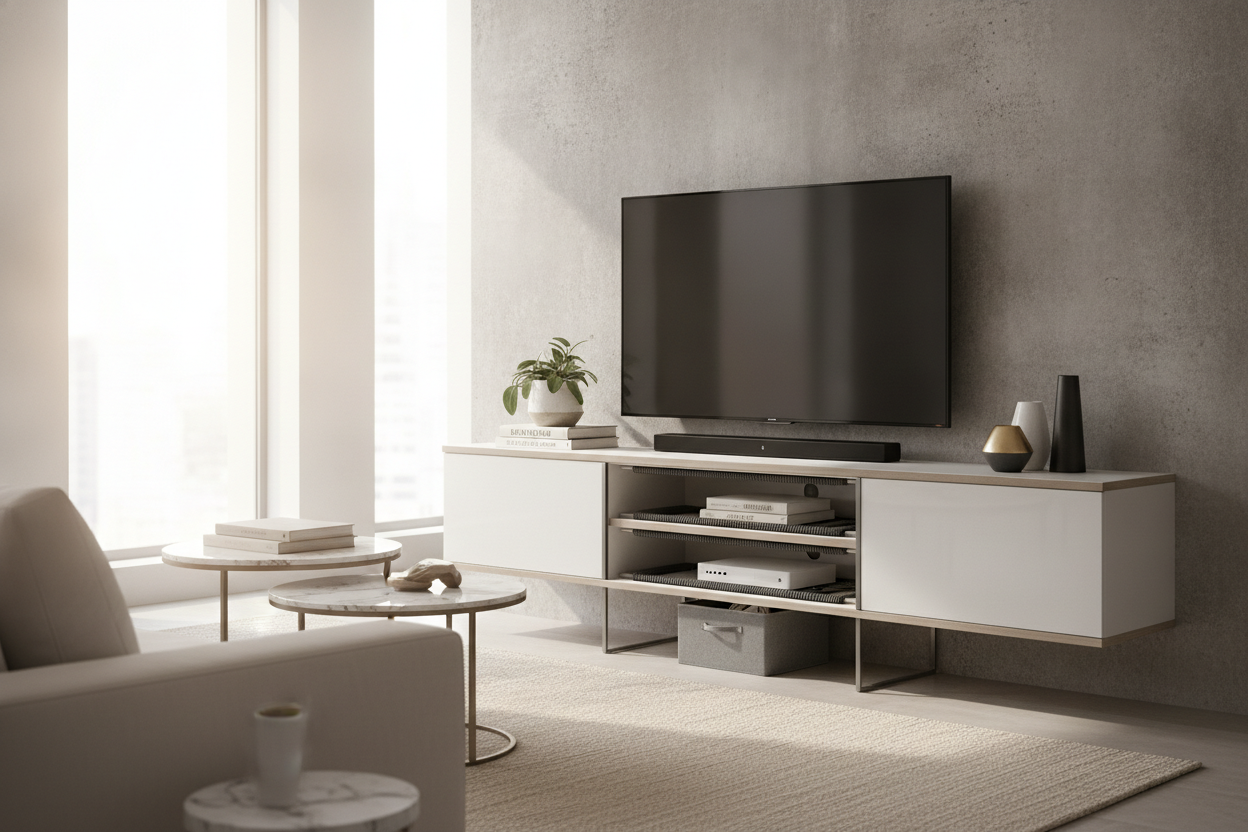
I bought this mid-century modern console because it looked like a dream in the catalog. Minimalist, airy, and exactly the right height for my 65-inch TV. Then I plugged in the PS5, the mesh router, and the soundbar. Suddenly, my sleek entertainment center shelf looked like an explosion at a spaghetti factory. I spent three nights staring at those dangling black wires before I realized I had to get aggressive with my organization.
Quick Takeaways
- Opaque baskets are non-negotiable for hiding small peripherals like controllers and remotes.
- A DIY 'false back' made of foam board can hide 90% of cable clutter.
- The rule of thirds keeps your media center from looking like a server room.
- Adjustable shelving is the only way to accommodate high-end receivers and consoles safely.
The Open Shelving Trap (And Why We Fall for It)
Open shelving is a design scam we all sign up for willingly. We see those curated photos of a single ceramic vase and a stack of linen-bound art books on a media center shelf. It looks sophisticated and light. In reality, most of us have a black plastic router with four antennas and a tangle of HDMI cables that look like they're trying to escape.
The problem is that a media center with shelves puts every blinking LED light and dusty power brick on full display. I tried to live with it for a month, but every time I sat down to watch a movie, my eyes drifted to the glowing orange 'status' light on my modem. It’s hard to stay immersed in a cinematic masterpiece when your furniture is screaming 'tech debt' at you.
My Go-To Entertainment Center Organizer Strategy
You need a strategy that involves more than just zip ties. I spent way too much money on clear acrylic bins before realizing they just magnify the mess. Now, I strictly use woven seagrass or heavy felt baskets. Felt is particularly clever because you can poke a tiny hole in the back of the basket for a power cord, and the material won't fray. This lets you charge controllers inside the basket while they’re totally hidden.
I also look for baskets that are at least an inch shorter than the shelf height. This allows enough clearance for your hand to reach in without scraping your knuckles every time you need the remote. For more professional tips on balancing aesthetics with hardware, I highly recommend reading Entertainment Center Shelf: The Designer's Secret to Tech Clutter Control. It changed how I view 'visible' storage.
The 'False Back' Trick for Bulky Routers
This is the secret that saved my sanity. I went to the craft store and bought a $5 piece of black foam board. I cut it to the exact dimensions of the opening on my media center shelves, but I pushed it forward about three inches from the actual back wall. I used a few strips of heavy-duty mounting tape to hold it in place.
Behind that foam board is where the real horror lives—the power strips, the excess six-foot cables, and the bulky power bricks. From the front, it looks like the unit has a solid, clean back. If you’re feeling fancy, you can use acoustic slat wood or even peel-and-stick wallpaper on the foam board to give it some texture. It’s a low-effort fix that makes your media center organizer efforts look professional rather than amateur.
Balancing the Ugly Tech With Actual Decor
Once the cords are hidden, you have to style the remaining space. I follow a strict rule of thirds: one third is for the necessary tech (the console or soundbar), one third is for hidden storage (the baskets), and the final third is for actual decor. If you fill every single media center shelf with electronics, your living room starts to feel like a Best Buy.
I like to use heavy, matte-finished objects to contrast the shiny plastic of the tech. Think a stack of vintage books, a stone tray, or a small potted plant—just make sure it’s a species that can handle the heat. Electronics generate a surprising amount of warmth, and you don't want to bake your favorite succulent on top of a running PlayStation.
When to Give Up and Upgrade Your Setup
Sometimes the furniture itself is the villain. If you have an old-school unit with fixed heights, you’re likely struggling to fit modern, oversized amplifiers or the massive PS5. I once tried to 'ventilate' a cheap particle board unit by drilling holes in the back, only to have the whole thing sag under the weight of my receiver. It wasn't worth the risk.
If your gear is literally overflowing or overheating, it’s time to move toward Adjustable Shelf Storage. Being able to drop a shelf by just two inches can be the difference between your equipment having proper airflow or melting its internal components. Plus, adjustable systems let you evolve your setup as you inevitably buy more gadgets.
FAQ
How do I stop my remotes from failing through a basket?
Use a basket with a loose weave or a 'slotted' front. Alternatively, look for an IR repeater. It’s a tiny, inexpensive sensor that sits on your shelf and relays the signal to the devices hidden inside your baskets or behind doors.
Will my router work if I hide it behind a false back?
Yes, as long as you use foam board or thin wood. Avoid metal or thick glass, which can kill your signal. If you're worried about heat, poke a few ventilation holes in the top of the foam board where they won't be seen.
What is the best way to label hidden cables?
Don't use sticky tape; it turns into a gooey mess over time. Use a handheld label maker and wrap the label around the cord near the plug. It makes troubleshooting so much easier when you aren't guessing which cord belongs to the TV.

Laisser un commentaire
Ce site est protégé par hCaptcha, et la Politique de confidentialité et les Conditions de service de hCaptcha s’appliquent.