


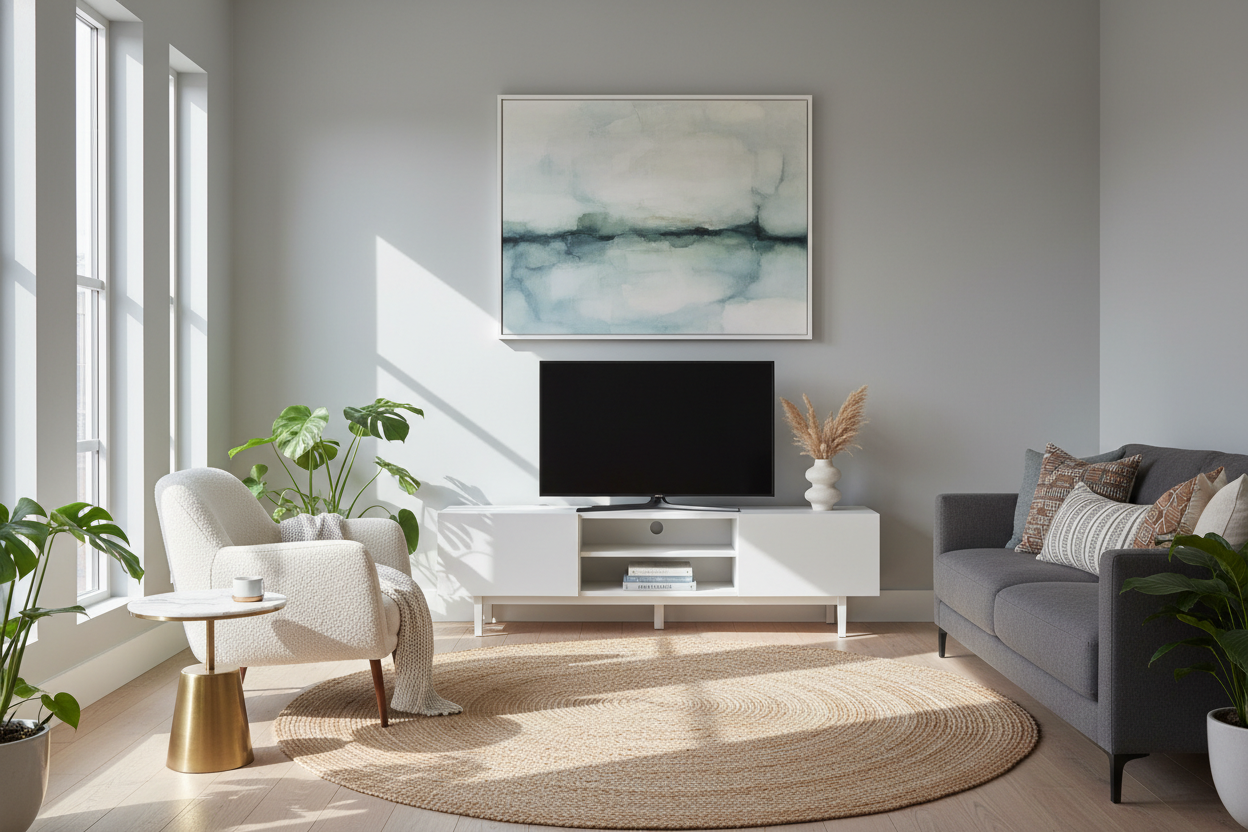
I used to be a 'max capacity' decorator. If a wall was twelve feet wide, I wanted a piece of furniture that covered at least ten of them. I thought it made the room look custom and expensive. Instead, it made my living room feel like a bowling alley—long, narrow, and impossible to navigate.
A few months ago, I finally ditched the massive wall unit for a 54 inch tv stand. The change was instant. Suddenly, the room breathed. I wasn't fighting for every inch of floor space, and I could actually fit a comfortable armchair in the corner that used to be blocked by a sprawling media center.
- The 54-inch sweet spot: It provides a stable base for most modern TVs without eating the entire wall.
- Layout flexibility: You gain roughly 2-3 feet of wall space compared to standard 'large' consoles, perfect for floor lamps or plants.
- Visual balance: It prevents the 'heavy' look that oversized furniture creates in rooms under 200 square feet.
- Versatility: These units often double as dining sideboards or entry cabinets if you decide to move your TV to another room.
The Wall-to-Wall Trap I Finally Escaped
I spent years convinced that a massive entertainment center was the only way to hide cables and store my 'stuff.' I bought an 80-inch behemoth made of heavy MDF that was a nightmare to assemble. It took up so much horizontal real estate that my sofa had to be shoved into a weird position just to keep the walkway clear. It was a classic case of the furniture dictating my life rather than serving it.
Before I settled on this size, I actually experimented with going even smaller. As I wrote in Why I Swapped My Bulky Console for a TV Stand 47 Inch Wide, there is a limit to how much you can downsize before the TV starts to look like it’s teetering on a pedestal. The 47-inch unit was great for a bedroom, but for the main living area, it felt a little skimpy. The 54 tv stand is the actual 'Goldilocks' dimension.
Why Four-and-a-Half Feet is the Magic Number
Why exactly 54 inches? It’s four-and-a-half feet of solid utility. This width is wide enough to feel substantial but narrow enough to leave 'negative space' on either side. In interior design, negative space is what makes a room feel high-end rather than cluttered. When you shop for Tv Stands, you'll notice that 54 inches is a standard manufacturing break point, meaning you often get better structural integrity than the ultra-wide pieces that tend to sag in the middle over time.
A 54 inch tv console also allows you to flank the TV with things that actually add personality. Instead of more wood and glass, I now have a tall snake plant on one side and a brass floor lamp on the other. It looks like a curated vignette rather than a wall of electronics. It’s the difference between a room that looks like a Best Buy showroom and one that looks like a home.
The Screen Size Math: Will Your Setup Look Top-Heavy?
The biggest fear people have with a 54 inch wide tv stand is that their TV will look like an umbrella over a toothpick. Let’s look at the actual numbers. A standard 55-inch TV is actually only about 48 inches wide. Placing that on a 54 inch media console gives you about three inches of clearance on each side. It’s a perfect, centered fit.
Even if you have a 60-inch screen, the base or legs usually sit well within that 54-inch span. If you have a slim-bezel TV, a 54 media console keeps the footprint tight and modern. I’ve found that as long as the stand is at least 4-6 inches wider than the TV itself, it looks intentional and balanced. Anything less and you risk the 'top-heavy' look; anything more and you’re just wasting floor space.
Rethinking the Terminology: Finding the Right Piece
One trick I’ve learned from years of scouring furniture sites is that you shouldn't just search for a 54" media console. Some of the best pieces I've found in this size are actually listed as dining room buffets or accent credenzas. These often have better storage—think adjustable shelving and solid wood doors—than the flimsy units specifically marketed for electronics.
If you're confused about the labels, I highly recommend reading Media Console Vs Credenza What Does Tv Stand For Anymore. It’ll help you realize that a tv console 54 inches wide doesn't have to look like a 'tech' piece. My current unit has a beautiful mid-century walnut finish and tapered legs, which makes the whole room feel more sophisticated than any dedicated 'gaming' stand ever could.
How to Style the Extra Wall Space You Just Gained
Once you swap to a 54" tv console, you’re going to have 'holes' on your wall. Don't panic and fill them with more furniture. This is where you get to be creative. I used an asymmetrical gallery wall to draw the eye upward. By hanging art higher and slightly off-center, the 54-inch unit feels like a grounded anchor rather than a lonely island.
If you have a particularly small room and even a 54-inch footprint feels like too much, you might consider a Floating Tv Stand Wall Mounted Media Console Entertainment Center. It keeps that same 54-inch width but clears the floor entirely. Seeing the floor continue all the way to the baseboard is the oldest trick in the book for making a cramped apartment feel like a palace. Personally, I like the legs because it gives me a place to hide my robot vacuum, but the floating look is a killer choice for ultra-minimalists.
FAQ
Is a 54 inch stand big enough for a 65 inch TV?
It’s tight. A 65-inch TV is roughly 57 inches wide, so the screen will actually overhang the edges of a 54-inch stand. If your TV has a center pedestal stand, it will physically fit, but it might look a little 'top-heavy' visually. I usually recommend a 60-inch stand for a 65-inch screen.
What is the average height for these consoles?
Most 54-inch units sit between 24 and 30 inches high. If you’re sitting on a standard sofa, you want your eyes to be level with the bottom third of the screen, so 24-27 inches is usually the sweet spot for comfort.
Can I use a 54-inch sideboard as a TV stand?
Absolutely. Just check the weight capacity. Solid wood sideboards are usually fine, but some cheaper accent cabinets aren't rated for the 40-50 lbs of a modern large-screen TV. Also, check for cord management holes in the back—you might need to drill your own.

Laisser un commentaire
Ce site est protégé par hCaptcha, et la Politique de confidentialité et les Conditions de service de hCaptcha s’appliquent.