



I spent three weeks' salary on a computerized desk that promised to make me feel like Tony Stark. Instead, I felt like a guy with a very expensive, very heavy paperweight that needed a software update just to change its height. It was sleek, integrated, and absolutely exhausting to live with for six months before I finally admitted defeat.
Quick Takeaways
- Analog is almost always better; a desk shouldn't need a firmware update.
- Proprietary integrated ports become obsolete faster than the wood they are built into.
- Modular setups allow you to upgrade your PC without replacing your entire furniture suite.
- Cable management is a skill you can learn, not a feature you should pay $1,000 for.
The Marketing Trap of 'Smart' Office Furniture
We have all seen the ads for the 'desk that is a computer'—those hyper-clean setups where the PC components are literally built into a glass-topped chassis. They look incredible in a rendered Instagram ad. You imagine yourself gliding through a workday with touch-sensitive controls and zero visible wires. It is the ultimate dream for anyone looking for computer desks for home office use.
But here is the reality: a desk for computer tasks needs to be flexible. The moment you buy a desk with computer components baked into the frame, you are locking yourself into a specific hardware generation. In two years, when you want a bigger GPU or a different motherboard, you realize your expensive pc desk for home is now a physical prison for your tech. I found that most computer home office desk designs prioritize the 'wow' factor over actual cooling, ergonomics, or long-term utility.
Three Things That Instantly Drove Me Crazy
First, the proprietary nonsense. My high-tech computer table office setup came with built-in USB-C ports and wireless charging pads. Within four months, the charging pad started humming—a high-pitched whine that drove me insane during quiet focus blocks. Because it was integrated, I couldn't just swap it out. I had to take the whole table for desktop computer use apart to disconnect a single wire.
Second, the weight. A basic computer desk might weigh 50 pounds. This computerized behemoth was nearly 200. Moving it to clean behind it or to simply rearrange my room required a team of three people. It turns out that a pc desk with drawer units and integrated cooling fans is just a nightmare to maintain. If a motor fails in your fancy desktop computer desk, you aren't just out a desk; you are out of a job until the technician arrives.
Third, the lack of customization. A simple computer table allows you to clamp on monitor arms, add keyboard trays, or drill a hole where you actually need it. With a desk for a pc that has a glass top or internal wiring harnesses, you are stuck with the manufacturer's vision of 'productivity.' If their monitor mount height doesn't work for your neck, too bad.
When Is a High-Tech PC Workstation Actually Worth It?
I am not saying all technology desks are a waste of money. If you are a professional colorist or a high-end video editor, a dedicated pc workstation desk with built-in rack mounts and specialized cooling can be a lifesaver. These are professional computer desk setups designed for specific, heavy-duty hardware that stays the same for years.
However, for 90% of us, you are better off buying a high-quality manual or motorized frame and adding the tech yourself. I actually found that making a standing desk out of a vintage table was significantly more satisfying and durable than the 'smart' desk I bought online. It gave me the height adjustment I needed without the unnecessary software bloat.
What to Buy Instead If You Just Want a Solid Setup
If you are currently searching for a modern pc desk, stop looking for integrated gadgets. Look for surface area and weight capacity. A solid desktop computer furniture piece should be able to hold two 32-inch monitors and a heavy PC tower without bowing in the middle. Most cheap computer desk nearby options use thin particle board that will sag within a year.
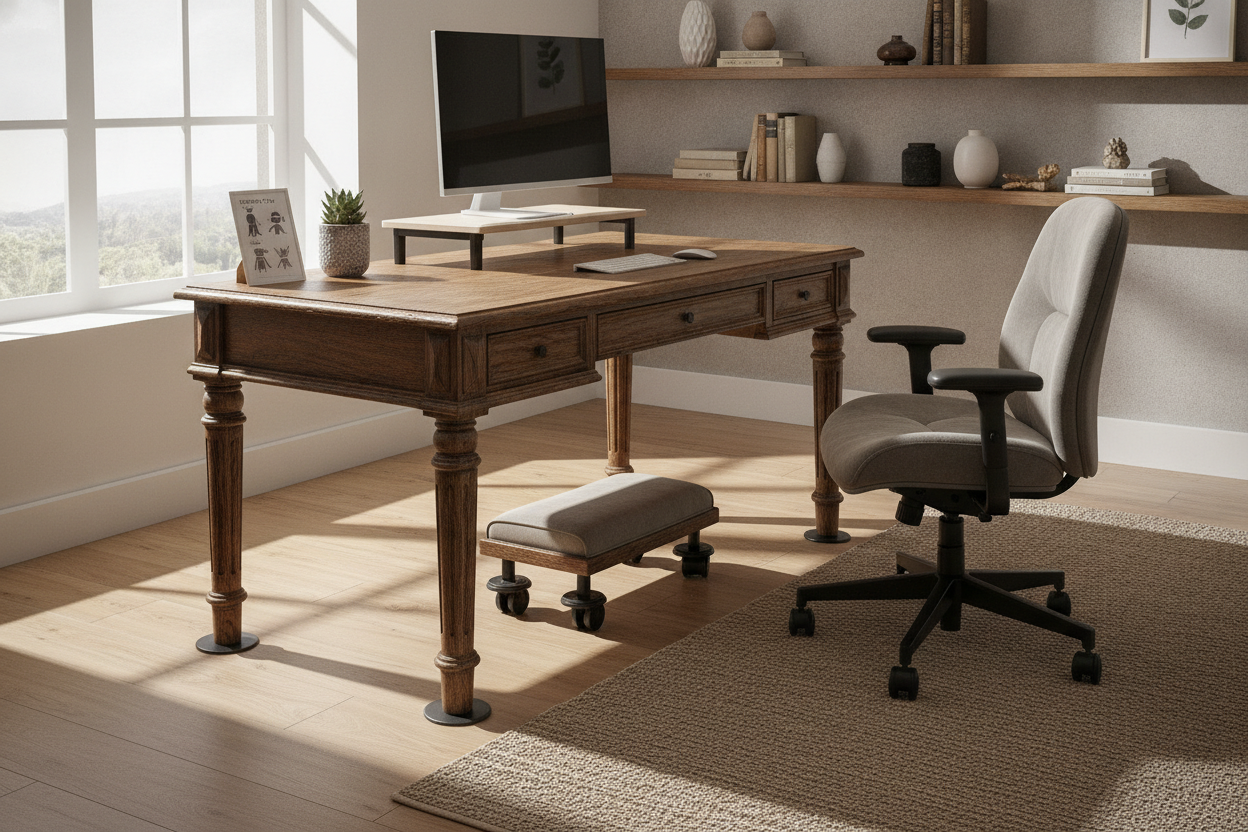
If you have the space, I highly recommend a corner desk with large storage. It gives you a dedicated zone for your tower and plenty of 'analog' space for notebooks and coffee. If you prefer a cleaner look, a classic writing computer desk with a deep 30-inch surface provides enough room to push your monitor back so you aren't straining your eyes. You can always add your own under-desk trays for that 'integrated' feel without the integrated price tag.
How to Hide Your Tech (Without Buying a Spaceship)
The main reason people buy a computerized desk is to hide the cable mess. You can achieve that same look on a basic computer desk for about $40 in accessories. Get a metal cable tray that screws into the underside of the wood, a pack of Velcro ties, and a heavy-duty power strip. It takes an afternoon of work, but the result is a desktop desk that looks just as clean as the $2,000 versions.
This approach also makes your furniture more versatile. If you end up putting your computer desk in your dining room because of a move or a change in living arrangements, a clean, wood-topped desk looks like a piece of furniture rather than a piece of lab equipment. You want a home desk computer setup that blends in, not one that screams 'I live in a server room.'
FAQ
Where can I find computer desks that aren't junk?
Avoid the big-box 'flat pack' stores if you want something that lasts. Look for office liquidators or dedicated furniture stores that sell solid wood or high-density laminate. If you're looking to shop computer desk options locally, check the weight rating—anything under 100 lbs capacity is usually too flimsy for a real desktop setup.
Is a desk with cpu storage a good idea?
Only if the storage is well-ventilated. Most desks with a closed cabinet for the PC will cook your components. If you use a pc desktop desk with a cabinet, make sure the back is completely open or install a small exhaust fan.
How much should a good computer table cost?
For a sturdy, modern pc desk, expect to spend between $300 and $600. Anything less usually involves thin metal legs and hollow-core tops. Anything more usually means you're paying for brand names or unnecessary 'smart' features that you'll likely regret later.

Laisser un commentaire
Ce site est protégé par hCaptcha, et la Politique de confidentialité et les Conditions de service de hCaptcha s’appliquent.