


Quick Takeaways
- Achieve the floating TV look without drilling giant holes in your drywall.
- Integrated cable management hides the 'black waterfall' of dangling cords.
- Total flexibility to rearrange your room without patching and painting.
- Sturdier than cheap floor stands, supporting up to 65-inch or 75-inch screens easily.
I spent three hours last Saturday staring at a hole in my drywall that was exactly two inches to the left of where I actually needed it. I wanted that clean, floating look you see in high-end staging, but between the stud finder lying to me and the inevitable 'black waterfall' of cords dangling down to my old console, I was ready to give up on the dream. That is when I finally ditched the wall-mount kit and bought an entertainment center with tv mount.
The Day I Gave Up on Wall Anchors and Drywall Dust
There is a specific kind of stress that comes with holding a 50-pound OLED screen while your partner screams that the level is 'mostly straight.' I have been there. I have hit metal plates, I have had toggle bolts fail, and I have spent way too much money on spackle and touch-up paint. But the real kicker? Even when you get the TV on the wall, you still have to deal with the cords.
Unless you are prepared to cut more holes and run power through the wall—which is a whole other level of DIY hell—you end up with three or four thick black cables hanging down like an ugly tail. It ruins the aesthetic immediately. I realized I did not actually want the TV on the wall; I just wanted the TV to look like it was floating at eye level without a mess underneath it.
Wait, What Exactly Is a Mounting Spine?
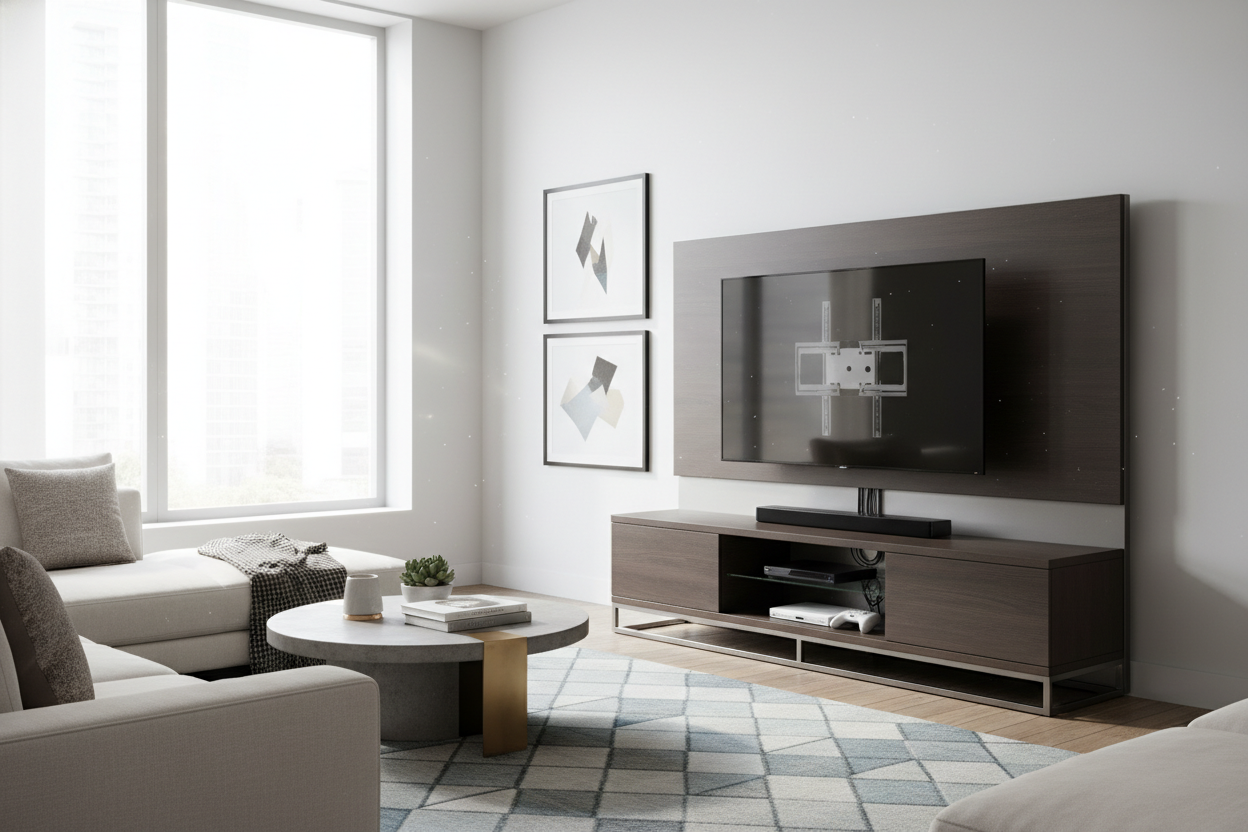
A tv mount entertainment stand is essentially a heavy-duty piece of furniture with a built-in vertical pillar, often called a spine. Think of it as a weighted, freestanding wall. The base of the unit is heavy enough to act as a counterweight, while the steel spine rises up behind the shelves to hold a VESA-compatible bracket.
It is simple physics. Because the weight of the TV is distributed down the steel pillar and into the base of the furniture, you do not need to worry about finding studs or whether your 1970s plaster walls can handle the load. I was skeptical about the stability at first, but once I bolted my 65-inch screen onto the bracket, it felt more secure than any wall mount I have ever installed. It does not wobble, and it does not tilt forward.
The Cable Management is Honestly Life-Changing
The real magic of a media center with tv mount is the hollow spine. Most people focus on the mount, but the cable management is the actual hero. Instead of trying to zip-tie cords to the back of a thin metal leg, you just drop your HDMI cables and power strips down the center of the mounting pillar.
In my setup, I have a PlayStation, a soundbar, and a streaming box. Usually, that is a bird's nest of tangles. With the mounting spine, everything disappears. The cords enter the spine right behind the TV and pop out at the bottom, directly behind the storage cabinets. You get a completely clean visual path between the bottom of the TV and the top of the stand. It is the closest thing to magic I have found in living room organization.
Getting the 'Floating' Look Without the Commitment
One thing people forget about wall mounting is that once it is done, you are stuck. If you decide your sofa looks better on the opposite wall, you have a massive repair job ahead of you. Using a mounted unit gives you the same sleek, airy look, but you can literally slide the whole thing over six inches if you buy a new rug.
I love that it allows for faking a custom media wall. By choosing a unit that is wide enough to anchor the space, you create a focal point that feels intentional and built-in. It gives the room a sense of height that a low-profile console just cannot match, all while keeping your tech at the perfect ergonomic viewing angle.
Finding One That Doesn't Look Like Office Tech
We have all seen those rolling TV carts used in corporate boardrooms. They are hideous. To avoid that 'conference room' vibe, you need to look for materials that feel like actual furniture. I always recommend staying away from all-glass and thin chrome units. They show every speck of dust and feel cold.
Instead, look for a stylish black tv stand entertainment center with some texture—maybe a matte finish or fluted cabinet doors. If you have a larger room, browse different tv stands that offer wood grains or mid-century legs to ground the piece. My personal mistake? I once bought a unit where the spine was too short, and my TV ended up looking like it was resting on the shelf anyway. Measure your eye level while sitting on the couch before you buy; you want that screen centered about 42 inches from the floor.
FAQ
Will a mounted stand tip over if my dog bumps it?
Not if you buy a quality unit. These stands are designed with a low center of gravity. The weight of the console base and your components (receivers, books, etc.) keeps it firmly planted. If you have toddlers, many still come with a small safety tether for extra peace of mind.
Can I adjust the height after it is installed?
Most mounting spines have 3 to 5 height settings. You usually have to unscrew a couple of bolts to move it, so it is not 'on-the-fly' adjustable, but you can definitely fine-tune it during assembly to clear your soundbar.
Do these stands work with curved TVs?
Yes, as long as the TV is VESA compliant (which almost all are). The bracket on the spine works exactly like a standard wall mount bracket.


Laisser un commentaire
Ce site est protégé par hCaptcha, et la Politique de confidentialité et les Conditions de service de hCaptcha s’appliquent.